To whom it may concern,
My smartapps are now officially approved by Keen Home:

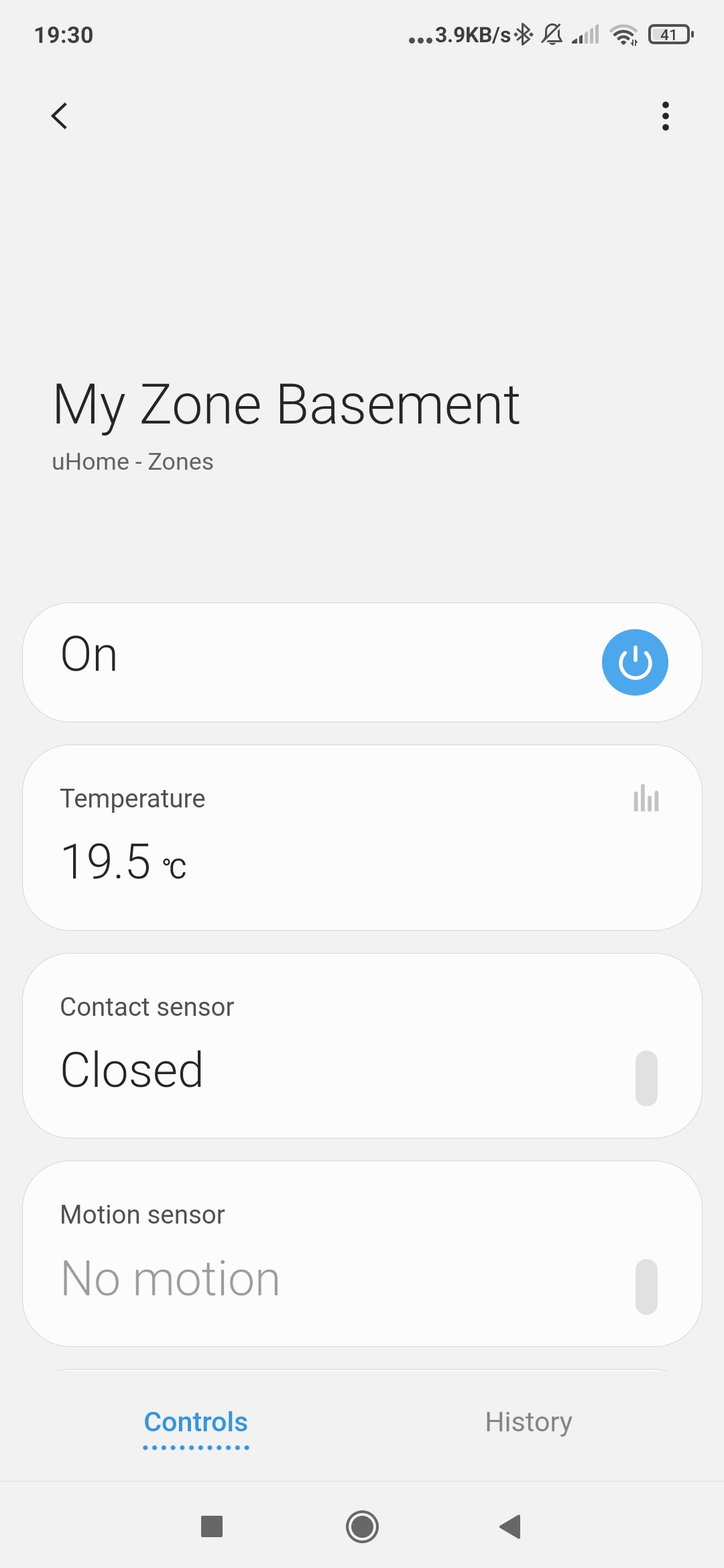
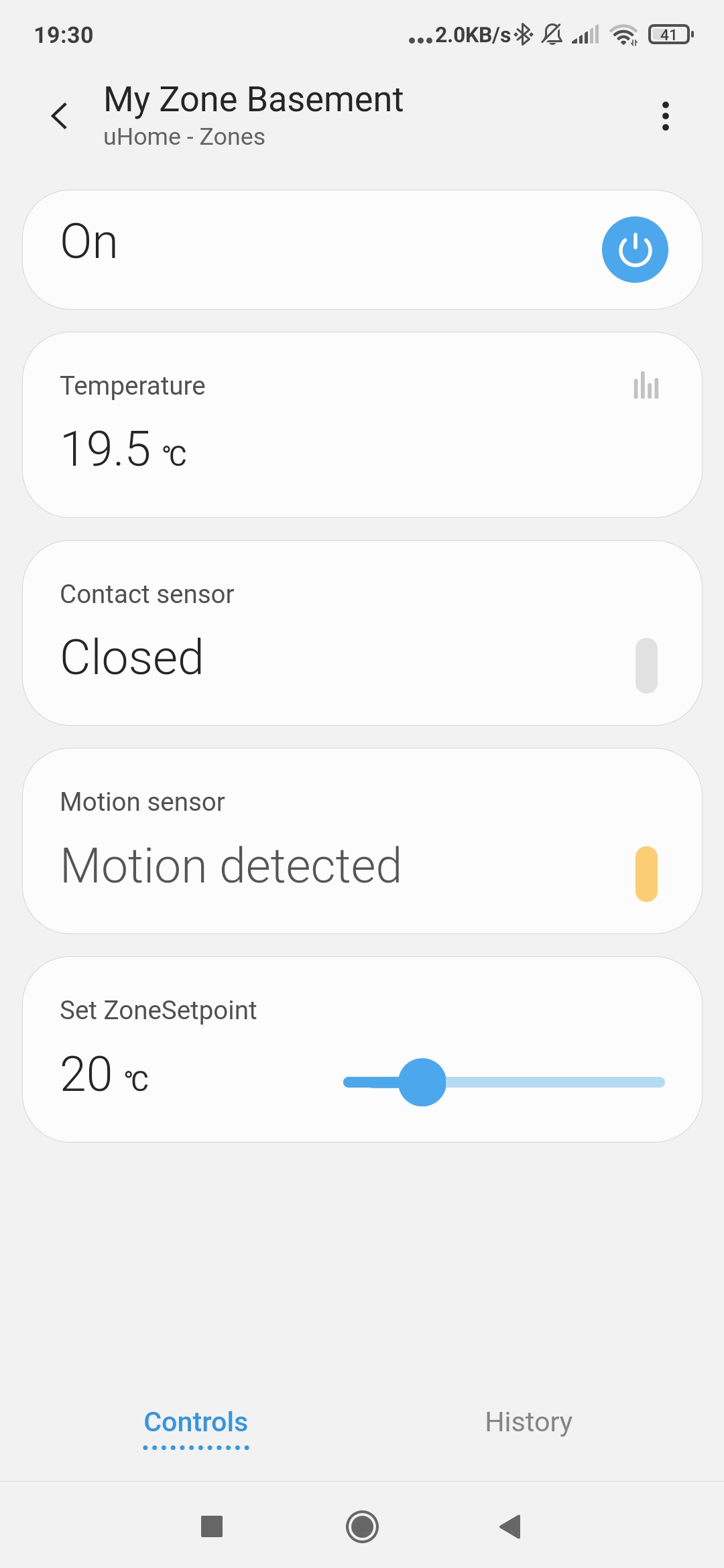
- The new UI presentation amongst others adds a custom capability (setZoneSetpoint see image below).

Latest versions of the smartapps
v8.7.6 Minor optimization of the fan settings in ecobeeSetZoneWithSchedule and ScheduleTstatZones
V8.7.5 Alternative cooling optimization in ecobeeSetZoneWithSchedule and ScheduleTstatZones
Prerequisites:
-
SmartThings hub
-
A ST connected thermostat (optional for ScheduleRoomTempControl)
-
Smart vents such as Keen Home smart vents, EcoVents, and EcoNet , and Flair vents (optional)
N.B. For the Keen Home vents: I recommend to use the following DTHs (to avoid too much polling):
GitHub - yracine/keenhome.device-type: Keen Home Smart Vents - device handler (refer to the README for the installation steps).
jcdevhandlers/devicetypes/jscgs350/my-keen-home-smart-vent.src at master · jsconstantelos/jcdevhandlers · GitHub -
ST connected Temp/Motion/Contact sensors in rooms (optional) for better vent/temp adjustment
-
When used with ecobee thermstats, works with MyEcobee device only as the smartapps have tight integration with it for better performance and reliability.
For motion detection, I don’t recommend the ecobee remote sensors as they are not meant for
HA scenarios. They don’t update in real time in most cases. -
Outdoor temperature sensor (optional) for ecobeeSetZoneWithSchedule and ScheduleTstatZones
Amongst other features, my zoned heating/cooling solutions have the following capabilities:
- Ability to create zones inside your home (ex. upstairs bedrooms, basement, ground floor). A zone is composed of 1 to many rooms.
- Ability to create schedules so that the above zones are active only during a specific period of the day
* For examples: at nights, the airflow shall be directed only to the upstairs bedrooms; during the
day, the airflow shall be directed towards the ground floor and the basement, but not the upstairs
bedrooms). - Ability to set the thermostat’s setpoints to achieve best comfort and energy efficiency during a schedule run.
- Ability to run schedules based on the ST hello modes (Night, Away, Home, any custom ones)
- Ability to choose the right temp calculation (Average, Median, Minimum, Maximum value) of any ST connected indoor sensors to adjust the setpoints and set the thermostat to away or present (ScheduleTstatZones & ecobeeSetZoneWithSchedule).
- Ability to trigger alternative cooling based on outdoor temp threshold (ScheduleTstatZones & ecobeeSetZoneWithSchedule).
- Ability to control room/zone thermostats for portable heaters, eTRV (hot water valves), windows or split AC units, etc. with zone’s heat/temp differential to be applied for cooler/warmer rooms.
- Ability to open all vents when the HVAC fan is running.
Here is more information about the smartapps:
Please refer to the configuration section of the ST community wiki for more details on
the use cases that the smartapps can support (refer to links below).
1) ScheduleRoomTempControl
The smartapp enables you to control your smart vents vs. temp (cool and heat) thresholds that you can set for a given zone (composed of 1 or many rooms).
Example: In Heat mode, when above or equal to 78F, the vents will be closed; below 78F, the vents will be open at 100% for all rooms within a zone. You can change the temp threshold at different times of the day using Schedules.
It can work with or without a thermostat.
http://thingsthataresmart.wiki/index.php?title=ScheduleRoomTempControl
2) ScheduleTstatZones
The smartapp orchestrates any ST connected thermostat (Nest, Honeywell Lyric, ecobee, CT-100, etc) and smart vents using any connected temp/motion/contact sensors for better comfort inside your home.
It uses the thermostat’s (heat and cool) setpoints as baseline for adjusting the vents.
For example, if you have 3 rooms: Master Bedroom, Kitchen, Family Room in your zone, the smartapp can do the following: the MB’s vents may be open at 20%, the Kitchen’s vents may be open at 60%, and the third at 100% based on room’s temp differential with the target setpoints at the thermostat (77F) and the thermostat mode (heat, cool, auto). You can change the thermostat’s setpoints at different times of the day using Schedules.
http://thingsthataresmart.wiki/index.php?title=ScheduleTstatZones
3) ecobeeSetZoneWithSchedule (similar to ScheduleTstatZones, but specially designed
for ecobee thermostats)
http://thingsthataresmart.wiki/index.php?title=EcobeeSetZoneWithSchedule
The smartapp is similar to ScheduleTstatZones, but it uses the program/climate defined at ecobee (scheduled setpoints ) as a baseline for the vents/setpoints adjustments and for scheduling (as the ST scheduling is not as reliable). The smartapp has been designed specifically for the ecobee users who do not want to rely on the ST scheduling as it is not as reliable as the ecobee scheduling. The smartapp can also resume your ecobee program to avoid creating temporary holds at the thermostat when not needed.
Here is a summary of the changes:
-
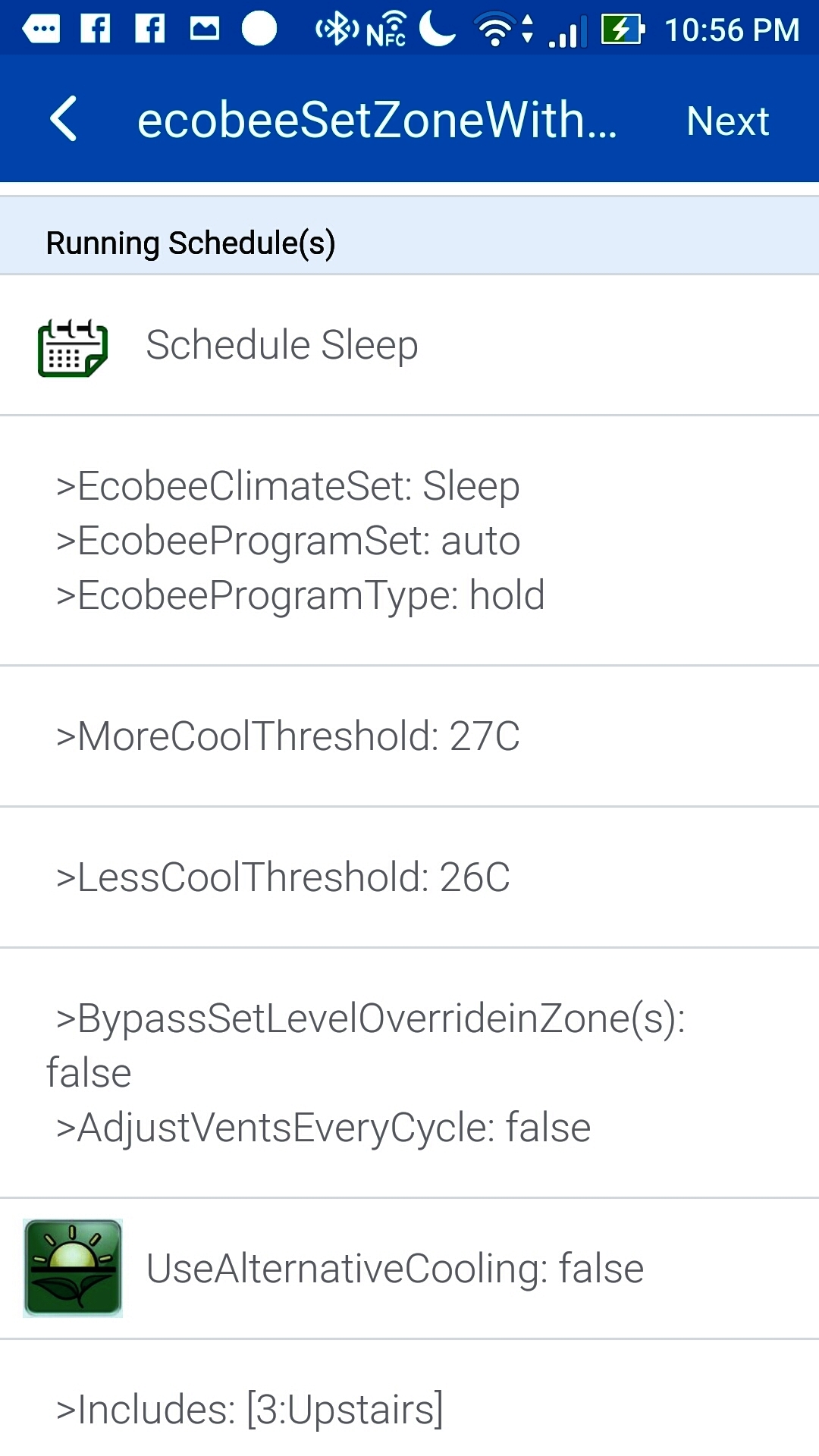
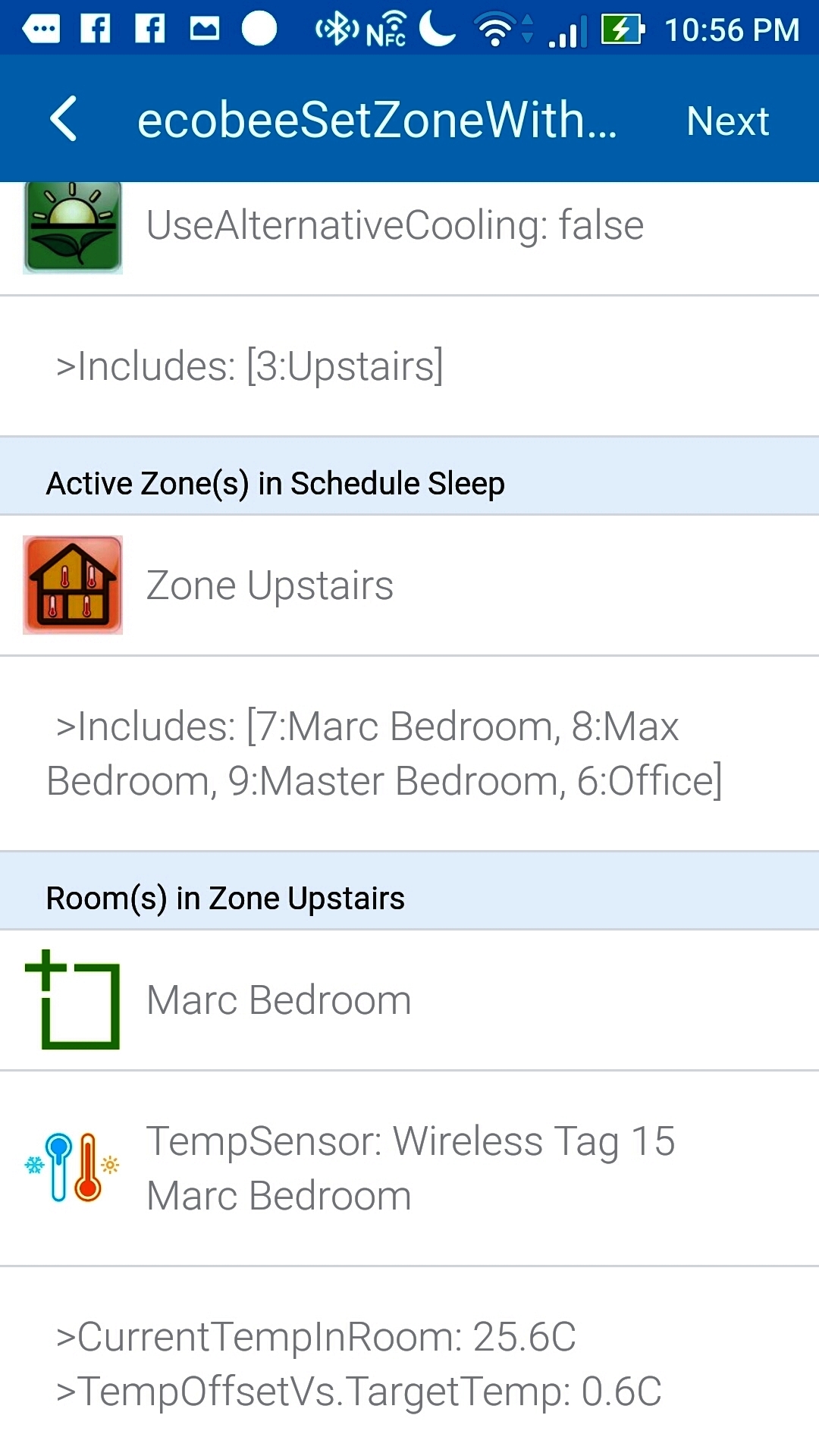
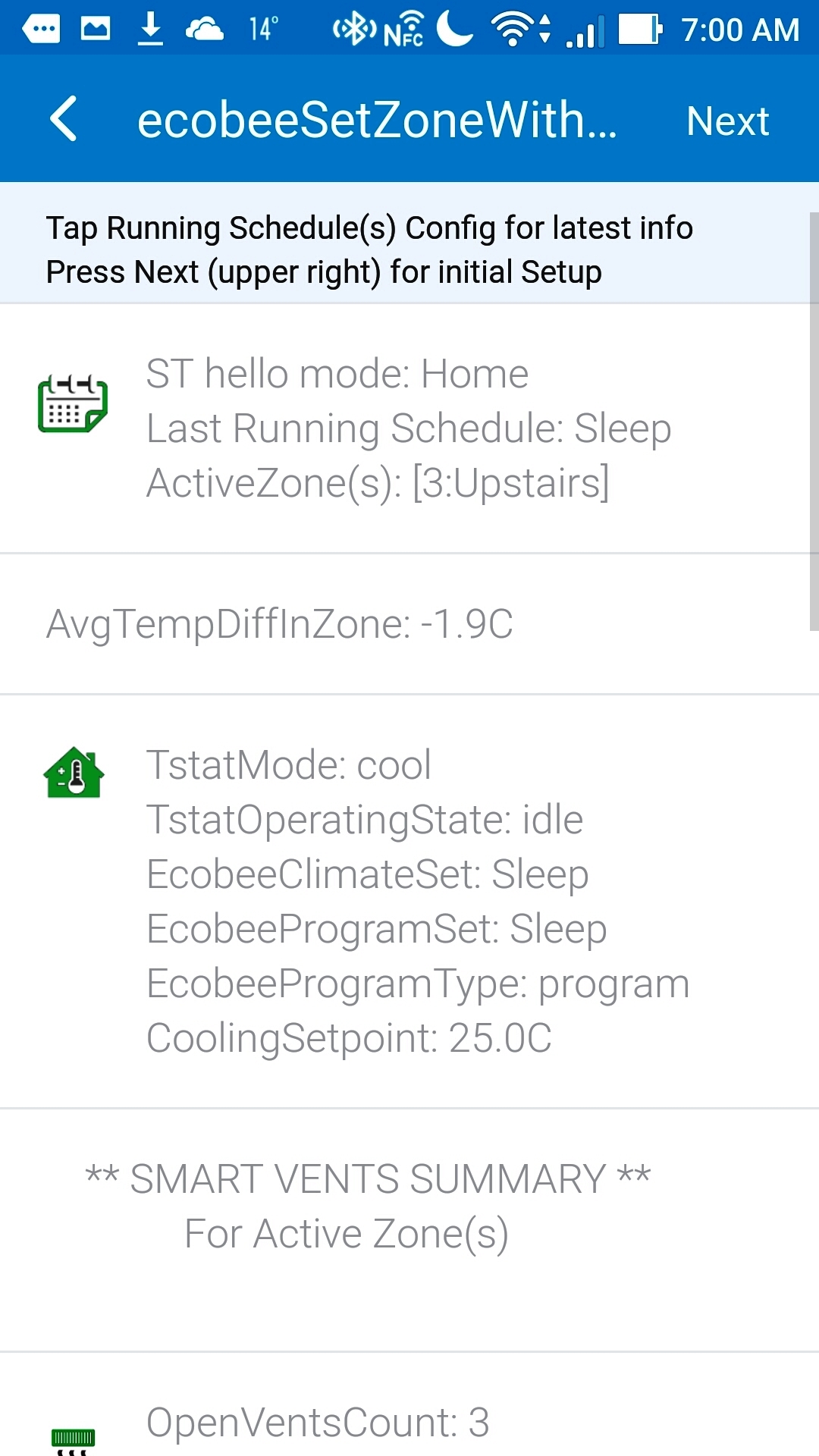
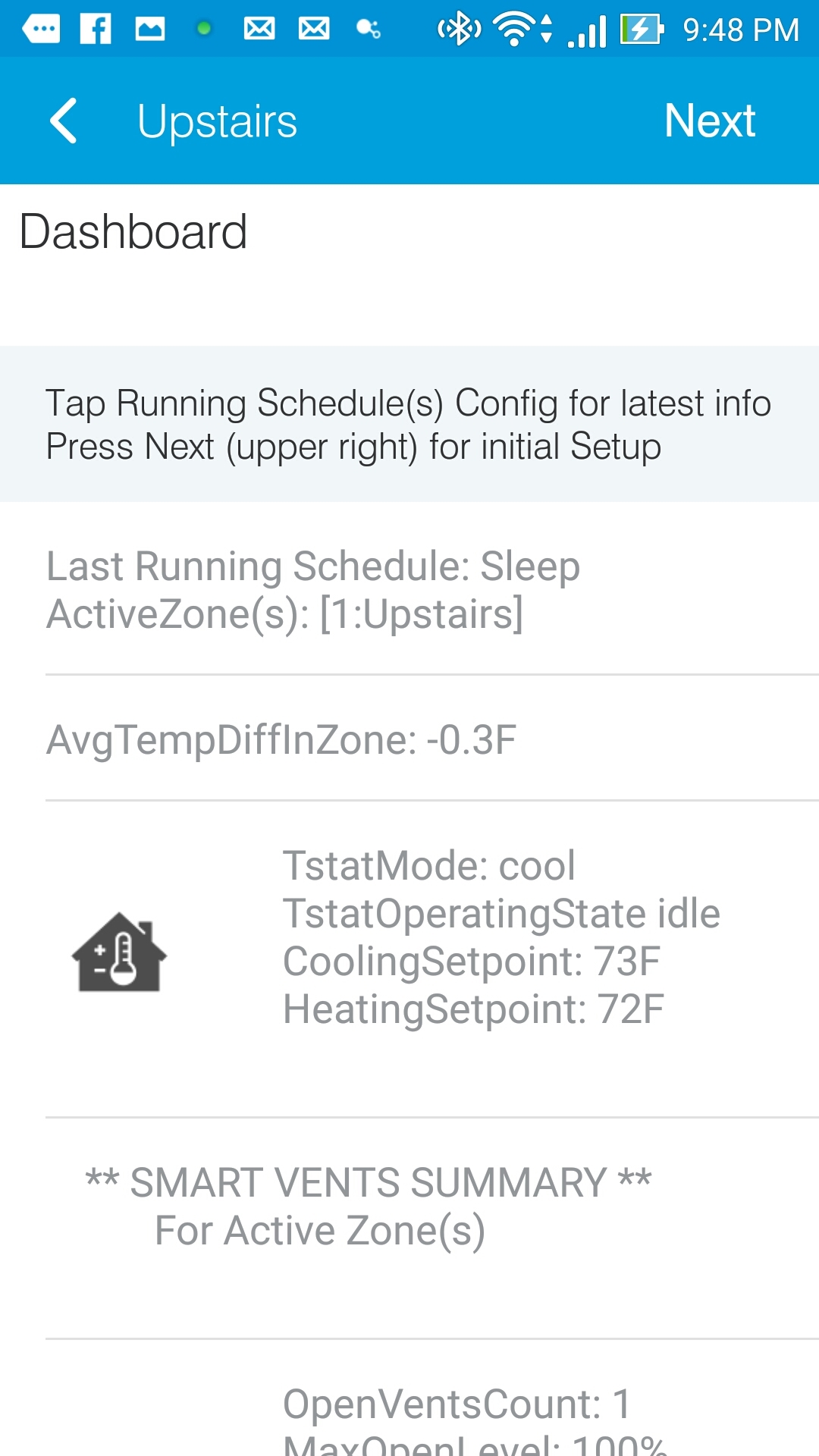
Added a ConfigDisplayPage which shows the running schedule with
all zones and room parameters that can impact the thermostat and/or smart vent settings.
You can also use the page to set Level Overrides for your each of your smart vents in the zoned Rooms.
- Added 3 levels of vent settings
1) The smartapps can calculate the best level based on each room’s temperature and
motion detection.
In ecobeeSetZoneWithSchedule & ScheduleTstatZones, the right level is calculated based on the room’s temp offset (differential) vs. the desired setpoint at your thermostat divided by the average temp offset for all rooms in your zone(s). That way, the colder/hotter rooms will get more heating/cooling.
In ScheduleRoomTempControl, the smartapp simply checks the current temperature vs.a specific cooling/heating threshold and just closes the vents when the threshold is met.**
2) The vent settings can be overridden for all vents in the scheduled zone(s)/room(s)
during a schedule run (ex. mornings, set all my vents at 100%)
3) Each vent’s level can be overridden at the room level (ex. set my bedroom’s vent level
at 60% and my living room’s level at 25% even if all my other smart vents are set at 100% at the schedule level)
- Override setLevel Bypass at Schedule Level
For a specific Schedule, you can now bypass all vents’ overrides set (ex. at night, bypass
all overrides, and set all my zoned rooms’ vents at 40%)
N.B. All my existing contributors who’ve contributed to the above smartapps will receive
the new release soon!
The smartapps are compatible with the US and metric systems (Farenheit or Celsius):
The smartapps are available now for download at my store:
Here are some screen shots of the new ConfigDisplayPage()