We will begin rolling out Samsung SmartThings Hub firmware version 0.58.10 starting on September 22, 2025. This will be a phased rollout, so that we can keep a close eye on any issues that arise, so your hub may not be updated immediately. Once downloaded, your Hub will briefly go offline as it reboots and applies the update; most customers will experience less than one minute of downtime. We will update the status page when the release is complete.
Hub Target:
Samsung SmartThings Hub 2015 (Hub v2)
Samsung SmartThings Hub 2018 (Hub v3)
Aeotec Smart Home Hub
Aeotec Smart Home Hub 2
Release Period: September 22nd, 2025 - October 1st, 2025
Note that this release will be spread out over the course of multiple weeks, so you may not see your Hub update on the first day of the release period. This release period is an estimate, so the rate of hubs updated and final completion date may vary slightly within the timeframe. Please check the status page for more up to date information on this release.
Release Notes
General
Thread stack upgrade to Thread 1.4, with support for:
Thread Credentials Sharing
TREL (Thread Radio Encapsulation Link), allowing Thread devices to communicate over IP networks, improving reliability
Public internet connectivity for Thread devices (NAT64)
This feature is enabled by default and can be turned off in the Thread section of your hub details in the Advanced User Web Interface
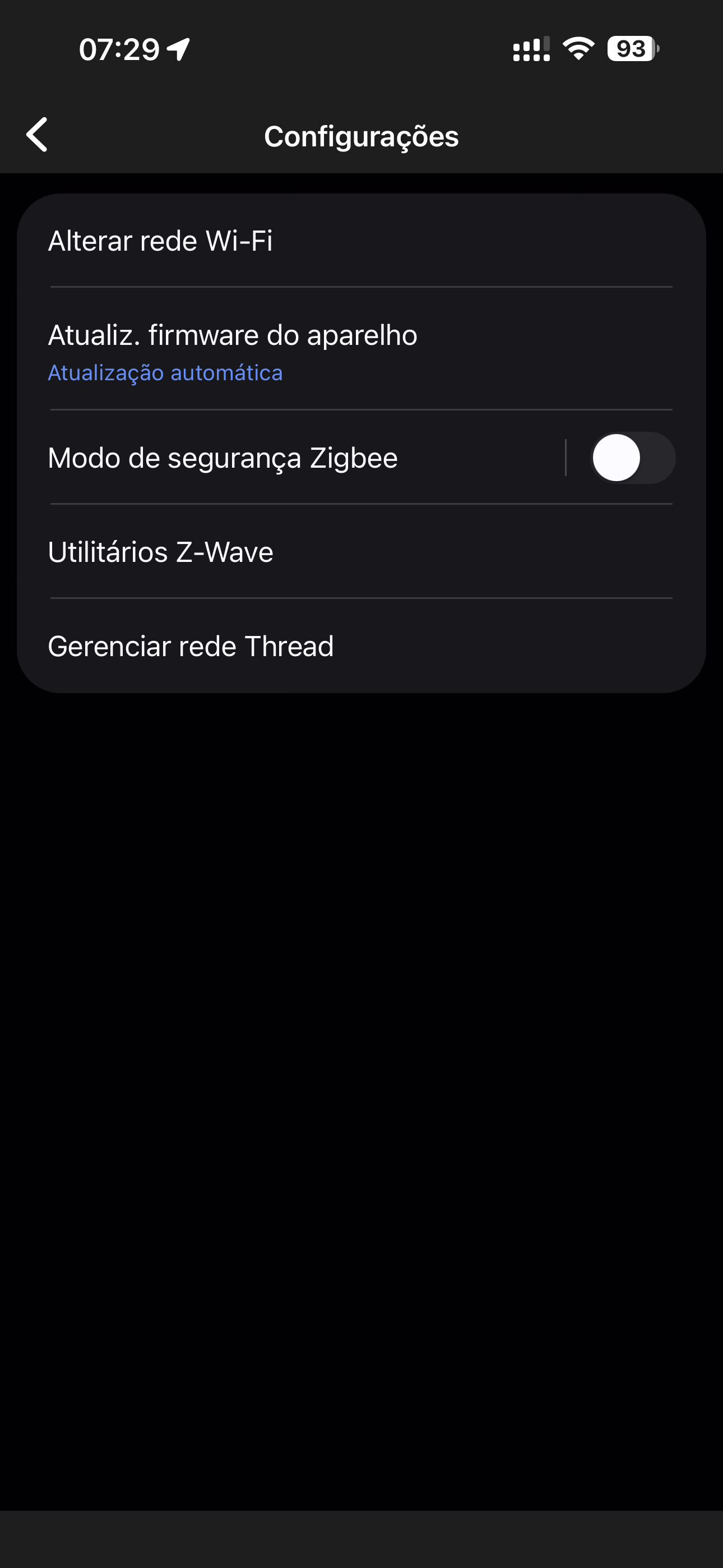
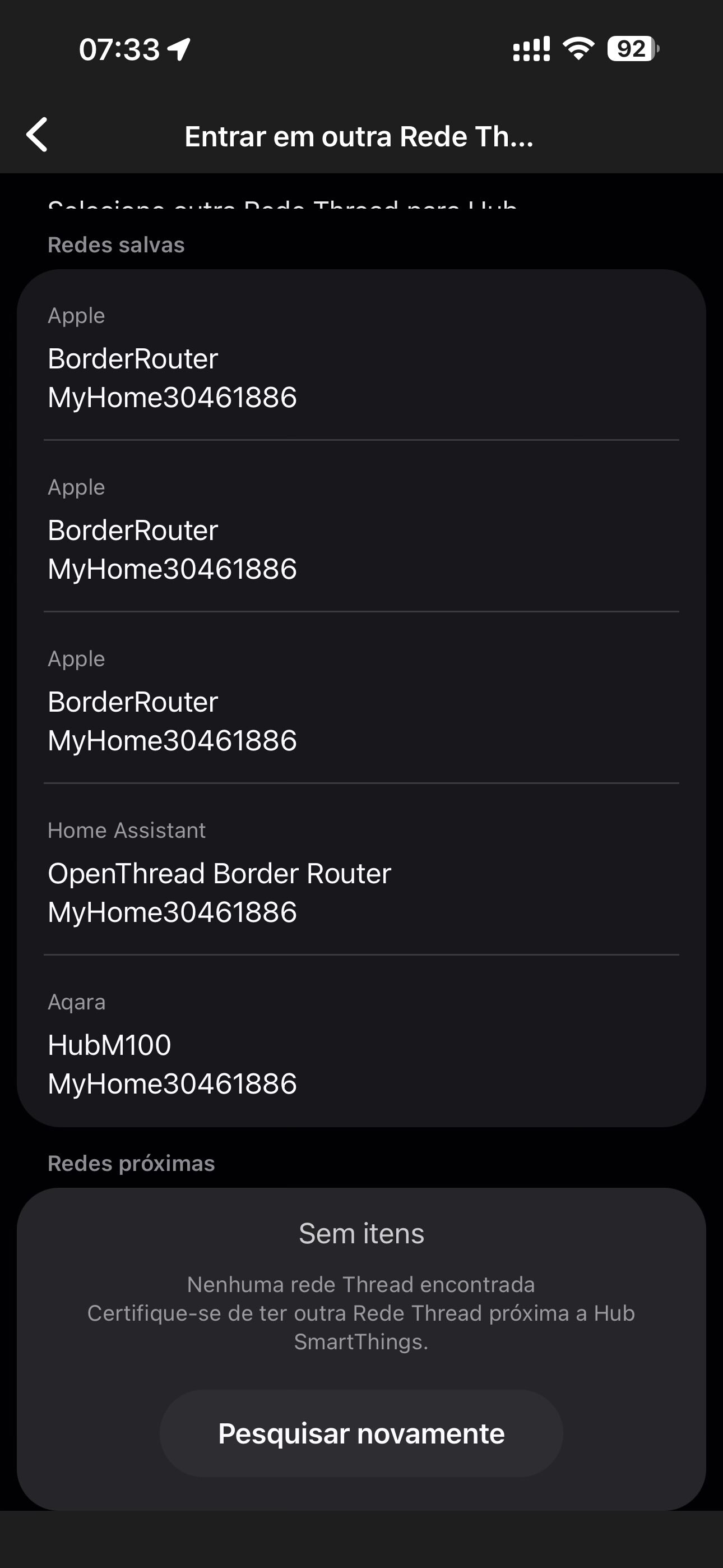
Thread Unification - In addition to the Thread Credentials Sharing feature, users can also now use the SmartThings app to unify the Hub’s Thread network with nearby Thread networks by utilizing the network credentials already stored in the mobile OS
These options and ability the to reset the Thread network can be found in the “Manage Thread network” menu in SmartThings app versions 1.8.37 (Android) / 1.7.37 (iOS) or higher
Reduce “popcorning” when controlling Zigbee multi-gang (2, 3, etc.) light switches and outlets with local rules
Added support for 3rd party Matter HRAP (Home Routers and Access Points) device types:
Network Infrastructure Manager (NIM)
Thread Border Router (TBR)
Fix for Matter devices where other connected services were not being displayed in the Share with Other Services screen
Edge Drivers
Change device init lifecycles to be sent from the system instead of being generated artificially within the driver
This allows us better control over the order of lifecycle events and to be more consistent
This could break driver integration tests, depending on how they are configured; however, most common cases should remain unaffected
Expand event generation support outside of drivers to include colorTemperature, colorControl, powerMeter, and temperatureMeasurement capabilities
Fix the issue causing specific Zigbee messages (ZDO profile) to use generic byte strings instead of parsing fields
Thread improvements are so welcome! Matter over Thread devices now display the connection path too in the app (1.8.37 in Android at least), like they did in Zigbee.
The Thread management options are in Hub device - Settings menu - Manage Thread network. It also displays if there are other TBRs connected to the same network, in my case a IKEA DIRIGERA which displays as OpenThread.
Edit: I hit the Leave button by mistake thinking it would leave the configuration menu, not enough coffee yet and I’m not used to the tablet UI , at least there’s a pop-up to confirm because it is to leave the Thread network and generate a new one. Reminds me of those posts of “I removed the hub by mistake”. Maybe “Reset hub network” would have been better.
NAT64 is a killer feature for Thread devices like the Nuki Smart Lock Ultra. It lets IPv6-only Thread devices talk to IPv4 internet services, enabling seamless cloud access, remote control, firmware updates and app features without extra hardware like a Nuki Bridge.
Reminding you my message from previous hub updates:
Two problems are still missing:
increase the transition of oflline time, so we won’t receive false offline states from zigbee devices that works on battery, that didn’t report status within 2 hours. I prefer 10 hours.
I’ve been waiting ages for the ability to have multiple hubs in the same thread network without using a hub group. Somehow I either overlooked or had forgotten that if you remove a hub from a hubgroup it remains on the thread network it was using in the group, so there was no need to wait for either the firmware update or the app.
I was hoping the ‘Thread network name’ on the ‘Thread network’ page would be clickable to allow the name to be changed to something a little more meaningful.
@mocelet if you don’t want your Matter devices to have access to the NAT64 feature you can turn this feature off in the Advanced User Web Interface. If you select your hub and scroll down to the Thread section of the UI there should be a “NAT64 Translation” tile with the option to disable it. If you want it disabled across your entire Thread network you will need to disable this feature on all your Border Routers since they each individually offer the feature because of how Thread works.
The team added a quick note of this in the main release notes as well.
I have 2 x hub 2’s on my network (one is a spare which I plug in when I’m aware of an update). One updated to 58.10 and rebooted without incident. The other became offline and after an hour and half I figured it was time to reboot, and the hub came back online updated with 58.10.
It was lucky that I was able to monitor it at home and take action.
I feel sorry for those who may be away during the update and their hubs don’t come back online automatically.
I’ve never been at home when a firmware update happened - no issues so far.
NAT64 works as expected! My Nuki Ultra lock (Matter/Thread) automatically connected to the Nuki cloud, remote access works and I could even run a firmware update while away.
Today both of my two v2 hubs have updated to fw 58.10. This update must have freed up memory. Both hubs have gone from driver memories of “Soft limit” to “Ok”.

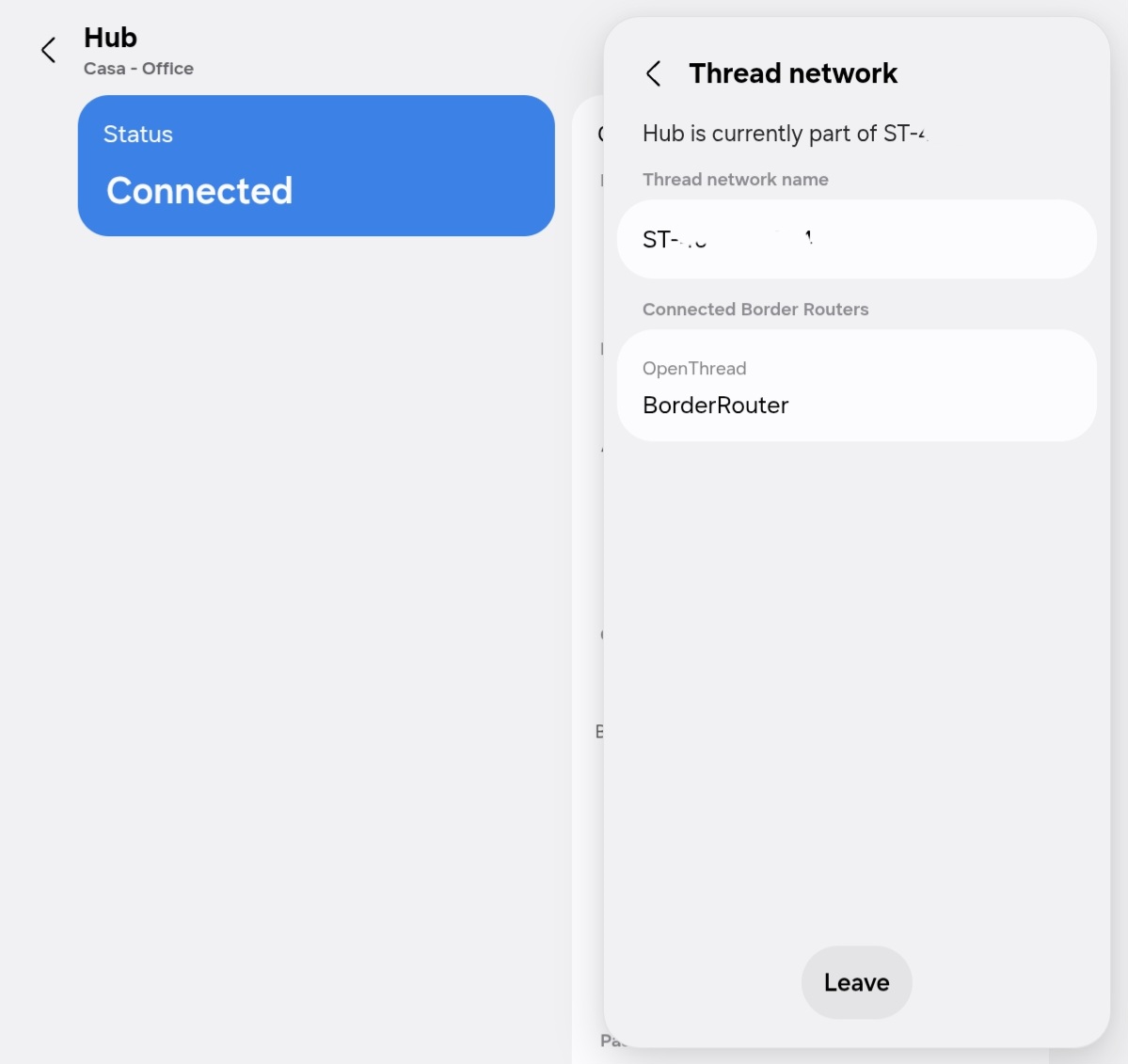
 , at least there’s a pop-up to confirm because it is to leave the Thread network and generate a new one. Reminds me of those posts of “I removed the hub by mistake”. Maybe “Reset hub network” would have been better.