I have a GP-U999SJVLGDB hub. When I try to add this hub to the SmartThings app, it gets stuck at 99% in the ‘loading updates’ section and returns an error after a long wait.
I tried resetting it 6-7 times and reinstalling it. I tried using both Wi-Fi and Ethernet. However, I got the same error every time.
When I exit the save process, the hub appears as an added device, but I’m not sure how well it’s working. I want to install the new software update for this device. I want to install the update found at the link below. However, I am experiencing serious problems during the installation process. The error code I received is 33-701. Also, when trying to first setup process the 0-00 error code occures. After when click “try again” 33-701 code has received.
I separated your post from the other thread since you mentioned being stuck in the 99% and sometimes it can be related to another issue. To confirm, try to install the Hub again, then, please collect the following information:
Get the SmartThings app logs as follows as soon as the process fails:
Go to Menu > Gear Icon > About SmartThings
Tap the SmartThings logo 10 times.
This will open the developer’s space > tap ‘report a problem’
This will send you to the report page. Select a frequency and write a short description of the issue.
Click on “Report” and a log file will be generated for you to send over email, please do to build@smartthings.com
After that, get the hub logs as follows:
Insert Fat32-formatted USB drive to the USB slot on the back of the hub.
Press and release the reset hole on the back of the hub.
Hub LED will blink magenta while copying logs.
After the Hub LED returns to normal from magenta blinking, extract the USB drive and connect it to a PC.
File name will be “logdump_xxxx.tgz.enc”
Leave a comment in this thread and we’ll send you a direct message (DM).
Then send the package via direct message (DM) to me
So, you need to follow the Troubleshooting steps mentioned there, which I copied below:
Affected users will need to temporarily configure their local network during the claim process to complete the setup for an affected hub.
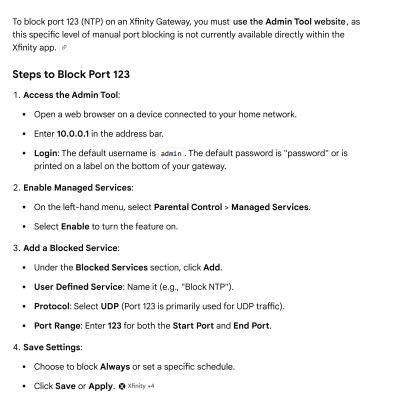
For these hubs, blocking NTP traffic during hub claim can allow the hub to connect to the hub firmware update server. This does require administrator access to your router and the ability to set Access Control Rules. The following steps outline how users with the necessary permissions and equipment access can proceed:
Locate the steps provided by your home network router manufacturer to access the Router Settings / Admin Interface.
In your Router settings, navigate to Access Control Rules and create a rule to disable UDP port 123 (NTP). (What is NTP Wiki). Please be sure to set only the Destination port as 123.
Factory reset the SmartThings/Aeotec Hub.
Go through the standard onboarding/hub claim process outlined in the hub documentation provided with the device.
If you still have trouble claiming, please collect hub logs as outlined in the Troubleshooting section below before rebooting.
Once the hub has successfully onboarded, remove the Access Control Rule created to block UDP Port 123. At this time, the hub should have updated its firmware to the latest supported version.
If they don’t work, you’ll need to follow the steps for the replacement included in the same post:
I tried this instructions a hundred times. Also I tried with 3 different networks. Last one was, on windows creating a hotspot and I blocked all traffic inbounding and outbonding from NTP (UDP 123 port).
Still I could not connect hub into my smartphone succesfully. I sent you 2 logs. Could you please check them out again.
Did you turn off the blocking at between 50% and 99%? Then when stuck on 99% swipe away the ST App from your history and remove power cable from hub and power on again. Mine was then on 58.10.