58.X Hub V2/V3 Customer Beta Release Notes

Hey everyone!

We’re excited to announce the start of a new SmartThings Hub Firmware Beta. Version 0.58.5 will begin rolling out in batches starting no sooner than August 14th, 2025. This will be a phased rollout so that we can keep a close eye on any issues that arise so your hub may not be updated immediately. The hub will be offline for about a minute during the update. See below for more specific details about the update.

Version

  • 0.58.5

Hub Target

  • Samsung SmartThings Hub 2015 (Hub v2)
  • Samsung SmartThings Hub 2018 (Hub v3)
  • Aeotec Smart Home Hub

Release Dates

  • Release Date: 14-August-2025 Version 58.5
  • Release Date: 21-August-2025 Version 58.6
  • Release Date: 29-August-2025 Version 58.7
  • Release Date: 04-September-2025 Version 58.8
  • Release Date: 15-September-2025 Version 58.9
  • Release Date: 17-September-2025 Version 58.10

Help Us Help You

As part of our Beta program, it is important for our support team to investigate logs from Hubs running that are reporting errors. To provide our team access, please follow these instructions:

  1. Go to SmartThings Web (my.smartthings.com)
  2. Log in to your Samsung Account
  3. Select the Menu (⋮) and choose Settings
  4. Toggle on Account Data Access
  5. Select the time period and choose Confirm

Release Notes

  • Thread stack upgrade with support for Thread 1.4

  • Zigbee stack upgrade with bug fixes and quality improvements

  • Reduce popcorning when controlling Zigbee multi-gang (2, 3, etc.) light switches and outlets with local rules

  • Enable support for Matter’s Intermittently Connected Device Long-Idle Time (ICD LIT) feature

  • Fix for Matter devices where other connected services were not being displayed in the Share with Other Services screen

Edge Drivers

  • Change device init lifecycles to be sent from the system instead of generated artificially within the driver

    • This change allows us better control over the order of lifecycle events and be more consistent

    • This could break driver integration tests depending on how they are configured, but most common cases should remain unaffected

  • Expand event generation support outside of drivers to include colorTemperature, colorControl, powerMeter, and temperatureMeasurement capabilities

  • Fix issue causing certain Zigbee messages (ZDO profile) to use generic byte strings instead of parsing fields.

NOTE

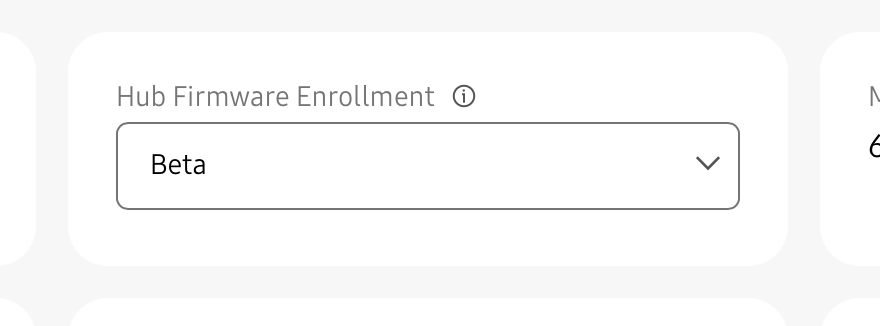
If you’d like to participate in the beta, please see these instructions for how to sign up or unenroll.

Anyone who participated in the previous beta is automatically signed up for this one, unless you have unenrolled.
7 Likes

Could you elaborate more what types of driver code or structure would be affected by this change to init and what to look for?

Also any details on how drivers can use/benefit from the enhanced event generation capabilities ?

4 Likes

Reminding you my message from previous hub updates:

Two problems are still missing:

  1. increase the transition of oflline time, so we won’t receive false offline states from zigbee devices that works on battery, that didn’t report status within 2 hours. I prefer 10 hours.

  2. Bring back HTML in custom capabilities edge driver to app as requested by @w35l3y here:[Feature Request] Allowing HTML in Custom Capabilities

App update (not hub).

  1. Please allow to choose language of the app. So, mobile phone can be 1st language and app will be other language.

  2. Please add ability to see mesh connections also in Z-Wave devices (already exist in Zigbee devices)

1 Like

They say it affects the tests only, the comments in this PR are quite insightful:

The change also fixes a race condition that would prevent “init” from being called in some scenarios, so the workarounds to call “init” from the driver are no longer needed.

Also any details on how drivers can use/benefit from the enhanced event generation capabilities ?

The “event generation capabilities” were introduced earlier this year, they usually refer to them as “native handlers”, previously they introduced native handlers for commands too. The way to use them is the register_native_capability_attr_handler command inside the handler or the native_capability_attrs_enabled = true when registering default handlers.

You can see examples when they first added native command handlers, also the first native attribute handlers and some more recent ones.

Edit: Edited the text and links a bit since I was mixing native command handlers and native attribute handlers.

1 Like

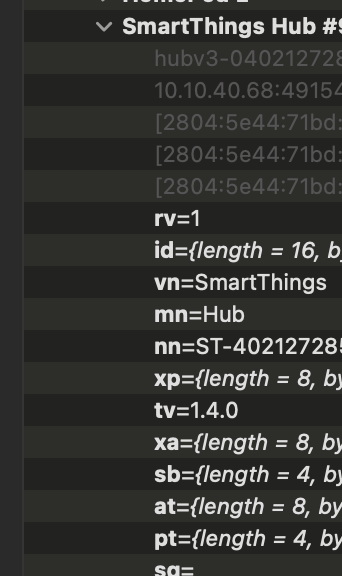
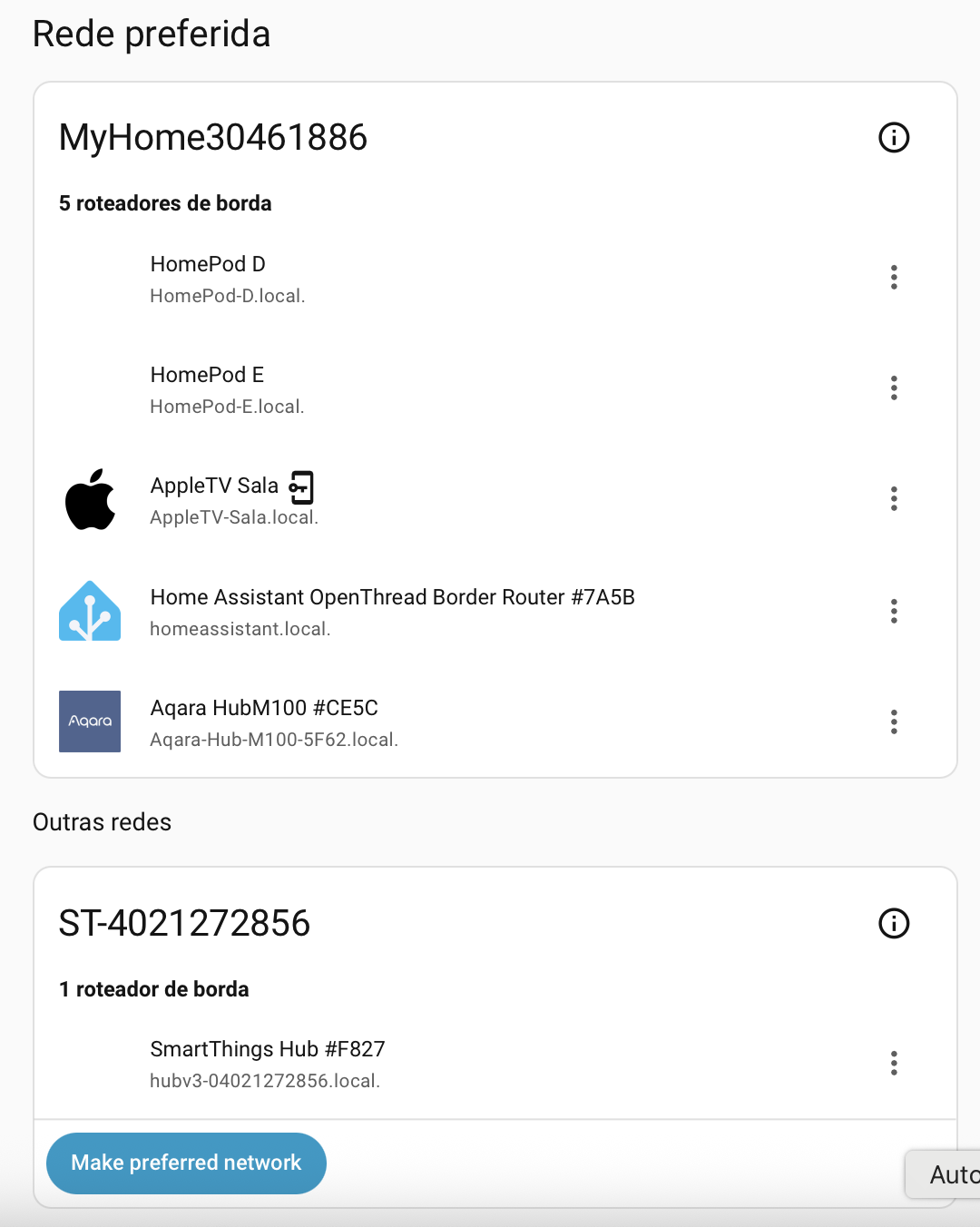
Now can I finally join to others existing Thread network instead of crating a new one exclusively to ST?

It would be awesome

And how can I upgrade my v3 Aotec hub? Beta option is on. I’m forward to update my hub.

2 Likes

SmartThings did not join other networks because they didn’t want to, allegedly to improve stability, not because they couldn’t.

If they change their mind it won’t be because of Thread 1.4, Thread 1.3 already had credential sharing mechanisms through mobile APIs and they didn’t use them on purpose.

1 Like

If the beta option is enabled your hub will automatically receive future beta releases of the hub firmware whenever they are published without any further action on your part. This will start with the first release cycle after you enabled the option. So if you saw this thread and then enabled the option you may have to wait for firmware version 59.x to be released.

1 Like

I’d settle for having all my SmartThings hubs on the same Thread network.

1 Like

Omg. Isn’t that even possible? That’s a really shame…

Yeah. I thought the credentials sharing and joing would be mandatory in Thread 1.4 (The Thread 1.4 spec is here, but it will be a while until we see any benefit | The Verge)

I hope ST rethinks this. I started using Apple Home and am now migrating to SmartThings, but I don’t want to lose all my Thread devices paired with Apple Home first, especially since I want to expand my network with Apple TV, HomePod and now SmartThings…

This Samsung policy will actually drive away new consumers.

Got it. Im participating from beta since the last release, so I hope this time I got it.

Yeah. I just got 58.X on my v3 and now I have Thread 1.4, but that’s it! Nothing really new… what a pity… I was forward to Thread 1.4 and its network unification… I’m really disappointed with Samsung right now.

C’mom, Samsung. How do you expect people react to Thread 1.4 without network unification?

You have to click the Merge Thread networks button in the app!

What did you expect? That an update to the Thread stack automatically merges your Thread networks? It would make things easier if your other TBRs and all of your devices where also at Thread version 1.4. And even then it wouldn’t happen automatically.

1 Like

Where is that?

It was a joke about the expectations of Thread 1.4 suddenly changing things on its own.

The Verge misled many people with that article, if you read the Thread 1.4 whitepaper it just says they added a method to share credentials to be used “exceptionally” if the normal credential sharing used in Thread 1.3 failed. But that’s not the case with SmartThings, they just don’t join other networks.

3 Likes

I was expecting at least one option to join to 3rd party network, just like Aqara app does. Or at least one option to import Apple Keychain

That sort of thing doesn’t tend to appear with hub firmware releases though. It’s the sort of thing that would appear first in a quarterly major release of the mobile app, or perhaps creep unheralded into an update to the Advanced Web App.

3 Likes

I’ve just received the unannounced 0.58.6

Me too. I had just rebooted my iHost as no devices were seen in the Matter bridge - to Smartthings hub. Usually I don’t even notice a firmware update but tonight it’s not gone so smoothly.

Is anyone seeing more Zigbee devices than usual go offline randomly since this update? I’m seeing 5-10 per day. I’m seeing mainly smartthings motion and water leak sensors; also a few enbrighten light switches.

Hi, @Johnnybegoode, @kjdayley

Are you still experiencing issues?

If so, please help us by sending this information:

For @Johnnybegoode, Are you trying to onboard the devives from iHost and they’re not being discovered on the ST side? If so, please try to join them again and:

  1. Please note the timestamp (date and time) of the attempt and share it with us, including your time zone. For example: 9:00 am GMT-6
  2. After the attempt, submit the hub logs as follows:

1. In the [Advanced Users app]( SmartThings. Add a little smartness to your things. ), enter the “Hubs” section

2. Enter the corresponding Hub and click on “Dump Hub logs”

3. Confirm the process by clicking on “Dump Hub logs” again in the pop-up.

4. You’ll get a green box at the top confirming the Hub logs were requested.

  1. Finally, provide support access to your account

1. Confirm the email account registered in the forum is the same one you use for SmartThings. If not, please share it with me over DM

2. Enable support access to your account:

1. Go to the SmartThings Web (my.smartthings.com)

2. Log in to your Samsung Account

3. Select Menu (⋮) and choose Settings

4. Toggle on Account Data Access

5. Select the time period and confirm - In this step, please select “Until turned off”, once the team finishes, we’ll let you know so you can disable it again.

See more information about this access here: https://support.smartthings.com/hc/en-us/articles/36170233944852-Enabling-Account-Data-Access-for-Support

For @kjdayley

Whenever you see a device going offline, collect the information from #1 and #2 and also provide the access mentioned in #3.

The steps are the same but they need to be collected after certain conditions based on your issue description.

Please let me know if you have any questions.

1 Like

Thankfully no, the issue was on the 56.8 update, or even possibly on the previous which I believe was very shortly before ( I was absent that day).

The devices are paired to the iHost, and have been for some time, but they were not being seen on the ST side this time. Previous updates have not shown any problem in this respect.

I will keep an eye on the next update and keep you informed. Many thanks for your follow up @nayelyz , much appreciated.:ok_hand: