Hi Andrea,
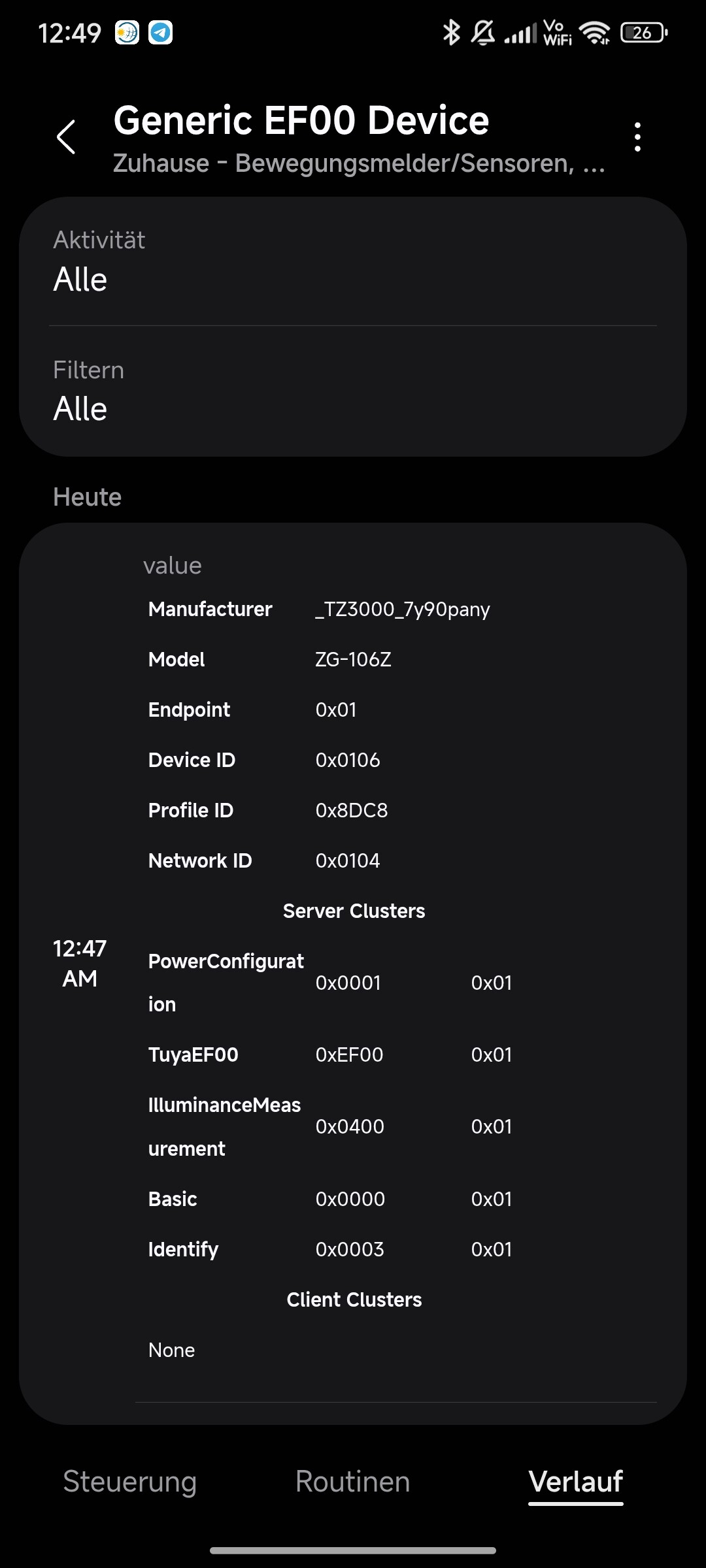
Thanks for laying out the technical details. Looking at the endpoint and cluster info, I completely agree that it should work out of the box.
However, when I paired it using the normal Zigbee Switch driver, that wasn’t my experience at all. It didn’t give me any actual on/off control—it just showed up as a static icon in the app with absolutely no functionality.
That is why I enrolled in the “Personal Tuya Devices - Main” driver by w35l3y. While using that custom driver finally made the on/off button appear in the app, it still didn’t give me any actual control to toggle the switch.
Since I’m still quite new here, is there a specific step, pairing quirk, or a different Edge driver I might be missing to get the On/Off cluster (0x0006) to actually register and work?
Any guidance would be really appreciated!
{
  "deviceId": "f8b1a535-a997-47d7-9d93-ee2b98db2ccf",
  "ownerId": "8e774751-18c5-864d-54de-e146ba0eb0d2",
  "name": "generic-ef00-v1",
  "label": "Water Heater Switch",
  "deviceManufacturerCode": "_TZE28C1000000_rzdkn5rx",
  "manufacturerName": "SmartThingsCommunity",
  "deviceModel": "TS0601",
  "presentationId": "4c74434d-a471-3603-98d8-bdafd41d725d",
  "locationId": "59cb229b-1aab-46d9-afef-e93df24cbdac",
  "roomId": "d70747f1-2084-4d2c-b300-0d4592a1a9fa",
  "components": [
    {
      "id": "main",
      "label": "Switch 1",
      "capabilities": [
        {
          "id": "switch",
          "version": 1,
          "optional": false,
          "status": {
            "switch": {
              "value": "off",
              "timestamp": "2026-06-14T14:12:25.391Z"
            }
          }
        },
        {
          "id": "signalStrength",
          "version": 1,
          "optional": false,
          "status": {
            "rssi": {
              "value": -78,
              "unit": "dBm",
              "timestamp": "2026-06-14T19:58:45.959Z"
            },
            "lqi": {
              "value": 212,
              "timestamp": "2026-06-14T19:58:46.039Z"
            }
          }
        },
        {
          "id": "refresh",
          "version": 1,
          "optional": false,
          "status": {}
        },
        {
          "id": "valleyboard16460.debug",
          "version": 1,
          "optional": false,
          "status": {
            "value": {
              "value": "<table style=\"font-size:0.6em;min-width:100%\"><tbody>\n        <tr><th align=\"left\" style=\"width:35%\">Actual</th><td style=\"width:65%\">_TZE28C1000000_rzdkn5rx</td></tr>\n        <tr><th align=\"left\">Expected</th><td>_TZE200_amp6tsvy</td></tr>\n        <tr><th align=\"left\">Profile</th><td>normal-switch-v1</td></tr>\n        <tr><th align=\"left\">Mode</th><td>Similarity</td></tr>\n        <tr><th align=\"left\">Preferences</th><td>Modified</td></tr>\n        <tr><th align=\"left\">Exposes EF00</th><td>Yes</td></tr>\n        <tr><th align=\"left\">Default DP</th><td>Yes</td></tr>\n        </tbody></table>",
              "timestamp": "2026-06-14T15:37:47.184Z"
            }
          }
        }
      ],
      "categories": [
        {
          "name": "SmartPlug",
          "categoryType": "manufacturer"
        },
        {
          "name": "SmartPlug",
          "categoryType": "user"
        }
      ],
      "optional": false,
      "icon": "oneui/x.com.st.d.dehumidifier"
    }
  ],
  "createTime": "2026-06-14T12:53:42.513Z",
  "healthState": {
    "state": "OFFLINE",
    "lastUpdatedDate": "2026-06-14T20:24:54.375Z"
  },
  "parentDeviceId": "fc012dcd-a824-4dfa-8ad3-b29c25b09aa9",
  "childDevices": [],
  "profile": {
    "id": "d734fbd2-5a59-388e-8786-02ba02c613f5"
  },
  "zigbee": {
    "eui": "A4C138EA2E04B11A",
    "networkId": "C104",
    "driverId": "bc7fd1bc-eb00-4b7f-8977-172acf823508",
    "executingLocally": true,
    "hubId": "fc012dcd-a824-4dfa-8ad3-b29c25b09aa9",
    "provisioningState": "PROVISIONED",
    "fingerprintType": "ZIGBEE_GENERIC",
    "fingerprintId": "GenericEF00"
  },
  "type": "ZIGBEE",
  "vid": "4c74434d-a471-3603-98d8-bdafd41d725d",
  "mnmn": "SmartThingsCommunity",
  "ocfDeviceType": "oic.d.smartplug",
  "restrictionTier": 0,
  "allowed": [
    "w:devices",
    "w:devices:locationId",
    "w:devices:roomId",
    "d:devices",
    "x:devices",
    "r:devices:visible"
  ],
  "executionContext": "LOCAL",
  "relationships": []
}


 Do I need to restart the device after choosing the driver once, or when exactly?


