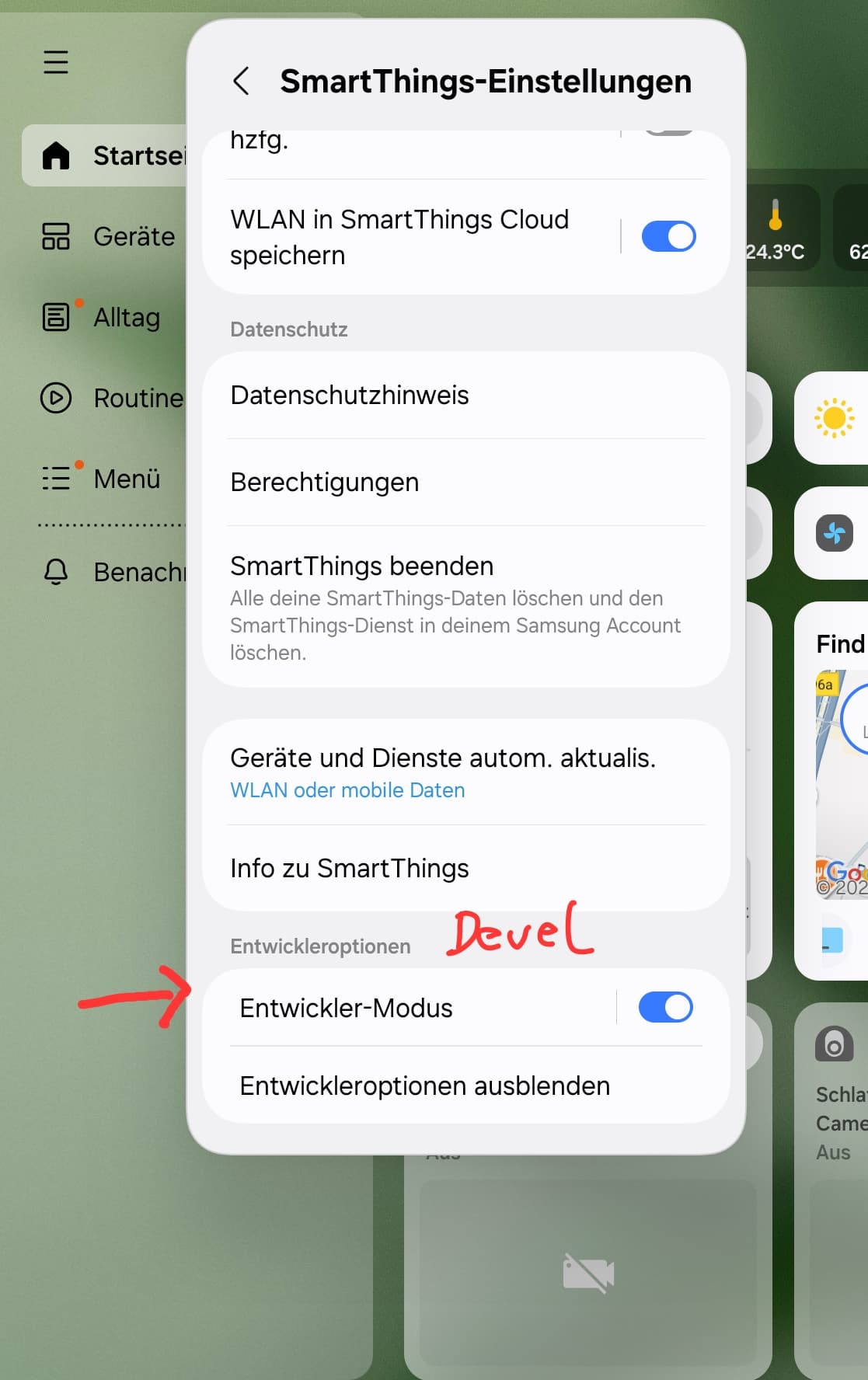
Hi, @hspark. Welcome to the SmartThings Community!
You mean you enabled the developer mode here, correct?
These are the steps:
If so, and you still don’t find the option:
Are you using an iOS device?
Did you recently create your account?
We saw a report about this happening on iOS when the account was recently created, but that should have been solved so, we can verify that’s the issue if you test this on an Android device.
Ok, so please provide the following information to report this to the engineering team:
Screen recording of you entering Add device > Partner devices
Then collect the app logs as follows (these steps only work for Samsung devices):
Go to the “phone/calls” app on your Android phone
Dial *#9900#. It will open the Dump sys
Choose RUN DUMPSTATE/LOGCAT and wait for it to finish
Then, select COPY TO SDCARD(INCLUDE CP RAMDUMP), it takes some time as well
Connect your phone to a computer (USB cable)
Open the device (phone) in the file explorer to see its content
Find the log folder and look for the text file whose name is similar to “DUMP_STATE_G93FXXU1DQJ3.DM_202508261516”
The last value is the current date and hour, which helps you identify the correct folder.
Select the time period and confirm - In this step, please select “Until turned off”, once the team finishes, we’ll let you know so you can disable it again.