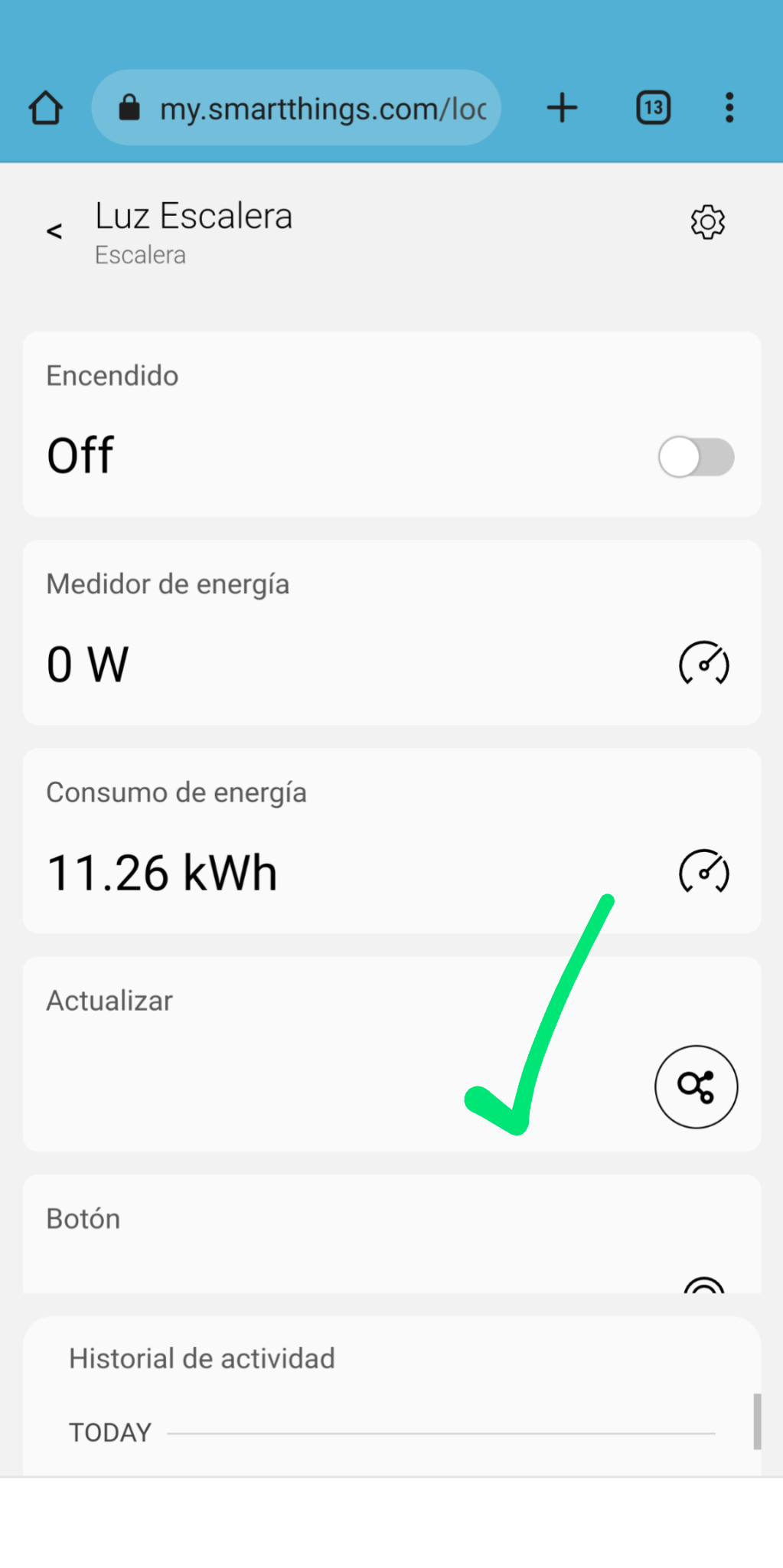
The default handler doesn’t deal with sleepy devices properly, but it does run from both CLI and swiping down in the app. I usually don’t use refresh for sleepy devices as its non obvious what it should do.
Hi @andresg
The Android app is completely unreliable since the update.
The app will show everything offline when the hub is online and online when the hub is offline. More than half the time the app is unresponsive when trying to control a device.
Clearing app cache doesn’t always fix the app responsiveness or status.
Z-wave refresh doesn’t seem to work.
All that is defined in my drivers, in the profile, template and if it has to execute something custom I put a handler for refresh command.
It is also necessary to put the refresh capability in the vid
configuration if the profile has a custom vid, if it is not, the command refresh received from the app is not executed.
All of this has worked perfectly until someone has intentionally or unintentionally touched something.
The problem is that the refresh command is not received in the zwave driver when you slide your finger in the details view and therefore it does not matter what you have defined in the code.
I’m inclined to say it’s not the app’s problem, but I don’t know.
It seems like we now have to have two different labels for each capability. I can understand how this could be useful if you are showing multiple attributes. But what if - like so many cases - there is only one attribute? For example temperature. Temperature is temperature - why do I need a second label? If we are forced to always have two, then what would we normally do: just have duplicate labels that say ‘Temperature’?
I see by looking in your example capability localization that you added:
displayTemplate": “{{attribute}} of {{device.label}} is {{value}}”,
Can you elaborate on what this is used for exactly? Is this regarding the value displayed on the Controls screen or the dashboard or both? Can you give some various examples of how this would be used? Will values still display OK if we leave this displayTemplate out?
The engineering team already reported this to the plugin team, they consider it not necessary when we have only one attribute.
That was added automatically. It seems that for custom capabilities it is used for the history of the location found in the app “Menu” > “History”.
Currently, this history isn’t showing the value correctly, I tried to update that value but it hasn’t been taken into consideration so far. In the meantime, I’ll create a ticket for the team to check it.
Ya, over the last year or so I’ve noticed that the SmartThings Customer Support responses are nothing more than an AI computer generated knowledge base response without any actual human brains being used. So, I open a ticket, then keep resending the same information again, and again, over the days and weeks it takes until I break through the computer generated knowledge base responses and get through to a human brain that finally completes the task.
I’m hoping that Edge with the CLI will allow me more access to my SmartThings echo system.
There is something new about the problem that the refresh from the app does not work on Zwave devices.
This is causing that when a device that does not have an initial state is installed, it stays in the cloud until the device sends a new state, since when doing a refresh the state of the device is not obtained
I also confirm that if you do a refresh the device from my.smartthings.com refresh button it works perfectly.
It seems that it is the App, I use Android
We were trying to replicate this refresh issue, with no luck. We have a few questions that maybe @Mariano_Colmenarejo (or anyone else) can answer.
It is not catched by the driver, but it is shown in the logcat?
We noticed that refresh in detailView is not being triggered when if you drag on the large area at the top of the screen that shows the device name and icon, but it is working just fine when you drag the lower portion of the screen. Is there any chance this is what is messing things up? Important to know that, although this is not an ideal behavior, this is happening for all kind of devices, not just for Z-Wave.
2022-09-29T20:29:54.108723147+00:00 TRACE Inovelli Dimmer Black Series  Received event with handler capability
2022-09-29T20:29:54.114284397+00:00 INFO Inovelli Dimmer Black Series  <ZwaveDevice: 6c7ca9d8-caa0-4845-9193-384c1ada007e [33] (Sleepy Room Lights)> received command: {"args":{},"capability":"refresh","command":"refresh","component":"main","positional_args":{}}
(rest snipped, but the refresh queries the device fine).
As @andresg mentioned it doesn’t do anything if you swipe from the icon/label portion of the detail view, but works fine if its in the “control” area.
It also does a refresh if you swipe down in the History tab. It both refreshes the device as the detail view does, AND it refreshes the history data as well.
This is on Android, version 1.7.89.25.
This device has the refresh capability in its device profile, and has capabilities.refresh in its template.