I have a v2 Smartthings hub and have successfully been using many z-wave bulbs for many years now. The bulbs are from various different brands but I notice the dimming capability in all of them has recently quite working. I also have a z-wave switch or two with dimming and those have also quit working properly (from a dimming standpoint). It appears the generic z-wave driver must have changed recently and no longer supports dimming as it used to. I have searched this forum for any applicable edge driver channel invitations with no luck. Does anyone have any ideas as to why the generic ST edge drivers have apparently quit supporting dimming functionality like they used to? This is a show-stopper issue on my end so will be looking for an alternative to ST it appears. Open to recommendations on a ST alternative as well…
You could try the Z-Wave Bulb Mc driver and see if it helps. You can install it from the link below.
Thanks so much - I just installed it and it works…! I can now dim the bulbs again. I can only assume ST changed something in their generic driver that really screwed things up. I find this whole process a tad frustrating with no central source for drivers…very odd compared to other technology platforms… But huge thanks to you for reaching out…and it worked!!!
@nayelyz tag
Now switch back to the stock driver and see if the dimming works.
The last changes to the driver were a few months ago.
Hi, @randerton
Yes, it would be useful to know the result of the test mentioned by @Andreas_Roedl.
But first, start listening for driver logs to get that information and avoid having to repeat the process to do so.
- First, set up the CLI in your PC. Here are the instructions: Get Started With the SmartThings CLI | Developer Documentation | SmartThings
- Then, run the command below and select the Z-Wave Switch using its number in the list:
smartthings edge:drivers:logcat
- Then, change the driver for the device back to Z-Wave Switch again and try to control the Dimmer (switchLevel) capability
- If it went back to the state of not working, submit the Hub logs as well:
- In the Advanced Users app, enter the “Hubs” section
- Enter the corresponding Hub and click on “Dump Hub logs”
- Confirm the process by clicking on “Dump Hub logs” again in the pop-up.
- You’ll get a green box at the top confirming the Hub logs were requested.
- After this, copy the driver logs from the console into a file and send it to build@smartthings.com
- Also, provide support access to your account:
1. Confirm the email account registered in the forum is the same one you use for SmartThings. If not, please share it with me over DM
2. Enable support access to your account:
1. Go to the SmartThings Web (my.smartthings.com)
2. Log in with your Samsung Account
3. Select Menu (⋮) and choose Settings
4. Toggle on Account Data Access
5. Select the time period and confirm - In this step, please select “Until turned off”, once the team finishes, we’ll let you know so you can disable it again.
See more information about this access here: https://support.smartthings.com/hc/en-us/articles/36170233944852-Enabling-Account-Data-Access-for-Support
Sorry – I’m not a developer and can’t get past the installation of the .msi process on my Windows 11 PC. Setting up the CLI needs to be a more straightforward process from my perspective. However, I can easily try the old driver and will do that now and report back.
Reporting back - the dimming capabilities all went away when I went back to the generic Zwave switch driver. I have also noticed all the Z-wave light bulbs in my network have quit working from a dimming standpoint - regardless of the manufacturer. I have one Ilumin bulb I just removed and now trying to add it back to the network as a way to fix that specific bulb. The reason for this is that bulb would not allow me to change drivers to the Z-wave Bulb Mc driver I used to fix my other bulbs. It sure appears somehow the generic Zwave switch driver has removed the ability to dim.
No luck - the stock driver appears to no longer support dimming for whatever reason. This has impacted all the bulbs in my network regardless of manufacturer. Pretty frustrating as this has all just mysteriously happened in the last couple of days… The good news is those bulbs that allow me to change the driver to the Z-wave Bulb Mc driver are working quite well. The issue is some of my bulbs are not allowing me to change to that driver as it won’t show up as an option.
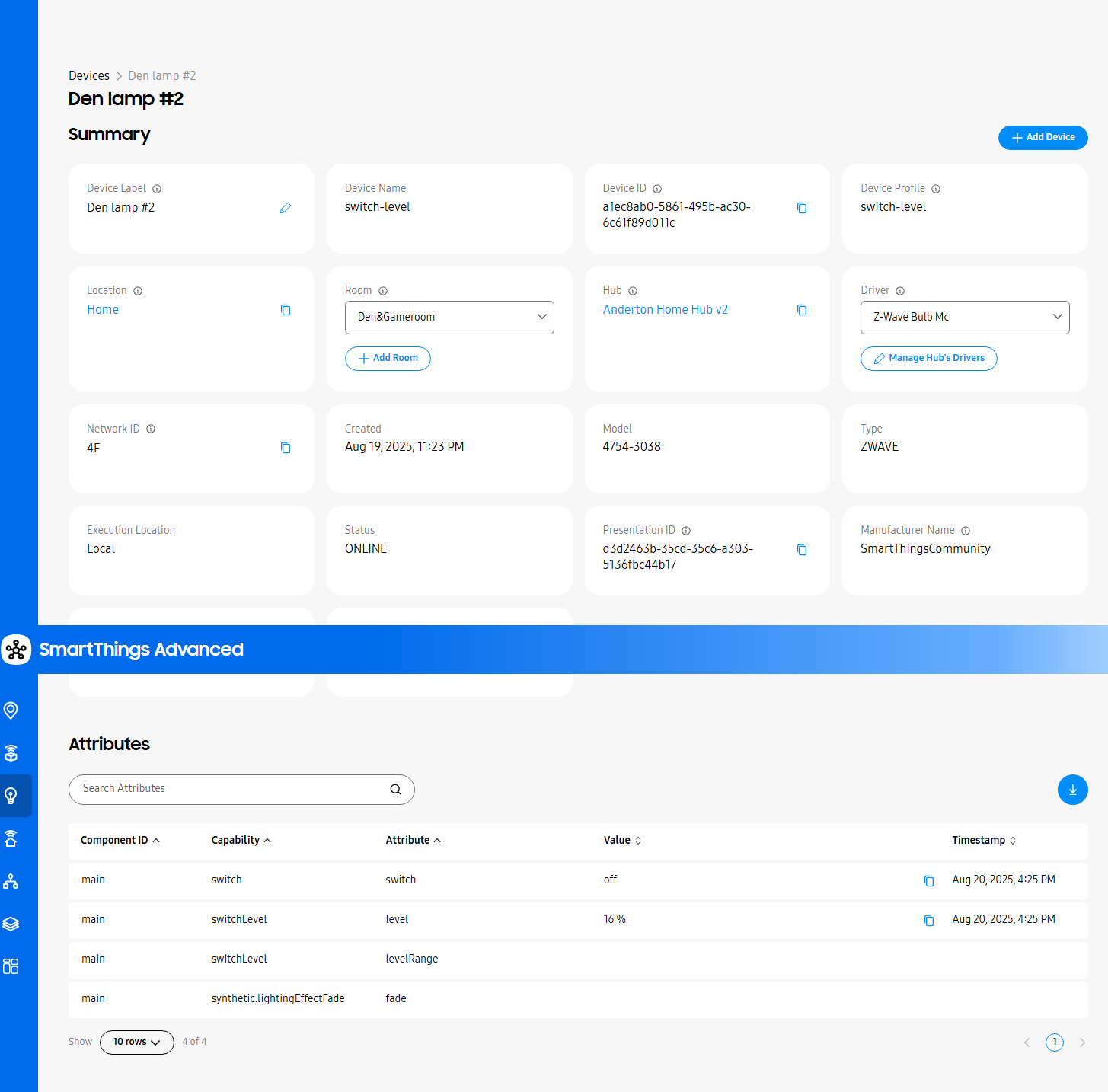
Can you please post some screenshots from the device card, the information and the driver of the devices?

@nayelyz also asked you to enable access to your account, so they can have a look at it…
And all my bulbs have lost their dimming capability (other than those which will allow me to change their driver away from the generic Z-wave Switch driver). Here is one that I have had success changing the driver and it is now working well. Also, this is the one I tried changing the driver back to the generic and it did not work.
Now the same from a device with the stock driver.


I’d be happy to provide account access if I’m provided with instructions that work on my end.


I think this should be changed to “Log in with your Samsung Account”… 
OK - that made all the difference - I have granted access to my account for 1 week. Two other data points from this evening. My LinearLinc bulb also lost it’s dimmability capability - and in that case their is no other driver to change to - so it’s useless with the stock driver. I’ve included a snapshot of it below. And my hardwired dimmer switch also lost it’s ability to dim - in that case I was able to change the driver to GE Z-wave Switch/Dimmer/Fan/Outlet driver and it’s now fixed. In all cases, where I’m able to change the driver away from the stock Z-wave switch, I can fix the problem. So now I’m just down to those devices where I cannot change the driver.
Here’s the dimmer switch I was able to fix with a new driver:

And here’s the LinearLinc dimmable bulb that will not allow me to change the driver - and hence no fix.

I have created a Z-Wave switch driver that reverts the very last change made more than three months ago. It is intended for debugging purposes only and should only be tested briefly. Please test it, and if it doesn’t work, switch back to the stock driver immediately.
Z-Wave Switch (native capability attrs disabled) from this channel.
@nayelyz I hope this is okay.
Changed:
defaults.register_for_default_handlers(driver_template,
  driver_template.supported_capabilities,
  {native_capability_cmds_enabled = true, native_capability_attrs_enabled = true})
To:
defaults.register_for_default_handlers(driver_template,
  driver_template.supported_capabilities,
  {native_capability_cmds_enabled = true})
Could be the reason why the other drivers work, because none of them have this enabled.
native_capability_cmds_enabled = true is even older… I could create another test driver without it…
Edit: Driver Z-Wave Switch (no native handlers) has both disabled/removed.