My preordered LWR01 sensor arrived today. I have an Aeotec v3 hub and installation was a breeze, when I opened the SmartThings app it was instantly detected and I scanned the matter qr code on the back to add it.
I also installed the Lafaer android app and it found the device straight away too.
I’m installing this in place of the sonoff presence sensor which never reliably worked for me and often got stuck in motion detected state permanently.
It doesn’t have the fancy zones and mapping features of the Aqara presence sensor but instead presents a status of motion or no motion. I’m happy with that if it is reliable though and detects people sitting without turning out lights.
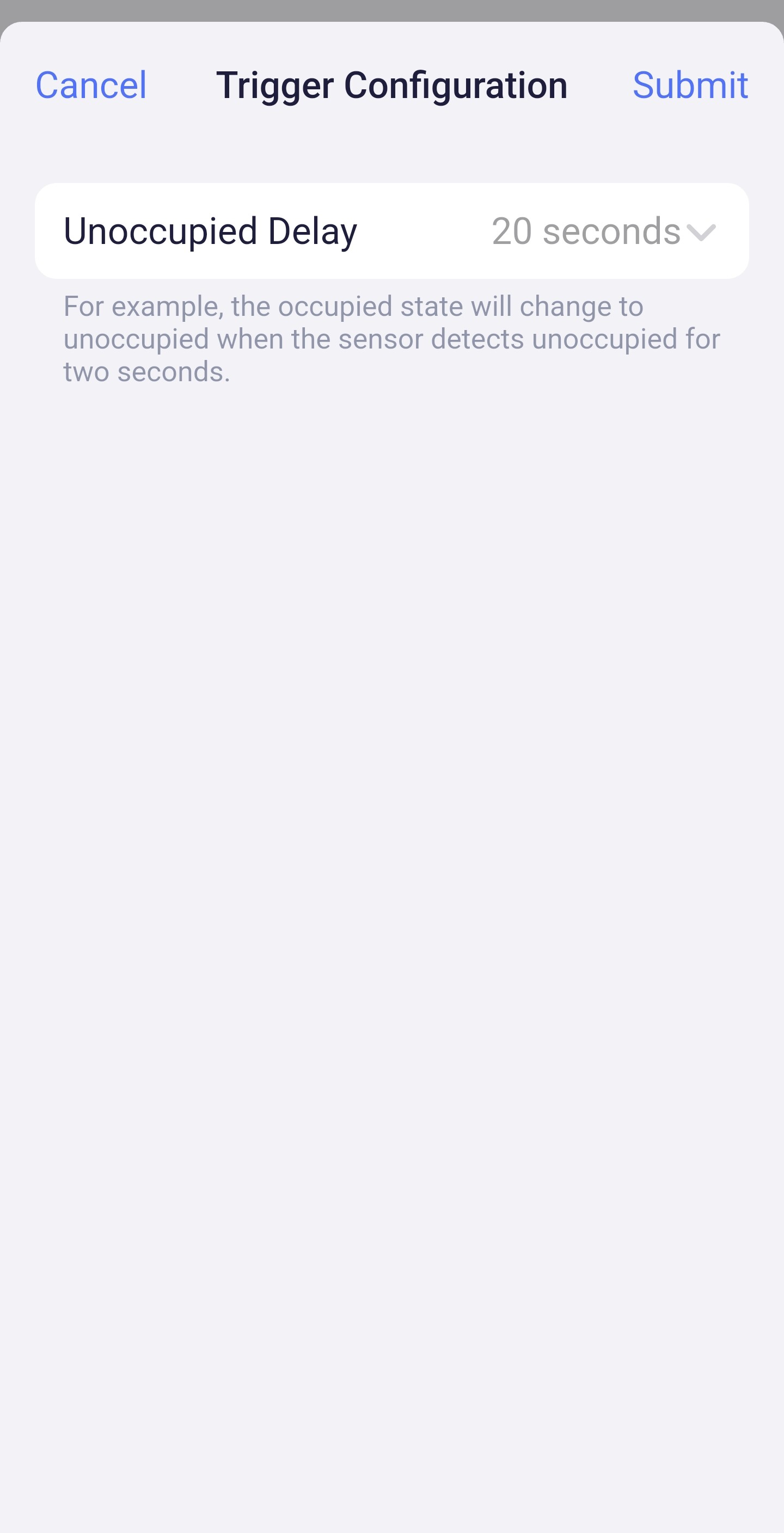
The lowest dwell time is 20 seconds. There’s no option in the Lafaer app for firmware updates,so hoping that will come via SmartThings. Here are some screenshots.
If anyone has any questions I’ll try and answer them. I’ll report back later with how it performs. The routines I have with it one trigger at night when it’s dark, so I’ll not know till I’ve had a few days to assess it.
We’d have to see the CSA Compliance Document and the driver logs to figure out what’s going on.
Here’s the profile matching code snipped:
if device:supports_capability(capabilities.motionSensor) then
    local occupancy_support = "-motion"
    -- If the Occupancy Sensing Cluster’s revision is >= 5 (corresponds to Lua Libs version 13+), and any of the AIR / RAD / RFS / VIS
    -- features are supported by the device, use the presenceSensor capability. Otherwise, use the motionSensor capability. Currently,
    -- presenceSensor only used for devices fingerprinting to the motion-illuminance-temperature-humidity-battery profile.
    if profile_name == "-illuminance-temperature-humidity-battery" and version.api >= 13 then
      if #device:get_endpoints(clusters.OccupancySensing.ID, {feature_bitmap = clusters.OccupancySensing.types.Feature.ACTIVE_INFRARED}) > 0 or
        #device:get_endpoints(clusters.OccupancySensing.ID, {feature_bitmap = clusters.OccupancySensing.types.Feature.RADAR}) > 0 or
        #device:get_endpoints(clusters.OccupancySensing.ID, {feature_bitmap = clusters.OccupancySensing.types.Feature.RF_SENSING}) > 0 or
        #device:get_endpoints(clusters.OccupancySensing.ID, {feature_bitmap = clusters.OccupancySensing.types.Feature.VISION}) then
        occupancy_support = "-presence"
      end
    end
    profile_name = occupancy_support .. profile_name
  end
Yes, but I don’t have this device. And as you can see in the code, there isn’t much going on. There isn’t even a matching profile for devices like that.
Small update on testing this device. I was sitting in the room pretty motionless and reading my iPad and the lights went out. It failed to detect my continued presence without enough movement. But currently it feels more responsive than the sonoff usb powered one. It has scope to adjust sensitivity in the Lafaer app, so I might give that a tweak later
It is sorta modular but right now the only profile that has presence sensor is one where the device also supports temperature, humidity, and illuminance.
That’s what I mean. It’s modular in that it’s adding each capability that the device is found to support:
local function match_profile(driver, device, battery_supported)
  local profile_name = ""

  if device:supports_capability(capabilities.contactSensor) then
    profile_name = profile_name .. "-contact"
  end

  if device:supports_capability(capabilities.illuminanceMeasurement) then
    profile_name = profile_name .. "-illuminance"
  end

  if device:supports_capability(capabilities.temperatureMeasurement) then
    profile_name = profile_name .. "-temperature"
  end

  if device:supports_capability(capabilities.relativeHumidityMeasurement) then
    profile_name = profile_name .. "-humidity"
  end

  if device:supports_capability(capabilities.atmosphericPressureMeasurement) then
    profile_name = profile_name .. "-pressure"
  end

  if device:supports_capability(capabilities.rainSensor) then
    profile_name = profile_name .. "-rain"
  end

  if device:supports_capability(capabilities.temperatureAlarm) then
    profile_name = profile_name .. "-freeze"
  end

  if device:supports_capability(capabilities.waterSensor) then
    profile_name = profile_name .. "-leak"
  end

  if device:supports_capability(capabilities.flowMeasurement) then
    profile_name = profile_name .. "-flow"
  end

  if device:supports_capability(capabilities.button) then
    profile_name = profile_name .. "-button"
  end

  if battery_supported == battery_support.BATTERY_PERCENTAGE then
    profile_name = profile_name .. "-battery"
  elseif battery_supported == battery_support.BATTERY_LEVEL then
    profile_name = profile_name .. "-batteryLevel"
  end

  if device:supports_capability(capabilities.hardwareFault) then
    profile_name = profile_name .. "-fault"
  end

  local concatenated_preferences = supports_sensitivity_preferences(device)
  profile_name = profile_name .. concatenated_preferences
Until it gets to the presence sensor capability and the code snippet you reference. Then it’s just “well has to support all of those other capabilities to get the presence sensor”. Seems dumb.
I can create an issue tomorrow. Last time it took a week to add the missing profiles, but this time I think there are some changes to the code needed.
If I’d have spare time this weekend, I could create a working driver, but it’s getting a bit of out of hand with these custom Matter drivers…
It could be as easy (quick and dirty) as creating the profile and adding another generic fingerprint. At the end it’s basically a bug in the driver, because simple Matter devices like this should work out of the box.
Even quicker and dirtier could be to add a vendor specific fingerprint for the vendorId and productId then map to a profile with the capabilities the device has.
Reminds me of my Matter Lock (Wildcard) driver that - as you can probably guess - accepts everything that remotely looks like Matter lock and defaults to the new-matter-lock sub-driver. Bonus feature: DoorState support.