I have 1 original ST Hub that I call Alpha Hub [STH-ETH-250] and 4 of these wifi hubs [ET-WV525], I used them for several years just fine with the ST app and Plume Home Pass app. I have moved homes and took them with me, plugged in and worked just fine. Moved again and plugged only a couple in and worked just fine. Recently I had decided to give a way a couple of the pods and I accidentally Factory Reset the main ST WIFI HUB ET-WV525. I try to reconnect to my ST app with no success.
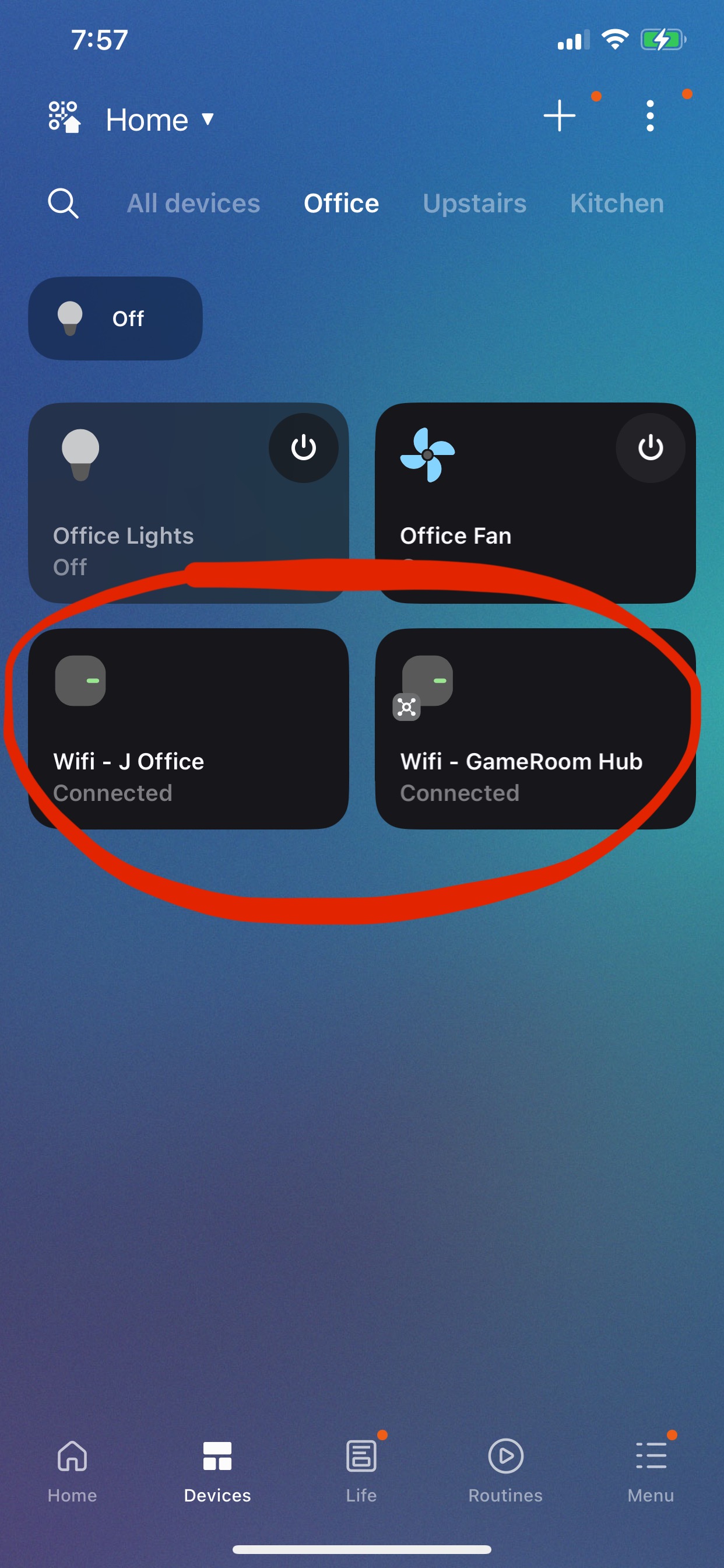
I go to ST app take a screenshot of the 3 connected devices to the Wifi Hub and remove the HUB from my account. Note: The Alpha Hub has over 20 devices and works fine.
I go to Plume Home Pass app and delete all pods.
I factory reset again and try to add device by searching and it find the Wifi Hub (red/green leds)
It goes through several screens, 45%-connecting, 50%-registering on account, starts to blink green only, 80%-set up your network name and pass with a check to “Set up Smartthings Hub” enbaled…
NOTE: When the app gets to this stage I can see the “Smartthings Wifi” card on the my.smartthings.com site under “office” room, I can click on it and see this ID: e0020d1c-81e8-55bb-e9cb-2ef46a276093 and serial: RF7KA12BLKBYVS
When I enter any SSID name and password, the screen changes to “Your WiFi network is being set up” in the background with and error in the front “Couldn’t add device There was a problem connecting to the device” with an “OK” and “Report” button. I tried reporting but there is no Next or continue button so the only option is to click OK and quit the process. When the app closes the add device process it removes the device from the web portal as well.
I tried factory resetting a second pod with the same exact processes and errors with this device ID: 272062b7-d51b-9d36-43b9-2db734f1c819 and serial: RF7KB097J4WYVS
I grab a 3rd pod without factory resetting and it being unplugged/offline
since the last move, I turn it on to see what it does now that I have removed from HomePass app and it blinks green/red so I try to add with ST app with no success again this one will not get past 52%-registration.
These were working just fine minutes before I accidentally reset the main Hub. I cant connect to any pod since I deleted from my HomePass app and ST app. It seems like the only thing not working here is the device initial configuration. I also tried the entire process with removing the checkmark “Set up Smartthings Hub”
I tried to hack it by doing the entire process up until entering the SSID and the device shows up on the site as “SmartThings Wifi” then cut off power to the device and force quit the app. Then power the device back up and re-launch the app. The device stayed in the portal and I was able to click through the set up on the ST app with this hack, It goes through a couple of screens; Self Optimizing Wifi, next, Make your home smart, start, loading…, error: This device can only be added using the same Samsung account that was used to set it up in the Plume app. make sure you’re signed in to the same account, then try again." When I hit OK, it once again removes it from the ST app and web portal.
I need some support these are perfectly good hardware and looks to be bricked when factory reset. I did several years ago update the email to my samsung account and now I only use the new updated email to sign in. Not sure if that is relevant.
After lots of troubleshooting I got it to download the new firmware by holding the reset button while powering on until the purple light blinked.
Then I uninstalled both Smartthings app and HomePass app from my mobile ( Mistake: I should have only uninstalled Smartthings ) I redid the process and I got the first one to join the network but only with the option to NOT “Set up SmartThings Hub”, it errored out the same when this check was on. I got the wifi working and it asked to join a second hub, on the second pod the Hub option did work correctly (this one I had not downloaded the new firmware via purple led)
Next, I downloaded the new Plume app and found out that only works correctly on Android now, I have an Apple device and have to request their support to enable my account: Samsung SmartThings Login
Progress, got wifi working and 2 pods are back online. Still need to get the Plume app to work and reset the 3 devices that were on this hub originally, Im sure ill get there with more time but just frustrating.
On the plus side, Plume support is very quick if you submit via the link in this tread: How do I log into the iOS HomePass app if I have Samsung SmartThings Wifi?
@dpm, what a great, detailed writeup. Appreciate it - very helpful.
I am having somewhat similar issues and being new to this forum (really my first post I think), looking for help with my situation.
Home network:
Netgear Cable Modem CM600.
Samsung SmartThings Wifi Model ET-WV525. I have the 3 pod mesh version.
I have many devices connected to this network.
Situation:
We had a internet outage in the area on Monday where without warning Comcast decided to upgrade their network. Internet was down for about 6 hours and when it came back the SmartThings Wifi router connected to the cable modem would not automatically come back. The red light just kept blinking.
I connected a laptop directly to the cable modem to see if the internet was up and that was working. I swapped SmartThings router and it was the same thing - red light blinking.
I even rebooted the cable modem and the router in sequence but nothing worked. I then reset one of the routers to see if that would fix the problem, but I am still stuck where the the Smartthings wifi router does not connect to the internet.
I then launched the ST app on my mobile and walk through adding a Smartthings Wifi hub and go through the steps to add the device.
I see the alternating green and red blinking light on (on two of the pods I see this alternating green and red light but on the third one is blinks green for a long time and then changes to red blinking afterwards).
When I click next on the ST app I get a message on the that says “The Smart Things Wifi can’t connect to the internet. Reboot your modem or set your IP address manually”. There is a button for “Set IP address manually”.
I click on the “Set IP address manually” and set the IP address, gateway, DNS etc. and I get the same error message as above.
I can verify that the modem is connected to the internet by directly attaching a laptop and checking.
Need some urgent help to get me back on track as many of my devices connected to the SmartThings hub are not working.
I have a W525 unit, unfortunately I left it aside due to lack of updates… regrettable, a hub with some power supplies, even so it served me for basic automations in my second home. I was “forced” to buy a TV with matter and zigbee, but my concern is, if the TV breaks, I lose my home automations… .


 .
.