I’ve already tried to solve my issue a few times here in the forum, but now I’m making my own post; hopefully not being annoying about this…
It’s about the display and reports of “solar production in the Energy App”.
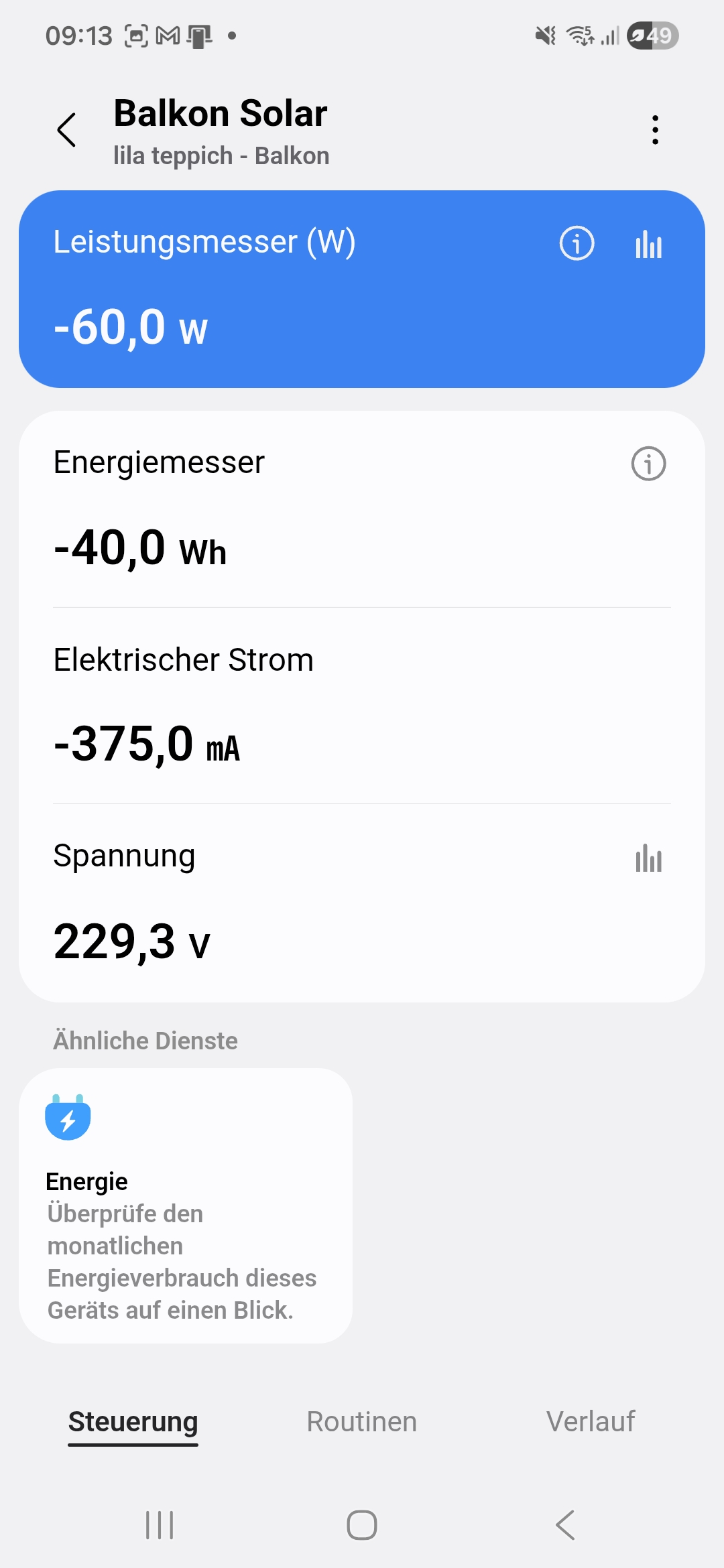
I successfully use an Aeotec Home Energy Meter Gen5 to read the measured values from the inverter to the house, I receive minute-by-minute values for power (W), energy (kWh), amperage and voltage via the device tile, as modified in the driver. The device is call “Balkon Solar.
The Aeotec device is ‘certified’ for electricity measurement within the Energy App, as you can see in the screenshot as well. and which I have also tested for my own device for consumption values. It works properly if used as a consumption measurement device.
For both cases, a)normal energy consumption measurement and b) solar production measurement, I selected ‘Sum of reading’ in the report parameters. which can not be the issue here, I guess.
I would like to use the device in the Energy App to evaluate my small solar production. To do this, I was already able to successfully select my Gen5 device (“Balkon Solar”) for solar production (“Solarenergieproduktion”) in the Energy App settings under measurement methods.
(A second, different device is selected there as the measuring device for electricity consumption from the provider. (“Netzstromverbrauch”))

Although the device has now been continuously providing me with negative power and energy values for several days, no evaluations appear in the Energy App under “solar production”.


The device has the latest firmware.
Android apps on several mobile devices are up to date. App cache has been cleared several times.
Hub v3 is up to date.
Energy app has been reinstalled.
I am not receiving any useful help from Samsung Support (in Germany), and promised callbacks from the ‘expert team’ are simply not happening. I do not know, how to concact (international or english speaking) Smarthings Support directly.
Does anyone here have any ideas on how I can find out whether the Aeotec device has simply not been ‘certified’ for solar production, and whether this is an oversight or intentional?
And does anyone here evaluate their solar production using the Energy App and can confirm that the dedicated measuring device is really supposed to deliver negative values or whether positive values are expected? I already tried both though…
_
And sorry to be frank about this; I am only interested in getting result in the Energy App of Smarthings. I also run a Homeassistant instance and solar production measurements are no problem there. I am just curios and frustrated, why Smartthings does not seem to work how I wish it would. And won’t deliver anymore information about how to get this done and working.
Some more details from the device:

