Hi everyone,
I have been testing the Aqara Camera Hub G350 as a Matter camera with SmartThings, and I noticed something interesting that may explain why the UI in the SmartThings app currently looks much more basic than expected.
The camera itself is detected correctly as a Matter camera and the Matter Switch driver loads the camera sub-driver. In the logs, SmartThings also discovers and enables camera-related capabilities such as:
webrtcvideoStreamSettingsimageCapturenightVisioncameraViewportSettings- speaker / microphone mute and volume
So at first glance, the camera support looks quite promising.
However, the actual UI in the SmartThings app is still very minimal.
Instead of a richer camera page, I basically get a very basic detail view:
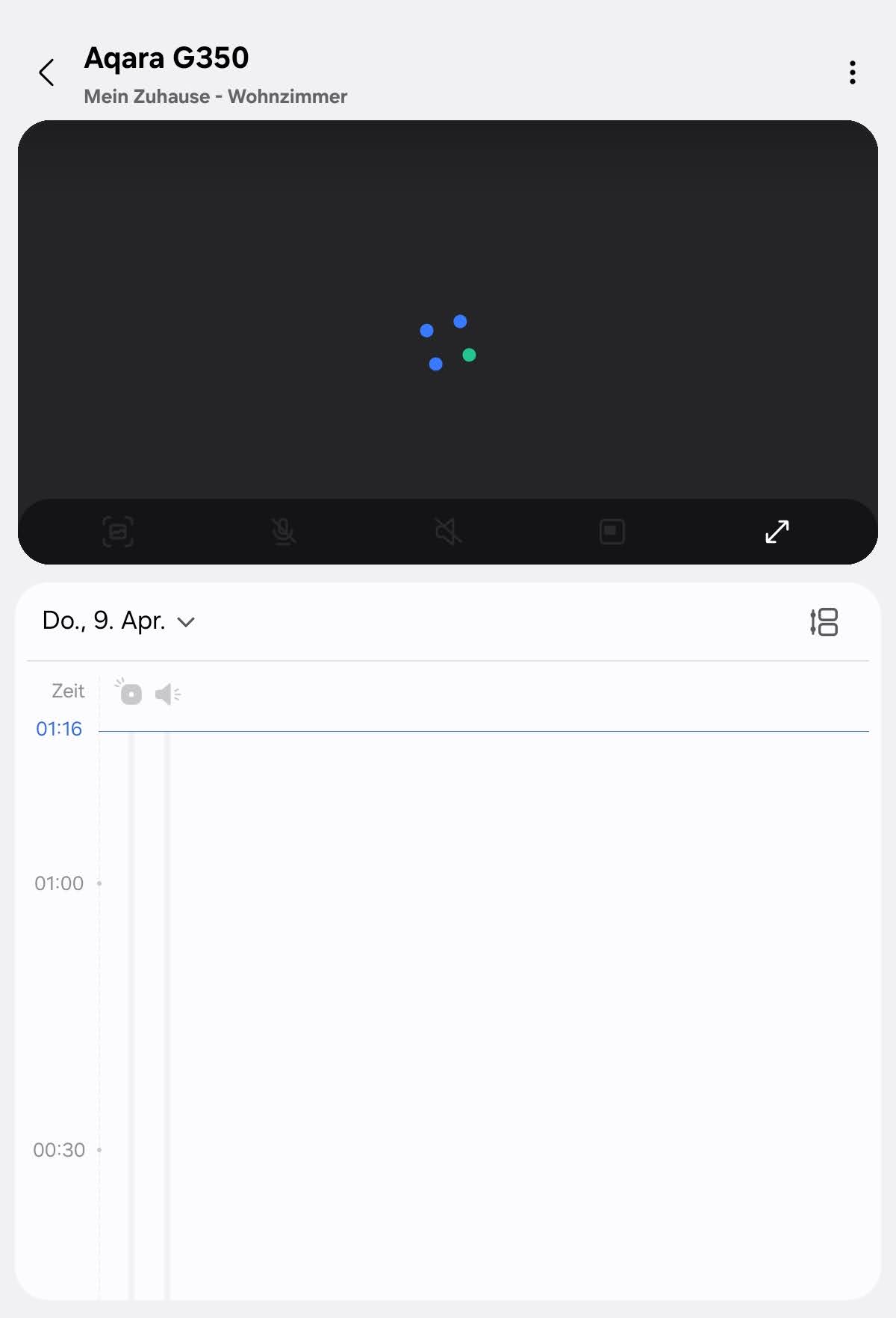

This is how it should look like:

After digging deeper with the SmartThings CLI, I found that the device is not using the stock camera presentation from the Edge Driver repository.
The stock camera profile in the repo points to:
metadata:
  mnmn: SmartThingsEdge
  vid: matter-camera
But my actual device presentation is:
{
  "mnmn": "SmartThingsCommunity",
  "vid": "f866541d-ce12-3f37-9be2-5fce4eecec98"
}
And the generated detail view is very basic. It only contains:
webrtcmotionSensor
The webrtc capability is rendered as a simple state tile showing stunUrl.value, which is clearly not what a normal end user would expect from a camera page.
CLI output
This is what smartthings devices:presentation <device-id> -j returns for my G350:
{
    "mnmn": "SmartThingsCommunity",
    "vid": "f866541d-ce12-3f37-9be2-5fce4eecec98",
    "detailView": [
        {
            "capability": "webrtc",
            "displayType": "state",
            "state": {
                "label": "{{stunUrl.value}}"
            },
            "component": "main"
        },
        {
            "capability": "motionSensor",
            "displayType": "state",
            "component": "main"
        }
    ],
    "dpInfo": [
        {
            "os": "ios",
            "dpUri": "storyboard://HMVSController/HMVSViewController"
        },
        {
            "os": "android",
            "dpUri": "plugin://com.samsung.android.plugin.camera"
        }
    ]
}
And this is what smartthings devices <device-id> -j shows for the live device profile:
{
    "profile": {
        "id": "b8bc8e03-5efb-3339-9255-eb4fa85164eb"
    },
    "mnmn": "SmartThingsCommunity",
    "vid": "f866541d-ce12-3f37-9be2-5fce4eecec98",
    "components": [
        {
            "id": "main",
            "capabilities": [
                { "id": "webrtc" },
                { "id": "videoStreamSettings" },
                { "id": "imageCapture" },
                { "id": "nightVision" },
                { "id": "cameraViewportSettings" },
                { "id": "firmwareUpdate" },
                { "id": "refresh" }
            ]
        },
        {
            "id": "speaker",
            "capabilities": [
                { "id": "audioMute" },
                { "id": "audioVolume" }
            ]
        },
        {
            "id": "microphone",
            "capabilities": [
                { "id": "audioMute" },
                { "id": "audioVolume" }
            ]
        }
    ]
}
Why this seems important
To me, this looks like a presentation / VID issue, not primarily a Matter cluster support issue.
In other words:
- the camera is discovered correctly
- the driver enables several camera capabilities
- but SmartThings seems to generate a custom presentation for the device
- and that generated presentation is much more limited than the stock
matter-camerapresentation
That would explain why the app UI looks so basic, even though the underlying Matter support seems more advanced.
Questions
Has anyone else seen this behavior with Matter cameras in SmartThings?
Especially:
- Is SmartThings currently generating custom presentations for Matter cameras instead of using
vid: matter-camera? - Is that expected?
- Could this be the reason why the app UI is currently so limited?
- Has anyone managed to get the richer stock camera UI with a Matter camera?
I would be very interested to hear whether others can reproduce this, especially with the Aqara G350 or other Matter 1.5 cameras.
Thanks!
- AOS 1.8.45.18 and AOS 1.8.41.23
- Access granted, same email.
- Device ID might change, because I’m working on it, but the device label is always Aqara G350. Currently: 7af6a834-94ca-41cd-82a2-c8071cbcf8b0


