-
Try using using @philh30’s Z-Wave Masquerade driver
-
Create a virtual alarm and link it to the zoo alarm with automations.
That worked. It is now working with Home Monitor. Thanks
Although I skipped step 2. I just used that driver for my Zooz siren.
I just installed the Multisensor for ZSE44 and I’m wondering if there’s a way to change some of the attributes - for example, i’d like to update the frequency in which the device refreshes as well as make a calibration adjustment to the temperature. There’s currently about a 5 degree difference between two devices and it seems the Zooz is the one over shooting.
@jtp10181 Bringing over an issue I raised in a thread about some Z-wave connectivity trouble. This is on a Zen76 switch. Also submitted to Zooz support.
I purchased the Zooz ZSE50 Alarm & Chime and am pretty disappointed that only one of the mp3 sounds can be assigned for all routines. Tech support tells me that it’s a limitation within Smarthings and that they are “working on it”.
Are there any work-arounds that don’t require pulling teeth? 
There is a bug in the mobile app which I reported to ST a while ago and then they released an app update but didn’t fix it. The bug is with IOS only, if I enabled the code to allow tone selection in routines then the settings page goes blank. Works fine in Android. I’m may need to just post a second version of the driver you can switch to after settings are adjusted.
Battery zwave devices don’t refresh. The device will send temp reports based on your settings. The temp can be calibrated with the offset settings that are in this custom driver.
Not quite clear: you said the bug is only on IOS, but I’m on Android and have this limitation. I know you have your hands full…thank you for your efforts!
The bug is on iOS only yes, if I were to enable the feature on the current driver it would work fine for Android users but all iOS users would then have no settings. So I would need to publish a second version of the driver people could switch to manually for now until ST fixes the bug.
UPDATE: Zooz Relay v2025-12-02
New Product: ZEN78 High Power Relay – ZOOZ
v2025-12-02 - Version: 2025-12-03T02:58:40.7624143
- Added support for ZEN78 High Power Relay
- Updated some settings verbiage for ZEN57/58
- General code cleanup and refactor
UPDATE: Zooz Siren v2025-12-03
I apologize for how long the ZSE50 update took. It came down to one missing line in poorly documented device-config patching. I was using an example from an official thermostat driver, so I assumed it was correct. Once I figured that out, it fixed the iOS settings issue and got the routines working correctly. No profile switching needed.
v2025-12-03 - Version: 2025-12-03T22:17:55.987736232
- Added volume control capability (removed from settings)
- Updated profile with custom device-config which enables setting tones from routines
@Geewiz, I figured out a proper fix finally, undocumented features I had to figure out.
@Chillin, I will be looking at adding the native alarm ability to this driver next.
Thank you, Jeff, for your good work on this. I think I’m missing something, however. I have the 2025-12-03T15:19:01 version driver installed but the “Mode” option to select a specific tone within a routine is greyed-out.
I think that is the first update I pushed out which required a profile switch, but we then found some issues with it. When I started digging I found how to get it working without switching the profile. Give it a little more time and it should update to the newest version. Or (if you know how) you can delete the driver and reinstall it from the channel URL to force the update.
My apologies! I was a bit too eager and excited. I have the proper updated driver now. Everything is great! Thank you again!
UPDATE: Zooz RGBW v2026-01-08
For new ZEN56 Zooz Z-Wave Long Range RGBW Dimmer ZEN56 800LR for 12-24 V LED Strips - The Smartest House
NOTE: This bug will impact routines on Android: *BUG* with colorControl working for routines on Android
v2026-01-08 - Version: 2026-01-10T01:44:37.609614082
- Initial release
Hi Jeff,
Are there any pending updates for the ZAC36 (driver or firmware)?
Using Edge drivers with latest 2.10 firmware. Issue is that any time manually press the button, ST records events for power off, valve closed, power on, valve open – all at the same time.
Yes, the actuator successfully opens and closes the water valve, so appears to just be a software issue. I’ve already excluded and re-added the device many times over the years, to no help. Ideas?

I was not aware of that issue, I will have to look at it. So just to be clear this only happens if you use the button on the device to open and close the valve? It is possible I did not actually test that when I did the updates to that driver.
Correct.
If ST Home Monitor leak sensor detects a leak, the valve closes as it should without issue. It also properly shows in the UI that its now closed ( whereas when pushing the button, it still says its open, even though its actually closed ).
Hi @jtp10181 how are you?
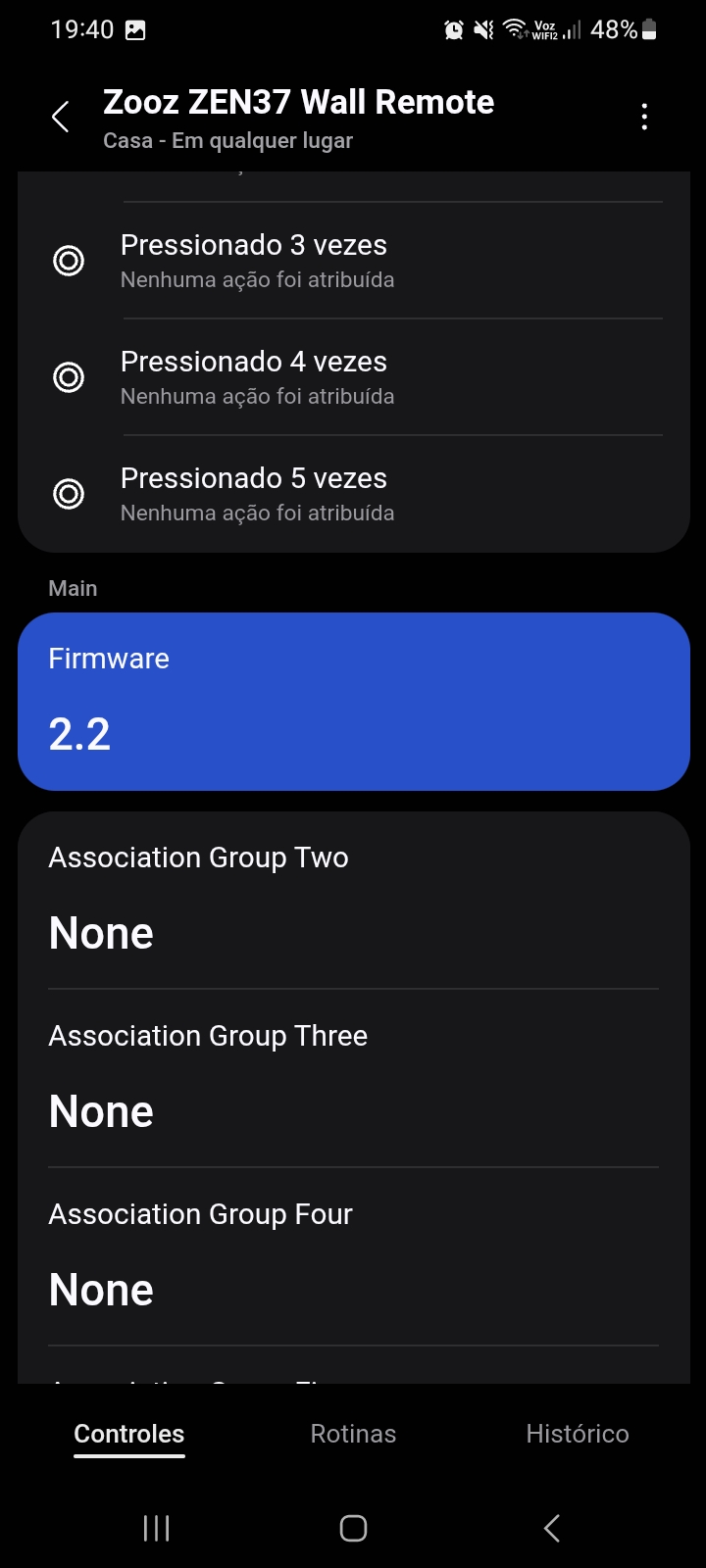
I just bought some Zooz Zen37 Wall Remote with firmware 2.10.
I update it to firmware 2.20 to add new parameters 8 - Battery Reporting Frequency and 9 - Battery Reporting Threshold, but it does not show at smartthings.
Do you know this issue?
Thanks a lot!


You will have to open a case with Zooz, they tell me what drivers they want me to spend time on updating for enhancements.