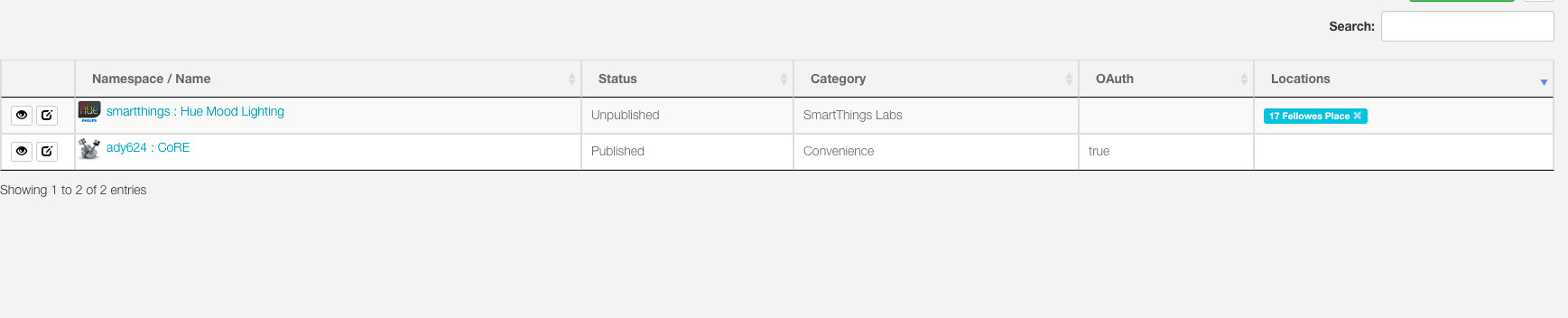
I have just tried to install the CoRe smart app. Did the syncing with github first and then I added the code AS described on wikilink.
The problem is that when i log in to the developer log in on smartthings I can see the smartapp and configure oAuth etc.(Everything looks fine, publiseres it also), but when i choose my location on the top(Asked to log in again), the smartapp is not available on my actual hub (only on the first log in). How can I move it to my location?
So I have had the same issue, except when I login (as you described) there is no way of connecting GIT…
Thats had me stumped for a fair few hours… I thought I had cracked it, installed CoRe and then bam, click on my location and it all disappears.
Thanks Robin, have now done that and have CoRe installed…
However, it doesn’t have my address in the far right location and I cant see it on my smartphone.
Ive had another good look for enabling that and cant figure that out.
Sorry to be demanding.
Sorry if this is already documented, I seem to have reached a certain point and then the instructions don’t quite register. So with that up and running, is there a document / tutorial from where to go now?
Nick
mbustillos1
(Michelfrancis Bustillos (The Armed Programmer))
12
This! An hour of frustrated Googling later, you’ve explained something noone else bothered to. Thanks!!
I’ve followed the instructions to install, but i’m not getting the “My Apps” capability. I’ve gone through the installation instructions like four times. What could i be doing wrong?
It looks like I’m on the NA01 shard and installed core there. It still doesn’t show up. Weird thing is I do have two home locations in the SmartThings app, but it doesn’t show up on either. It won’t let me delete the other home account.
Unfortunately no. I just gave up after about a week or more of conversing back and forth with support, they never made any sense and nothing seemed to change. Sorry!
When you login to the IDE using https://account.smartthings.com, select Locations and then select your actual Location from that page (not the 2nd one that exists). Then select SmartApps. Are the webCoRE SmartApps listed there? If no, then you need to install them there right now.
If they do exist, then open your ST Mobile App. From the Dashboard, select the Hamburger (3 lines at the top). Is your Location correct? If not, select the correct one. Then goto Marketplace and scroll to bottom. Select My Apps. Is webCoRE there?