I am running a server with node.js and I can get an oauth token running a manual script. I cannot get Smartthings to trigger discovery but on the phone when I click on my device under “My Testing Devices” all that pops up is a browser page with “{}” my last log line shows: “redirecting to: https://c2c-us.smartthings.com/oauth/callback?code=2872b33272bab6357540336d8b090ae2&state=eyJhbGciOiJIUzM4NCJ9.MzAxYzM2ZmEtN2UzNy00NmVkLTk2ZjEtYWQ3OGNiYmM2Mjk2OnZpcGVyXzUxMTc4OTIwLTAyNjctMTFmMS1iODRhLTNmOTcxYzZhMDMxOToxNzc1Mjg3NTYzMzU5OjM0ZjVkYTM3LTYzMWUtNDhhOS1hNjUwLWViMzNlMmYyNTJmMTplbi1VUzo6OnRydWU.Ntof9eW5BICOU5a4l5w2Fh3AFakCoijiRhZjJSS-eaauHrJZqq5SiVnmnh7t6Fy-” Note: there is also a oauth callback prior to this.
Interesting that a browser window pops up.
If you are running Android I would suggest checking the app settings for SmartThings (in Android, not within the app). Specifically the defaults:

You need the supported links to be handled in the app:
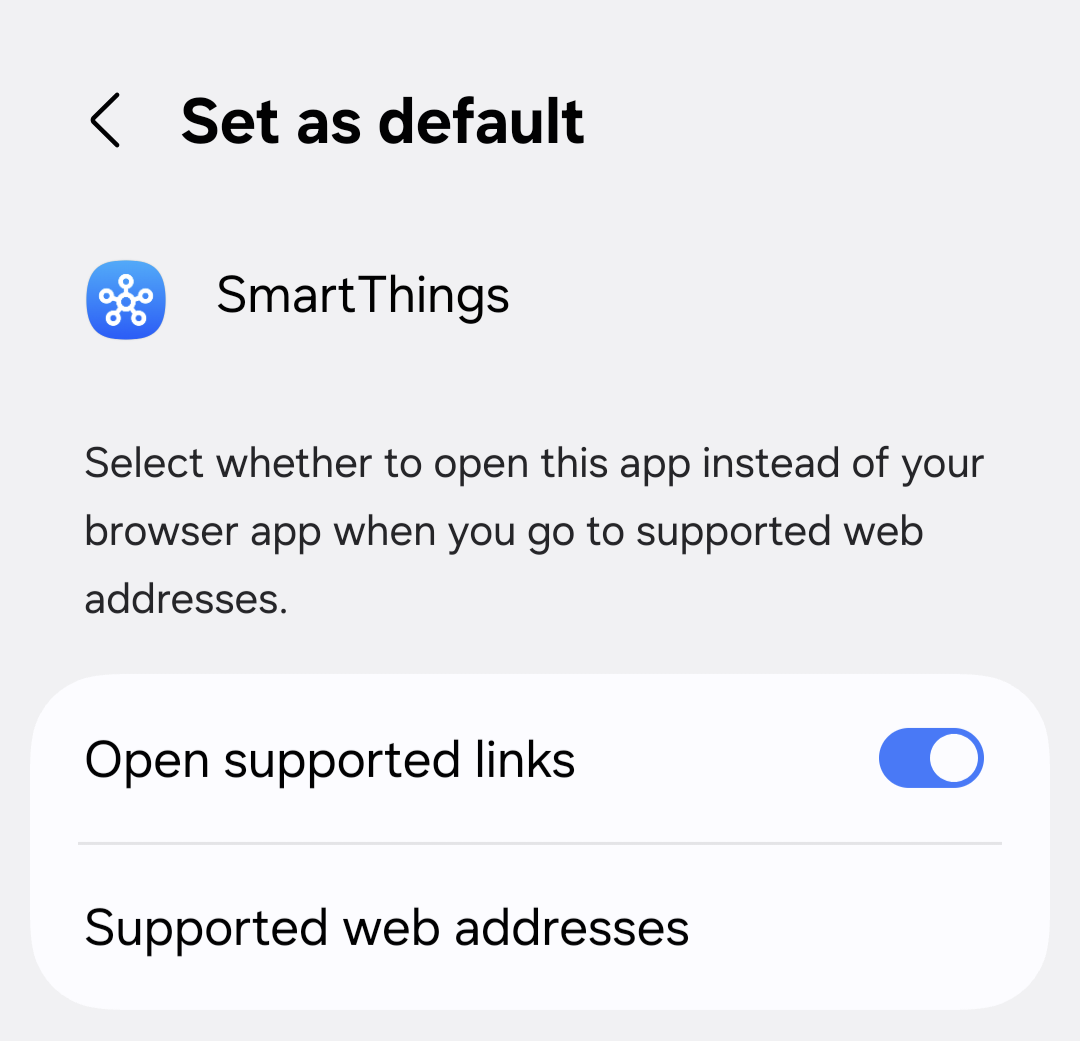
If you are using iOS then you need the equivalent. I forget the buzz words.
The bottom line is that when the app receives a redirect to e.g. https://c2c-us.smartthings.com/ it should be handling it internally not looking for an external site in a browser.
Hi, @turbo6543
Please let us know your results to know if this needs further investigation.
Thank you for the suggestions, I checked and the App defaults are enabled and the correct URL is one of the defaults. I am using Android but it still is opening chrome browser with “{}”. my logs show that discovery is not getting triggered from Smartthings.
Hi, @turbo6543
We need to open a report for the engineering team to see what can be done.
So, please provide the following info:
- A screen recording of the process you follow to install the integration to see how the browser is opened. (send it to build@smartthings.com as well)
- App logs
- Support Access to your account:
Hi, @turbo6543
After opening the report for the engineering team, they provided the following feedback:
- This happens when the credentials for the partner account are cached.
- The ST client (app) cannot intercept the redirect done by the partner if there is no user interaction happening during the partner login flow.
- For user interaction to happen, you either need to show the login page again, or if the credentials are cached and the OAuth server returned success without showing the login page, then your OAuth server MUST show an authorization page (“grant ST permission to access your devices” page).
- This is also mentioned here in the documentation: Add SmartThings to Your Authorization Server | Developer Documentation | SmartThings

Thank you for getting back to me so quickly,
That solved the problem, I am now able to discover the device. somehow I missed that on the Documentation