Phone, Google Nexus 5x, Android 7.0. Updated to 2.2.0 app.
WHen I login, I do not see my hub or any of my things listed at all. However, when I go in to developer.smartthings.com, I see my Hub and all my devices.
It seems like my anroid app login is empty, but everything is stil there. How do I re-associate my login to my hub ?
def greyedOutSettings(){
	def result = ""
    if (starting || ending || days || falseAlarmThreshold) {
    	result = "complete"
    }
    result
}
It could be true that it works on a HREF and not an input. Please let me know if this known to work (for me) example also doesn’t work for you and I’ll create a ticket.
Is it all your SmartApps? Or just the ones installed from the marketplace with the ones installed from the IDE still under My SmartApps in the Marketplace? I’m confused…
I’m noticing that my icons in the “My Home” tab do not line up with the icons available in SmartApps (including SmartLighting and CoRE).
For example I have ST contact sensors on my Kitchen and Living Room Windows that give me a crib icon, instead of the expected Open/closed icons. Meanwhile, my “Baby Room” sensor keeps going back and forth between a crib and closed.
I didn’t notice it until I started trying to set-up a few new automations.
What does “installed” mean in this context? Just SmartApps selected from the marketplace list? Not ones pasted in through the IDE?
Here’s what’s confusing me.
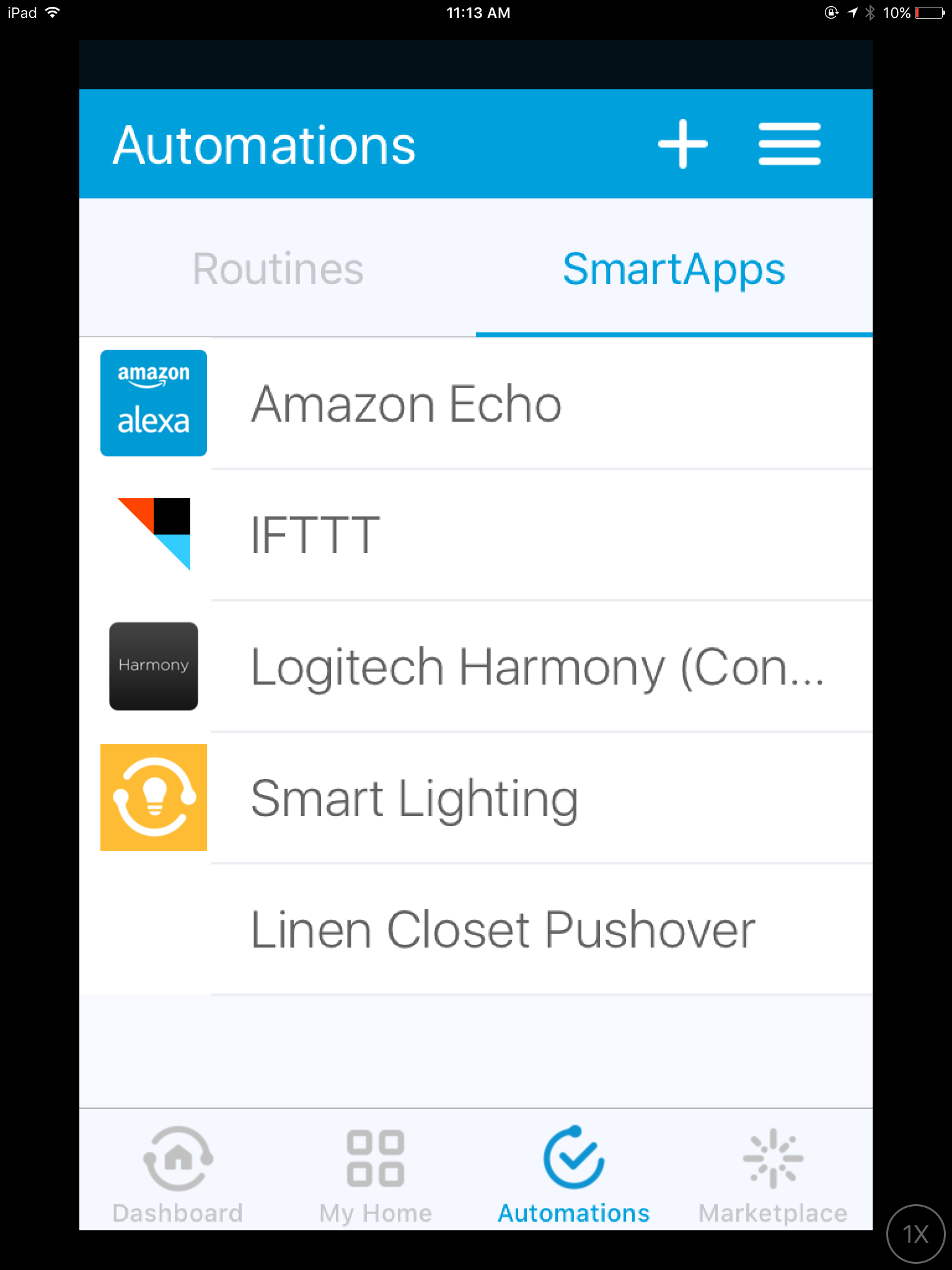
If I pick the “automations” icon, I see the list of smartapps that I installed from the marketplace, or that smartthings automatically installed for me.
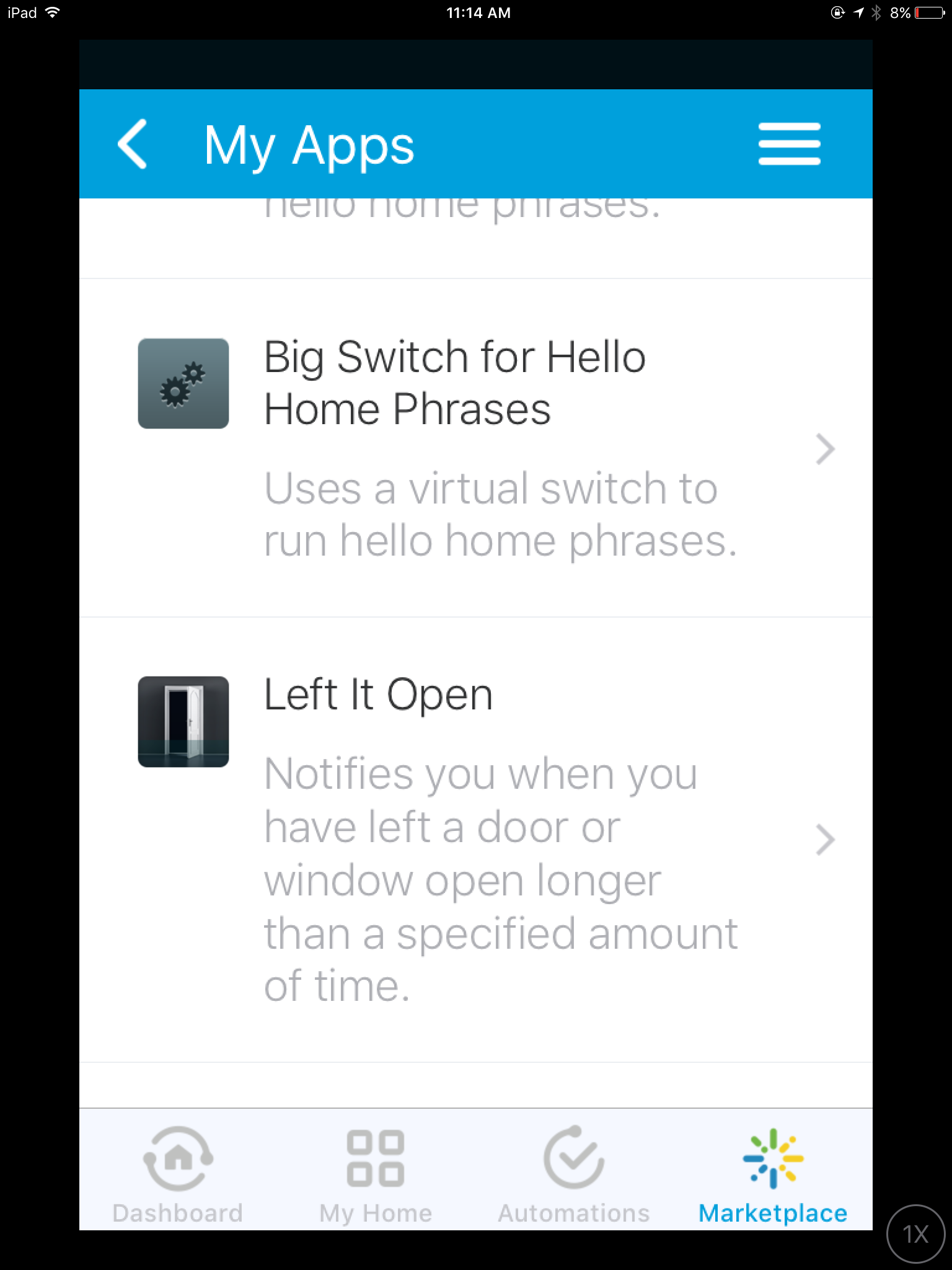
If I pick the “marketplace” icon and scroll down to “my apps,” I see a completely different list of smartapps. Which I think I are probably ones I installed through the IDE.
So the notification smart app that I initially found in the marketplace section then doesn’t appear in the list of “my apps” in the marketplace section. I have to go look for it under automations. But other smartapps that I didn’t initially publish from the marketplace do show up in the list in the marketplace section.
And there is no one single place to go and look at all of the smartapps that are active on my account. I have to remember how I installed them in the first place or always check both places.
Anything in the marketplace are apps you can potentially install to run on your account not one thats are installed and configured. If the SmartApp is installed and configured it will show up under the automations section.
If you installed them using the simulator in the IDE they won’t show up on the installed list under automations at all.
@slagle
Can we also add using images on Boolean inputs to the list of Android Client Issues. Setting the image reference is completely ignored by the android client but works on iOS.
WTF? Seriously, the default view is now the slow loading “Things view” on application launch? How about giving us a choice in settings as to what view we want as the default instead of changing UX on a whim.
This mobile app has to be the most broken change management I’ve seen in awhile.
@slagle and all, why are these changes happening without a heads up?
Literally the default experience for the mobile app is to launch the app and now see a spinning wheel for 30+ seconds until my things load. This is stupid and pointless. Give me back my dashboard default view (or room view for those that didn’t have SHM).