[ST Edge] Help in detecting double / held events for Aqara Z1 pro edge driver

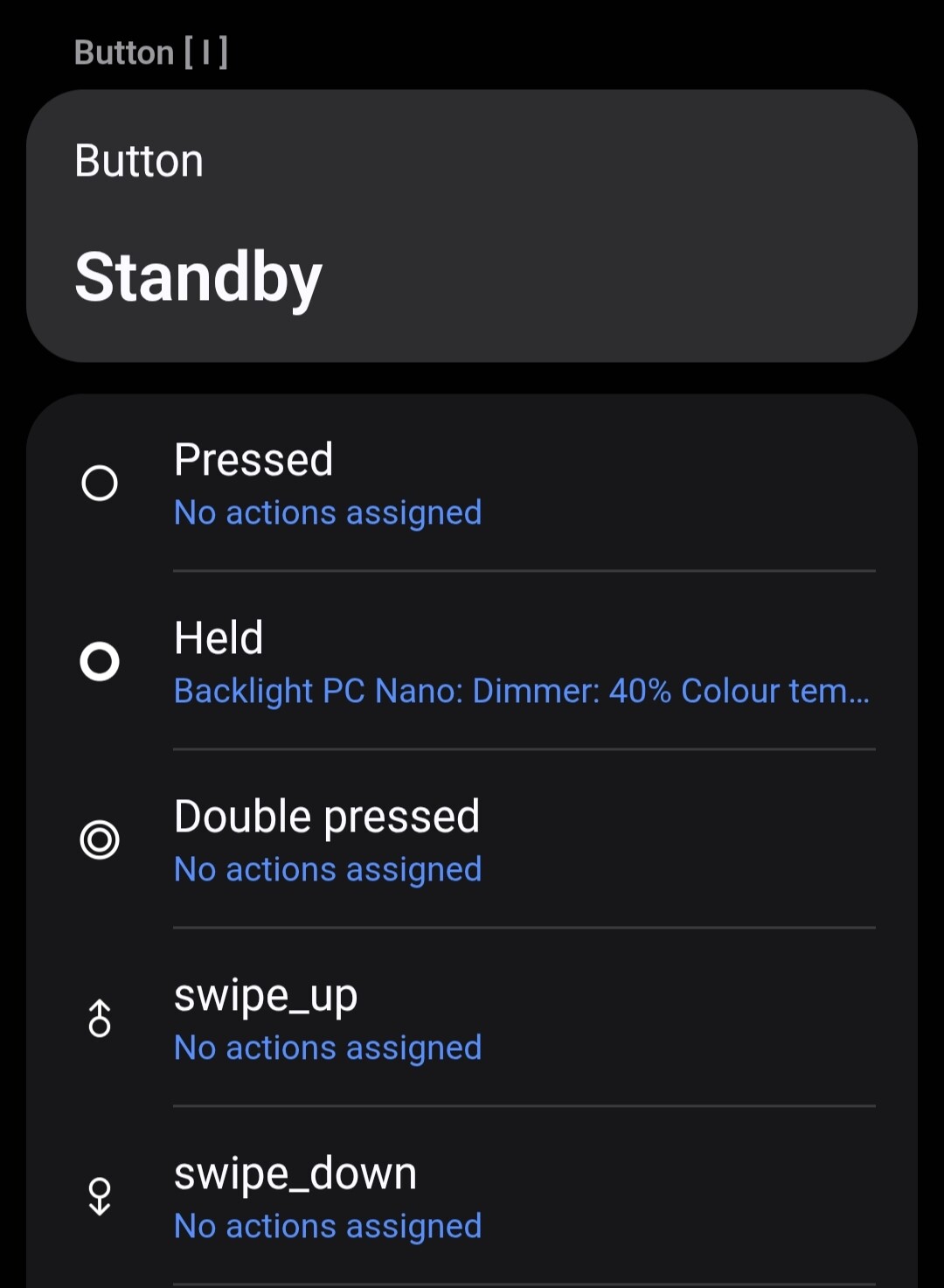
I have the Aqara Z1 Pro (3 and 4 gang) and I am modifying @veonua ‘s driver to support it. so far i got the sensors working (power, energy, temp, voltage, current), decoupling working and the slider detection (tap, double, held, swipe up, swipe down) but I can’t seem to get the double click detection to work for the switches (have not tried the wireless button 4 yet).

I have tried sending configs on 0x0125 and 0x0286 attributes as referenced from herdsman.
The clicks are coming back in cluster 0x0012 / attribute 0x0055, but only value 1 for single click. When I double click or hold, nothing appears in 0x0012 / 0x0055, so I think the device recognises them and fires something else, but I can’t figure out where that something else is.

I have tried monitoring 0xFCC0 0x00F7 indicies that look promising, but nothing comes back, does anyone know what cluster / attribute I should be looking at?

1 Like

Can you please paste the logs here?

Make sure to add ``` before and after the paste.

The issue is there is nothing showing up in the logs when I double press :slight_smile:
I have an Aqara hub and I can see in the Aqara app it supports double and held actions, so I am wondering if anyone knows it is being supported by some mechanism

Separately, not sure if @nayelyz or someone else can help me with understanding how does supportedButtonValues work.

My profile as attached below has 5 components with button capabilities. I emitted {“pushed”, “pushed_2x”, “held”, “swipe_up”, “swipe_down”} for supportedButtonValues. If I emit 5 for numberOfButtons I will only get “pushed”, “pushed_2x”, “held” supported for automation triggers in all the 5 buttons. If I emit 4 for numberOfButtons I will get the whole list of triggers for the 5th button (slider) except swipe_up and swipe_down which is what I want.

How do I get swipe_up or swipe_down to appear as an automation trigger? Do I need to create a custom capability? Regardless of what I do the events do show up in the detail view correctly when emitted.

name: opple-switch-neutral-4-power-slider
components:
  - id: main
    label: "Top"
    capabilities:
    - id: powerMeter
      version: 1
    - id: energyMeter
      version: 1
    - id: voltageMeasurement
      version: 1
    - id: temperatureMeasurement
      version: 1
    - id: refresh
      version: 1
    - id: switch
      version: 1
    - id: button
      version: 1
    categories:
    - name: Switch
  - id: button2
    label: "Center"
    capabilities:
    - id: switch
      version: 1
    - id: button
      version: 1
    categories:
    - name: Switch
  - id: button3
    label: "Bottom"
    capabilities:
    - id: switch
      version: 1
    - id: button
      version: 1
    categories:
    - name: Switch
  - id: button4
    label: "Wireless Button"
    capabilities:
    - id: button
      version: 1
    categories:
    - name: RemoteController
  - id: slider
    label: "Slider"
    capabilities:
    - id: button
      version: 1
    categories:
    - name: RemoteController
preferences:
  - title: "Mode"
    name: operationMode
    required: true
    preferenceType: enumeration
    definition:
      options:
        0: "Light Commands (Bind to Group)"
        1: "Button Events (Normal)"
      default: "1"
  - preferenceId: stse.changeToWirelessSwitch
    explicit: true
  
  - title: "Center button"
    name: button2
    required: true
    preferenceType: enumeration
    definition:
      options:
        0x22: "Switch 2"
        0xFE: "Detached"
      default: "0x22"

  - title: "Bottom button"
    name: button3
    required: true
    preferenceType: enumeration
    definition:
      options:
        0x32: "Switch 3"
        0xFE: "Detached"
      default: "0x32"

  - preferenceId: stse.restorePowerState
    explicit: true
  - preferenceId: stse.turnOffIndicatorLight
    explicit: true

metadata:
  deviceType: Switch
  ocfDeviceType: oic.d.switch
  deviceTypeId: Switch

You have to set the supported press types for each component individually.

I did that and the result is the same..

2025-09-03T15:49:56.048009480Z INFO Aqara/Xiaomi Switch and Button v26  <ZigbeeDevice: 860a8bb8-e0b8-473a-8a1f-30a7b60bc181 [0xB0CF] (ZNQBKG45LM Aqara Smart Wall Switch Z1 Pro (With Neutral, Quad Rocker))> emitting event: {"attribute_id":"supportedButtonValues","capability_id":"button","component_id":"main","state":{"value":["pushed","pushed_2x","held","swipe_up","swipe_down"]}}
2025-09-03T15:49:56.070151105Z INFO Aqara/Xiaomi Switch and Button v26  <ZigbeeDevice: 860a8bb8-e0b8-473a-8a1f-30a7b60bc181 [0xB0CF] (ZNQBKG45LM Aqara Smart Wall Switch Z1 Pro (With Neutral, Quad Rocker))> emitting event: {"attribute_id":"supportedButtonValues","capability_id":"button","component_id":"button2","state":{"value":["pushed","pushed_2x","held","swipe_up","swipe_down"]}}
2025-09-03T15:49:56.093364938Z INFO Aqara/Xiaomi Switch and Button v26  <ZigbeeDevice: 860a8bb8-e0b8-473a-8a1f-30a7b60bc181 [0xB0CF] (ZNQBKG45LM Aqara Smart Wall Switch Z1 Pro (With Neutral, Quad Rocker))> emitting event: {"attribute_id":"supportedButtonValues","capability_id":"button","component_id":"button3","state":{"value":["pushed","pushed_2x","held","swipe_up","swipe_down"]}}
2025-09-03T15:49:56.117391688Z INFO Aqara/Xiaomi Switch and Button v26  <ZigbeeDevice: 860a8bb8-e0b8-473a-8a1f-30a7b60bc181 [0xB0CF] (ZNQBKG45LM Aqara Smart Wall Switch Z1 Pro (With Neutral, Quad Rocker))> emitting event: {"attribute_id":"supportedButtonValues","capability_id":"button","component_id":"button4","state":{"value":["pushed","pushed_2x","held","swipe_up","swipe_down"]}}
2025-09-03T15:49:56.138302230Z INFO Aqara/Xiaomi Switch and Button v26  <ZigbeeDevice: 860a8bb8-e0b8-473a-8a1f-30a7b60bc181 [0xB0CF] (ZNQBKG45LM Aqara Smart Wall Switch Z1 Pro (With Neutral, Quad Rocker))> emitting event: {"attribute_id":"supportedButtonValues","capability_id":"button","component_id":"slider","state":{"value":["pushed","pushed_2x","held","swipe_up","swipe_down"]}}
2025-09-03T15:49:56.167169897Z INFO Aqara/Xiaomi Switch and Button v26  <ZigbeeDevice: 860a8bb8-e0b8-473a-8a1f-30a7b60bc181 [0xB0CF] (ZNQBKG45LM Aqara Smart Wall Switch Z1 Pro (With Neutral, Quad Rocker))> emitting event: {"attribute_id":"numberOfButtons","capability_id":"button","component_id":"main","state":{"value":5}}

Are the supported button values correct in the advanced website?

When changing the supported values exit the device screen in the app and enter again so it updates. Might be a cache issue. Or maybe there’s a specific issue with swipe_up and swipe_down, I’ve never used them and neither do stock drivers.

Maybe try using up or down, just for testing purposes, or pushed_5x and pushed_6x, I know those work fine. If they appear, then it’s clearly a bug in the app with those two events.

1 Like

Well, swipe_up and swipe_down don’t even have translations in the app, so there’s definitely something unfinished with those events that maybe @nayelyz can report.

And, yeah, I can confirm swipe_up and swipe_downdo not appear in the automations screen so it’s a bug in the app.

Also, you can use double instead of pushed_2x which has a better translation.

Hi, @chroeth

As I remember, numberOfButtons was referring to how many physical buttons are present in the device, not how many options are available.

The property supportedButtonValues helps to dynamically “filter” the options available for the device in the SmartThings App.

When you query the capability presentation, you’ll see this reference: supportedValues: supportedButtonValues.value which means that only the values included in this property will be shown.

As @mocelet mentioned, the options of swipe_up and swipe_down are not included in the automation view. So, I’ll ask the engineering team if there’s a reason for it or if it’s a bug. Either way, this will take some time to be reviewed.

If you want, you can use a custom capability instead, but:

  1. You won’t be able to see the special UI in the detail view, where you can create automations
  2. Custom capabilities cannot be used from third-party services like Amazon Alexa

Thanks @nayelyz and @mocelet for the help. I guess I will use up or down instead. @mocelet I am using pushed_2x because @veonua ‘s framework uses pushed_2x and I didn’t want to break the consistency.

@mocelet on a separate note how do you get the automation options to show up in the detailed view? I was looking through Erickv‘s code (the only open source one I can find and I have a physical device for) and I could not figure out how it is done.

It’s automatic, although I don’t know exactly what the app looks for besides the capability. A typical profile for buttons looks like this: SmartThingsEdgeDrivers/drivers/SmartThings/zigbee-button/profiles/five-buttons-battery.yml at main · SmartThingsCommunity/SmartThingsEdgeDrivers · GitHub

Edit: Actually, Erickv has a comment in GitHub mentioning the key to display the action shortcuts is the RemoteController category.

Yeah I did that and it looks like it still doesn’t work. Maybe all the components have to be remote controller category.

I managed to get it to work. The remote special UI shows if the category of the “main” component is RemoteController, but setting that makes the device card become that of a remote controller. You can force the display to be a switch by setting the metadata, but it will still lose the switch action button and switch state display. To overcome that, you need to do a custom presentation to define the dashboard to link the action and the state to the switch, if anyone needs a reference can refer to the custom presentation I created.

metadata:
  deviceType: Switch
  ocfDeviceType: oic.d.switch
  deviceTypeId: Switch
  mnmn: "SmartThingsCommunity"
  vid: "d4504e34-6cec-39d3-8116-ecf9aebcabb1"

The caveat to this is that if you set switch 1 to be main component it will lose the timer UI in the main switch component, effort will be required to put switch 1 not as the main component since most frameworks sets switch 1 to the main component by default. Switches with button capabilities that are not the main component will get the benefit of both the switch and the button special UI.

If you put in multiple states all the switch states show up but wondering now if it is possible to put multiple buttons on the card.

2 Likes

How do you get logs or view any live logging? I am getting back into setting up my smart home and I have a ton of plugs but don’t know which is which…

Thanks!

You should explain first what you are trying to do. The logs is not the first place to start your smart home journey.

I figured out how to use the CLI command prompt thingy to show the logs. I explained that I have a ton of plugs but don’t know which is which. I used the live logging to capture the names of the devices so I can then move them around accordingly. BTW, I am an OG when it comes to SmartThings but with all the changes and having over 200 devices, I just waited it out. My utility bill has crept back up so it’s now time to start setting things back up.

Thanks!