Kevinlam
September 11, 2024, 6:22pm
1
both of my Vision Z-Wave Plus Alarm Siren are out of services (cannot seem to power it up even with new battery) and I’m looking for a replacement. Do you guys have any recommendation of what I should get or any DIY project? Thank you for your help in advance!
What country are you in? The device selection does vary.
Kevinlam
September 11, 2024, 6:33pm
3
thank you for the quick response. .I’m living in US
Zigbee and LOUD ? Frient smoke detector.
Dedicated siren, but only loud? Woox siren with an additional feature:
Many of us have set up one or more notifications for when, for example, movement is detected in our absence, the refrigerator is too warm, a water leak is detected, or smoke is present.
However, it is surprisingly difficult to detect when the power goes out. There still doesn’t seem to be an integrated feature to detect devices that go offline.
I have thought for a long time about how this problem could be solved. There must be a device that generates an event when the power goes out. Of course, this would have to be battery-operated and directly connected to the hub. At some point, I discovered the Woox Siren R7051, which meets these requirements.
[Screenshot_20240826_190643_Samsung Internet]
It has the following features:
Detection of the power source
Battery operated
Zigbee (not …
Kevinlam
September 12, 2024, 5:15am
5
Thank you for the recommendation. The device looks nice but I cannot find it available in US? Too bad
The Neo Cool Cam from AliExpress is available in the US and works with SmartThings. Caution, they also sell a WiFi version which won’t work with SmartThings.
Does this work with @Mariano_Colmenarejo 's driver to allow it also to detect power outage? Or it uses the 000 cluster like many Tuya products?
I it has the EF00 cluster and uses the Personal Tuya Driver.
Another update:
Neo Cool Cam ZigBee Siren it pairs with a Moe’s ZigBee over Matter Bridge. The bridge is connected to the Tuya app and SmartThings. The Siren does NOT show up in SmartThings, but works as expected in the Tuya app.
Tuya’s reply about the problem was: “Sorry, this type of device is not supported for bridging to other platforms. It will be supported in Q4.”
When the siren is connected to the Tuya App you can chose from any of 18 different sounds in your automations.
When the siren is connected to SmartThings you can only chose 1 sound under settings and that is the only sound you can use in Routines.
This siren use the EF00 cluster and pairs with the “Personal Tuya Devices” driver when directed paired with SmartThings.
Kevinlam
September 21, 2024, 7:54pm
9
My NeoTuya Siren arrived and I paired it Smartthings with “Personal Tuya Devices” driver. I can choose different ring tone and manually trigger it on and off. However, when I set it as the siren for Smartthings security app, it won’t trigger… any idea?
Can you post some screenshots from the Home Monitor settings?
Kevinlam
September 22, 2024, 2:35pm
11
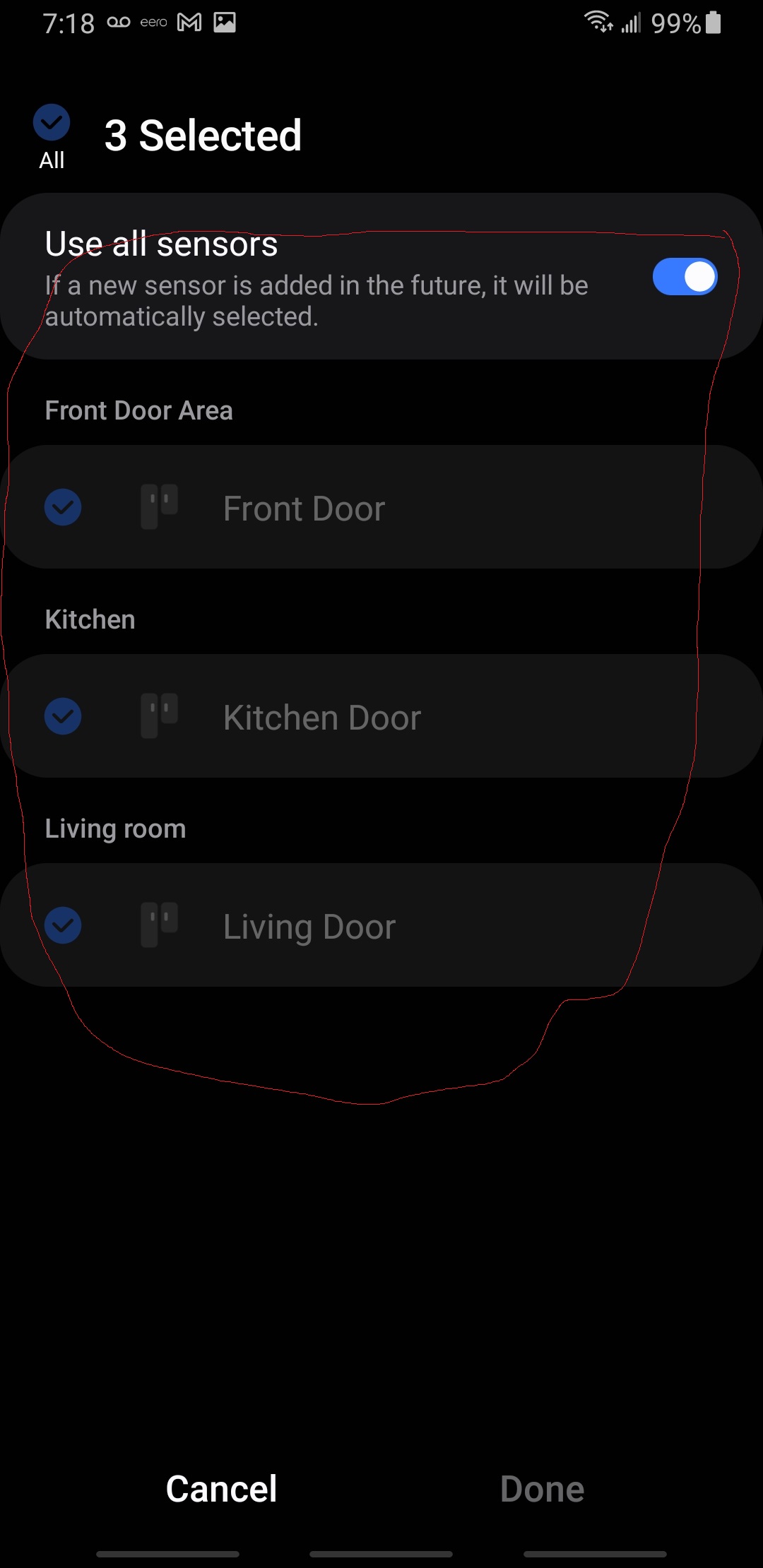
Yes… here some screenshots from my smartthings app… this is how i tested it
Make sure all the doors are closed and sensors are normal
Set alarm to “Armed (Stay)”
Open the Kitchen door
Got intruder alert notification but no siren.
thank you again!
@Kevinlam I think you can use the vEdge creator and create a sound sensor which will show up in the SHM. You can then create routines to call the virtual sound sensor when the NeoTuya siren triggers.
I’m using this method and its working for me.
Kevinlam
September 22, 2024, 4:20pm
13
Thank you for your response! Kind if new to this. vEdge creator? I will look into it once I got back home
Kevinlam
September 22, 2024, 4:24pm
15
perfect! thank you so much!