Matter over thread devices not responding, and re-onboarding

Twice in the last week I’ve had a matter over thread battery powered device become unresponsive, as opposed to offline. Its status was still showing as online but it wasn’t generating events . In the first instance it was a IKEA myggspray motion sensor, in the second it was a generic door sensor from aliexpress. When this happened occasionally with zigbee devices I typically did

  1. power cycled the device by taking battery out and replacing and if that didn’t work
  2. putting it into pairing mode and re-pairing the device which typically caused the device to be re-detected with same name etc.

With matter over thread its different, power cycling the device didn’t work, I tried it a few times.
Re-pairing a device already registered fails. So I took the nuclear option and deleted the device from SmartThings put it into pairing mode, scanned the qr code, and it failed to complete pairing.

In both occasions the only way to get the device back online was to reboot the SmartThings hub (for ref it’s an Aeotec Smart Home Hub 2, aka SmartThings hub v4) .

I’m just wondering if anyone has else has experienced this and knows of a solution that doesn’t involved a hub reboot, which is something I’d rather avoid unless it’s essential.

1 Like

This can bring down your Thread network.

What’s the manufacturer/model of the device? Asking, because generic/no-name Matter/Thread devices aren’t really a thing.

2 Likes

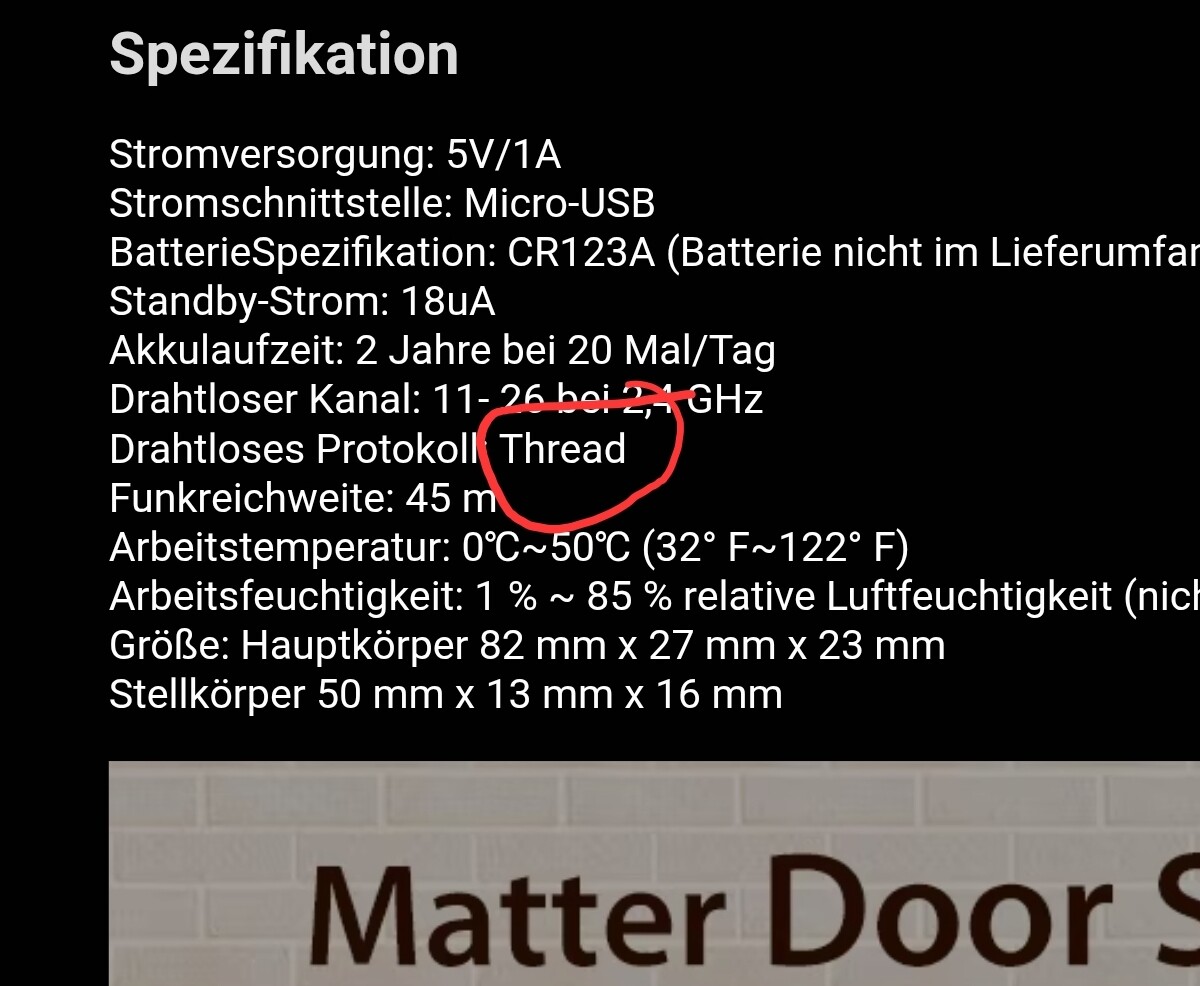
It was this one , brand appears to be hagsee , edit:possibly it’s HAOSEE

Tuya Matter Thread Door Window Sensor USB Powered Smart Home Wireless Detector Work With HomeKit Alexa Google Home SmartThings

https://www.aliexpress.com/item/1005008013291667.html

Haozee Matter over WiFi…

Edit: what?


Tuya can’t even get Zigbee right. I’d replace this with the IKEA MYGGBETT contact sensor. It just works.

What’s the connection path of the devices that won’t respond?

1 Like

1 Like

Not exactly the same case, but it might be in some way related.

I only have two Thread devices. The first is an Eve plug that had been running perfectly for about a month. I then bought an IKEA Myggbbet sensor and paired it; pairing was very quick and the contact triggering is extremely fast.

After that, I started experimenting with sharing, and then removing, the door sensor on a HomePod and a Moes TBR, just to see how the process worked.

At this point, SmartThings started repeatedly prompting me to pair “an Eve device”. I tried to ignore it, but the prompt wouldn’t go away.

As a result, the Eve plug was re-paired with a new ID, which of course caused all its rules to be lost! I tried again, and the same issue occoured, so yes this is my problem for playing around with it but I comment as seems to happen very easily.

1 Like

My variation …

Yesterday I had an Onvis matter over Thread plug stop responding in SmartThings. It wasn’t being shown offline in a dashboard status tile, but the device dashboard tile and details page showed it was indeed offline.

The plug was working fine locally using it’s button so as I was already stretched uncomfortably discovering that I power cycled it. It isn’t unprecedented for an Onvis plug, or indeed an Eve one, to need power cycling.

At this point I remembered that I really should have checked on Google first as all my Matter devices use multi-admin where possible. Usually both SmartThings and Google agree the device is offline. Indeed the only exception has been when a device was paired to two hubs in the same SmartThings Location (so there were two separate SmartThings devices). When I turned off one hub Google would keep going (there are multiple TBRs) but both SmartThings devices got marked offline.

As I was about to check Google I was stopped on my tracks by SmartThings popping up a window inviting me to install the Onvis again. I ignored it as it seemed ‘wrong’.

Google could indeed see the plug was online and could control it. Whether it always could or whether it just recovered it quickly I don’t know.

While I was puzzling over that the device suddenly came back online in SmartThings.

1 Like

Not once did I have to restart any of my ten Eve devices. Not once was one of my Matter over Thread devices offline or unresponsive - and I buy them as soon as they become available.

Some of my Matter bridged (WiFi…) devices were shown as offline for an hour about a year ago and that was the moment when I started to also replace them with Thread devices.

I guess I’m the only one without any issues, but I don’t have any low quality devices in my smart home…

Shudder

1 Like

To be fair, ive had zigbee devices go offline to. I don’t think thread is worse in that respect, however the process to get an offline device back can be patchy.

Happened once here when I added a Moes/Tuya USB Zigbee router.

Brought down my whole Zigbee mesh overnight. Removed the device, had to wait an hour before all the devices were back online.

Now imagine how crappy their Thread stuff is…

2 Likes

In another variation to this I recently had a Nanoleaf bulb (latest firmware) in a lamp plugged in and working fine. I then had it unplugged for a few days and decided to move it t a different room. When I did the bulb refused to come back online despite repeated power cycling and waiting at least 30 mins. I eventually put it into pairing mode and it paired again as a new device losing the existing device as a ghost device which I had to delete along with its routines,

Any way to coax a reluctant offline thread device back online without deleting it, and installing as a new device?

Very good question. It does feel like the old Zigbee behavior was more forgiving — when a device dropped offline, simply putting it back into pairing mode would usually bring it back, with all automations still intact.
Doesn’t seem to apply in the same way with Thread, where devices can be much less cooperative once they fall off the network.

With Zigbee, a short 20 minutes or so, hub power-down often repaired the mesh. With Thread, intervention tends to make things worse — patience seems to work better than resets.

3 Likes

That’s right, Zigbee preserved the device ID, Matter seems to create a new one, for privacy reasons I guess… but it’s inconvenient since it is added as a new device.

2 Likes

I moved a Nanoleaf bulb yesterday. It was only powered down for a few minutes at most, and it went offline when I powered it up. I didn’t have time to deal with it so I let it sit. When I had time to deal with it a couple hours later I found it online and working.

The strange thing is I moved a different Nanoleaf build 2 day ago and I didn’t have any issues.

I am not sold on Matter over Thread yet.

1 Like

Nanoleaf Matter over Thread bulbs are running an old Matter 1.2 firmware, they said in reddit a Matter 1.4 / Thread 1.4 update focused on “stability” is expected for early-mid 2026.

I’m looking forward to it because they have so many bugs in Matter and the colour transitions make the hub sluggish.

It’s funny though that sometimes the app marks the device as offline or unavailable but automations with smart buttons are working perfectly fine.

There still are things I’m not clear on despite experimenting several times in my efforts to try and get my Thread setup working.

When I commission a device to my Apple HomePod and then share it with my SmartThings V3 hub, I understand that the credentials are stored in Apple Keychain. However, on my iPhone I only see a few devices listed with an ID number, which is something I don’t understand.

Once shared, the device is working directly with each controller independently - one controller is not routing through the other.

So if I’m forced to re-pair the device on one hub, that should leave the pairing with the other hub unaffected, something I’m not convinced on.

1 Like

I asked Gemini about this issue and one of the suggestions was to generate events on a nearby (close to the offline device) mains powered device which acts as a router, the theory being this might cause the offline device to be detected again. Not altogether certain this would work but I’ll give it a go next time I’ve an offline device.

If you are putting the device in pairing mode through other Matter platform to (re)add it to another platform, yes, the others are not affected.

If you are using the physical button that resets the device and put it into pairing mode, you’ll have to add it to all the platforms (hubs) again since it’s essentially a new device for all purposes.

So, if a device is added to Apple Home and SmartThings, but SmartThings for some reason can’t control the device anymore, you can delete it from SmartThings, go to Apple Home and add it to SmartThings again from there. If it’s not available in any platform and the only solution is pairing it again from scratch, you’ll have to do it in all the platforms again.

4 Likes

Yes, of course you’re right, and there rests the problem and my doubts. Frequently on the other platform it’s behaving as offline so either wait (x hours?) to see if it comes back online,or press the button and reset!

1 Like

There was video earlier this week pertaining to issues people are having with the IKEA matter over thread line up. It seems there is an issue when using multi admin pairing across platforms.

I suspect the issue is not limited to IKEA devices and instead due to broad implementation issues of this function. The suggestion in the video was to pick one platform as the main hub then share with other platforms via the official cloud link.

Anyway, I’ve had luck rebooting my wifi router to get thread devices that have dropped offline to come back online with no additional intervention.