Hi, I have an Eve Energy Outlet (duplex), and was able to add it to SmartThings. However SmartThings only sees 1 device. I was expecting to have two devices since it’s a duplex outlet. What am I missing?
Thanks,
Brian
Hi, I have an Eve Energy Outlet (duplex), and was able to add it to SmartThings. However SmartThings only sees 1 device. I was expecting to have two devices since it’s a duplex outlet. What am I missing?
Thanks,
Brian
Which model? I have the Eve Energy Matter Duplex Outlets. They appear as two devices for control, but the energy monitoring is combined into a single representation in Smartthings Energy and on the primary outlet’s device card.
Thanks for the reply, Bruce. I have the Matter version of the “eve energy outlet”, which is a duplex outlet. Maybe I missed something while adding it to SmartThings, but it only shows as one device in ST.
Thanks,
Brian
I might be misinterpreting the ask here, but the Eve Energy Outlet (Matter) is a hardwired duplex receptacle, so it doesn’t support independent control of each outlet, much like the outlets in your home… they are both always hot (on 110V). Hope this helps.
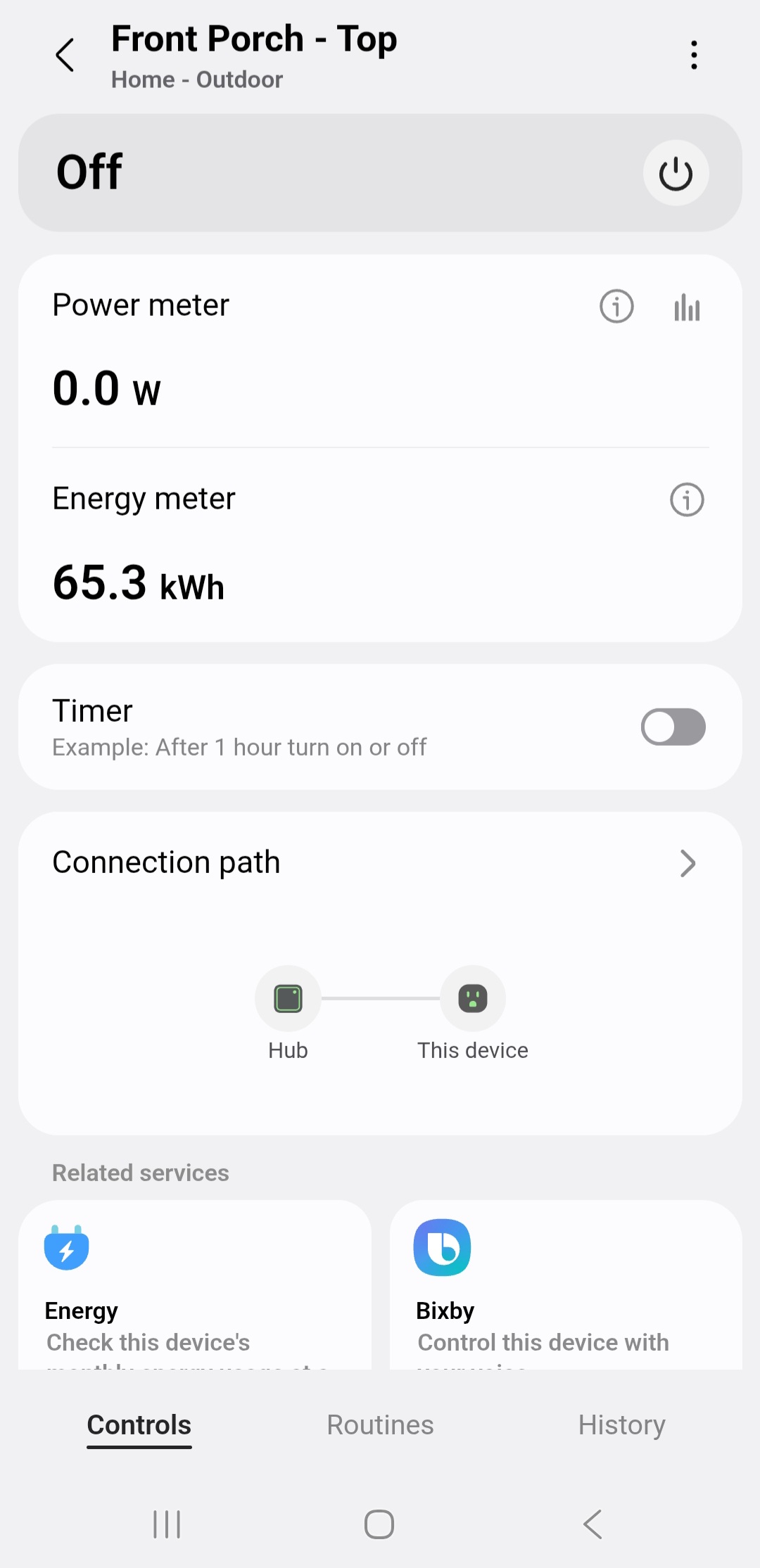
That is not correct. The Eve Energy Duplex outlet has two independently controlled devices that allow for independent on/off control of each device either manually via the push button switches or via the ST mobile app/CLI/AWA/API (see Front Porch - Top and Bottom below).
The “Top” outlet reports energy usage for both of the outlets and appears in ST Energy as a single device.
Interesting. Following…
HI Guys, I have started over: removed the eve outlet from SmartThings and started again. I’ve gotten a little farther this time, but now it’s asking me for a 32 character (thread?) network key. Where do I find that?
Thanks,
Brian
What ST hub do you have? You would normally only be asked for that if you have a v2 hub that needs to use another TBR.
I would factory reset the outlet and start over. When I’ve added them previously, ST found them automatically without having to do anything. If they don’t pop up in the mobile app, I’d do either a Scan Nearby or Scan QR code to add them.