[Edge] Unlock IKEA BILRESA scroll wheel and dual button

I’ve added support for the new BILRESA buttons in my Matter Playground Edge Driver so you can unlock all the functionality, wheel included.

Given the singularities of these new Matter over Thread buttons it deserves its own post. :grin:

There is a teaser video in reddit, check it out since it showcases what you can do in combination with Matter bulbs using Matter Playground.
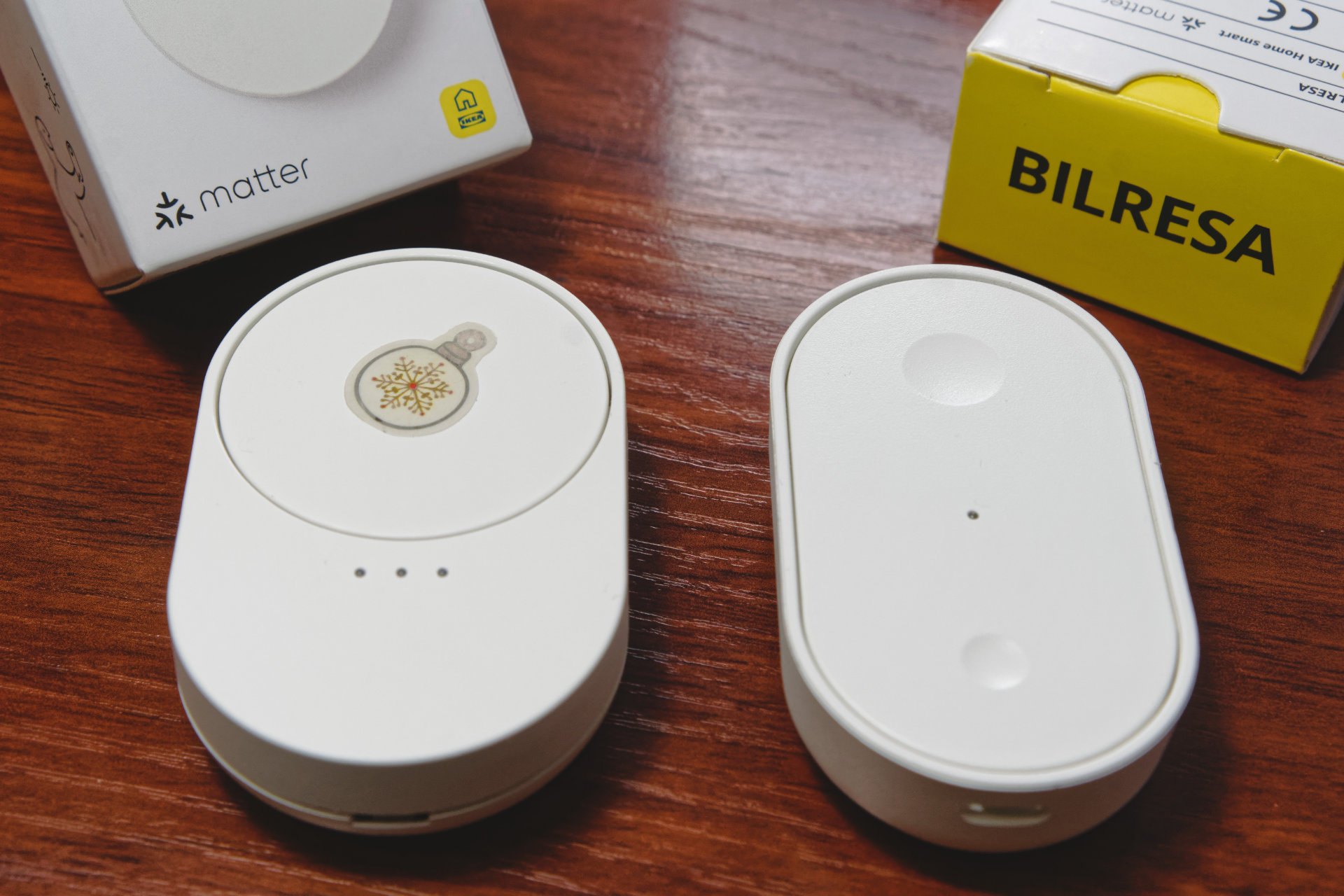
The driver packs as many custom tweaks as technically possible, including triple-tap for the dual button via an original hack (it only supports double-tap), a nice user interface and routine conditions for the wheel (which doubles as three thanks to the selector underneath the indicators), advanced dimming and other quality of life features. I’ve been working on them well before having the buttons!

BILRESA scroll wheel added perks

  • :battery: Battery level reporting fix, they report half. Profile with group names, battery type and quantity information.

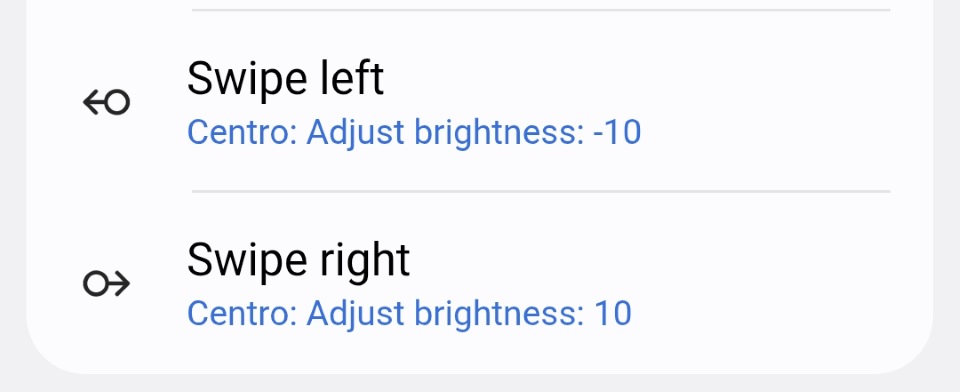
  • :wheel: Full support for the wheel with Swipe left and Swipe right actions.

    • Multiple scrolling modes: trigger L/R multiple times while scrolling (useful for dimmer or colour steps) or single trigger when scrolling ends (useful for toggling).
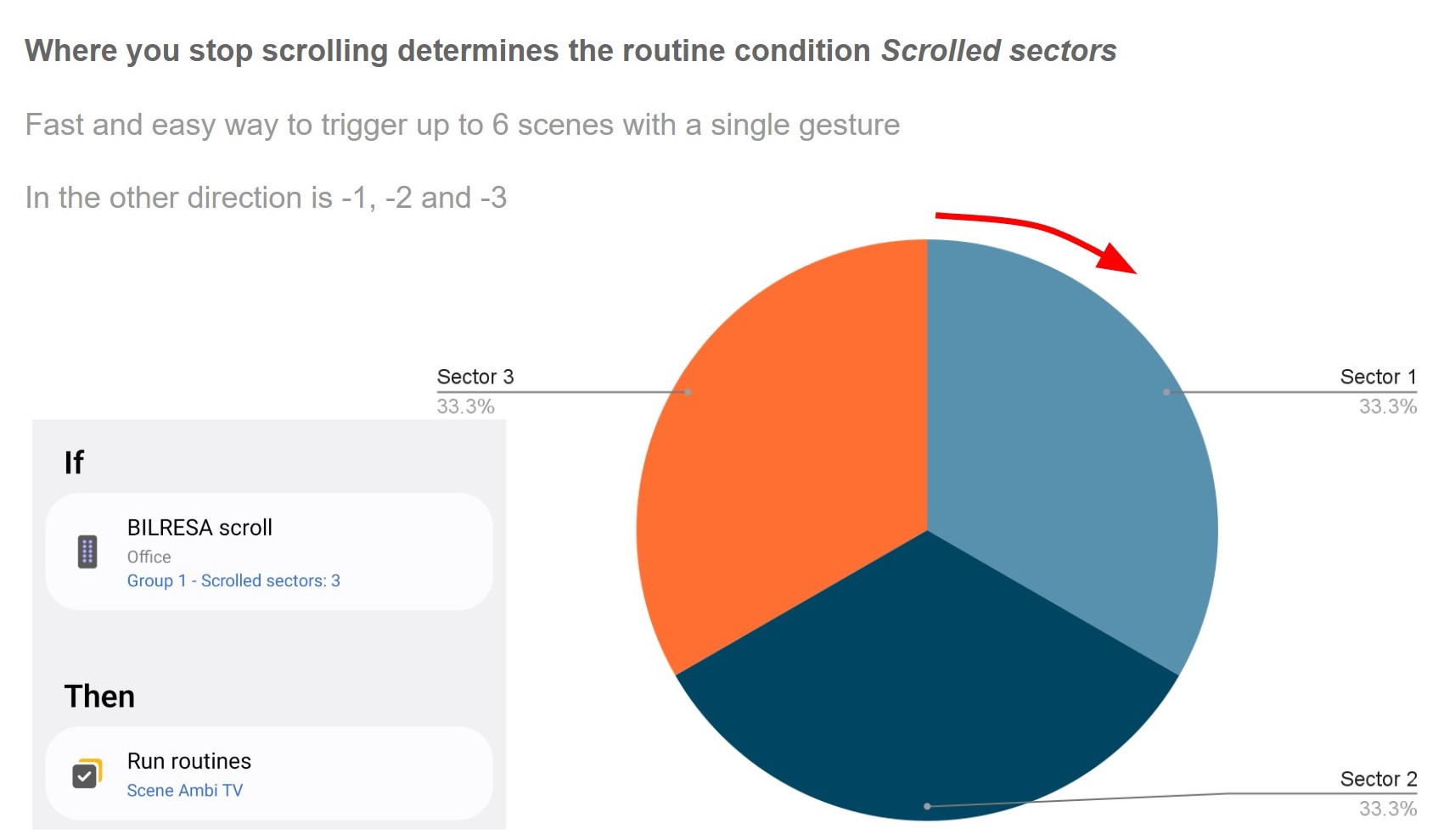
    • Scrolled sectors routine condition to trigger scenes depending on the amount scrolled. I recommend using the default values of sectors of size 33% for an easy way to toggle up to 6 scenes with a single gesture.
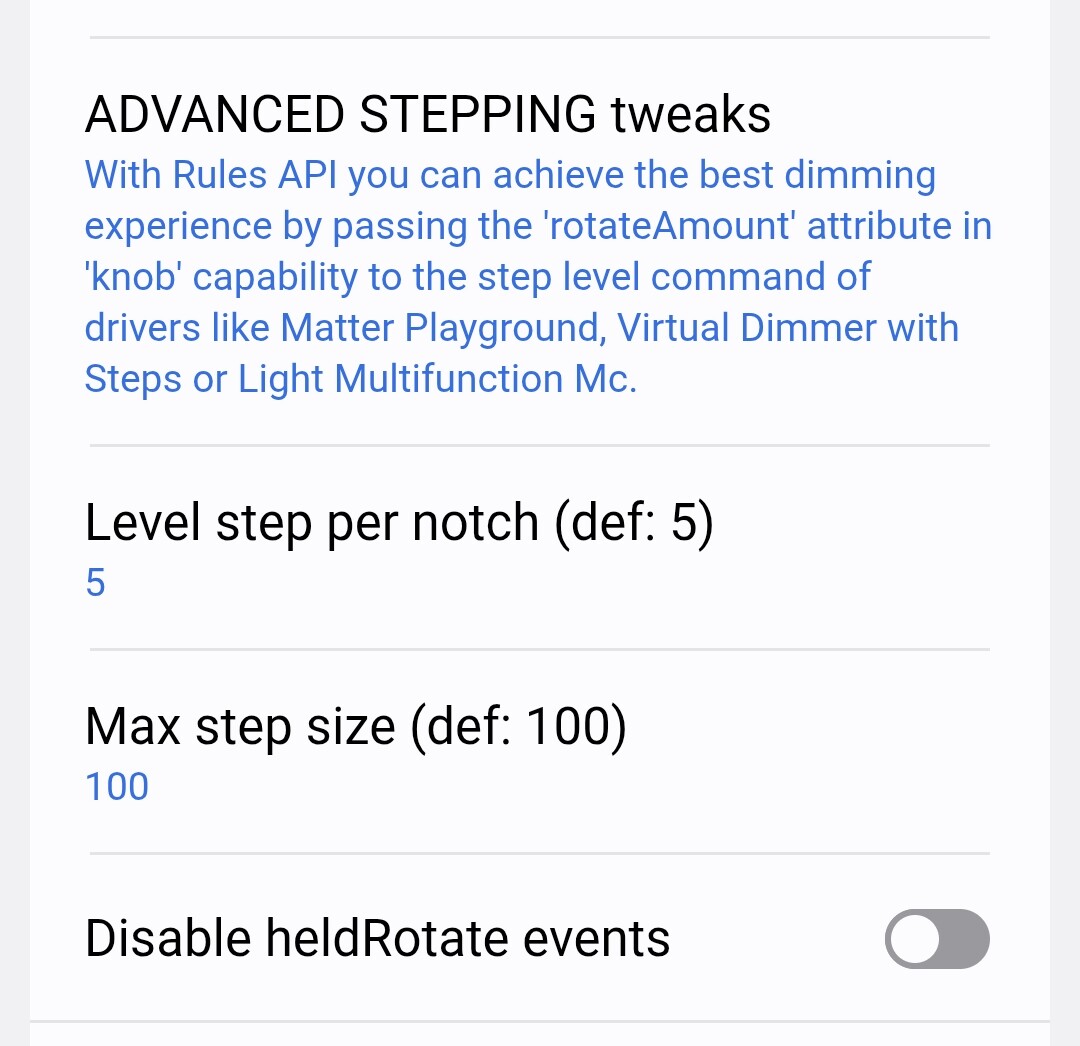
    • Advanced stepping feature using Rules API to mimic the native behaviour and step the dimmer level proportionally to the scroll. Read more about dimming in this comment.
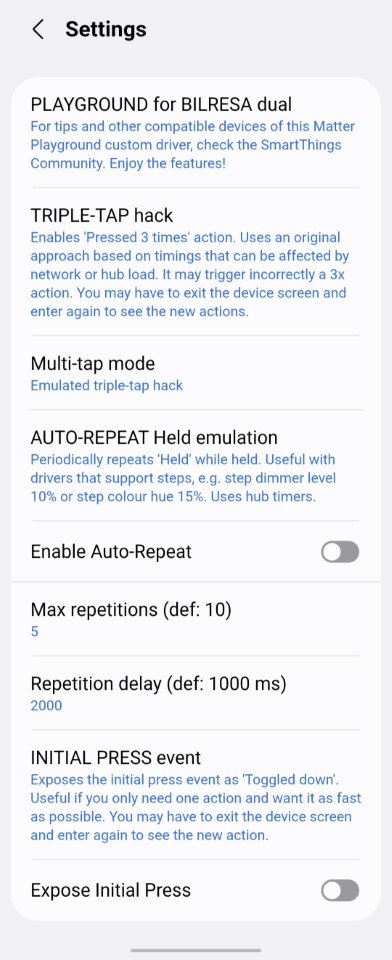
  • :repeat_button: Auto-repeat Held emulation.

  • :up_arrow: Long press release as Toggled up.

  • :high_voltage: Initial Press and Short Release actions to turn on lights real quick. Read more about how to minimize latency to achive wall-switch like immediate reaction.

BILRESA dual button added perks:

  • :battery: Battery level reporting fix, they report half. Profile with button names, battery type and quantity information.

  • :pirate_flag: Triple-tap hack to expand the native double-tap. It’s optional, works fine for me but the method used is not 100% error-proof and you might get a false triple-tap (I’ve not seen any though!). More specifically, single and double taps will always trigger normally, they’re not affected, the worst case scenario is an additional triple tap that should not be there or an actual triple tap not triggering.

  • :high_voltage: Initial Press and Short Release actions to turn on lights real quick. Read more about minimizing button latency. For toggling lights it’s a day and night difference!

  • :repeat_button: Auto-repeat Held emulation.

  • :up_arrow: Long press release as Toggled up, useful for start/stop smooth dimming.
Installation

To use the driver just install Matter Playground driver if you haven’t already and switch the driver of the button.

The driver does not steal the initial configuration from stock drivers so new devices are always added first to stock drivers.
8 Likes

Fantastic, much appreciated. I look forward to playing with this when I get the buttons

1 Like

nice! looks like our local Ikea gets them in a week. do they support matter binding cluster?

1 Like

Unfortunately no, everything is just Switch endpoints for the buttons and wheel. I don’t lose faith in an eventual firmware update supporting bindings.

1 Like

Going down to IKEA tomorrow see what the have in stock

1 Like

I wasn’t very happy with the dimming using the wheel so I’ve added some advanced features to the new version 2025-12-07

Basic dimming with BILRESA scroll wheel

That would be the easy way to dim, a fixed step when scrolling.

Step actions depend on the driver you use for the lights:

  • Stock drivers do not support them.
  • For Matter bulbs you can use Matter Playground which also supports adding transition times and On/Off behaviour.
  • For Zigbee bulbs you can use Lights Multifunction Mc.
  • For any light you can use Virtual Dimmer with Steps.

The wheel more or less repeats the events while scrolling, many if you go slow, not so many if you go fast to avoid flooding the hub. You’ll get multiple steps and kind of works. You could say it’s fine, but not great. Lacks precision and speed.

Advanced dimming with BILRESA scroll wheel

Using the Rules API, the button can feed the step size required to the light driver, changing it depending on how much you scroll and matching the native experience inside IKEA ecosystem.

That gives you both precision and speed since you can go slowly by small increments or quickly scroll the wheel a large amount for a large step.

When you enable the option for a group, the attribute scrolledSectors in panelorange55982.scrolledSectors turns into the step level value you have to pass to the step level command of the lights driver.

:information_source: 2025/12/17 note: SmartThings has created a new knob capability to communicate the level steps that I’m including in my driver soon and so will stock drivers. Scrolled sectors as step options will be deprecated and moved to the end of the settings in case you were using them. When the knob capability is included, use attribute rotateAmount instead of scrolledSectors , integer instead of decimal and capability knob instead of panelorange55982.scrolledSectors.

The Rule, although verbose, is quite simple and would look like this for lights using my Matter Playground driver:

[
  {
    "if": {
      "greaterThanOrEquals": {
        "left": {
          "device": {
            "devices": [
              "BILRESA-SCROLL-DEVICE-ID"
            ],
            "component": "main",
            "capability": "panelorange55982.scrolledSectors",
            "attribute": "scrolledSectors",
            "trigger": "Always"
          }
        },
        "right": {
          "decimal": -100
        },
        "changesOnly": false
      },
      "then": [
        {
          "command": {
            "devices": [
              "LIGHT-DEVICE-ID",
              "ANOTHER-LIGHT-DEVICE-ID"
            ],
            "commands": [
              {
                "component": "main",
                "capability": "panelorange55982.stepLevel",
                "command": "stepLevel",
                "arguments": [
                  {
                    "device": {
                      "devices": [
                        "BILRESA-SCROLL-DEVICE-ID"
                      ],
                      "component": "main",
                      "capability": "panelorange55982.scrolledSectors",
                      "attribute": "scrolledSectors"
                    }
                  }
                ]
              }
            ]
          }
        }
      ]
    }
  }
]

I’ve also tested it with the Virtual Dimmer , in that case you have to use capability islandtheme02751.stepLevel and command setStepLevel . Also, in the settings change the Max step size to 25 or won’t work as expected since the driver sends steps up to 100% by default if you fully scroll the wheel.

I’ve not tested it with Lights Multifunction but would be legendabsolute60149.levelSteps and command setLevelSteps, with max being 30.

For Matter Playground keep the max at 100 and just copy the example. You can also add the second and third stepLevel parameters which is an integer for the transition time in tenths of a second and a boolean for the WithOnOff behaviour.

BTW, the component names are main for first group, group2 and group3.

3 Likes

While testing I managed to make the BILRESA dual button unresponsive. I thought it was bricked for a moment since it didn’t send any pressed events.

Had to remove the batteries and insert them again. That didn’t work or I was not patient enough so I switched to stock drivers (the number of buttons was not even recognized correctly there) and then switched to my custom driver again (that forces a re-subscription to the events). Fully working now.

It’s probably a rare bug of the firmware that you won’t find but it’s worth documenting it.

3 Likes
1 Like

Turns out some of the BILRESA scroll wheels have bad switches, or I have bad luck…

I have two units, one of them has a “clicky” wheel button, the other feels “mushy”. The problem is the mushy one skips taps a lot, maybe you wanted a triple tap and registers single or double, or you wanted double and registers single.

Will have it in observation…

That sounds like a faulty device. Open it and see if you can fix it?

Sounds like it, I’ve reported it, won’t try to fix it myself in case they want to inspect the unit and whatnot. If not I’ll just return it in my next visit to IKEA and bring a different Matter toy.

https://www.reddit.com/r/tradfri/comments/1pklqb3/bad_switch_in_bilresa_scroll_wheel/

1 Like

Good job, @mocelet !

1 Like

Also the scroll wheel, the new devices desperately need a firmware update, they are too prone to go unresponsive but I probably play with them more than the average.

The scroll wheel was completely bricked, not even the selector lights worked, so I had to factory reset it with the button on the back leaving it pressed and then set it up again.

1 Like

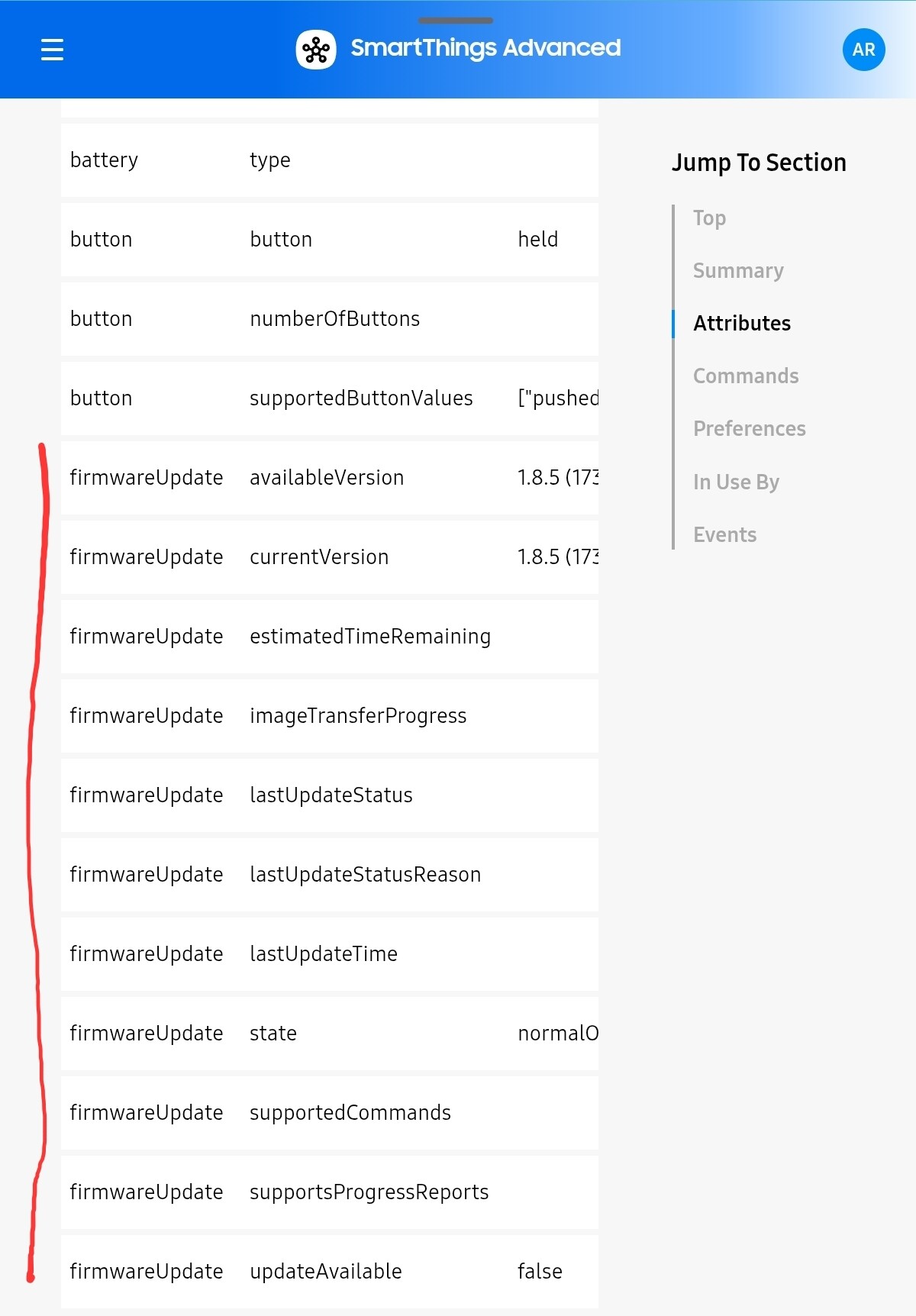
Funny how the list of firmware attributes gets longer and longer each time I look at it, but there’s only one Matter device (Eve Energy) that can be updated through SmartThings - even when there are firmware updates available for other devices in the DCL.

2 Likes

Minimize action latency in BILRESA. Available from version 2025-12-15

Sometimes you just want to turn on a light and want it wall-switch fast, not half a second later. If you don’t care it’s better that you don’t try these new options, there’s no going back when you notice the difference :rofl:.

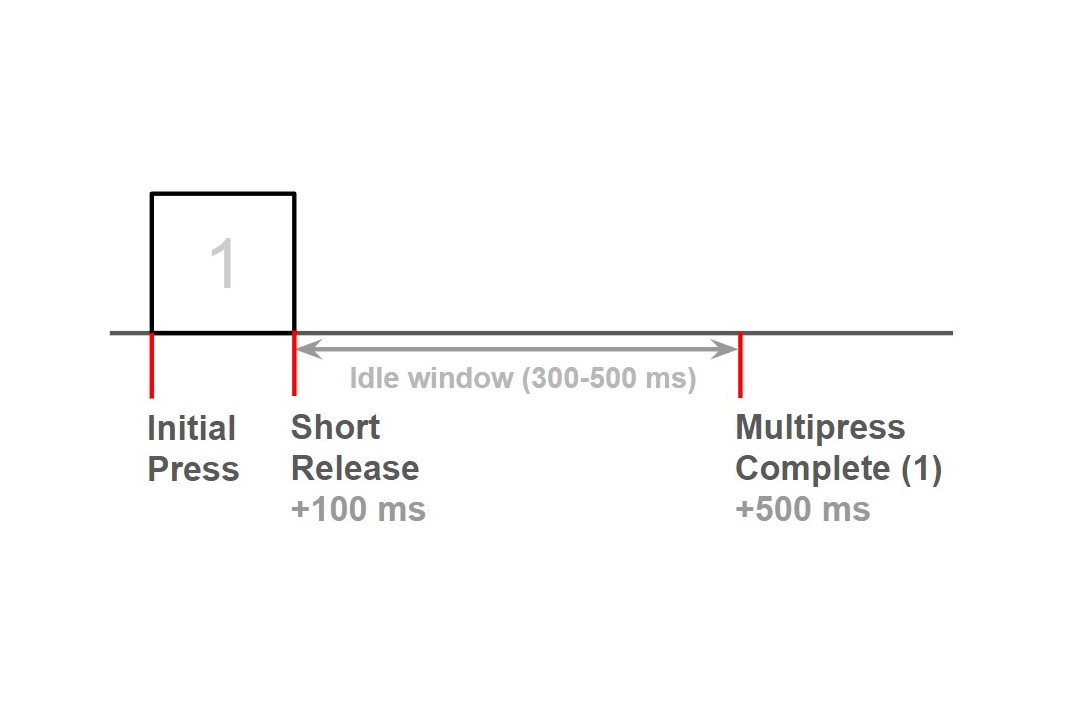
This is the story of a single-press in BILRESA told in Matter events, from when you press the button (Initial Press), release the finger (Short Release) around 100 ms later and the device reports it’s a single-press (Multipress Complete) around half a second later.

The driver now allows to expose both the Initial Press and the Short Release for both models if you want to favour speed over double/triple tap.

  • Initial Press is the fastest but will trigger with a long press too, so it’s inconvenient unless you just want a quick light toggle and nothing else. Exposes as Toggled down.
  • Short Release still feels fast (it’s 100 ms vs 500 ms) and it’s compatible with the long press, so you only lose the double or triple tap unless you manage to create double-tap automations where it doesn’t matter that the short release runs twice. Exposes as Swipe up.

I’m using the Short Release for the BILRESA scroll wheel since the switch is a hardware lottery and the double-tap is not reliable so I just gave up and use only single and long presses. Plus, I notice if a light takes half a second to turn on, now the experience is so much better.

3 Likes

Capabilities!

2 Likes

It’s possible to read using CLI for example statelessSwitchLevelStep:

smartthings capabilities statelessSwitchLevelStep -j
{
    "id": "statelessSwitchLevelStep",
    "version": 1,
    "status": "proposed",
    "name": "Stateless Switch Level Step",
    "ephemeral": false,
    "attributes": {},
    "commands": {
        "stepLevel": {
            "name": "stepLevel",
            "arguments": [
                {
                    "name": "stepSize",
                    "optional": false,
                    "schema": {
                        "type": "integer",
                        "minimum": -100,
                        "maximum": 100
                    }
                }
            ],
            "sensitive": false
        }
    }
}

1 Like

About time, a standard step level function using the native step command! Good news is that it’s an integer from -100 to 100 so it’s also compatible with my advanced dimming feature :grin:

I’m also glad they opted for the Step command and not StepWithOnOff, that way lights that are off will not turn on.

function CapabilityHandlers.handle_step_level(driver, device, cmd)

[...]

device:send(clusters.LevelControl.server.commands.Step(device, endpoint_id, step_mode, math.abs(step_size), fields.TRANSITION_TIME, fields.OPTIONS_MASK, fields.OPTIONS_OVERRIDE))

Edit:

Will they add the step function to groups? That would be SO great.

I’ve also noticed the stock driver will update a “knob” capability with the step information, how will they “link” that to the step level capability of the light? Some secret sauce in SmartThings app? Smart Lighting sync switch? Rules API? This is going to be so interesting!

So far the new capabilities don’t have text and they don’t appear to enable nothing magically in the app, maybe a new app update will be needed.

The capabilities appear in the website actually: Proposed Capabilities | Developer Documentation | SmartThings , there’s also a stateless scenes which is intriguing and may hint to Matter scenes support.

2 Likes

Its a nice driver! But i cant make it work with scroll wheel, detect but dont do nothing :slight_smile:
Maybe the problem is mine but i will test a little bit more :smiling_face_with_sunglasses:

Do you see the Swipe left and Swipe right actions but they won’t trigger?

Mind some wheels have hardware defects and must be returned to the store, double check if that’s the case:

  • The selector in the bottom should cycle the LEDs (signaling if group 1, 2 or 3 is active), like in the video linked in first post. If that doesn’t happen it’s an issue with the button.
  • In reddit there are reports of failing wheels that need too much pressure to register the scroll and even broken switches due to too much pressure.

You can also try to switch back to stock drivers and then again to my driver in case there’s any issue with the subscriptions. Do the normal presses, double press, etc. work?