I made this custom driver to play with native Matter features rarely available in smart home platforms and expand device functionality. Supercharges smart bulbs while keeping features easy to use and adds nice perks to smart plugs. I use it in all my bulbs, plugs and BILRESA buttons.
Compatible devices
Smart bulbs, allowing smooth dimming with remotes, relative control by steps, full easy control over gradual brightness and colour transitions as well as more advanced functions.
Single-outlet smart plugs, best fits the Eve Energy plug including model-specific features like status LED brightness. Useful to change the power-on state, check voltage or when plugs get Matter 1.3 updates like Tapo P110M so you don’t need to reinstall them to get power monitoring.
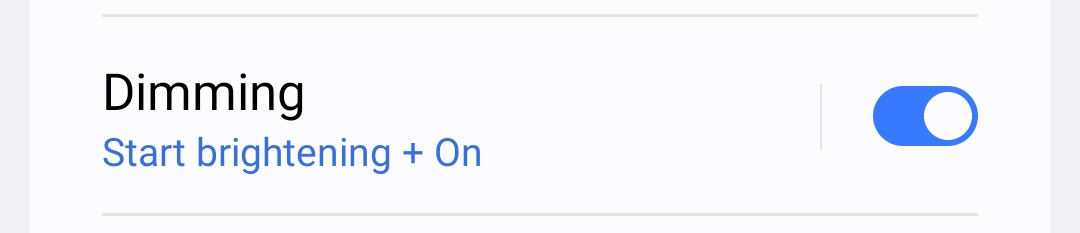
Smooth start / stop dimming with configurable dimming time and behaviour using native Move / Stop commands. Perfect match for smart buttons with Held / Release.
Advanced control over native gradual transitions right from the app to create smooth wake-up, wind-down and colour animations, trigger native effects, and more.
Routine condition to check colorMode (white or colour).
Features listed below for smart plugs when apply like power-on behaviour, visual notifications, native Toggle command that does not depend on SmartThings cache, On with Timed Off, etc.
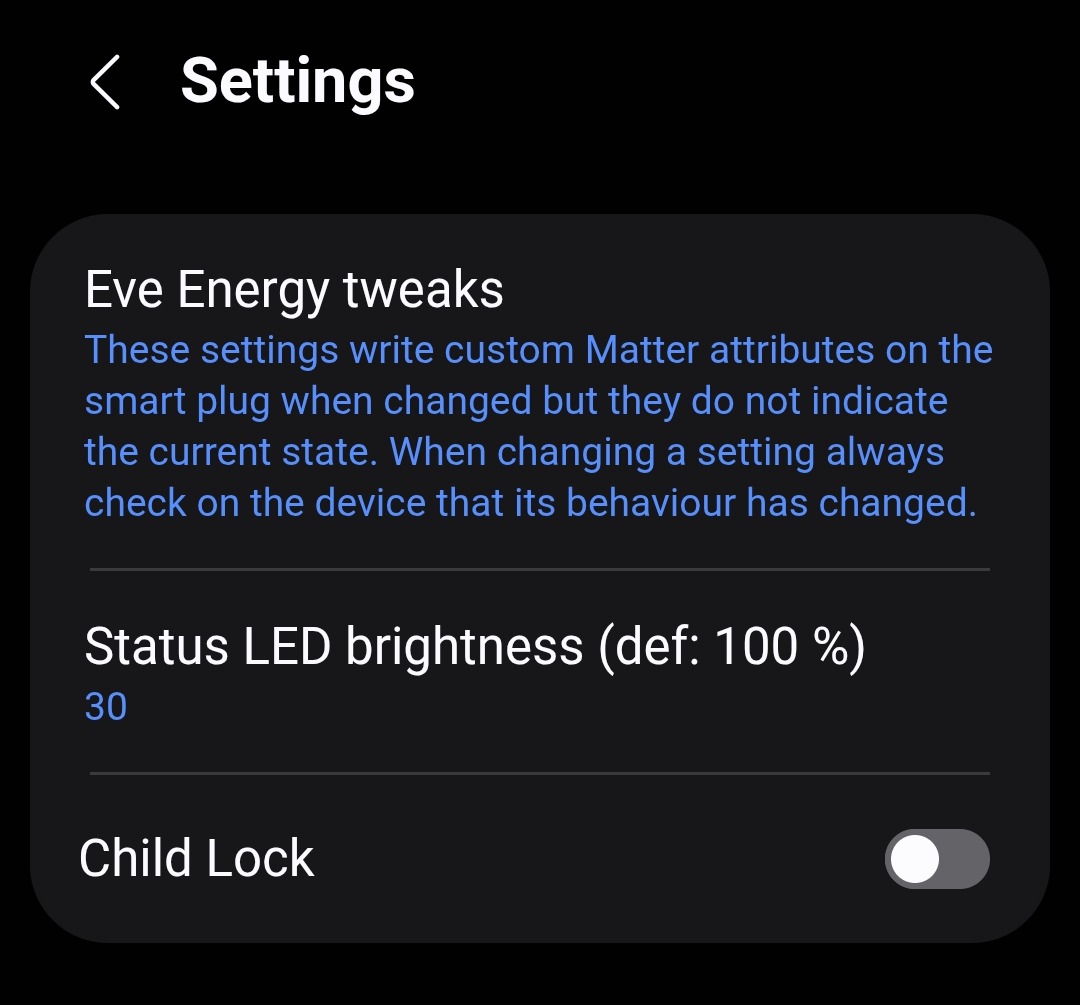
Eve Energy specific: Adjust Status LED brightness, from 0% (off) to 100%, and configure the Child Lock that disables the physical button. Kudos to slavikus for telling me the magic bytes I had to write since they are custom attributes.
Visual notifications using the Identify command to make the indicator blink. It’s the Play sound thing (ST has no Identify capability) and the Identify for seconds routine action.
Native auto-off using matter OnWithTimedOff command. In one command instructs the device to turn on and turn off after a set time, the cool thing being the timer to turn off runs on the device (not on the hub!) and can be restarted. It also cancels itself if you turn the device off. Use the routine action On with Timed Off minutes and specify the time. Some devices do not implement it and will result in no action.
Native on/off toggle using matter Toggle command so the action does not depend on SmartThings cached state (yes, I really like stateless automations).
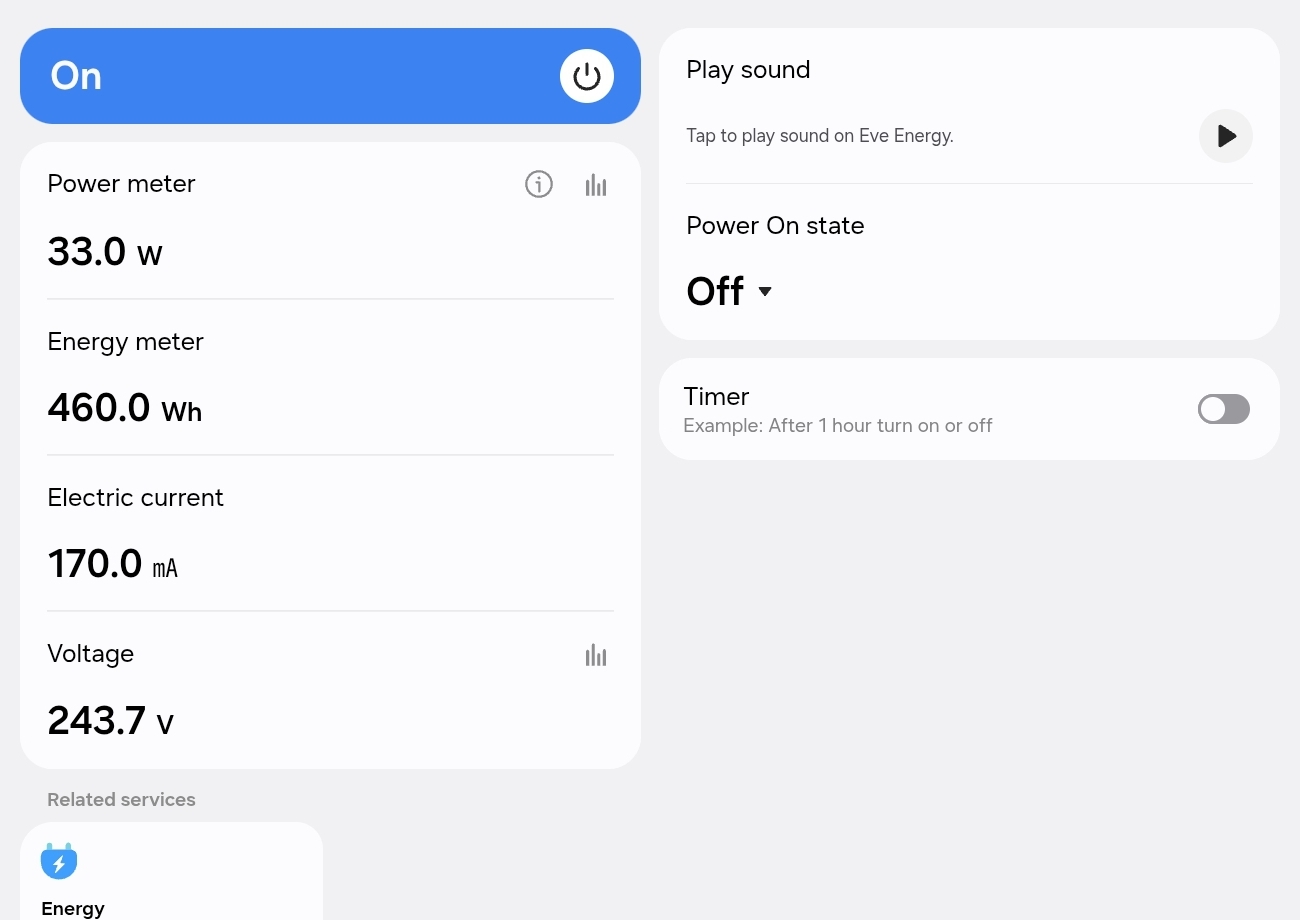
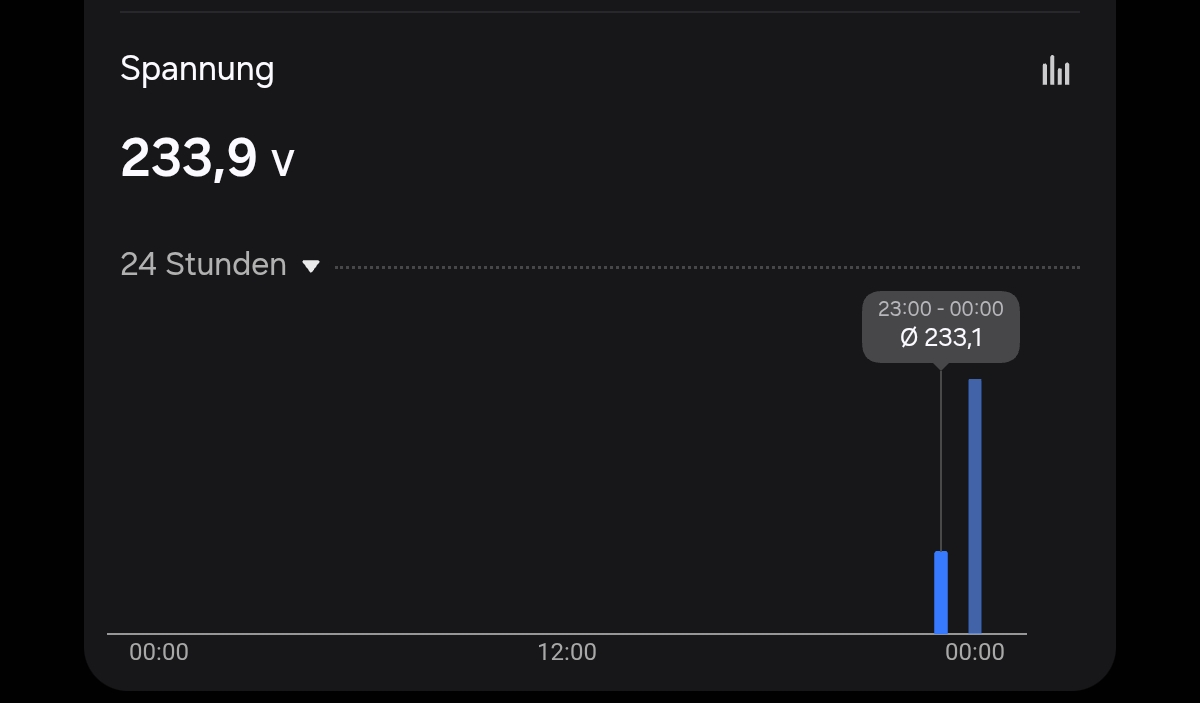
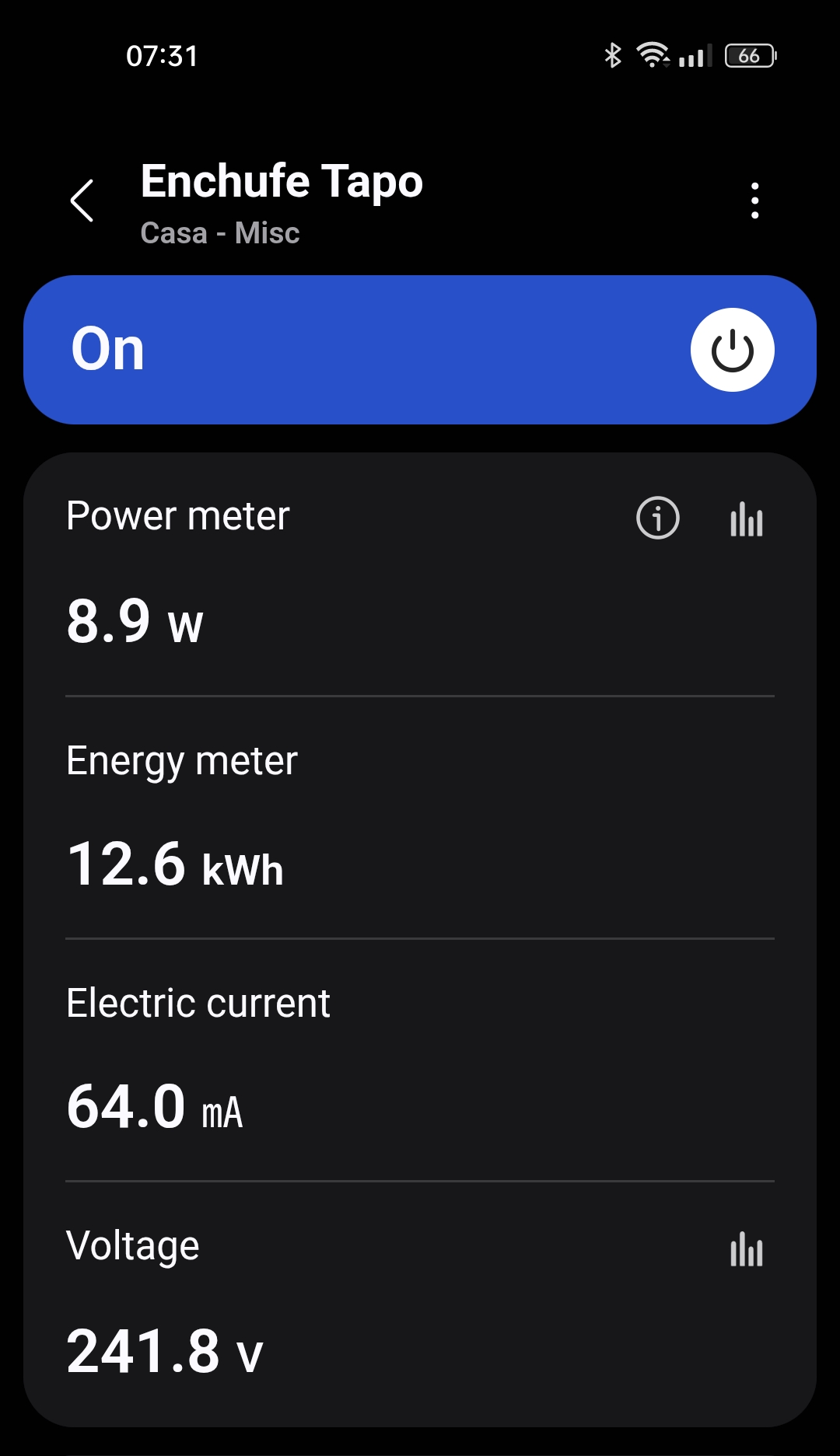
Voltage & Current display if it supports matter Voltage and ActiveCurrent attributes, will fallback to RMSVoltage and RMSCurrent if not supported.
Tested with
Plugs:
Eve Energy plug firmware 3.5.0: every feature works as expected (I have it).
IKEA GRILLPLATS: every feature works as expected (I have it). Power monitoring is quite good, quick to report changes without flooding the network. Power-on state and On with Timed Off also work.
Tapo P110M plug 1.3.2: power, energy, voltage, current are supported. No support for On with Timed Off or Power-On State (I have it).
Shelly Plug M Gen3: power, energy, voltage, current are supported. No support for On with Timed Off or Power-On State. (Thanks for the test TapioX!)
WiZ plug 1.34.0: no energy monitor yet, I no longer have the plug by the way, on with timed off works, power-on state used to work but I’ve read more recent firmwares may have broken it.
Bulbs:
Nanoleaf 4.1.3 and WiZ 1.35.0 smart bulbs. They have some bugs in Matter, for instance Nanoleaf will rewrite the OnLevel value set by the user when it turns off and will flood the hub during a smooth dimming. WiZ does not honour attributes set while turned off and they rewrite OnLevel after a power cycle.
An old Matter-bridged IKEA bulb through DIRIGERA. Works fine for the most part, doesn’t even flood the hub so you can use the smooth dimming safely. It has the underlying Zigbee implementation bugs: can’t create transitions with both brightness and temperature and the brightness steps are buggy.
IKEA KAJPLATS E27 1521 lm and KAJPLATS E14 colour 806 lm. Quite good compliance, does not flood the hub. Attributes do not survive a power cycle: OnLevel is reset to null after a power cycle, you can use the OnLevel enforcer of this driver. OffWithEffect turns off normally with no effects. OffTransitionTime is also reset after power cycles. Colour animations are smooth.
Change the driver of the single-outlet plug, smart bulbor BILRESA where you want to use the custom features. If, after changing the driver, SmartThings app says the device has not updated the state, just ignore it, use the device normally and it will eventually sync everything. If, right after changing the driver you see a "Can’t connect to the device. Check device and try again" it’s probably the app acting up, close it and open it again.
Legal stuff: Use it at your own risk, it is provided AS IS with no particular purpose, etc.
Technical notes
Not based on stock drivers, no polling or hub timers running. Does not support child devices, hence the single-outlet support and single lights like bulbs.
The driver is not joinable so it won’t mess with SmartThings stock drivers. New devices are always added first to stock drivers so you can change back and forth at ease.
Pro-tip: You can also use this driver to force a reprofile in the stock drivers. Useful if your smart plug got a Matter update for energy monitoring and SmartThings stock drivers are not displaying the energy. In that case you can just switch to this driver and go back to the stock one if you want without having to reinstall the device. Also, most settings are written to the device itself so you can use this driver to change them and then go back to the stock drivers if you prefer.
June 2026. Support for IKEA KLIPPBOK water leak sensor with silent mode to mute the alarm.
December 2025. Support for IKEA BILRESA scroll wheel and dual button with many additional features.
November 2025. Support for smart bulbs.
July 2025. Auto-off routine action is renamed to On with Timed Off minutes. Originally was Timed On minutes to emphasize that the On state was timed, but since “timed on” could also mean a delayed On I’ll just stick to the Matter command name.
Not at the moment, it’s actually a debloated version of the driver I use to play with lights transitions and other stuff. But this is the interesting code if you want to add it to the stock driver:
local EVE_PRIVATE_CLUSTER = 0x130AFC01
local EVE_SET_CONFIG_ATTR = 0x130A0001
local EVE_CHILD_LOCK_ATTR = 0x130A0011

...

eve_handlers.write_led_brightness = function(device, percent)
  -- Thanks u/slavikus for the magic bytes! https://www.reddit.com/r/EveHome/comments/1lk4ue7/comment/mzxw7rc/
  local payload = data_types.validate_or_build_type(string.char(0x20, 0x01, percent), data_types.OctetString1)
  device:send(cluster_base.write(device, 0x01, EVE_PRIVATE_CLUSTER, EVE_SET_CONFIG_ATTR, nil, payload))
end

eve_handlers.write_child_lock = function(device, enabled)
  local payload = data_types.validate_or_build_type(enabled, data_types.Boolean)
  device:send(cluster_base.write(device, 0x01, EVE_PRIVATE_CLUSTER, EVE_CHILD_LOCK_ATTR, nil, payload))
end
Thanks, that’s the expected outcome with Tapo (tried with my P110M too), they don’t currently support changing the power-on state via Matter (StartUpOnOff attribute). In fact that’s why I added the Unknown state and there’s an error when trying to change it.
The play sound just blinks the indicator for 5 seconds. There are routine actions too to specify the time.
Since the Tapo app has both the power-on state option and auto-off settings, it’s not really worth it to use the driver with their plugs, at least until they update to Matter 1.3 (and then I believe they don’t support Voltage and SmartThings will say not all capabilities have been updated)
The Eve Energy is a pure Matter device so all the control is through Matter and they nailed it.
Edit: I’ve removed the part of WiZ ignoring the power-on state since I tested again and it works! Must be a fix in a recent firmware version.
The driver provides the current in A to the capability. Since it’s a standard capability, SmartThings decides how to display it.
Same goes for the energy actions, the presentation is on them. The reset action is not implemented by the way, just like it’s not implemented on stock drivers for Matter 1.3 plugs.
Since the Tapo P110M got a recent Matter 1.3 update I’ve updated the driver to be smarter when it comes to Voltage and Current display since most devices report Voltage and ActiveCurrent attributes but others only report RMSVoltage and RMSCurrent like said model.
Talking about the Tapo P110M recent update, some useful info:
Power is reported every 10 seconds, regardless of the values, just simple periodic reporting. For automations detecting if an appliance is on or off will be faster than, say, the Eve Energy which reports every 60 seconds.
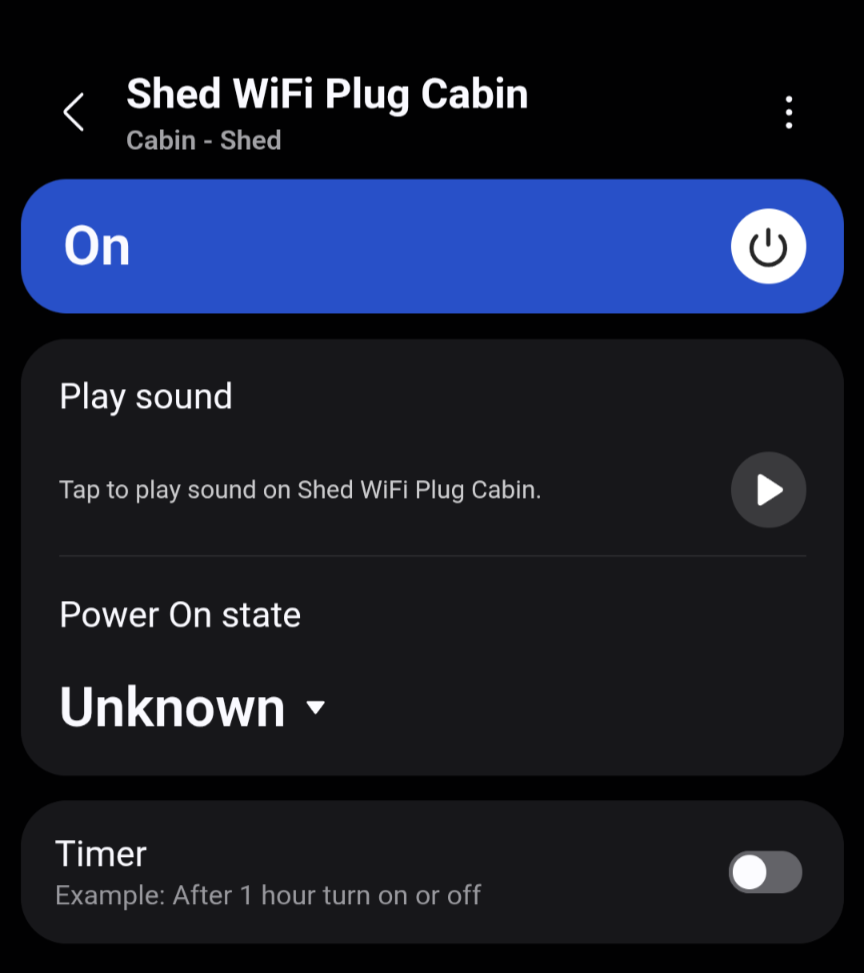
No support for Power-on state via Matter. You will see the “Unknown” state.
No support for native auto-off (On with timed off). The command will do nothing.
Not compatible with SmartThings Energy, despite the cloud integration being.
───────────────────────────────────────────────────
 Driver Id    95a854a8-b110-4cdb-bb9e-82486235c642
 Name         Matter Playground
 Package Key  matter-playground
 Version      2025-07-30T05:16:59.623047747
───────────────────────────────────────────────────
Useful tip: if you’ve updated the Tapo P110M firmware and are not seeing the power in the stock drivers or the voltage in this driver just switch drivers for a moment, that will force the reconfiguration and attribute subscriptions.
I bought my first Matter Thread device Eve Energy Smart Plug this weekend.
I installed it to my main hub and and tested it.
The installation was really easy. I plugged the device into the AC outlet.
When I opened the ST App, a pop-up window asked if I wanted to install the Eve Energy Plug.
After reading the QR code, the installation continued successfully.
I have two SmartThings v3 hubs (main hub and testing hub) in the same place but different SmartThings locations.
Yesterday I decided to try to see if it was possible to install the device also to the testing hub.
Installation was successful using the QR code received from the main hub.
It took a few attempts to get the installation working.
I had to install it directly using the QR code (not as a normal Matter device and scanning QR code).
Today I installed this Matter Playground driver on testing hub and switched to using this driver.
Now I have both drivers in use the Matter Switch driver in the main hub and this driver in the testing hub.
Now I can use the additional features of this driver through the testing hub.
As an aside, you can even install a device on a second hub in the same SmartThings Location (and curiously you are even offered the option to install it to the hub it is already installed on although I haven’t tried this). I was doing this for months with the standalone hub offering alternative control to a hub group. However I belatedly discovered if my primary hub went down and the device on the hub group was marked offline, the device on the standalone hub was also marked offline. So something isn’t quite as it needs to be for SmartThings to be allowing that possibility.
I digress though.
I’d be delighted if you only had one but I’d be wondering how it happened. Currently the only way to get ST hubs on the same thread network appears to be to add them to the same hub group. That is the only reason I use a hub group and I’d much rather have multiple individual hubs on the same thread network.
This is mostly a note for myself, SmartThings is adding native handlers for the power reports, I guess they’ll announce it for the next hub beta firmware.
That will be helpful in the future for spammy smart plugs, right now the ones reporting more frequently are the P110M and the MSS315 which report every 10 seconds.
I won’t be adding the native handler for now. It’s just for power and my driver also subscribes to voltage and current so the overall benefit is lower, the driver is still going to be hit more or less frequently by voltage and current reports.
Wait, I’m kinda confused here, If I pair the Tapo P110M as a Matter device in SmartThings, it’ll not show up in the Energy category like in the screenshot below?
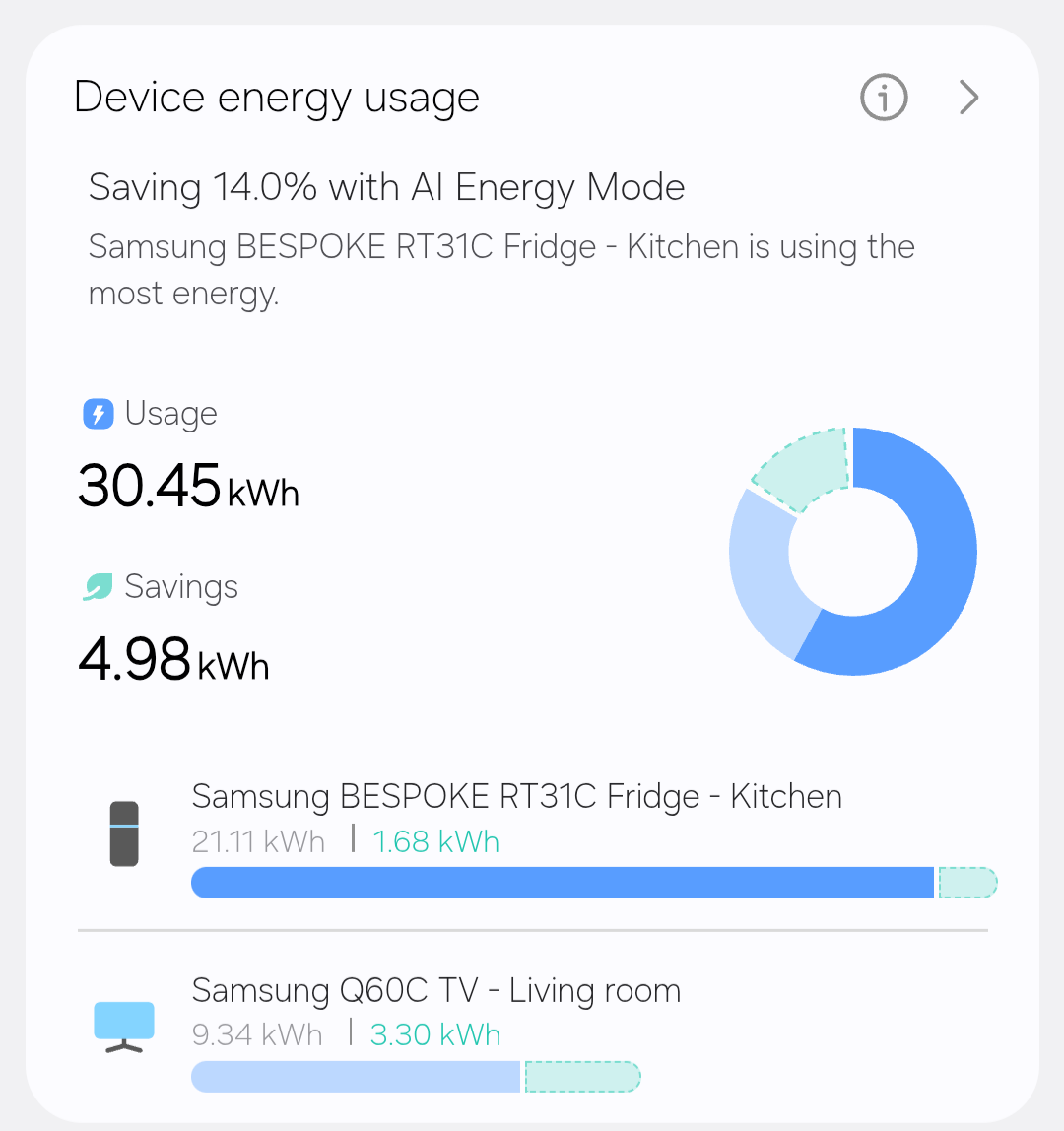
It won’t, the so called SmartThings Energy is limited to a handful of devices and requires manufacturers to have some kind of agreement with Samsung. You would expect a Matter 1.3 certified device with energy monitor to automatically appear there, but it doesn’t , making the feature less useful if you ask me.
I raised the issue in another post a couple weeks ago since in this case it’s even more weird, the cloud integration is allowed in ST Energy so they already have an agreement in place:
BRUH, quite disappointing tbh, I hope they’ll integrate it in the future. The Eve Energy integrates it natively, yeah? How about the Meross Plug, do you have experience with that product? If yes, I’ll just go with the Meross one since Eve Energy plug isn’t supported in my country.
The Eve Energy is allowed into SmartThings Energy, yes. I don’t have the Meross or other brands but in general I would not expect manufacturers of certified Matter devices to pay just so they appear there.
 Smart bulbs, allowing smooth dimming with remotes, relative control by steps, full easy control over gradual brightness and colour transitions as well as more advanced functions.
 Single-outlet smart plugs, best fits the Eve Energy plug including model-specific features like status LED brightness. Useful to change the power-on state, check voltage or when plugs get Matter 1.3 updates like Tapo P110M so you don’t need to reinstall them to get power monitoring.
 IKEA BILRESA scroll wheel and dual button. See the dedicated post for BILRESA buttons.
 IKEA KLIPPBOK water leak sensor supporting silent mode that disables the built-in siren, more in this comment.








 , making the feature less useful if you ask me.