ewimer2
October 15, 2024, 11:48pm
122
I am having trouble getting it connected. When I go to install the driver it wont let me.
You don’t have to install the driver. It’s already installed on your hub (since about two weeks).
Try this:
If it still doesn’t work, you should delete the device in the Aqara Home app, add it again and then add it in ST.
ewimer2
October 15, 2024, 11:56pm
124
I have my fp2 connected to wifi and my hub still asks me to “please connect the presence sensor fp2 to the network by using the aqara hub app” I have tried holding the button and reconnecting it to the wifi 3 times already.
Can you see it in the Aqara Home app?
Delete it in the app. Do not reset the device. Does the LED flash rapidly?
Is it the Chinese version? If so, Aqara support has confirmed that that version does not work with most third-party integrations, unfortunately including SmartThings.
ewimer2
October 16, 2024, 12:02am
129
i got mine from amazon i live in the USA
OK, then that’s not the issue.
Client seperaten/isolation (de)activated on your WiFi router? Really the same network, not a guest network?
ewimer2
October 16, 2024, 12:06am
133
I use google mesh. i even turned off all the points but the main to see if that would work.
I’m going to bed soon…
Do this (the SmartThings CLI part):
When it’s flashing, you have to add it to the Aqara Home app first, before you can add it to ST.
Try to add it by choosing the device directly - not by scanning:
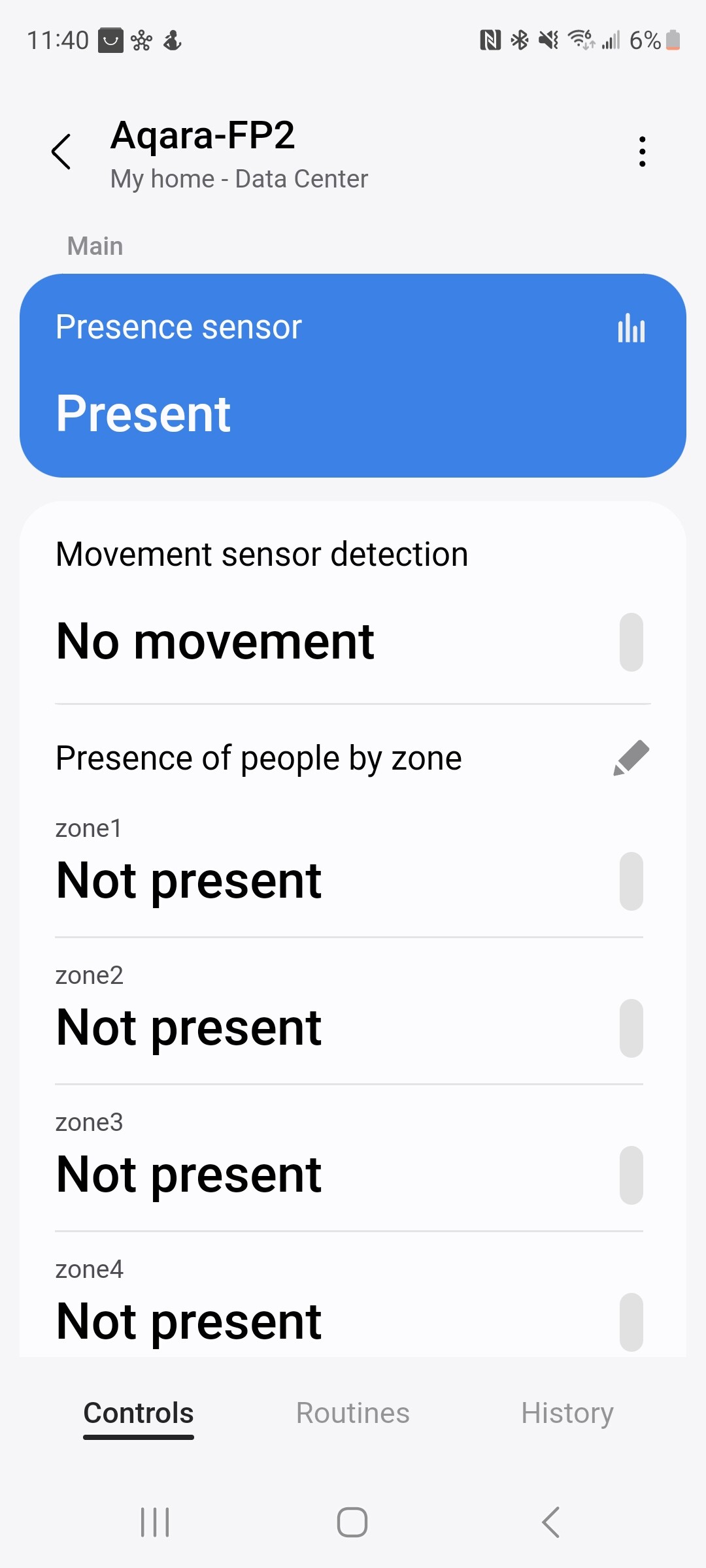
[Screenshot_20241013_003515_SmartThings]
[Screenshot_20241013_003553_SmartThings]
If this doesn’t work, a logcat would be helpful. Install this on your computer:
And execute it:
smartthings edge:drivers:logcat
Choose the driver, then try to add the device again through the SmartThings app.
Copy & paste the output here.
ewimer2
October 16, 2024, 12:12am
135
Thanks for the help dont make me keep you up. I tired that but didnt have luck.
With the output of the SmartThings CLI we could check if the driver is installed and if the discovery works…
It should look like this:
When you start the scan in the ST app, it should create a log that looks like this (scroll down, Successfully created TCP connection ):
2024-10-01T07:53:16.628461921Z TRACE Aqara Presence Sensor  Setup driver aqara-fp2 with lifecycle handlers:
DeviceLifecycleDispatcher: aqara-fp2
  default_handlers:
    removed:
    init:
    driverSwitched:
    infoChanged:
    added:
  child_dispatchers:

2024-10-01T07:53:16.634018296Z TRACE Aqara Presence Sensor  Setup driver aqara-fp2 with Capability handlers:
CapabilityCommandDispatcher: aqara-fp2
  default_handlers:
    refresh:
      refresh
    multipleZonePresence:
      createZone
      updateZoneName
      deleteZone
  child_dispatchers:

2024-10-01T07:53:16.673406671Z INFO Aqara Presence Sensor  Created dispatcher [SecretDataDispatcher]aqara-fp2 that had no handlers
2024-10-01T07:53:16.680166171Z TRACE Aqara Presence Sensor  Setup driver aqara-fp2 with Secret Data handlers:
SecretDataDispatcher: aqara-fp2
  default_handlers:
  child_dispatchers:

2024-10-01T07:53:16.688160505Z TRACE Aqara Presence Sensor  Received event with handler driver_lifecycle
2024-10-01T07:53:16.693856213Z INFO Aqara Presence Sensor  received driver startupState: {"hub_zigbee_id":"KG2XAAILh00=","hub_node_id":1,"hub_ipv4":"192.168.1.116"}
2024-10-01T07:53:16.754670546Z TRACE Aqara Presence Sensor  Received event with handler discovery
2024-10-01T07:53:16.765714171Z INFO Aqara Presence Sensor  discovery_mdns.find_device_ips
2024-10-01T07:53:17.474704588Z INFO Aqara Presence Sensor  found_name = _Aqara-FP2._tcp
2024-10-01T07:53:17.482858755Z INFO Aqara Presence Sensor  ip = 192.168.1.121
2024-10-01T07:53:17.494244838Z INFO Aqara Presence Sensor  found_name = _Aqara-FP2._tcp
2024-10-01T07:53:17.501554505Z INFO Aqara Presence Sensor  found_name = _Aqara-FP2._tcp
2024-10-01T07:53:17.506068671Z INFO Aqara Presence Sensor  ip = 192.168.1.121
2024-10-01T07:53:17.510552588Z TRACE Aqara Presence Sensor  unknown dni= 54:EF:44:5C:4C:98, ip= 192.168.1.121
2024-10-01T07:53:17.515177046Z TRACE Aqara Presence Sensor  try_add_device : dni= 54:EF:44:5C:4C:98, ip= 192.168.1.121
2024-10-01T07:53:17.519963588Z INFO Aqara Presence Sensor  54:EF:44:5C:4C:98 Creating TCP socket for REST Connection
2024-10-01T07:53:17.524763088Z INFO Aqara Presence Sensor  54:EF:44:5C:4C:98 Setting TCP socket timeout for REST Connection
2024-10-01T07:53:17.529265213Z INFO Aqara Presence Sensor  54:EF:44:5C:4C:98 Connecting TCP socket for REST Connection
2024-10-01T07:53:17.576603380Z INFO Aqara Presence Sensor  54:EF:44:5C:4C:98 Set Keepalive for TCP socket for REST Connection
2024-10-01T07:53:17.748174755Z INFO Aqara Presence Sensor  54:EF:44:5C:4C:98 Creating SSL wrapper for for REST Connection
2024-10-01T07:53:17.765533505Z INFO Aqara Presence Sensor  54:EF:44:5C:4C:98 Performing SSL handshake for for REST Connection
2024-10-01T07:53:20.441035088Z INFO Aqara Presence Sensor  54:EF:44:5C:4C:98 Successfully created TCP connection
Cool!
That’s a good sign!
Now you really have to make sure to delete the device from the Aqara Home app.
Power cycle the FP3 but don’t reset it!
Add it back to the Aqara Home app.
If you can see it there, add it in ST.
This is why it’s necessary (from your logs):
2024-10-16T00:31:22.645333300Z ERROR Aqara Presence Sensor get_credential : ip = 192.168.86.52, failed to get token, error = wantread
2024-10-16T00:31:22.648093263Z WARN Aqara Presence Sensor credential is nil
I had the same issue:
PSA: turns out that if you delete and re-add the device often enough, adding it the next time won’t work.
[Screenshot_20241001_094534_Samsung capture]
[Screenshot_20241001_095623_SmartThings]
I successfully deleted and added it several times, with or without resetting or power-cycling it but one day it failed.
Countless hours of debugging were fruitless and after a period of silence the developer answered:
If something goes wrong while removing FP2 from the ST app, the device won’t be onboarded.
If this happens, removing and onboarding the FP2 in the Aqara home app and then trying to onboard in the ST app should resolve the issue.
Keep in mind: rebooting the device didn’t resolve the issue.
It’s like the REST API in the firmware needs to be activated remotely, a timing issue or…
ewimer2
October 16, 2024, 12:50am
139
I did all of this and the same thing keeps happening(same error messages). I will be going to sleep. Thanks so much for all of the help.
We’ll solve this tomorrow.
Guess I have to re-open these issues…
opened 01:04PM - 25 Sep 24 UTC
closed 11:55PM - 01 Oct 24 UTC
Edit: there's the problem:
```
2024-09-27T22:47:45.440063966Z ERROR Aqara Pr… esence Sensor get_credential : ip = 192.168.1.121, failed to get token, error = wantread
2024-09-27T22:47:45.445295882Z WARN Aqara Presence Sensor credential is nil
2024-09-27T22:47:45.450356841Z ERROR Aqara Presence Sensor failed to get credential. dni= 54:EF:44:5C:4C:98, ip= 192.168.1.121
```
Can't add the device anymore! Removed the device, deleted the driver, added driver, tried to add the device. Tried it with main, beta, and PR channel to make sure.
It worked about a month ago. Since then, changes were made to *discovery.lua*, *init.lua*, *device_manager.lua*...
Can someone please check if adding the device still works?
Device firmware: 1.2.7_0011.0080
Hub firmware: 000.053.00019
ST app (Android): 1.8.18.21
Device works with the Aqara Home app.
This is the complete log and it looks like the driver lifecycle ends?
```
2024-09-25T10:34:03.597153457Z TRACE Aqara Presence Sensor Setup driver aqara-fp2 with lifecycle handlers:
DeviceLifecycleDispatcher: aqara-fp2
default_handlers:
infoChanged:
added:
init:
removed:
driverSwitched:
child_dispatchers:
2024-09-25T10:34:03.609944082Z TRACE Aqara Presence Sensor Setup driver aqara-fp2 with Capability handlers:
CapabilityCommandDispatcher: aqara-fp2
default_handlers:
refresh:
refresh
multipleZonePresence:
createZone
deleteZone
updateZoneName
child_dispatchers:
2024-09-25T10:34:03.616156957Z INFO Aqara Presence Sensor Created dispatcher [SecretDataDispatcher]aqara-fp2 that had no handlers
2024-09-25T10:34:03.628525582Z TRACE Aqara Presence Sensor Setup driver aqara-fp2 with Secret Data handlers:
SecretDataDispatcher: aqara-fp2
default_handlers:
child_dispatchers:
2024-09-25T10:34:03.686260707Z TRACE Aqara Presence Sensor Received event with handler driver_lifecycle
2024-09-25T10:34:03.707111916Z INFO Aqara Presence Sensor received driver startupState: {"hub_zigbee_id":"KG2XAAILh00=","hub_node_id":1,"hub_ipv4":"192.168.1.116"}
2024-09-25T10:34:03.712373791Z TRACE Aqara Presence Sensor Received event with handler discovery
2024-09-25T10:34:03.718594541Z INFO Aqara Presence Sensor discovery_mdns.find_device_ips
2024-09-25T10:34:04.889382333Z INFO Aqara Presence Sensor found_name = _Aqara-FP2._tcp
2024-09-25T10:34:04.941494333Z INFO Aqara Presence Sensor ip = 192.168.1.109
2024-09-25T10:34:04.959243583Z INFO Aqara Presence Sensor found_name = _Aqara-FP2._tcp
2024-09-25T10:34:04.972437916Z INFO Aqara Presence Sensor ip = 192.168.1.109
2024-09-25T10:34:05.017133958Z TRACE Aqara Presence Sensor unknown dni= 54:EF:44:5C:4C:98, ip= 192.168.1.109
2024-09-25T10:34:05.041282958Z TRACE Aqara Presence Sensor try_add_device : dni= 54:EF:44:5C:4C:98, ip= 192.168.1.109
2024-09-25T10:34:05.075223208Z INFO Aqara Presence Sensor 54:EF:44:5C:4C:98 Creating TCP socket for REST Connection
2024-09-25T10:34:05.097121666Z INFO Aqara Presence Sensor 54:EF:44:5C:4C:98 Setting TCP socket timeout for REST Connection
2024-09-25T10:34:05.118858583Z INFO Aqara Presence Sensor 54:EF:44:5C:4C:98 Connecting TCP socket for REST Connection
2024-09-25T10:34:05.394824874Z INFO Aqara Presence Sensor 54:EF:44:5C:4C:98 Set Keepalive for TCP socket for REST Connection
2024-09-25T10:34:05.408426249Z INFO Aqara Presence Sensor 54:EF:44:5C:4C:98 Creating SSL wrapper for for REST Connection
2024-09-25T10:34:05.423615083Z INFO Aqara Presence Sensor 54:EF:44:5C:4C:98 Performing SSL handshake for for REST Connection
2024-09-25T10:34:07.962791666Z INFO Aqara Presence Sensor 54:EF:44:5C:4C:98 Successfully created TCP connection
2024-09-25T10:35:02.506882839Z TRACE Aqara Presence Sensor Received event with handler discovery
2024-09-25T10:35:02.574833131Z TRACE Aqara Presence Sensor Received event with handler driver_lifecycle
```
opened 12:04AM - 30 Sep 24 UTC
closed 11:59PM - 01 Oct 24 UTC
The wantread message indicates that the socket is not ready to read data yet and… the operation should be retried later. This happens when you're trying to read data from a socket, but the data isn't available at that moment.
This is a proposal for a fix for the Aqara FP2 issue #1648 .
Add a new function in rest.lua to check if the socket is ready for reading
```
local function wait_for_read(socket, timeout)
-- Use socket.select to check if the socket is ready for reading
local ready_sockets, _, _ = socket.select({socket}, nil, timeout)
return #ready_sockets > 0 -- Returns true if the socket is ready to read
end
```
And use it here:
https://github.com/SmartThingsCommunity/SmartThingsEdgeDrivers/blob/7821a5d168d89fb449391a584a3566c605389265/drivers/SmartThings/philips-hue/src/lunchbox/rest.lua#L106-L108
https://github.com/SmartThingsCommunity/SmartThingsEdgeDrivers/blob/7821a5d168d89fb449391a584a3566c605389265/drivers/Aqara/aqara-presence-sensor/src/lunchbox/rest.lua#L104-L106
```
if wait_for_read(sock, 1) then
next_recv, next_err, partial = sock:receive(pat)
else
-- No data is ready, sleep for a bit
socket.sleep(0.1)
end
```
Additionally handle wantread here by waiting and trying again:
https://github.com/SmartThingsCommunity/SmartThingsEdgeDrivers/blob/7821a5d168d89fb449391a584a3566c605389265/drivers/SmartThings/philips-hue/src/lunchbox/rest.lua#L109-L120
https://github.com/SmartThingsCommunity/SmartThingsEdgeDrivers/blob/7821a5d168d89fb449391a584a3566c605389265/drivers/Aqara/aqara-presence-sensor/src/lunchbox/rest.lua#L107-L118
```
if next_err ~= nil then
if string.lower(next_err) == "closed" then
if partial ~= nil and #partial >= 1 then
full_response:append_body(partial)
next_chunk_bytes = 0
else
return nil, next_err
end
elseif string.lower(next_err) == "wantread" then
-- Wait and try again if socket is not ready yet
socket.sleep(0.1)
else
return nil, ("unexpected error reading chunked transfer: " .. next_err)
end
end
```
Sorry for the formatting...
OpethNJ
October 16, 2024, 1:53am
141
Got mine working last night when i saw the fp2 update.
Make sure no reference to it in SmartThings. I ran through app and advanced web to be safe
15 secone button cycle on FP2
While FP2 light is blinking detect with aqara app
Add fp2 specific device in SmartThings.
If anyone needs help still let me know.