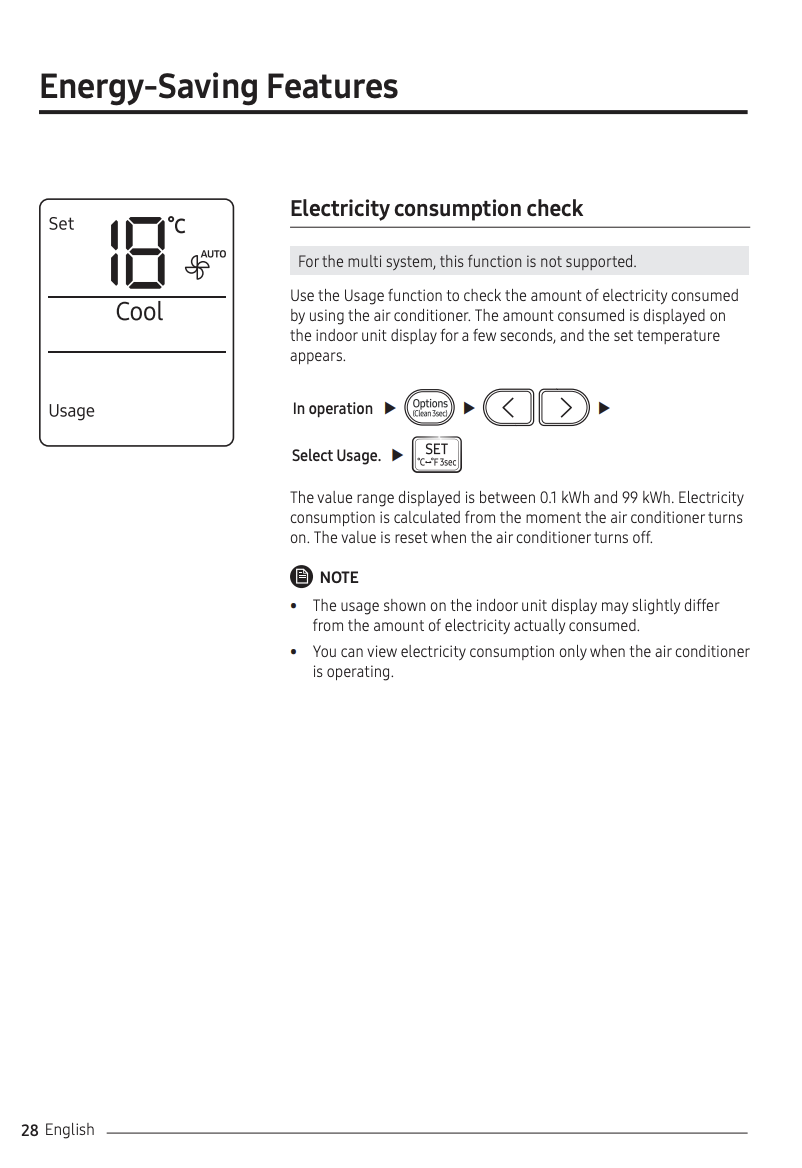
Following up on this thread because I think it deserves a different conclusion than “no workaround.” Short version up front: the multi-system indoor unit does report instantaneous and cumulative power. The data exists on the device and travels through Samsung’s cloud — it just isn’t surfaced to the public API because the capability is in custom.disabledCapabilities. Long version below with how I verified it.
How I checked this
The SmartThings app does not actually use api.smartthings.com for real-time device state. It maintains a separate connection to Samsung’s internal OCF Cloud over CoAP-over-TCP (RFC 8323) inside TLS, with CBOR-encoded payloads. Anything the app shows live (panel light, mode changes, sensor values) flows through this channel. It’s the same protocol the AC firmware speaks back to the cloud.
That second channel is what I queried. The whole flow is:
-
TLS to gateway (52.17.233.138:443 for EU users), send the CoAP CSM byte.
-
POST /oic/account/session?ct=502&apiVersion=v4 with a CBOR body of the form:
{ "uid": "...", "di": "...", "accesstoken": "...", "login": true }
The accesstoken here is the Samsung Account OAuth token (not a SmartThings PAT — they’re different systems), and di is the OCF device id of an already-registered SmartThings client. The cloud responds with a redirectUri pointing at the regional shard.
-
Reconnect to the shard, repeat the CSM + sign-in. From here on every request goes to the shard.
-
GET /oic/res to list the AC’s resource directory.
-
GET /oic/route/<ac-di>/energy/consumption/0 and /oic/route/<ac-di>/energy/consumption/vs/0 to read each energy resource.
All requests are vanilla CoAP-over-TCP — curl won’t do it (binary frames, not HTTP), but it’s about 50 lines of Python.
What the resource directory shows
/oic/res for the AC contains 45 links. Two of them are the energy resources, listed side by side:
href: /oic/route/<ac-di>/energy/consumption/0       rt: oic.r.energy.consumption          (OCF standard)
href: /oic/route/<ac-di>/energy/consumption/vs/0    rt: x.com.samsung.da.energyconsumption (Samsung vendor view)
This dual-path pattern (/<x>/0 standard + /<x>/vs/0 vendor) is consistent across the AC: power/0 vs power/vs/0, mode/0 vs mode/vs/0, humidity/0 vs humidity/vs/0, etc. The standard path is for OCF interoperability; the /vs/0 path is Samsung’s richer, vendor-specific schema.
What each endpoint returns
GET /oic/route/<ac-di>/energy/consumption/0 → OCF standard
{
  "rt":    ["oic.r.energy.consumption"],
  "if":    ["oic.if.baseline", "oic.if.a"],
  "power": null
}
The standard fields are present in the schema but not populated. This is the resource a generic OCF client would read, and the one most likely to be the basis of any “is the data there?” check from outside.
GET /oic/route/<ac-di>/energy/consumption/vs/0 → Samsung vendor view
I queried this on all three of my AR09TXFCAWKN units (one single-split, two multi-split sharing one outdoor):
| unit |
instantaneous |
cumulative |
| Korytarz (multi, indoor Y) |
"180" W |
"1146681" Wh ≈ 1146.681 kWh |
| Sypialnia (multi, indoor Z — same outdoor as Korytarz) |
"179" W |
"1146683" Wh ≈ 1146.683 kWh |
| working single-split unit |
"0" W |
"318759" Wh ≈ 318.759 kWh |
Sample response (Sypialnia):
{
  "rt": ["x.com.samsung.da.energyconsumption"],
  "if": ["oic.if.baseline", "oic.if.a"],
  "x.com.samsung.da.instantaneousPower":     "179",
  "x.com.samsung.da.instantaneousPowerUnit": "W",
  "x.com.samsung.da.cumulativePower":        "1146683",
  "x.com.samsung.da.cumulativeUnit":         "Wh"
}
Two things to notice:
- All three units serve populated, valid data — both multi-system indoor units, the ones SmartThings says are “not supported,” return live instantaneous and cumulative power with explicit units. The data is fully present at the OCF cloud layer.
- The two multi-split heads (Korytarz and Sypialnia) tick in lockstep — cumulative differs by only 2 Wh (1 146 681 vs 1 146 683) and instantaneous within 1 W. That’s exactly what you’d expect from a single shared outdoor compressor with per-indoor proportional accounting; whatever logic Samsung uses to split the outdoor unit’s energy between two heads, it’s clearly already implemented and running.
Why this matters for the thread
The Samsung doc line — “for the multi system, this function is not supported” — turns out to be incomplete. More precisely:
- The AC firmware does implement
x.com.samsung.da.energyconsumption and serves valid numbers from it, on every unit including the multi-system ones.
- The OCF cloud does route those queries to the device and return the data unchanged, on every unit including the multi-system ones.
- The proportional split between two indoor heads sharing one outdoor compressor is already computed by something on Samsung’s side (otherwise Korytarz and Sypialnia wouldn’t have near-identical readings).
- What’s “not supported” is only the cloud-side mapping of
x.com.samsung.da.energyconsumption → the public powerConsumptionReport capability for multi-system devices. That mapping is what’s in custom.disabledCapabilities.
The single-split unit on the same account uses the same OCF schema, returns the same shape of data, and is mapped to powerConsumptionReport. Hardware, protocol, and computed-split behaviour are all identical between single and multi; the difference is purely in which devices the cloud chooses to expose the capability for.
The ask
Given that the data is already produced by the device and already reaches Samsung’s cloud, the constraint is one configuration line on Samsung’s side. Removing powerConsumptionReport from custom.disabledCapabilities for multi-system AR09TXFCAWKN (and likely other multi-system RAC models) would surface per-indoor-unit instantaneous/cumulative power through the public REST API immediately, no firmware change needed.
Could someone on the Samsung side confirm this is reviewable, rather than treating “multi system is not supported” as a closed limitation? Happy to share the full request/response capture if that helps move it along.