That’s the driver I have but I’m having trouble calibrating
Your original issue was the need to change from Celsius to Fahrenheit. Are you able to do that with this driver?
As far as calibration issues, what is specifically not working or what is the issue you are encountering?
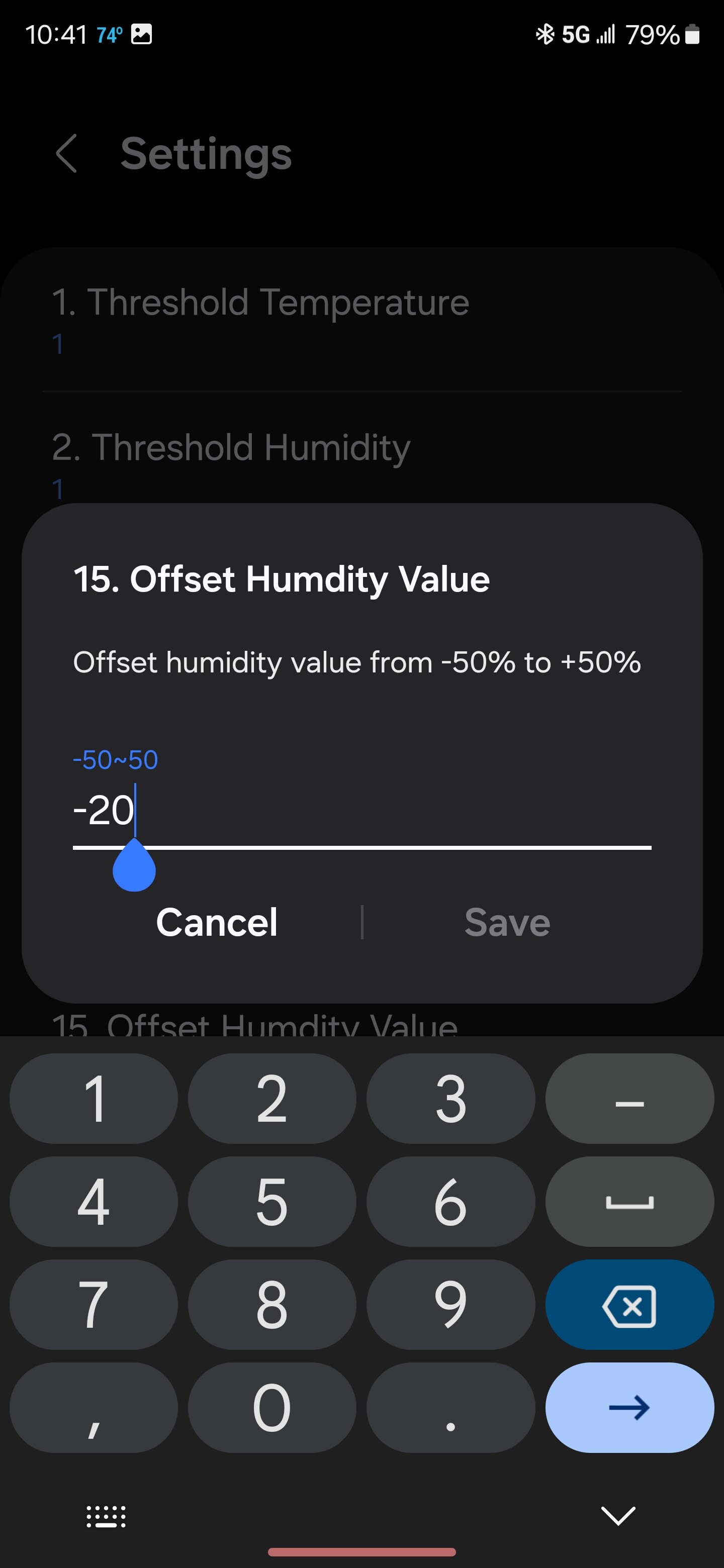
For starters the keyboard I’m getting to try to make adjustments is not leaving me much options
I need to make humidity higher because it’s off by about 10 points and I’m unable to do that
Ever since that last firmware update now I have problems with this device where I did not have problems before
And yes I am in Fahrenheit That’s no longer an issue
Even when I mess around with the calibration to try to make adjustments the device does not respond properly. I have already uninstalled it and reinstalled it and have the same problem. Also the keyboard I’m presenting with as I showed you is not giving me the option to go on the plus side I can only go on the minus side. And the humidity is off where it’s showing 56 it should be at least 66 it’s humid in the basement. I have other devices that are calibrated and I’m trying to match those devices but I’m unable to do that.
When you put a value in and press Save, what happens?
It would be helpful to get logging messages from the driver while you are doing this. You can install the ST CLI on a Linux/Windows/macOS computer and use the command “smartthings edge:drivers:logcat” and select the Aeotec driver. This will give an indication of what is being sent to the device from the hub and what the response is from the device.
Maybe I should uninstall the driver and reinstall it. Possibly got corrupted what do you think
Worth a shot I suppose.
Again when I try to adjust the humidity to the plus side. The keyboard on presented with does not give me the proper key to go on the plus side. Or how would you go on the plus side during calibration to adjust this
I think if you want to adjust in the positive direction, you simply enter an integer. So, to adjust +10 percent, just enter “10”. I don’t think you need the plus sign unlike needing the minus to indicate a decreasing value.
Tried that, I will try again thanks
If that doesn’t work, then I suggest doing the driver logging so we can see what is happening.
What strange is changing the humidity level to 10. Humidity goes from 56% all the way to 86% it keeps jumping too high
Need driver logging to know whether the device is reporting that value or ST is mangling something.
Ok thanks.i will work on that
I think this is and was at least so far a smart things glitch. It seems to have stabilized and be working better now
An admittedly quick look at the product page in the link you provided, above, shows the device as battery powered.
As such, it is what is commonly called a “sleepy” device, In other words, it only wakes up periodically to send updates–and take settings changes from the hub–to save battery power.
So, when you make a change such as setting a humidity offset, you must wait until the device wakes & accepts the configuration change. Sometimes that can be forced by some action on the device–even just holding it so your hand heats it enough to make it send a temperature report!
If it seemed to “fix” itself, it may be because it finally had a reason to talk to the hub, thus picking up the configuration change. 