Hi everyone, i have Xiaomi ai smart speaker, which is a Hub as well. I have alot of xiaomi sensors I would love to link all devices to Smartthings. Anyone have experience?
Unfortunately, there has not been any talks or relations between the 2 so nothing has come up.
It is hard to belive that nobody was interested as Xiaomi sensors have affordable price. I was able to synchronize with google home but unfortunately after one of the updates it stop working. I still have one device on google home screen but it is marked as offline. Syncing again unsuccessful.
Does it support Matter as a bridge functionality?
Do you mean to link xiaomi hub to smartthings or linking your xiaomi sensors to smartthings directly?
I have lot of xiaomi devices and sensors for years linked to smartthings v2 and v3 hubs and working flawlessly.
These include motion, contact, temperature and water sensors and zigbee plugs etc
I am using these devices through edge drivers as there is no direct integration between Xiaomi and Smartthings
Xiaomi competes with Samsung and Apple, so those are the only 2 integrations they don’t have, so be my guess
Also, integration with Alexa and Google are not the best, you can only sync some air purifiers, bulbs, cameras, but nothing related with security like motion sensors, contact sensors or even an alarm, so the hubs won’t work with Google or Alexa
Xiaomi is completely standalone system and region-locked devices assignation. If you are out of US or China most of the devices won’t be supported
I do own some Xiaomi devices (air purifiers) and they don’t integrate well with Google, but does with Alexa (kind of)
I owned one of the security package (alarm/hub with sensors) and I had to sell it as it does work with anything. If you want something to integrate really well with Smartthings, buy the Aoetec sensors (those are the more reliable ones) or move to Aqara too
But if it worked once should work twice.
no, it does not
But I also have ewelink hub it can found xiaomi account, but no eny devices added to the list. It completes linking process and no new devices. I am stick to sonoff now. Initial plan was to use xiaomi but they do not have smart radiator valves. And aqara is almost same price as Aeotec.

Can you please give more details/instructions?
Instead of using xiaomi speaker as a hub, link your xiaomi zigbee devices directly to smartthings hub using edge drivers specifically built for such devices.
Heh. Unfortunatelly they are Bluetoth sensors.
Then it is a different story.
Hi everyone. So Idid not gave up on using my xiaomy devices and latest update is that I installed Home Assistant on mini pc with preaty good hardware, i added Xiaomi Miot integration, i used IPand token method for adding my lumi gas detocyor and Cloud method for Xiaomi speaker integration. Then both of this devices brought all the BLE sensors to Home Assitant. Of course Smartthings is also part of the integration. Later I created automations and chamge of BLE magnetic sensors status is trigering zigbee switches on/off. I didnot stoped there and i tried to bring HA devices to Smarthing. So I asked Chatgpt and recheked with Deepseek if it is possible and both of them replayed “yes”. With a help of AI and Youtube I installed MQTT on my HA, I installed MQTT edge driver from @TAustin and I even managed to get this driver subscribe to HA, but thats it. My familiarization with coding is below avarage. If anybody has any idea if it possible.to bring devices from HA to Smarthing i will be very thanksfull for any suggestions and instruction. Of course i can stick to HA and use their interface and subscribe to Nabu Casa, but it will be very useful for BLE and ither intevrations which are not supported by Smarthing. Thanks for reading this and thanks in advance.
Assuming you have a ST hub. Install the MatterBridge and/or MatterHub add-ons in Home assistant and that will allow you to bring most things from HA into ST using Matter.
I use it to bring in Airthings BLE, Govee BLE & WiFi, Tuya WiFi, SwitchBot BLE & WiFi, and HubSpace WiFi devices into ST via HA and Matter.

So it looks like you installed MatterBridge.
On the MatterBridge page did matterbridgge-hass plug-in?
The next thing I would try is to go into Add-ons in HA, pick MatterBridge and donate restart. While you are there make sure start on boot, watchdog, and show in sidebar are checked.
Other things to try are to restart HA under System and reboot your ST hub.
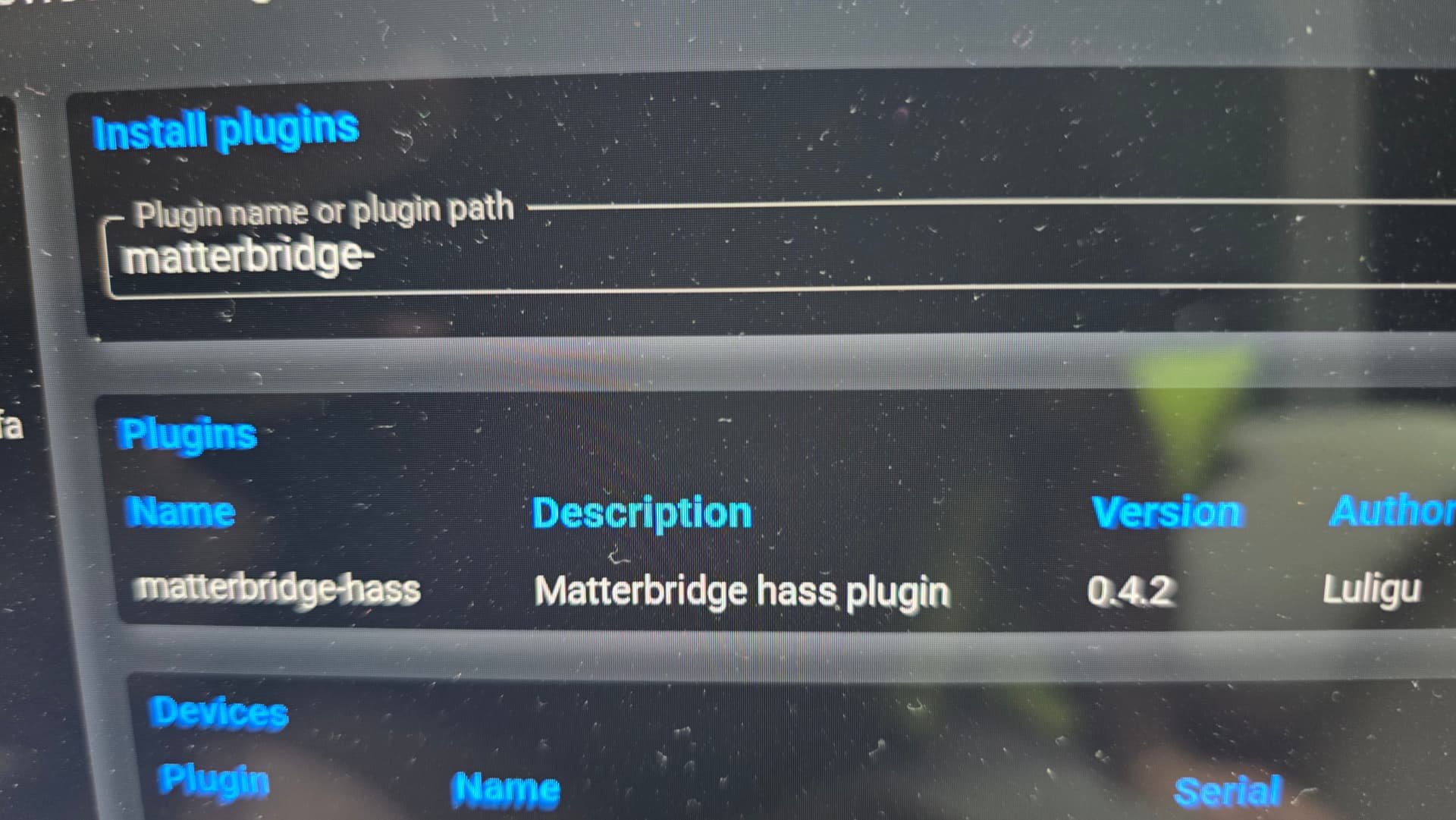

Ok, so there are some different ways to get devices to appear.
-
On the page in the first picture you posted you should have a list of all you devices. Each devices has a check box at the end of the line. Chick the boxes for the devices you want transfered. The go to the top of the page and click the circle with arrow to restart. If every device is checked like mine were the transfer will get overlooked and fall. If needed unselected all but a few devices and click the circle again. This method is easy to set up but every time you create or modify a device it gets added to the list. So it is a pain to maintain.
-
Click the gear under the word actions, go to “filter by lable” and use a label like the word “Matter” or any word you want. Then go HA setting > Area, labels, zones > create a label to match what your chose word. Then go to a few devices on the devices & services and set the label to what you chose. This is the method I use. Low maintenance after setup.