So this pretty much stops the issues of Alexa routines sometimes not triggering through ST automations?
Thanks. So I need it to start a vacuum cleaner.
Some screenshots to show. I’ve found this isn’t very reliable. Sometimes it’ll run the Alexa routine ( start the vacuum ) and sometimes it won’t.
FYI, I have 3 vacuum cleaners that all rely on this type of automation. Is there another solution that I maybe don’t know about?
Thanks


Looks like you are using a virtual momentary button. That’s a combo switch/contact sensor device that has been having issues with reliably triggering Alexa routines as discussed in this topic. The current solution to dealing with it (until/unless ST or Alexa figures out the problem) is to use either the new Multi-Trigger Edge driver or to use the new separate contact setting of the Alexa switch. Either way, you’ll need to create a new virtual device(s) to use in both your ST Routines and your Alexa routines.
Thanks I’ll look into changing things up.
My issue is I have a few buttons that I use to trigger these and I don’t think I can create an automation with the buttons?
There is an auto-revert option on the Alexa Switch and the switches in the multi-trigger device that mimics the momentary button behavior.


Did you set up a separate virtual contact in the settings for the virtual Alexa switch and then use that in your Alexa routine?

When you do, you’ll have a virtual switch and corresponding virtual contact whose state follows the state of its switch. Notice I have both a switch and a contact for each “virtual device” I’ve created.

The standard Alexa switch where you have not created a separate contact (i.e. it’s a combo switch/contact) is still behaving unreliably.
Ah no I didn’t actually. Thanks. I’ll test that out.
Thank you. 
People have been reporting good reliability with the separate contact sensor as the Alexa trigger. I’m out of town and haven’t had a chance to test my most recently converted ones, but the one I was testing before I left worked every time.
Yes, the extra contact sensor turned on from within the Alexa switch has been working flawlessly thanks to @TAustin and his excellent work
Friends, I live in Brazil, here the samsung hub is sold for a very high price. For that reason I can’t buy it.
Before I could create virtual switches through “https://graph.api.smartthings.com/”, but recently the option to create devices no longer appears.
I’ve seen several solutions where the hub is needed.
Would you have a way to create the switches without the hub?
Thank you all!
Hi all,
I have some difficulty understanding and setting this up correctly. I have two Alexa light switches that I like to bring to smart things , What this exactly means:
" Note for those wanting to trigger Alexa: Use the AlexaSwitch device, which contains both a switch and contact needed for full Alexa routine control (switch for action, contact for condition). Icon preferences can be chosen in device Settings. The contact capability is hidden in this virtual device. You can alternatively use a virtual Contact device, which exposes the contact capability in the SmartThings device Controls screen.
I did create the contact sensor in the smart thing, and when I am using the switch, it will open and close, the same in Alexa when I add it. But whatever routine I create it doesn’t work!
Can anyone advise what to do?

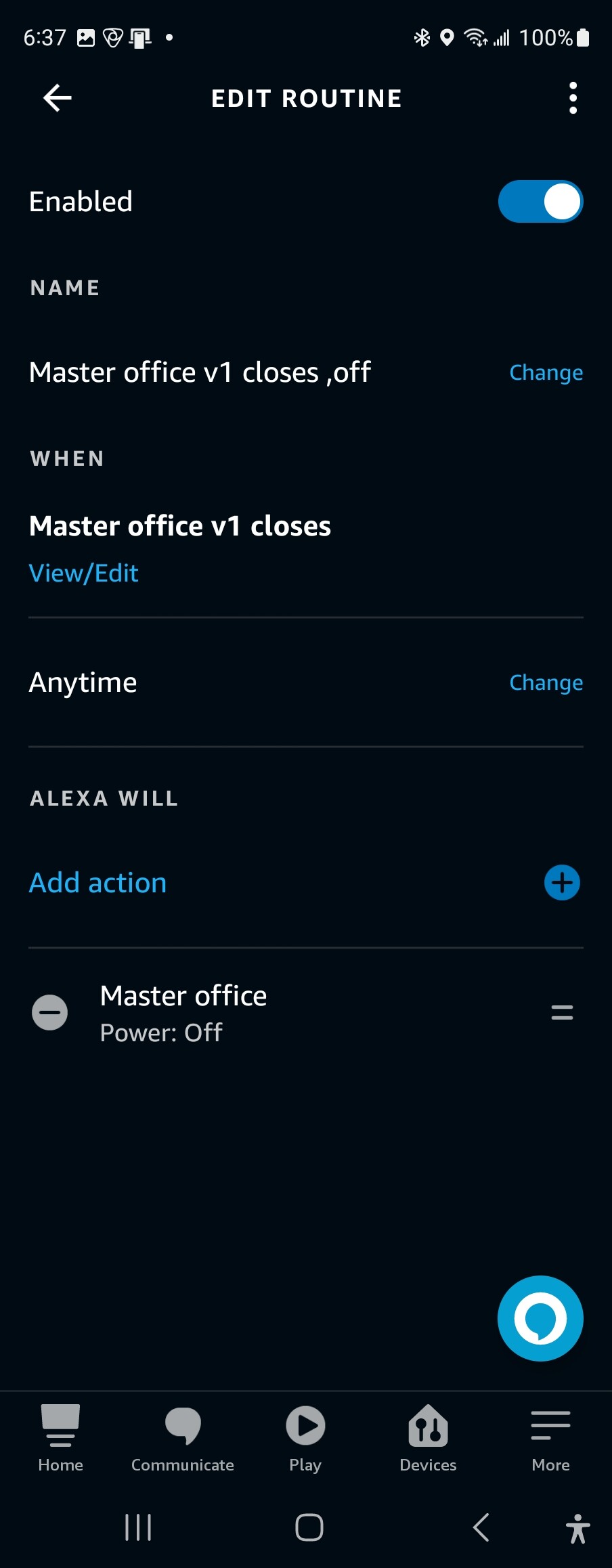
Thank you so much
Yes, it can be done without a hub. See the following FAQ:
FAQ: Creating Virtual Devices with the new architecture (Without the IDE) (2023)
@Sohrab_Khosravi There is currently an issue with Alexa being able to trigger reliably off of the contact sensor built into the Alexa Switch. After you create the Alexa Switch, if you open it up and choose settings, you will see an option to create a separate contact. @TAustin added this a few weeks ago … it creates a standalone contact with the switch name and -contact added at the end. It is kept in sync with whatever switch changes are made and can be used to trigger reliably in Alexa
Friend, you have already helped me a lot by introducing this site… Really!!! Thank you very much!
Thank you so much in my Alexa app, i created the two routines that you mentioned, one when the contact closed, turn off the Alexa light, and the 2nd on to turn it on. however, when I click on the switch in smarthing I see that they are changing correctly on my Alexa but is not running the routines or turning the lights on or off.
Any suggestion?
Did you create the standalone contact in the alexa switch settings and is that the device that you are using as the trigger in the alexa routines?
no, I add the contact in Smartthing, and my Alexca divover it. I am using the contact sensor discover.
Thank you so much for your help.
You need to add an alexa switch in smarthings and then in the switch settings add a standalone contact sensor. Both will be discovered in alexa. Use the standalone contact sensor as your sensor in alexa and the switch can be turned on and off on and off needed. They will be kept in such
If I used the Alexa switch and set it to create a separate contact sensor, what happen if I turn that setting off and then back on? I see no reason to do that, just popped into my head.
My real question is if I have a bunch of these and get confused on what I have named what, is there any way to see which switch goes with which contact sensor?