Post Requests for Zigbee Edge Drivers Here (community-created)

Any driver for visonic open/closed sensor? Thanks!

Raw Description 01 0104 0402 00 07 0000 0001 0003 0402 0500 0020 0B05 01 0019
Firmware * Current Version: 0x00000103

Hi @sdbg
What is the exact model?

Data * application: 01

  • endpointId: 01
  • firmwareFullVersion: 10000003
  • firmwareImageType: 15
  • firmwareManufacturerCode: 4113
  • manufacturer: Visonic
  • model: MCT-370 SMA
  • zigbeeNodeType: SLEEPY_END_DEVICE
    Raw Description 01 0104 0402 00 07 0000 0001 0003 0020 0402 0500 0B05 01 0019

Added to this driver version

β”Œβ”€β”€β”€β”€β”€β”€β”€β”€β”€β”€β”€β”€β”€β”¬β”€β”€β”€β”€β”€β”€β”€β”€β”€β”€β”€β”€β”€β”€β”€β”€β”€β”€β”€β”€β”€β”€β”€β”€β”€β”€β”€β”€β”€β”€β”€β”€β”€β”€β”€β”€β”€β”€β”
β”‚ Name        β”‚ Zigbee Contact Mc                    β”‚
β”‚ Version     β”‚ 2022-09-11T17:24:43.117613104        β”‚
β””β”€β”€β”€β”€β”€β”€β”€β”€β”€β”€β”€β”€β”€β”΄β”€β”€β”€β”€β”€β”€β”€β”€β”€β”€β”€β”€β”€β”€β”€β”€β”€β”€β”€β”€β”€β”€β”€β”€β”€β”€β”€β”€β”€β”€β”€β”€β”€β”€β”€β”€β”€β”€β”˜
  - id: "Visonic/MCT-370 SMA"
    deviceLabel: Tyco Open/Closed Sensor
    manufacturer: Visonic
    model: MCT-370 SMA
    deviceProfileName: contact-profile
1 Like

Thanks! Amazing

So I’ve added the device using edge driver, but the contact sensor shows closed even when it is open. Any thoughts?

Try yo re-pair agains.

I Will be in offside any time

Done. Strangely it still only shows closed. Any ideas? Thanks

So wath dth worked before?

I’m not 100% certain. I used it more so for temperature. It seems some other users have used the contact feature though with dth. So I’m going to say yes.

hi is it posible to create an lan edge driver for cast devices .
thanks martin :smiley:
@TAustin
@nayelyz
@Mariano_Colmenarejo
@ygerlovin

Thanks to all the developers and smartthings people for their hard work its very much apreciated.

2 Likes

Hi @Mariano_Colmenarejo
Possible you could add this to zigbee-valve


Thankyou

Hi @rubberduck72

I’ll write it down for when I can add it, I don’t have access to the CLI now, but it will work, I have the same model with another manufacturer and it works fine

hello, has anyone created or willing to create an edge driver for this button? i have a crap ton of them as they are useful, cheap and have a rechargeable battery. they work fine with smart life products and hub but do not trigger alexa routines so they risk becoming obsolete in my scheme. It was able to use the ecolink 4 button DTH but only for 1 button. id be willing to ship one to a developer to experiment with.

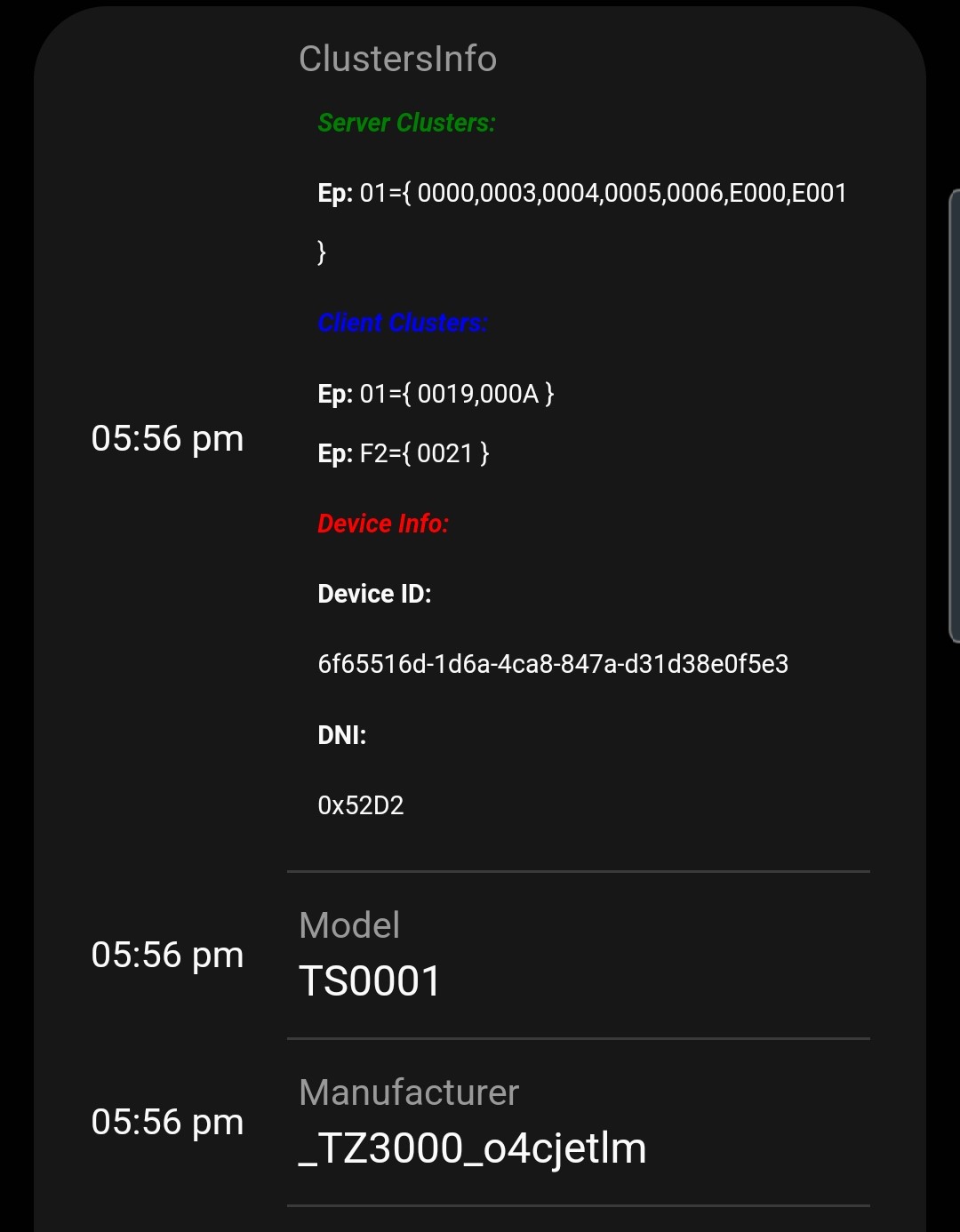
Data zigbeeNodeType: SLEEPY_END_DEVICE
β€’ application: 42
β€’ endpointId: 01
β€’ manufacturer: _TZ3000_f97vq5mn
β€’ model: TS0041
Raw Description 01 0104 0000 01 03 0000 0001 0006 02 0019 000A

Smart Button Zigbee, YOVDA Zigbee 3.0 Smart Switch Compatible with Smart Life and Alexa-home, 3 Switch Control Modes, Wireless Activation of Smart Home Devices, Requires Hub https://a.co/d/g0YfobG

(post deleted by author)

Good question, but way off topic for this thread. Please remove your post.

Those wishing to respond should do so in your existing thread:

https://community.smartthings.com/t/zigbee-lights-bulbs-delay/247754/

Or you could ask in the author thread for that specific driver, in this case:

(EDGE Driver-Mc): Zigbee Light Multifunction Mc

Yes it is found, but as a switch without valve cabability. As the fingerprint wasn’t added to your Zigbee Valve Mc driver I thought that was the issue :wink:

Still trying to understand how this will work. I have IKEA zigbee repeaters - will ST move them over to edge without my intervention? Currently, I don’t see them showing a driver option in the menu. Do I need to do something to ensure the transition?

Any more thoughts on this one? It only shows closed no matter if it is open.. Thanks

Any chance for Edge Drivers for Meross brand WiFi smart plugs and bulbs?

I would have never thought to request that, but after seeing the awesome work that @BarryA did with his TP-Link and LIFX edge drivers it now doesn’t seem so ridiculous. The Meross devices all support LAN control through their app, just like TP-Link devices. :crossed_fingers:

1 Like