You jinxed mine. I have just recently started running ST and the main reason was for the energy monitor. Anyway it’s been about a month now and it has chugged along without a hitch. I read your post and it reminded me to check it today and at 5:30 this morning that unit stopped logging. I am at work and can’t reset it. Since mine is a V2 I may have to add a smartplug so I can power cycle it.
I just wrote my first smartapp for another application, so I think it would be easy to monitor the logging program and if it quits logging have it power cycle. I guess it will depend on how often it does this, if I will try it or not.
Yeah, while I was reworking my DTH I had to reset it many times. Fortunately I had installed a breaker in the panel dedicated to it so I could easily reset it. It has been quite solid these past few months but I have not been working on the DTH much which may be relevant as I read of others saying that sending config parameters often causes issues (not sure if actually true though).
Just moved, and reinstalled / reset my ST hub and all my devices. Used your device type for my HEM v2… and had it hooked up for a few days before i could get the time to connect it with some logging smartapps and services.
id like to reset the total kWh counter, but the rest button in the app does not do this. any help??
Got a v1 last month. It wss only 17kwh off from my actual reading. Pretty good in my opinion. Especially since I wasn’t waiting until midnight on the day my billing period ending to reset the counter.
I have the HEM V1 using Android as well as your DH right now. Everything looks awesome. Mine doesn’t have the voltage and amperage reading though but that’s fine. Are you going to add the cost calculation? It’s fine if you are not, just wanted to know if you are planning to do so.
@Theo_Gardener - I would advise not using my DH if you have the battery operated HEM version 1 as I specifically removed all support for it in an attempt to simplify the code to support the version 2 that I have. The main goal for my DTH was to better support Android and to remove features I did not find useful. An example is the cost calculation given the electric plans I have used in the past 7+ years do not work out to having a fixed cost per kWh. As an example, my current plan works this way:
0 to 999 kWh / month - The price per kWh goes down a bit the closer I get to 999 kWh as the fixed portion is divided by a larger number of kWh
1000 to 1999 kWh - Same as above, however I also get a $100 credit on my account therefore my bill at 999 kWh is about $129, but my bill at 1000 kWh is only $29!
2000 and above - same as 0 to 999 kWh but I do NOT get a credit.
Given my contract works this way, my cost per kWh varies from 2.9 cents per kWh (@ 1000 kWh) to 12.9 cents per kWh… so calculating cost in the DTH would not help. I use my HEM to push my consumption up when I am on track to be really close (but under) the 1000 kWh mark for the month and to reduce consumption once I hit the 1000 kWh mark as the biggest benefit it to be above but as close as possible to 1000 kWh. I have not posted additional development I have done on the DTH yet to aid in this goal as it is not finished.
There are some other DTHs that are specifically designed to work with HEM v1 and that also include the cost calculation… I would recommend you switch to one of those to get all you want/need from your HEM.
I was having the same issue, So I started digging through the DTH and I found a solution although I am not 100% why it works.
The DTH has the command to reset the device inside a Delaybetween structure in the reset sub.
zwave.meterV2.meterReset().format(),
For some reason this command does not seem to be executing in the current DTH. I briefly tried another DTH “Aeon Home Energy Meter v2 Gen2 Basic Edition” and when I used the reset device option in that DTH the total KWH was reset.
It uses the same command but it has a Return in front of it.
return zwave.meterV2.meterReset().format()
So in the Aeon HEMv2+ DTH I moved the line just above the cmd call and changed it to the above line it is now resetting the totals.
I am just learning this language and I tried just adding the return in front of the line in the delaybetween structure but that generates an error and will not compile. Perhaps someone can explain?
Wouldn’t mind taking a look at your code myself. I have been playing around with this and I finally got it set up to reset each month on my billing cycle date.
For some reason I could not get my scheduler to work in the DTH. The DTH would manually reset and I set up debug commands to watch it go through the reset process. When my scheduled event would fire it would seem to go through the same process calling the reset command. It would clear the display and set the date and time but the total KWH would not go to 0.
So I decided to try it from a smartapp, and that worked. So I have a smartapp that sends me a push notification with the days KWH total at midnight and it resets my device on midnight at the end of my billing cycle.
I have been using thingspeak to graph and download data to analyze, but I plan on doing some of the things you have here so that I can stop doing that. So if you want to share it would be appreciated.
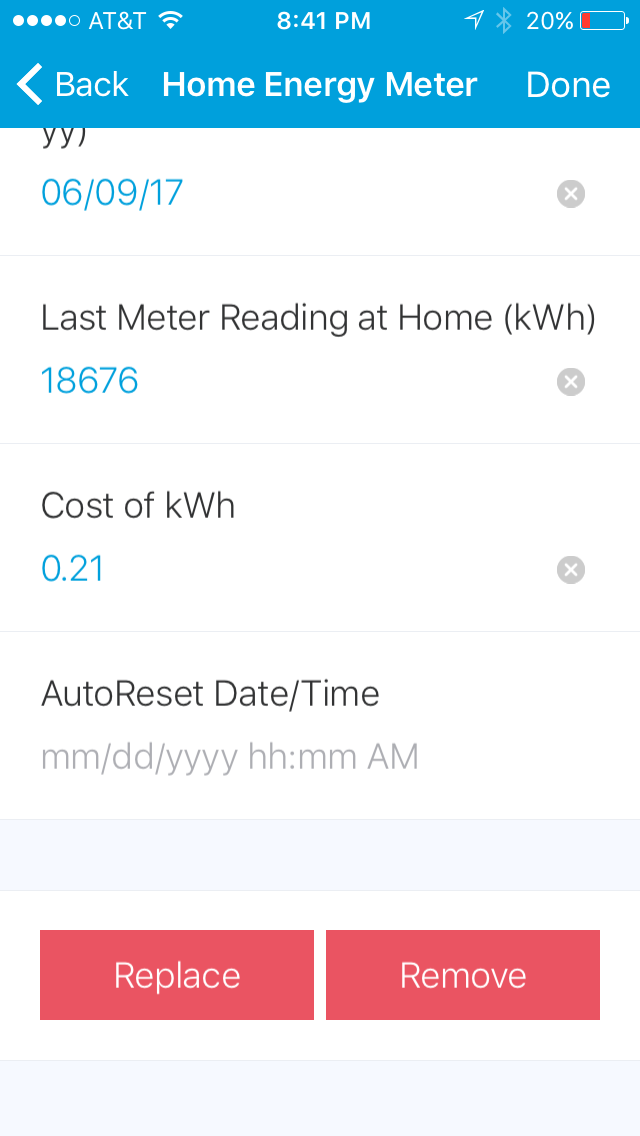
So I have my cost per kwh set to 0.093 (which is correct, just barely over 9 cents per kwh), and I have it on my AC compressor which when on is running at about 2800W. I just got this up about 2 days ago. It’s already showing my cost is at $30 in 2 days, and I know that’s not correct because my total power bill is about $140 for the month. Does the cost calculating work correctly, or do I need to enter my cost in a different format?
It works for me. Mine is connected to my whole house and our rate is $.1055/kwh, a little over 10 cents per kwh. I have an app that resets my meter at midnight on the 29th of each month. to match billing cycle, so it has been running now for 3 1/2 days and it shows my cost at $19.98. So it appears something is not set up right. The reading from my meter have so far always been within 1 or 2 kwhs of what the power company says it is.
Which DTH are you using? Doesn’t look anything like what I see when I set up mine. I am using the Aeon HEMv2+, originally written by Barry A. Burke. I have made only one slight modification because for some reason it would not reset the total kwh as it was.