Hello,
I’ve been using this a while with success until the recent upgrade to the Android app 2.0.0. Now it refuses to activate the relay but does show when the door is open or closed. Any thoughts on how I could debug it?
-Jim
@twack…Is this set up seen by v2 as a garage door? I am trying to find a way to use this in the routines, but I cannot seem to make it work. Any thoughts?
I just got the new ST v2 hub. I have the Mimolite and magnetic contact sensor currently in my VeraEdge system. Does any one know if this device code working with ST v2 app? Just want to know before I exclude it from VeraEdge to pair with ST.
@binhton, absolutely works perfectly. I’m using my own device type for looks, but ST’s works too. ST device type is called “MimoLite Garage Door Controller”.
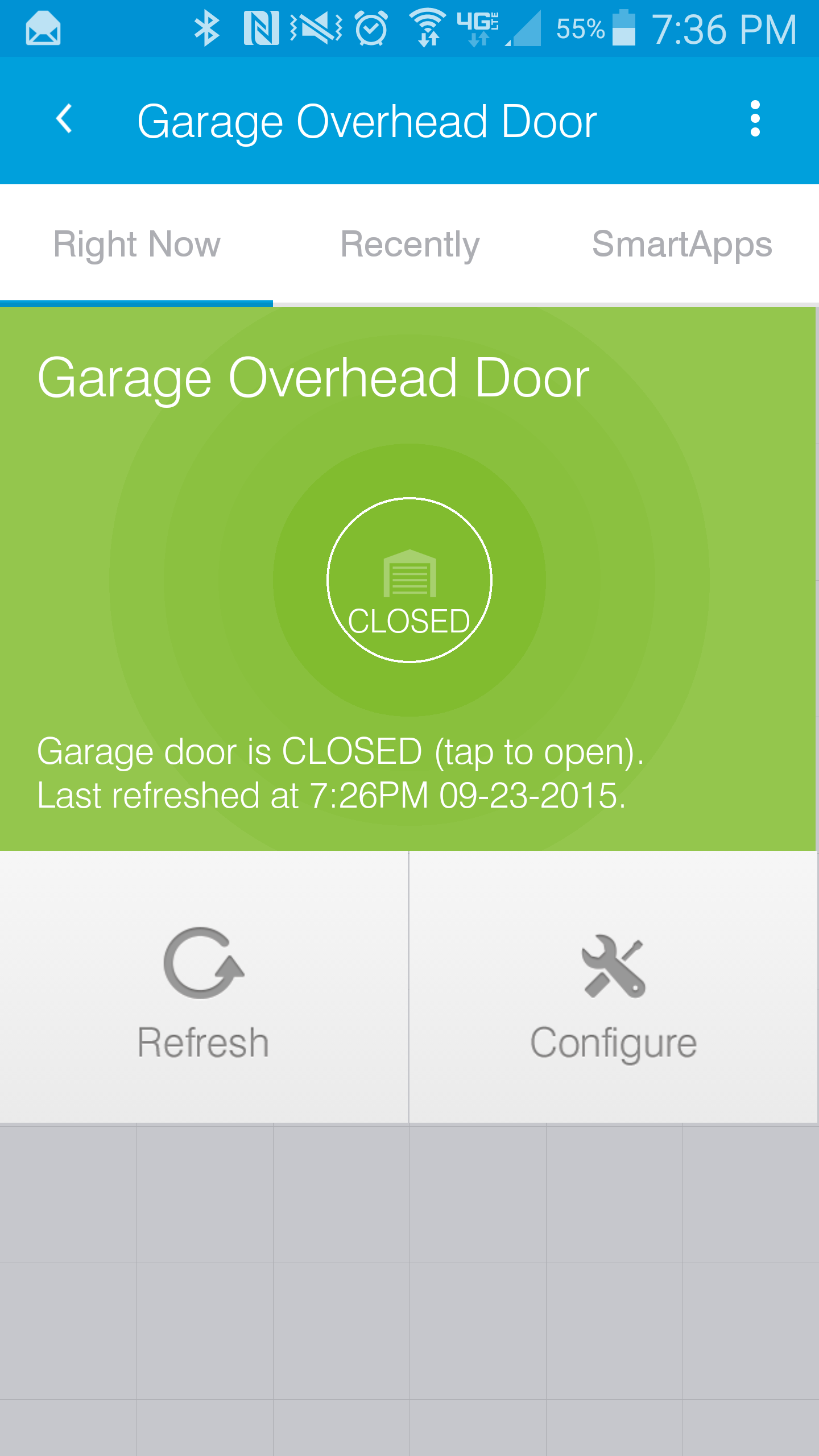
Here’s what mine looks like:
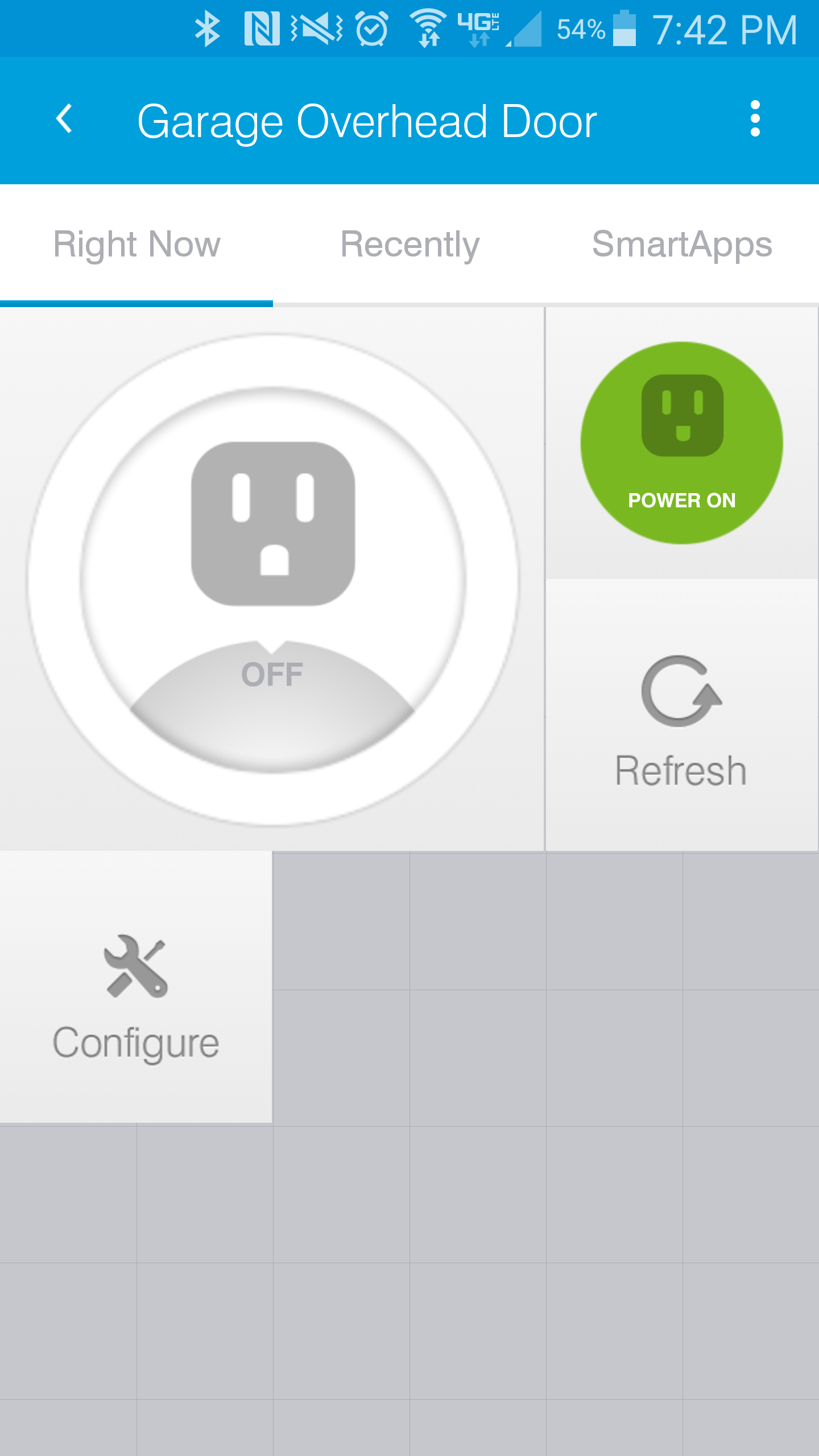
Here’s ST’s version:
Code is here if you don’t want to use ST’s device type:
https://github.com/constjs/SmartThings-Devices/blob/master/mimolite_garage_door_v3.device.groovy
1 Like
Thanks a lot johnconstantelo. I like the look of your device type. I’ll try tonight.
…but neither one integration shows as garage door in routines, right? Or at least mine didn’t.
@SBDOBRESCU, see my post below. Got it working in Routines.
@SBDOBRESCU,@binhton, Fixed!
I added capability "Garage Door Control" to my device type, now it shows up when setting up a Routine:

My Github code has been updated. Give it a try now.
@binhton, I just updated the code, so make sure you get the updated one from just a minute or two ago.
Ohhhh dahhhh…now this is a real aha moment! Thank you…
No worries, I’ve got a Routine set up to open a door when I arrive (presence device in a car). I won’t know for sure 100% if my device type will work until tomorrow (too pooped to go out tonight). Let me know if you try and I can fix any issues that’s discovered in more testing.
@johnconstantelo I tried to pair the Mimolite with magnetic contact to ST hub over the weekend. I tried both of your device type code and the built-in one. So far it works OK. I tried all combinations of open/close using the ST apps and the on-wall button. With the built-in device type, a couple of times I saw it stuck in the Opening/Closing status instead of Open/Closed. Your device type does not have those status right? I only saw Opened/Closed. With your device type, couple of times it does not show correct status also. Maybe I have the ST hub too far away from the garage? How often the hub polls for the status? I may add another sensor beside the magnetic contact. Can I include that sensor status?
My device type has those features:
	    attributeState "closed", label: 'Closed', action: "momentary.push", icon: "st.doors.garage.garage-closed", backgroundColor: "#79b821", nextState:"openingdoor"
	    attributeState "open", label: 'Open', action: "momentary.push", icon: "st.doors.garage.garage-open", backgroundColor: "#ffa81e", nextState:"closingdoor"
            attributeState "closingdoor", label:'Closing', icon:"st.doors.garage.garage-closing", backgroundColor:"#ffd700"
            attributeState "openingdoor", label:'Opening', icon:"st.doors.garage.garage-opening", backgroundColor:"#ffd700"
That is definitely something I would investigate. You want a good mesh network in place for all this stuff to work well. How far away is the hub and MIMOLite now?
Polling is done by ST, so looking at my logs it looks like it happens randomly. I see entries with 24, 12, and/or 8 hours apart.
If you’re having range issues, this won’t help much. The MIMOLite is a very reliable device. I also use one to control a water valve, and both work very well.
I changed the location of the hub and it works well now. I also added a new Zwave window/door sensor and added it to the top of the Garage room just to make sure if the garage door is closed or opened
@johnconstantelo I just got a V2 hub and setup my mimolite using your AWESOME code! It works so much better then the built in, but I can’t get it to work with routines. It is setup to open when my presence sensor gets home, and I get the notification in the feed that the door was opened, but it doesn’t actually open. When I look at the status of the “thing” it still shows closed. Any thoughts?
Thanks!
Hi @Dechutes, you are right. For some reason it doesn’t work in Routines, but I plan on working on that this weekend. I’m not sure why yet, but I hope to figure it out.
Got it working in a Routine! I had to be a little creative with what the Routine used, but it does work:
3 Likes
I’ll try this I am working on coding new app using it as momentary virtual switch with a smartsense sensor but is not going well…
Nah, use this instead, it really is a whole lot easier that I thought. I spent too much time trying to look at logs, and change device attributes and capabilities hoping to find the right combination that would work.
I kinda feel stupid when I realized how straight forward this is and how much time I wasted. Oh well…
Awesome Thanks for all the work!
1 Like