Maui WebAuthenticator and SmartThings OAuth

I’m trying to create a phone app that can utilize the SmartThings API. I have one running based on manually generating an access token. Note: this is simpler version of the SmartThings app for controlling lights. I have 60 lights and need a simpler dashboard.
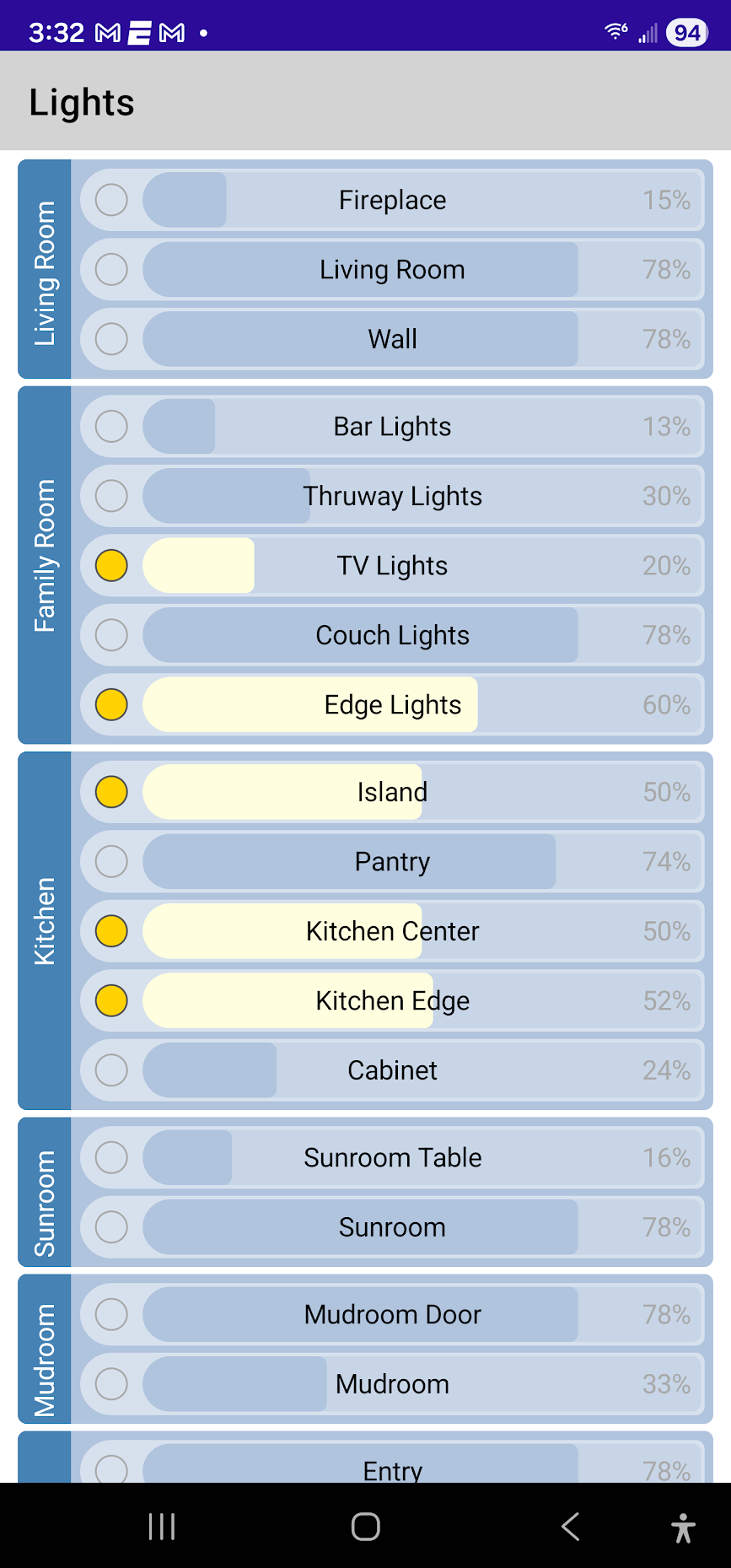
I’d like to implement a user log-in so that I don’t have to keep generating a new token every 24 hours. All the documentation points to implementing an OAuth workflow. I’ve done this manually based on directions similar to these:

Every example I’ve seen uses a url on httpbin as the redirect uri. This works when you manually perform the authorization step by pasting the SmartThings log-in link into a browser. This browser is then redirected and you can see the code included in the resulting uri.

However, I want to implement this in my Maui (.NET) code. Fortunately there is a class that automates the entire OAuth process: WebAuthenticator.

This is where the problem comes in. The phone apps I’ve seen and and Maui documentation all want a redirect uri that is a custom scheme, e.g. “myapp://”. This will redirect to your app instead of another website. SmartThings, however, will only authorize a redirect in the form of “https://”. This uri is specified when created the required OAuth-In App with the command, “smartthings.exe apps:create” from the cli tool.

So this is where I’m stuck.

  1. Can the OAuth-In App have a redirect uri that is for my phone app and not just https:?
  2. If no, how does my phone app specify a real https:// uri and retrieve the code returned during the OAuth workflow? I’ve seen references to phone apps being able to redirect http requests. If this were possible, I could create a fake uri for the OAuth-In App and when the phone app browser is redirected to it, it can intercept the call and direct it to my app instead. I’m not sure how to implement this, but I’m looking into it.

As a last resort I can spool up my own server similar to what is shown in the “Taming the OAuth 2.0 Beast” link earlier in this post, but that seems to defeat the whole intent of using a secure OAuth process.

I may well have started that. Either that or that site is more well known than I realised when I first used it in an example on this forum.

I used it because my example used a browser to handle the login and ST was sending a redirect header which the browser was going to process automatically whether I wanted it to or not. So it needed to be a site that would work cleanly for all the readers. You couldn’t sensibly do a redirect to ‘localhost’ for example as there might not be a local web server running.

You don’t actually need to do the redirect, you just need to read the URL to extract the code. I don’t know if that is a realistic option with a mobile app though.

What you may be looking for is known in Android as an ‘App Link’.

SmartThings do have documentation about ‘App to App Linking’ which I guess is broadly related, but perhaps not exactly what you want in this case.

The httpbin example was good. It helped me learn, so no issues there.

For my current solution attempt, I’m trying to redirect to http://localhost and then intercept the call with an HttpListener instance. While the cli tool allows me to specify http as the redirect, this thread seems to indicate that it is no longer supported?

That’s a bummer if true as getting a simple https intercept is much more complicated.

Maybe I’m looking at this all wrong. I just want a desktop/phone app that can use the SmartThings rest API and there just doesn’t seem to be any simple way to acquire an access token. Am I missing something?

Hi, @Scott_Woyak
I would need to check some details with the engineering team but in the meantime, I got curious about something
Is this app for your personal use only? If so, I think you can obtain the access token from a temporary desktop server, then save it in a location accessible to your app (such as a database), and keep refreshing it by calling https://api.smartthings.com/oauth/token periodically.
The Access Token also expires every 24 hours, and the refresh token (if not used) expires in 30 days.

First, thanks for helping with fast responses! There seems to be better support on this forum than in most places I’ve looked.

I’m basically currently working the way you suggested - manually updating an access token every morning. It works, but is of course tedious and not practical in the long run.

The phone app is just for my family, but if it is well received, I’d like to introduce it to a broader audience. The reason for the app is that we recently built a new home. It has 60 or so smart lights. We’ve tried out several apps - Lutron, SmartThings, Unifi Connect, Amazon Alexa and others. They all force us to navigate through many touches to adjust lights so my family wants a better solution. I have a test app working on my phone (with the daily tokens) and now I want to make it available to them. I trying to automate the token process in a way that would work for any SmartThings user so that others could test the app in their homes too.

I have found a work-around for the https redirect issue. I created a redirect page via tiiny.host. I redirect the SmartThings code to tiiny and it redirects to my localhost where I can intercept it. I’m now working on implementing the next stages of the OAuth process to exchange the code for an access token.

Sorry for the confusion, my suggestion was still using OAuth, once you get the first access token after the login and code exchange, there’s no need for you to log in again unless you lose both, the Access Token and Refresh token and you can create a schedule to call the endpoint “https://api.smartthings.com/oauth/token” to get a new Access Token using the current valid Refresh Token.

Since you got a workaround then you’re on track then. I’ll only put here the instructions we share with developers just in case you haven’t seen them in other threads:

  1. The option to create OAuth integrations cannot be found in the Developer Workspace.
  2. You need to use the SmartThings CLI to create this type of app

Command:
smartthings apps:create
---->The type you need to select is “OAuth-In App”
----> Target URL is the link where you want to receive the subscription events
----> These scopes are the permissions whitelisted from your app, if you use a scope in the “authorize URL” not included in your app’s scopes, you’ll get an error
-----> Add redirect URI because that’s where you’ll receive the authorization code once the user authorizes access to your app.3. 4.

  1. You can also use the JSON in this sample as the input for the command.
    GitHub - SmartThingsCommunity/api-app-subscription-example-js: Example API Access SmartApp that shows the state and allows control of devices

  2. Then, you need to start the OAuth 2.0 process which consists on:

  3. Show the authorization page to the user by using this URL:
    https://api.smartthings.com/oauth/authorize?client_id=clientId_from_app&response_type=code&redirect_uri=redirect_uri_from_app&scope=scopes_from_whitelisted_inApp

  4. Once the user authorizes access to your app, it’ll redirect you to the “Redirect URI” you configured with the Authorization Code.

  5. You’ll exchange this code for an Access Token. This is an example of that request:
    curl -X POST "https://api.smartthings.com/oauth/token" -u "clientId_from_app":"clientSecret_from_app" -H "Content-Type: application/x-www-form-urlencoded" -d "grant_type=authorization_code&client_id=clientId_from_app&code=codeReceived&redirect_uri=redirect_uri_from_app"

  6. The Access Token you get expires in 24 hours.

  7. The Refresh Token expires in 29 days if not used. We suggest you refresh the token before this time, otherwise, you’ll lose the Refresh token and the User will need to re-authorize.

NOTE: Remember the OAuth integration has a limit of 500 installations by default. Each time a user authorizes access to one of his/her locations, it will count as 1 installation. This means, if a user has 3 locations and authorizes access to each of them, he/she will use 3 installations.

  1. To refresh the Access Token, you need to use the same endpoint but the grant_type is different, here’s an example about this:
  2. curl -X POST “https://api.smartthings.com/oauth/token” -u “clientId_from_app”:“clientSecret_from_app” -H “Content-Type: application/x-www-form-urlencoded” -d “grant_type=refresh_token&client_id=clientId_from_app&refresh_token=latest_refresh_token”

Subscriptions in API_ONLY apps

Registering a targetURL isn’t mandatory in this type of application, but if you want to create subscriptions using its installedAppId, you need to include a value for it.

Note: If you have already created your API_ONLY app but didn’t register a value for it, take a look at this post to know how you must update your app to do so: SmartThings CLI apps:update Type Error (reading ‘url’)

Once you have finished creating the app, you will receive a POST request with a confirmation URL, which you need to copy and paste into your browser or make a GET request using it. This is to “verify” the app so it can receive requests with the subscription events.

About sharing it with a broader audience, just as a heads up. As mentioned above, the OAuth integration has a limit of 500 installations.

ok, I have this all working, but I have a new problem now, or perhaps I don’t fully understand how things work. As I am testing things out (my Windows development computer, my Android phone, and an Android tablet), all is well as long as I only use one device. All 3 are using my credentials to log into SmartThings. When I switch devices, my refresh token on that device is no longer valid - it has been replaced with the one that the previous device generated. Thus, each time I switch devices I must go through the full OAuth process. Am I understanding this correctly?

The work-around seems to be to maintain a separate server that keeps track of my SmartThings token. Each of my separate devices then need to get the token from this server as opposed to getting it directly themselves?

If this is all true, then my request to Samsung is to make a client friendly version of the API as opposed to the current server friendly version. Otherwise the API is very nicely documented and functional.

A little bit off topic but have you considered products like Action tiles, Sharptools or HomeAssistant to give you customisable dashboards for SmartThings instead of having to develop an app?

1 Like

Where would the fun in that be? :grinning_face:

Actually, yes, I have looked. The problem is that I have 60 lights and every app I’ve looked at has a dashboard that does not scale well. To dim a light you have to scroll around to find the light, then select it to get to the dimmer settings. I need an app that passes the “Mom” test and thus far none have.

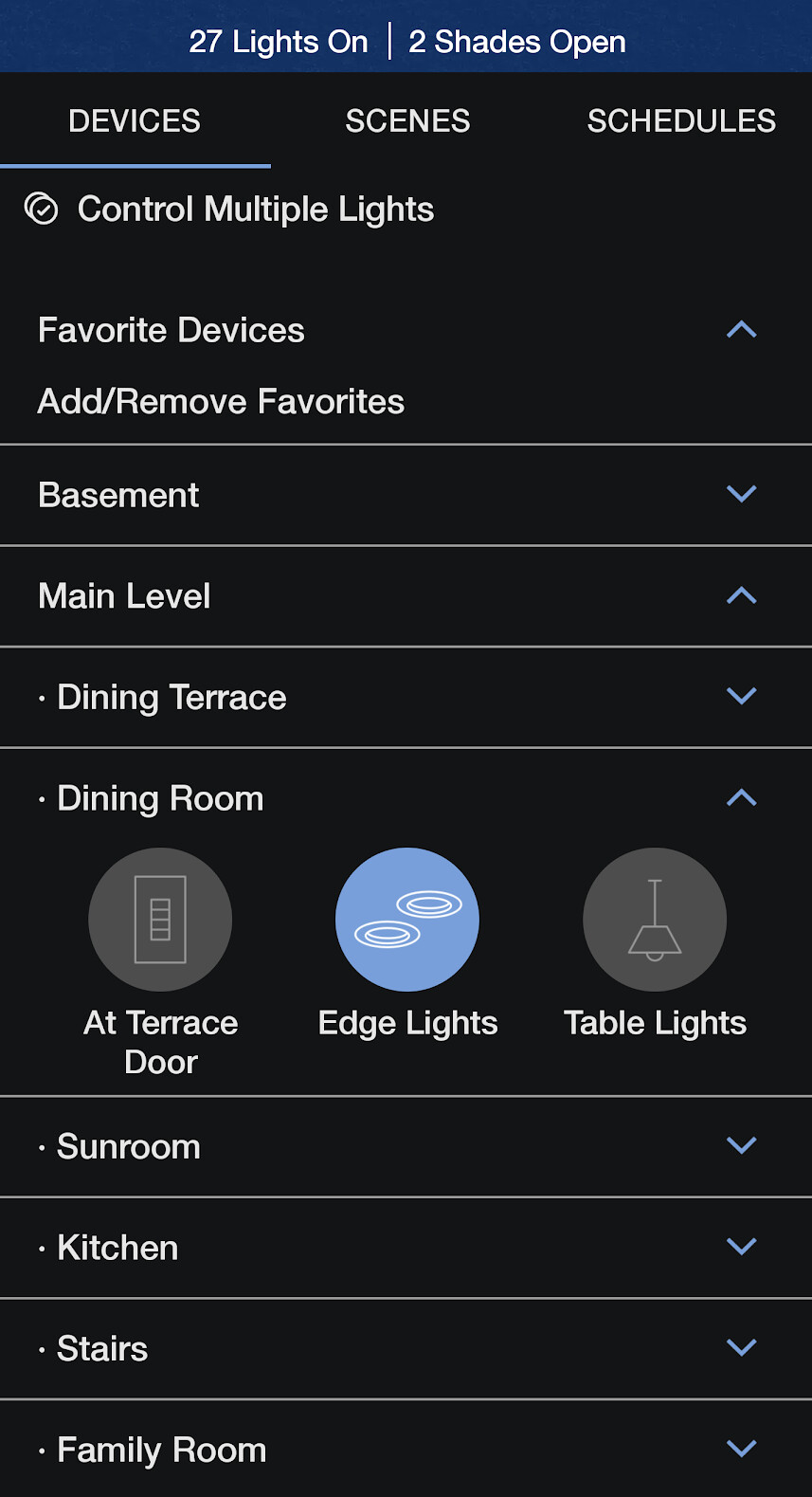
As some background, I have a Lutron Homework QSX system. They have an their own app, but again, it’s awful when you have multiple rooms and lights. Even worse, they have an API called LEAP, but it’s not accessible to end users so I’m automating Lutron with SmartThings, or trying to.

Lutron app… try navigating this to dim several of the 27 lights on in my house.

My app, so far, is simpler:

2 Likes

Hi, @Scott_Woyak
So, just to understand this better so I can ask the engineering team about this:

  1. You’re going through the OAuth flow to access the location on each different device, right? Meaning you’re re-authorizing on each one of them
  2. Then, since you re-authorize, the token known by the app on the previous device is no longer valid

That sounds right. I go through the entire oauth process on the first device, ending with authorization and refresh tokens that both work. I then do the same on the second device. Then, when I return to the first device, neither saved token works and I need to start the whole process again.

Hi, @Scott_Woyak
Sorry for the delay.

So, I made a test, and if I go through the OAuth flow twice, I get the same refresh token.
The engineering team mentioned the following:

  1. When going through the flow with the same user credentials, they should receive the same access and refresh token
  2. However, if we go through the flow with different scopes, we will receive different access and refresh tokens
  3. Also, if the client ID changes on the flow followed by each device, you will receive different access and refresh tokens

So, they mentioned we need your help to collect the info mentioned below and test that scenario to verify that the different tools you’re using as a workaround aren’t causing this change:

  1. Share the specific request’s configuration (including parameters, but excluding client secret ) you’re using to get and refresh the token
  2. If you get an authorization code and do the same calls directly with a client tool like Postman, do you see the same issue?