check all the settings have values set. It looks like param19 is not set. If you don’t want the lights to come on at a particular level then parameter 19 should be zero (rather than null)
I can’t believe how popular this thread has been after I started it over a year ago now, I’ve only just moved into the house I’m planning to install these in due to delays. I’ve got my first one up and running with the bypass and I’m using it with a Philips LED Warm Glow B22 Bayonet Cap Dimmable Light Bulb which works well (https://www.amazon.co.uk/gp/product/B013T2ORJA/ref=oh_aui_detailpage_o01_s00?ie=UTF8&psc=1). I’ve gone with just a toggle switch and I will do the dimming based on modes or manually from the phone.
I am a little stuck however, I’ve just wired a second one into the hallway which is a fairly standard upstairs downstairs 2 way setup (two lights, two switches, both lights can be turned on and off from either upstairs or downstairs)
I’ve wired the dimmer in much like I did the first one and it works fine until I switch it off from upstairs and back on again as it runs the calibration routine. I’m guessing this is because by switching this I’ve cut the power entirely to the circuit it’s on? I’m not sure how to wire it differently if someone could give me some tips or perhaps show me a photo of their successful wiring job that would be great. I thought about disabling the calibration process (if it’s possible) but then I wouldn’t be able to switch it back on using software if it was turned off from upstairs.
Thanks!
Matt
Just an update for my issue using 3 position switches in a 2 way set up.
I was trying to set parameter 20 to 2 for 3 position momentary switches I didn’t have the S2 terminal connected but once rectified it still wouldn’t work, despite the parameters showing as set correctly in both the app and IDE
After lots of messing and searching I came a cross a mention of problems setting parameters using Android devices. The solution is to make one change using an IOS device then you can make changes as normal within the android app.
Worked for me and am now a very happy bunny. I have four in a four gang minigrid switch and all work swimmingly.
No Problem, glad you got it working.
I have seen that problem with Android myself, but usually you get a red banner at the top of the app saying something like “all compulsory fields must be completed” or something like that. As you have found, set it once using ios or ide and Android works again afterward.
Now you have overcome that hurdle, you will no doubt be looking to see what other switches you can change! Its addictive this smart home stuff.
You want to make sure it is wired up using the second diagram on this page: Ultimate Guide For Wiring Z-Wave Modules Into Standard Lighting Circuits – Vesternet
The steps I took were:
Where the Fibaro dimmer is placed… there will be a whole load of wires here…
Take out the Live from the switch and wire to L
Take out the Switched Live and wire to wavey arrow thingy
Take out L2 from the switch and wire to S1
Take out L1 and tape it up (it’s not needed)
Make a new wire from L1 to S1
Make a new wire from Common to Sx
Create a bridge wire from N to Sx
On the second switch:
Take out L1 and tape it up (it’s not needed)
Move L2 to L1 (I’m not sure this is necessary but I did it anyway)
You’ll also need to make sure you update the config so setting 20 is set to 1 to make sure the second switch acts as a switch instead of a dimmer.
Hi David, and thanks for your reply. I think I am starting to figure out how the whole Device vs. Device Handler etc is working… but there must be something I am still missing.
So here is what I did:
-
I took your code…copied the 1000+ lines and created myself a new device handler, pasted your code and the name was automatically Fibaro Dimmer 2. I then saved and published to me.
-
I then went in to the dimmers and changed the handler to Fibaro Dimmer 2 for all of them.
-
I then went in to edit on the preferences in the device view… scrolled down to number 20, set the value to 1 (toggle switch) and click save.
I now expected the physical switch to toggle on and off when pressed as it did before on the Vera (the switch has a spring behind it on top) like this: http://www.elektroimportoren.no/big/1410222.jpg
This is how it behaves when it is off:
Single click: Turns on (which is right!)
Single click again…nothing happens 
Doubble click…turns off…
I would really like to toggle on single click… Any idea what I am doing wrong?
Kind regards
Tommy, Norwya
(i usually figure stuff like this out myself…but I have been banging my head against the wall and feeling the low WAF for days now)
I think this is a semantics problem: If your switch has a spring in it, and you can single- or double-click it, this suggests to me that your switch is a momentary switch and not a toggle switch (a toggle switch stays in the state you set it).
In which case, parameter #20 should be 0.
You are right Dave… its a momentary switch…I edited the parameter back to 0 on one of the devices…clicked save, but still I have to doubble-tap to switch off. Switch on is single-tap… Annoying… is there anything else I have to do then save in order to “push out the parameter” ?
Also…this might help…This is live logging from the dimmer “Media”. The light is on when I try single tapping:
9be17c1f-1ba4-4209-9d9a-3ef02a3bea1c 23.48.52: warn Dimmer Media: No handler for command: Crc16Encap(checksum: 195, command: 5, commandClass: 49, data: [4, 34, 1, 9, 219])
9be17c1f-1ba4-4209-9d9a-3ef02a3bea1c 23.48.47: trace Dimmer Media: Switch Basic Set received: BasicSet(value: 99)
9be17c1f-1ba4-4209-9d9a-3ef02a3bea1c 23.48.47: trace SecurityMessageEncapsulation(commandByte: [99], commandClassIdentifier: 32, commandIdentifier: 1, reserved13: 0, secondFrame: false, sequenceCounter: 0, sequenced: false)
9be17c1f-1ba4-4209-9d9a-3ef02a3bea1c 23.48.46: trace Dimmer Media: Switch Multilevel Report received: SwitchMultilevelReport(value: 99)
9be17c1f-1ba4-4209-9d9a-3ef02a3bea1c 23.48.46: trace SecurityMessageEncapsulation(commandByte: [99], commandClassIdentifier: 38, commandIdentifier: 3, reserved13: 0, secondFrame: false, sequenceCounter: 0, sequenced: false)
I’m struggelig to create the device hander. I get this error message:
Org.codehaus.groovy.control.MultipleCompilationErrorsException: startup failed: script14782801094051708654386.groovy: 2: unexpected char: 0xA0 @ line 2, column 1. definition (name: “Fibaro Dimmer 2 UK”, namespace: “smartthings”, author: “rajiv”) { ^ 1 error
Any idea what to do?
have you pasted in the line numbers by mistake?? 
Hehe, I wish:-) Must be something else…
Hmmm, I changed from Edge to Chrome when I copied it, and it worked fine!
Wow I’ve got a lot of reading to do! I’m surprised that a lot Fibaro kit has a Smartthings guide yet the dimmer doesn’t! I was hoping it would be a case of wire in the module. Press pair and away you go but certainly seems a lot more complicated. Are there any posts in this extremely long thread with a summary as such?
I’m having some problems - please help…
I have installed the Device Handler, selected it within the device, installed the simulator (I think I need to do that). I then have settings within the device on the phone app.
Problems which may not be related are:
- The lights (incandescent bulbs) come on for about 5 seconds then turn off.
- The device setting require the red marked areas filled in - in all cases I have put in recommended defaults by it always returns "Please fill out all required fields " , they are all filled out though…
Thanks for advice.
Instead of using the phone app to change the device parameters, try doing that on the IDE first, online, click save, then afterwards you’ll be able to edit in the phone app. It’s a bug in certain DHs with Android.
Hi guys supper basic question.
How to i pair my Fibaro Dimmer 211 to SmartThings?
I have 2 x Fibaro Dimmers already installed from my Vera system where they worked fine but i now what to add them to my SmartThings network.
I have tried holding down the little pair button for 3 seconds after applying mains power to reset then pressing the button 3 times quickly but in the SmartThings App when i select ‘Start Looking for Things’ it never finds anything.
Any ideas?
@markwhelan General Exclusion Mode helped me in a similar situation.
Follow the General Device Exclusion guide here: https://support.smartthings.com/hc/en-gb/articles/200878314-How-to-exclude-Z-Wave-devices and hopefully the dimmer will pair without problems after the exclusion process has been completed.
AFAIK these dimmers enter exclusion mode the same way as pairing mode i.e. pressing the button 3 times.
Thats fixed it, thank you 
Hi all,
Having problems with David and Rajiv’s custom code.
I’m new to smartthings today. Have bought a few Fibaro Dimmer 2s with the intention for them to be installed as part of a refurb I’m doing. Will be using them with 2 position and off momentary switches aka roller blind switches.
I’ve got a test circuit set up, and the dimmer works fine, but obviously SW2 doesn’t work yet as I need to access the parameters to change #20.
I paired the unit with smartthings using the default ‘Fibaro Dimmer’ device handler. Control through the Android app was fine.
Now, as @cmj01 I’m also trying @zcapr17 code, but can’t get anything working.
In the simulator I get the same error “java.lang.NullPointerException: Cannot invoke method toInteger() on null object @ line 985”
985 being: state.preferencesCache_param19 = param19.toInteger()
On the Android phone, none of the controls get any response from the dimmer, but they appear to work on the phone display. If I tap the cog to go to settings, I then am not able to change any settings - as it always tells me “Please fill out all required form fields”. I’ve checked, and by default parameter #11 will always be blank (and red). But if I fill in a value, it goes blue but I still get the ‘required fields’ red error message.

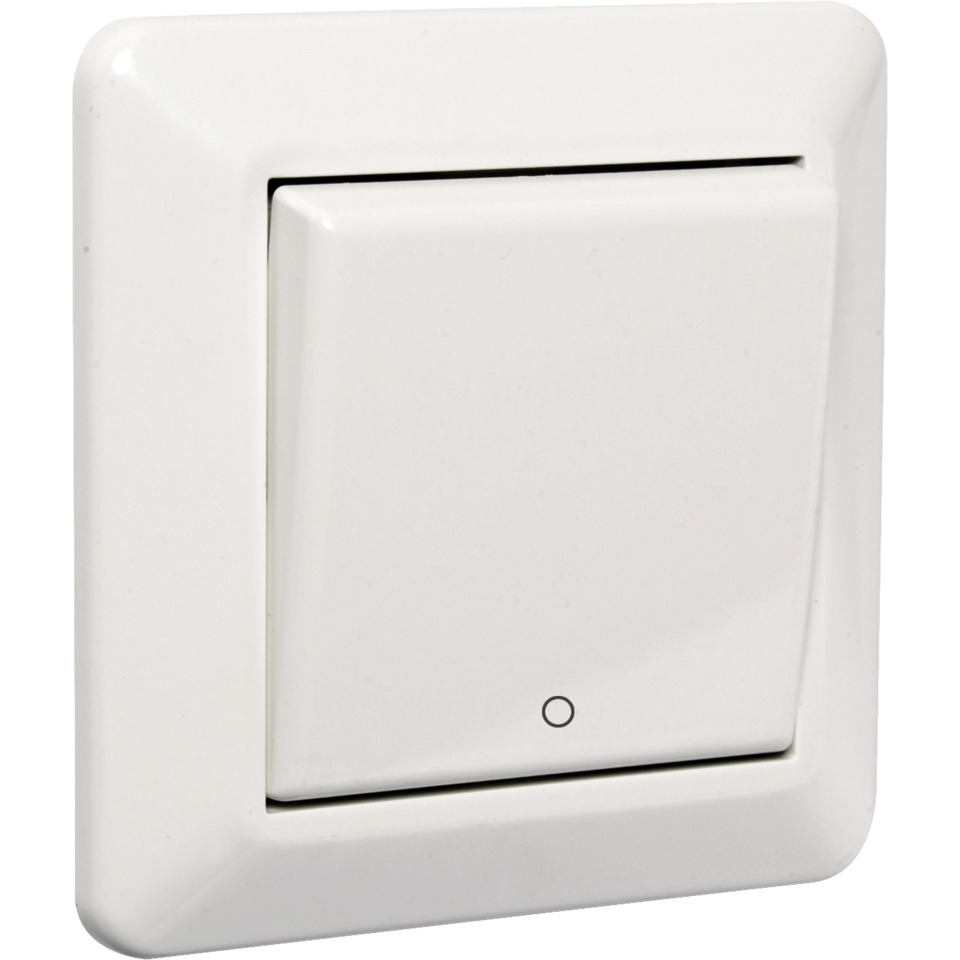
I’ve also tried the following code with no greater success:
https://raw.githubusercontent.com/hajar97/FibaroDimmers/master/devicetypes/fibarodimmer2.groovy
Any ideas?
Feel a little underwhelmed so far - shame!
thank you,
Meza
Default input values don’t work in the Android app. You need to delete and re-type all values (even the ones that look like they already have values). Then it should allow you to save your settings and everything should work.
Please also complain like mad to Samsung about this. Default values work fine on iPhone. This bug is driving me crazy and I don’t even have an Android device! 