(EDGE Driver-Mc): Zigbee Drivers for Motion, Open/Close, Moisture, Smoke-Co Sensors and others Devices

I tried the driver and it couldn’t. The driver can not be selected even though it has been installed.
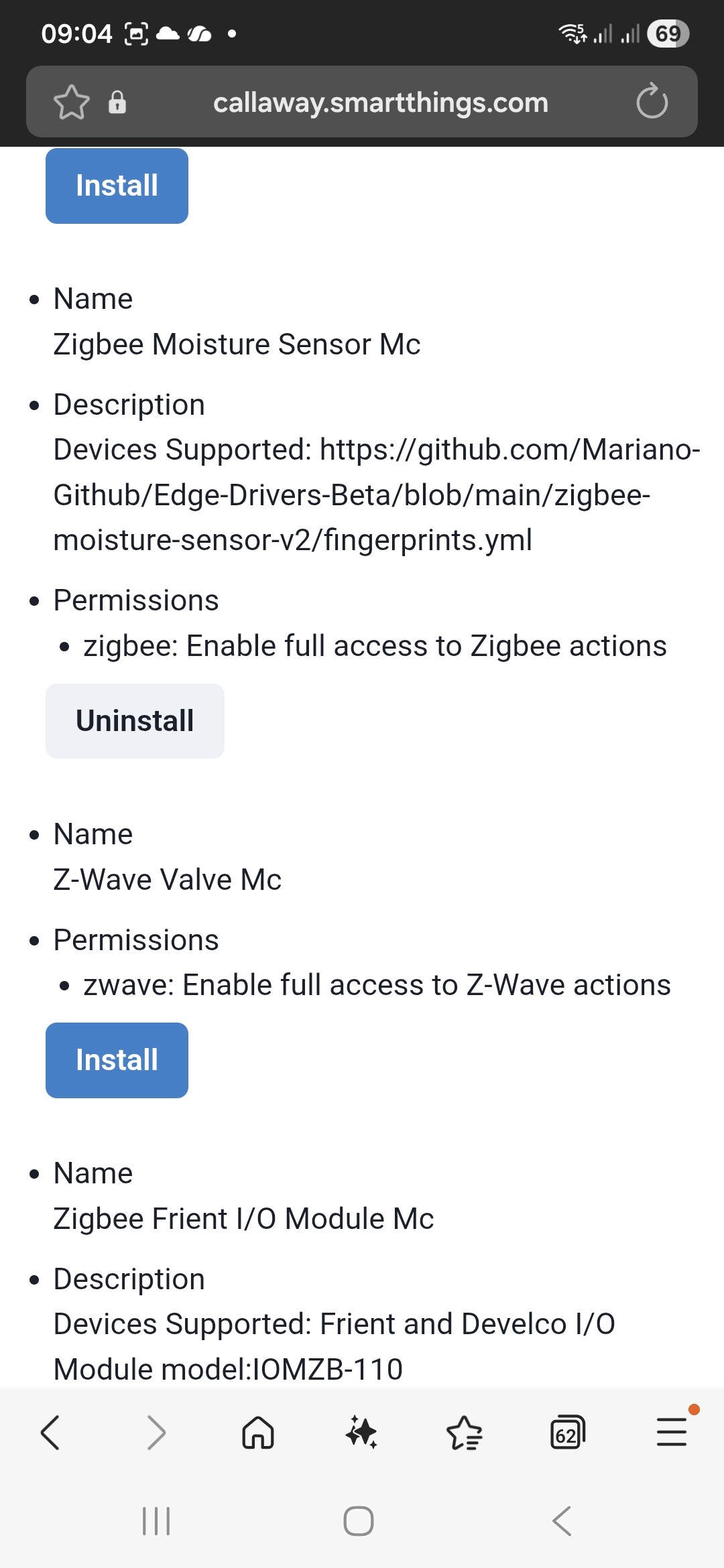
due to limit of one image per post I upload more screenshot for above post. The Moisture Sensor Mc is not displayed.
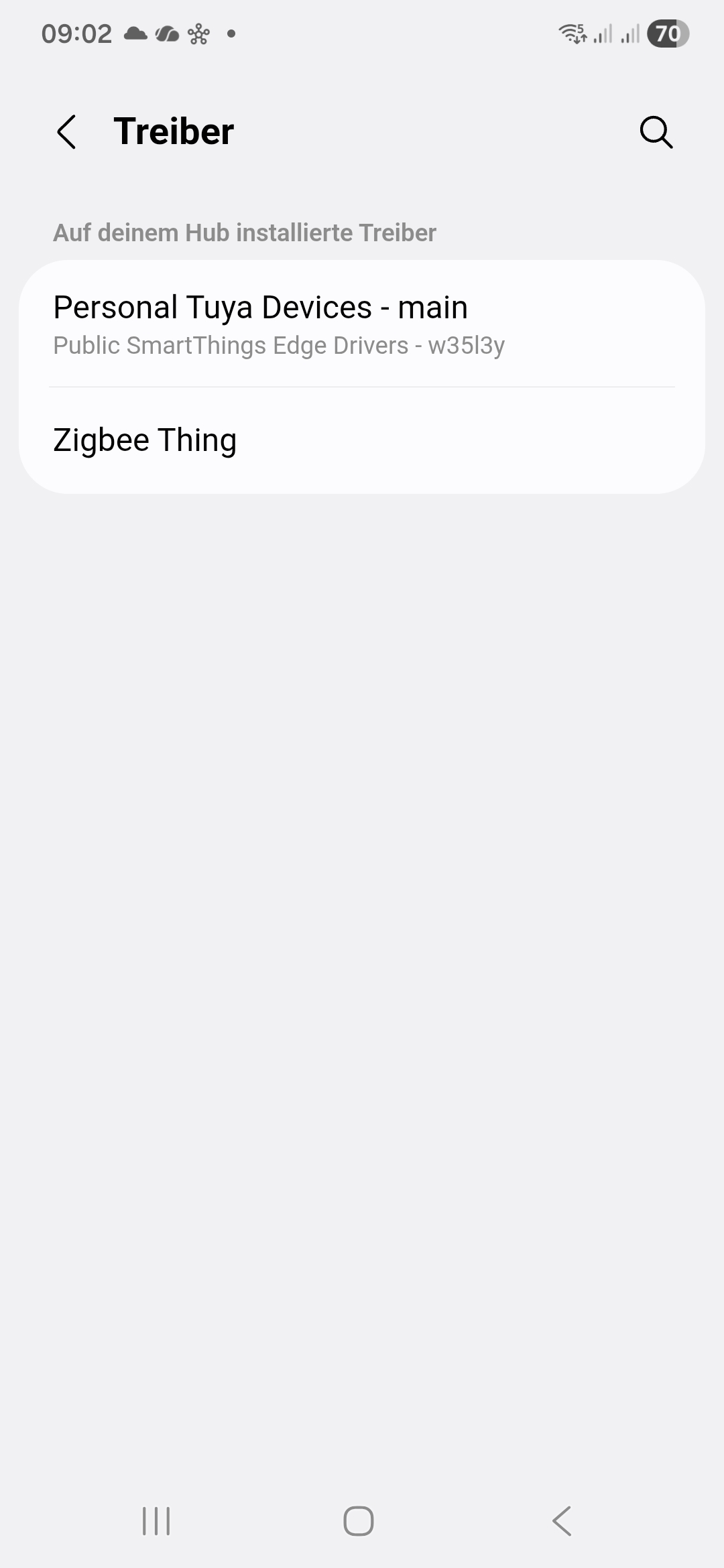
Try using @w35l3y default cluster driver, should also display at least the humidity.
https://api.smartthings.com/invite/6Vjd4YPVJwjN

Hey @Mariano_Colmenarejo , I really appreciate the work you’re investing into the Edge drivers! You saved my life several times. :wink:

I have one request, where I am unsure, if you are able to support it: I bought 2 contact sensors from Aliexpress (https://de.aliexpress.com/item/1005009020504029.html) and I can’t make it work with your Zigbee Thing MC (tried others, too).

Model: ZG-102Z
Manufacturer Code: HOBEIAN

Would you mind adding it to any of your drivers? Thanks in advance!

Have you tried the zigbee contact MC driver?

If that doesn’t work you can try the Generic EF driver or the Default Clusters Driver from W35l3y channel:

[ST Edge] Personal Tuya Devices - Generic EF00 Device

The Contact MC Driver didn’t show up unfortunately.

But I’ve tried the Generic driver above (had installed it already), played with the profiles and Garage Door profile did work (not Contact Sensor). :tada: Thanks a lot for the hint, @marcos!

Hello, I have the following question: Is it possible to implement a threshold to distinguish between open and unlocked doors? Normally, contact sensors incorrectly register an unlocked door as closed. Is there perhaps a sensor that supports this function?

There are some approaches to this:

  1. a smart lock on the door together with the contact sensor can give you the lock/unlock information and the open/close status.

  2. you can adapt a contact sensor. Already saw a project here in the community:

    https://community.smartthings.com/t/advice-on-integrating-aqara-sensors-to-give-a-physical-or-audible-warning/284838?u=marcos.scheffler

Hi @Mariano_Colmenarejo,

Could you please add this Tuya device to your driver Zigbee Window Treatment Mc? It is a MOES Smart Curtain Switch (Touch).

  • Manufacturer: _TZE204_5slehgeo

  • Model: TS0601

  • Type: Curtain Switch / Roller Blind

Thank you for your work!

Hi Mariano (@Mariano_Colmenarejo), Could you please add this device to your Zigbee Multi Switch and Child Mc driver? It is a SONOFF ZBMINI Extreme (Relay).

  • Manufacturer: SONOFF

  • Model: ZBMINIR2

  • FingerPrinted_EndPoint.Id: 0x01

  • App Version: 0x10

  • ZCL Version: 0x03

  • Network ID: 0x37DB

  • Zigbee EUI: 08B95FFFFE0FABBE

  • Server Clusters: 0000, 0003, 0004, 0006, 0B05, FC57, FC11

  • Client Clusters: 0003, 0006, 0019

Thank you for your great work!

Hi,

It doesn’t work with my driver.
Maybe it will work with @iquix driver.

Hi,

It should work with the SmartThings Zigbee Switch driver.

This device is a single switch, do you want I add to zigbee switch Mc?

Hello,

I am a SmartThings user and recently purchased a Tuya-based Zigbee Radiator Thermostat (Model: ME167). I wanted to automate my heating valves based on other temperature and window sensors connected to SmartThings, but I am having trouble getting it recognized by the Edge Driver.

The device is currently being detected as a “Zigbee Thing,” and even after manually switching to your driver, it does not function correctly because the fingerprint seems to be missing.

Here is the device information from the Advanced Web:

I found that this specific model was recently discussed and added to Zigbee2MQTT (Issue #24620), which might provide the necessary DP ID mapping information: https://github.com/Koenkk/zigbee2mqtt/issues/24620

Could you please check if it’s possible to add this fingerprint to your driver? It would be a great help for me and other users with the same device.

Thank you for your time and for all the great work you do for the community.

This device is using cluster EF00. @Mariano_Colmenarejo is not supporting this cluster. You better use @w35l3y Tuya Specific EF00 driver from here:

https://api.smartthings.com/invite/6Vjd4YPVJwjN
Change the profile to Thermostat. These are the DP in use (if needed) :

Hello,

I’m sorry, my driver only works with standard Zigbee clusters.

To make it work with the Tuya EF00 cluster, a completely new subdriver would need to be developed, requiring a significant investment of time writing and debugging the code.

If you just bought those valves to use with SmartThings, I would recommend you to return them and buy very similar ones, such as SONOFF model TRVZB. They use standard Zigbee clusters, may be have an official smartthings Sonoff driver, and also works with my driver Mc.

In smartthings, Devices using the specific Tuya EF00 cluster cannot have their periodic Zigbee reporting frequency configured and send all the data points very frequently, often overloading your Zigbee network, especially if you’re using multiple devices, as is likely the case here.

I believe this is the most beneficial solution for everyone.

Or AliExpress

https://a.aliexpress.com/_EzkBnRE

Thank you for your answer. I’ll give it a try with the driver you mentioned!

Thank you so much for your kind response. I’ll try it with the driver you suggested, and if that doesn’t work, I’ll use the product you mentioned. Thank you!

Hi Mariano,

Could you add a fingerprint for the new Sonoff temperature and humidity sensor the SNZB-02DR2. It is an upgrade of the SNZB-02D

MODEL: SNZB-02DR2

Manufacturer Code: SONOFF

Thanks in advance.

Hi Mariano,

Could you please add a new fingerprint for the Aqara Wall Switch H2 2 Button 2 Pole (US) to your Zigbee Multi-Switch and Child Mc driver?

It is a 2 button switch that supports decoupled mode.

  • Manufacturer: LUMI

  • Model: lumi.switch.agl005

  • Device Label: Aqara Wall Switch H2 2 Button 2 Pole

Thank you for your work on these drivers!