I just got a “Cleverio” water leak sensor (“Water Sensor SS400” on the packaging), which pops up as a Zigbee Thing model: TS0207.
I was hoping that the moisture sensor driver for TS0207 would work, but it only shows the device information and no sensor data.
Is there any chance to expose support for setting the color ring values of the Fibaro Walli Outlet (Z-wave power outlet/switch), such that Parameter 11 - LED frame – colour when ON can be controlled by a SmartThings routine on the fly as a Command? This parameter defines the LED colour when the device is ON.
In other words, being able to run a routine and change the ring’s color based on e.g. an unrelated SmartThings event.
You can find out more on the device’s configuration on page 20.
What fingerprints does this device have to locate its code and profile within the driver.
I see some fibaro device profiles, but the LED color values in preferences do not match the values in the documentation posted.
These parameter values are normally in preferences and in order to use them in routines it is necessary to create a custom capability, a specific profile that contains this capability and a new subdriver to manage the code, which should only affect this model.
It’s a lot of work and I don’t know how important it is for you to use these LED color changes in routines.
Thanks for the info and quick response Mariano! Much appreciated. I understand that this is complicated. I wanted to use the LED indicator as a presence indicator for the room outside which it sits (and it would be triggered by a motion sensor inside).
I’ll find some other way, sounds too complicated to do. Thanks again!
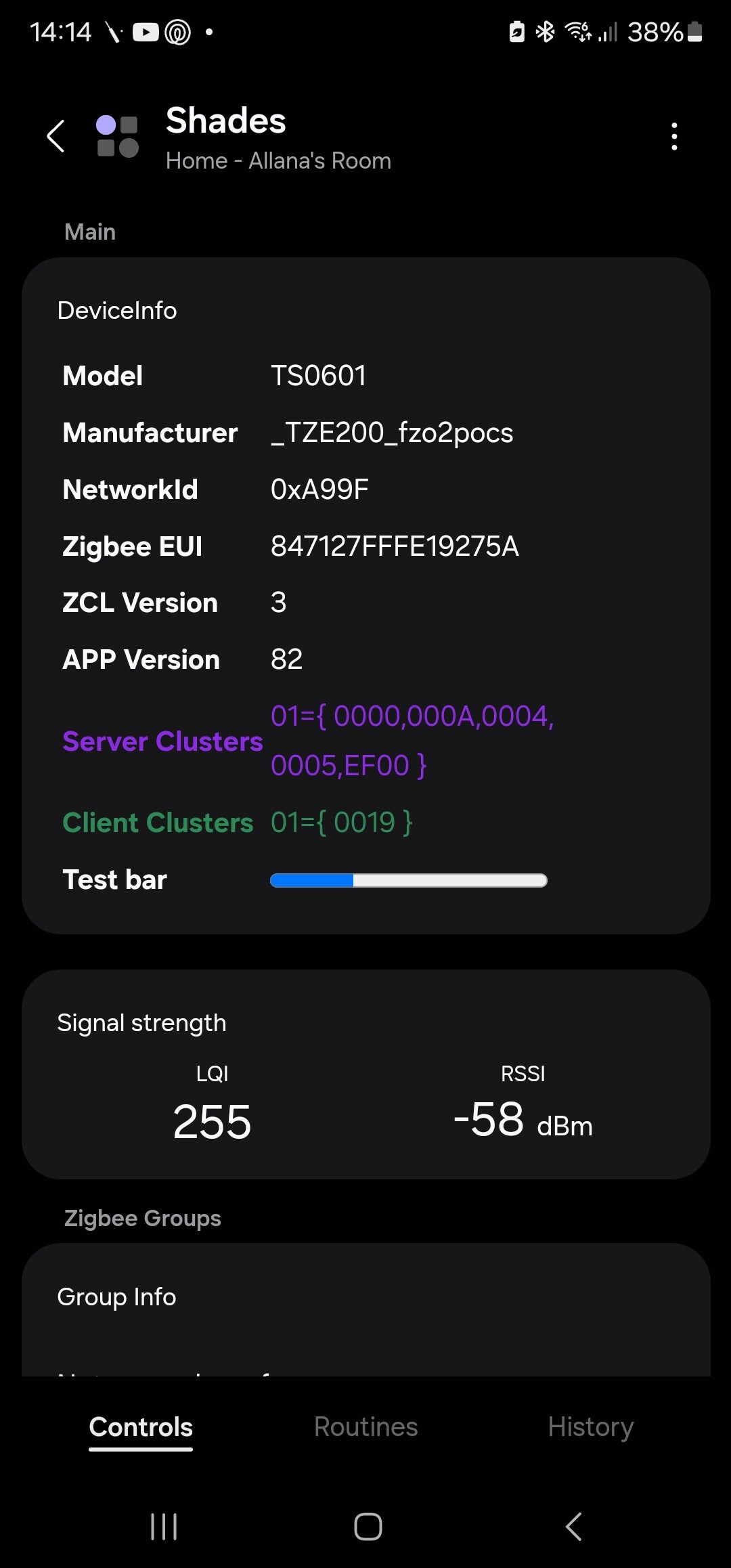
Hope you are well…I have a couple of these roller blinds motor that I had purchased and installed and they worked well till ST changed their platform… below if the link to the product…
Attached is the fingerprints. Could you please ad always create the driver for me for this product.