Hi there, looking for a smart lock to merge into my SmartThings ecosystem. I have a Samsung Smart fridge running Family Hub. I have noticed that some smart devices can be controlled directly from the family hub as on the app (ex: robot vacuum, washing machine), some cannot (only show connecting status). I was wondering if any smart lock can be controlled directly via family hub?
I believe only Zigbee or Matter…
Without the Zigbee/Thread dongle, the Family Hub can support:
- Wi-Fi locks that the ST app supports via cloud→cloud integration
- Matter over Wi-Fi locks
With the dongle, it can additionally support:
- Zigbee locks
- Matter over Thread locks
As always, “support” is somewhat dependent on the specific vendor and model.
Hi there,
I do have a dongle, so my family hub supports Zigbee, but the question is, can we control those devices on the family hub? Some of my Zigbee devices only have an on/off button on the icon, and can not access the device UI as the mobile app does. Matter devices don’t even have an on/off button. Means you can only see the devices on the list, but can not control them.
Ok, I understand your question better now. I just checked a couple of my Matter devices that are actually commissioned to my ST Station and show up in both the mobile app and on the fridge app. Comparing what I see in both, there are some differences. The device card itself presented the same functions so, for example, I could change the color and and dimmer levels of my smart nightlight. However, on the 3-dot menu, I didn’t have access to change settings on the fridge app where I do in the mobile app.
What that says about potential lock functionality I can’t say for sure. But it would seem to indicate that for the function(s) that appear on the dashboard and on the device card, the fridge app would have access to them.
Hi there,
Do you mean that you can control the colour and dimmer levels of a smart nightlight from the fridge? Which light do you have, and what edge driver do you install?
I have IKEA light bulbs using Smartthings Zigbee Switch driver. I can’t access the control panel on the fridge as mobile does anymore. I can only control on/off using the switch button on the drive card. When I click the light bulb on the fridge device card, it only shows connection status (ex: device is connected). No extra settings are available.
Yes, I can control the color and dimmer level. In this case, it’s the 3rd Reality Smart Nightlight using 3rd Reality’s driver. But, I see similar behavior for other devices like Eve Energy outlets and my Z-Wave dimmers/switches.


Not sure why you aren’t seeing all the device card options. I did notice that when I went back to my Eve Energy output, the Settings are now showing up on the fridge 3-dot menu so perhaps there is a lag in loading the info from the ST cloud to the fridge app.
Hi there,
Thx for the screenshots. May I ask what version of os do you have in the fridge? Tizen 7?
The UI on the mobile side looks similar to mine, but not the same. I used to get exactly the same UI as you are, but I believe that SmartThings has updated its driver. When I still have the old driver, I can use the fridge to access the UI, but it shows pop message saying something like “this device has not update all its function…. Etc”
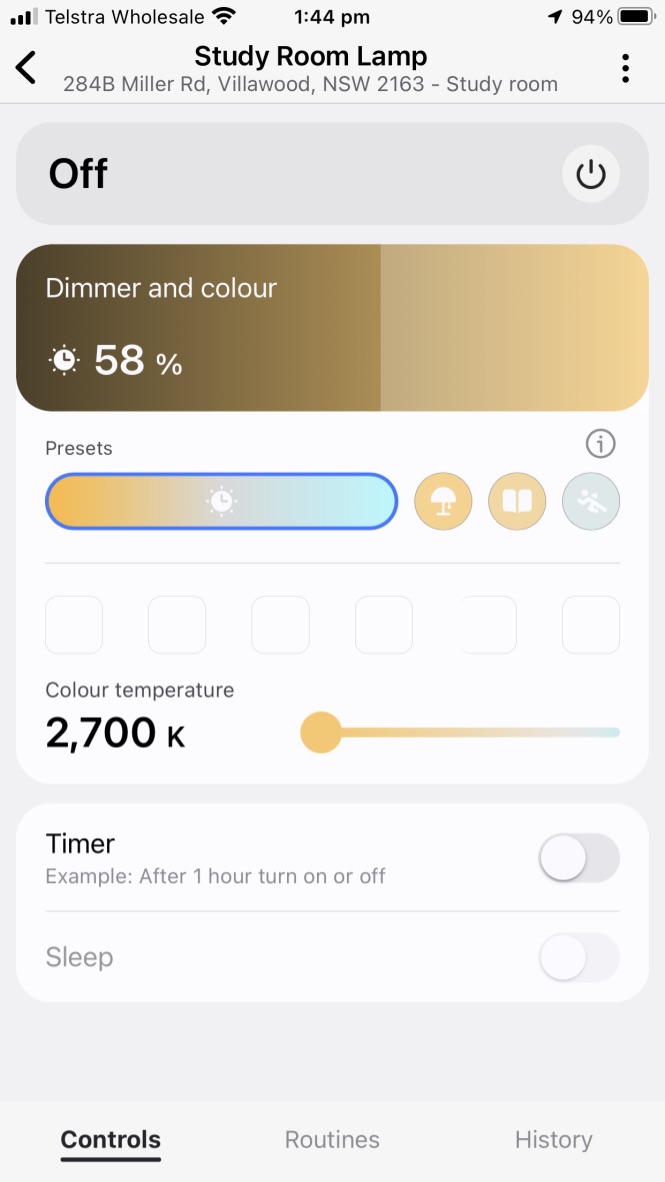
Yes, Tizen 7.0 and ST hub version 58.13.
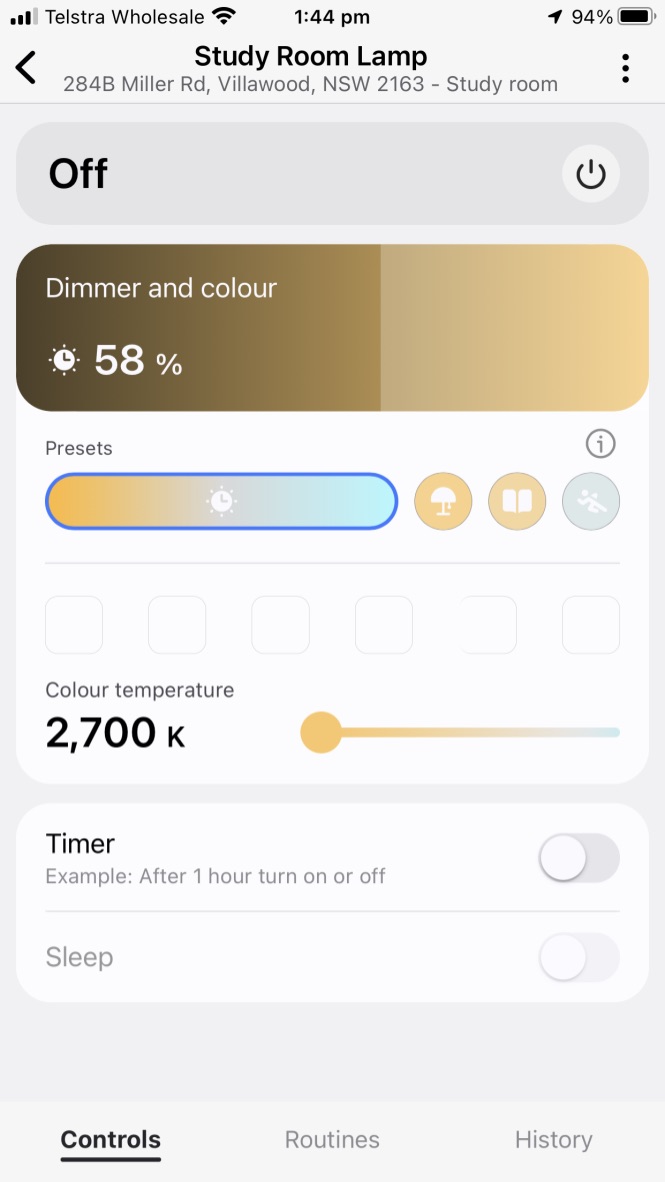
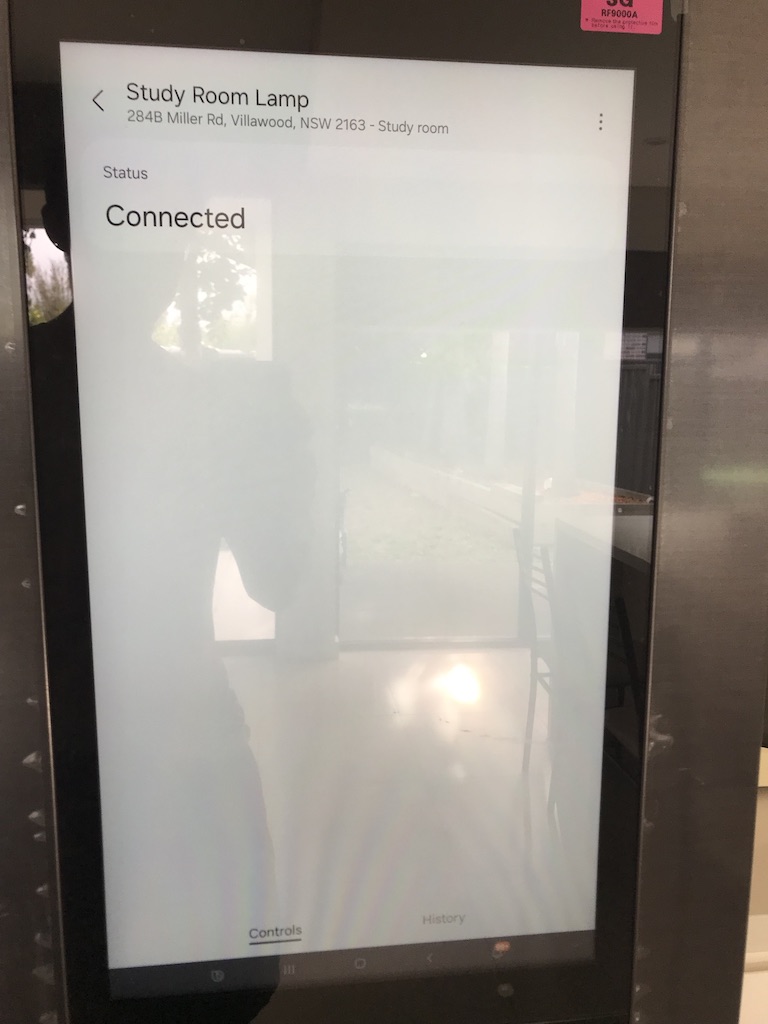

Don’t see any screenshots in your post.
So, this is my only Zigbee device and it happens to be my neighbor’s bathroom light (long story) so it’s offline many times a day. Suffice to say, even though it’s currently offline, you can see that the mobile app device card and the fridge device card look identical and would allow you to adjust color, dimmer level, and color temp. It’s using the stock Zigbee Switch driver.


reupload the images, see the original post
What version of Zigbee Switch driver do you have? Mine shows 2026-02-02T18. It seems to have been updated just yesterday.
2026-02-02T18:35:17.11086768
The same thing was happening to me with my Google Nest Thermostat last year. It was working fine in Tizen version 6 and after upgrading to Tizen 7 it only showed Connected. It took almost a year of error reports and complaining to Samsung for them to get it fixed again. And it still isn’t 100%; there are still bugs, like if on “Heat/Cool” mode I can’t change the temperatures in the controller without swapping modes from “Heat/Cool” to something else and the back. Or if using the Thermostat widget on the home screen the buttons to change temperature (another way to quickly change temperature without opening controller) will disappear and reappear at random. I can again fix this temporarily by changing the thermostat mode and change it back and it works, but it will bug out again later and it’s very annoying. It’s still better than not being able to control my thermostat at all like last year when all it said was “Connected”.
So where to complain about this? On the community channel? I have 2 ikea buibs actually. I remember when I paired the first buibs about year ago, the system is still Tizen 6. I have a full access on the family hub. Even after upgrading to Tizen 7, the access was still here, however with a pop up notice. When I pair the second one last week with the same driver under Tizen 7, I can only see the connection status. Strangely, I can still access the full UI on the first buib. But after repairing the first buib, the UI disappear.
I’d start by opening a support case.
Just like h0ckeysk8er said, open a support case. In the SmartThings App click “Menu" in the bottom right, then scroll down and click on “Contact us". Fill everything out and provide photos and/or video if you can. You can also report via the fridge, but it’s much harder to do (must use fridges keyboard), doesn’t list SmartThings as an option for problem apps, can’t upload (send photos/videos of issue), and will not get a response back from an agent doing it this way. But they will still get the error report and Samsung Techs asked me to do it both ways just so they could see the error logs via the fridge itself. Best if you do send a fridge error report to do it after getting a ticket number via the SmartThings App as you can then reference it in the fridges error report and it help out the techs better isolate your problem.