@DNA1010 and @teremot
Try the following driver by @zambobmaz
@dotan_shai It works!!! Thank you much!!!
1 Like
@dotan_shai Perfect! It’s working. Thank you!
1 Like

@M.3
Should work with @ygerlovin driver. Give it a try. His channel is here:
Hi,
I have problem with the Moes 4 buttons switch.
Initial setup was Ok and i able to connect the Smartthings Hubs.
Next day, the connection seems lost and the 4 LEDs keep flashing and i am not able execute the automation.
After that i tried to reset the Switch (pressing button#3 for 10s), and unable detect the switch using “near by” and i have tried to restart the Smartthing Hub but same result.
Anyone could help on this? thanks
That’s the same problem that JevadDave L have.
This was mentioned above and required a change in the 4 buttons switch edge driver.
@erickv can you please follow the instructions @Trakker2 mention:
Hope you’ll find it easy to implement
1 Like
The problem for me now is…
The 4 Buttons switch is in pairing mode (4 LEDs is flashing) and i tried to add “New device” from ST but it does not appear or detected.
anyone could help on this?
I have three TS0044. Two work great, the third eats batteries and all lights flash periodically. Also when the battery is almost dead it flashes steady and wont function at all, not even to pair. You just have the change the battery to bring it back to life. But it will run down a new battery in just a day or two.

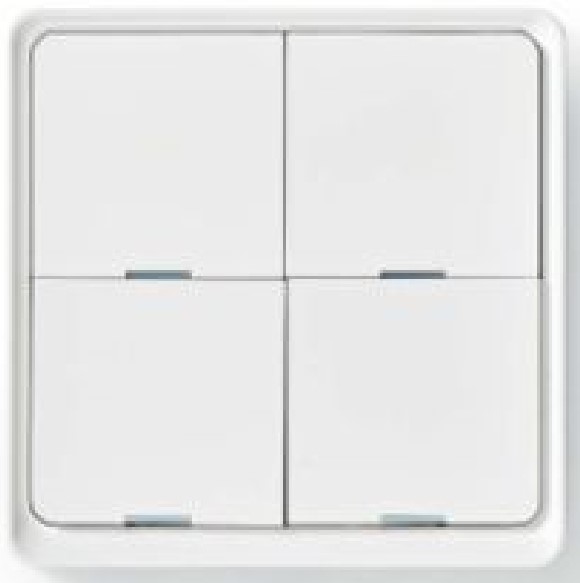
I bought from Motonet Nedis SmartLife 95-02610 Nedis 4 switches (buttons).
Nedis type is ZBWS40WT.
Nedis 4 switches (buttons) fingerprints are same:
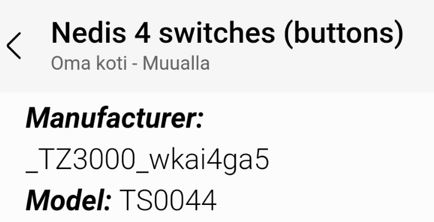
So it’s possible to use this driver for Nedis 4 switches (buttons).
Hi @TapioX
This fingerprint is in the fingerprint of github driver of @erickv
It could works
 # "Yagusmart" 4-Button Scene Switch
  - id: "_TZ3000_wkai4ga5/TS0044"
    deviceLabel: "Yagusmart Switch"
    manufacturer: "_TZ3000_wkai4ga5"
    model: "TS0044"
    deviceProfileName: 4-button-battery
2 Likes
Yes it works. I’ve been using the driver for a couple of days now.
Sorry I misinterpreted your post. 
has anyone found a driver that doesnt drain the battery of the 4 button battery zigbee switch? every driver i try seems to drain the battery in 1 or 2 days.
@Mariano_Colmenarejo , @erickv
Can you please try to fix that driver ?
Hello,
Before I buy the Smart Knob, I’d like to know if your driver will allow me to create automations based on the angle the knob is rotated in a reliable way. I guess either by triggering an automation for every value change, or directly by triggering with an angle value. I’ll then manage to send IR commands via another driver and device.
I tried with IKEA’s SYMFONISK Remote (Gen 1 was a knob), but this device only reports “left” / “right” / “no movement”, with no information about the angle of rotation.
I don’t know what you are trying to do…
For me with Aqara Cube, I was able to detect left/right rotation and change dimming of a dimmed device.
Each time add or subtract 10% , I did it with Sharptools rules engine. Worked for me… Until my aqara cube battery died.
I’d just like to control my AV receiver’s volume with a remote knob. A knob like the IKEA SYMFONISK Remote Gen 1 only gives the left/right/stopped information. So I could only increase/decrease volume by steps of 1dB and if I wanted to decrease by 10dB, I had to give it 10 successive swings. I’d like to be able to change the volume by little steps with small rotations and larger steps with larger rotations.
I don’t know a knob that you can measure the angle. But you increase by any amount you like. If St allow only 1dB steps, you can use @joshua_lyon Sharptools to increase/decrease by any level you like.
I successfully increased and decreased 10% (not 1%) of a light dimmer with each rotation CW or CCW , with Aqara cube.
1 Like