Hi,
I’ve got a couple of virtual locks that trigger alexa routines. I notice i can no longer unlock a virtual lock anymore via ST routines, so this really messes my automations up. Locking still works, but not unlocking.
Any fix for this? Tx
Hi,
I’ve got a couple of virtual locks that trigger alexa routines. I notice i can no longer unlock a virtual lock anymore via ST routines, so this really messes my automations up. Locking still works, but not unlocking.
Any fix for this? Tx
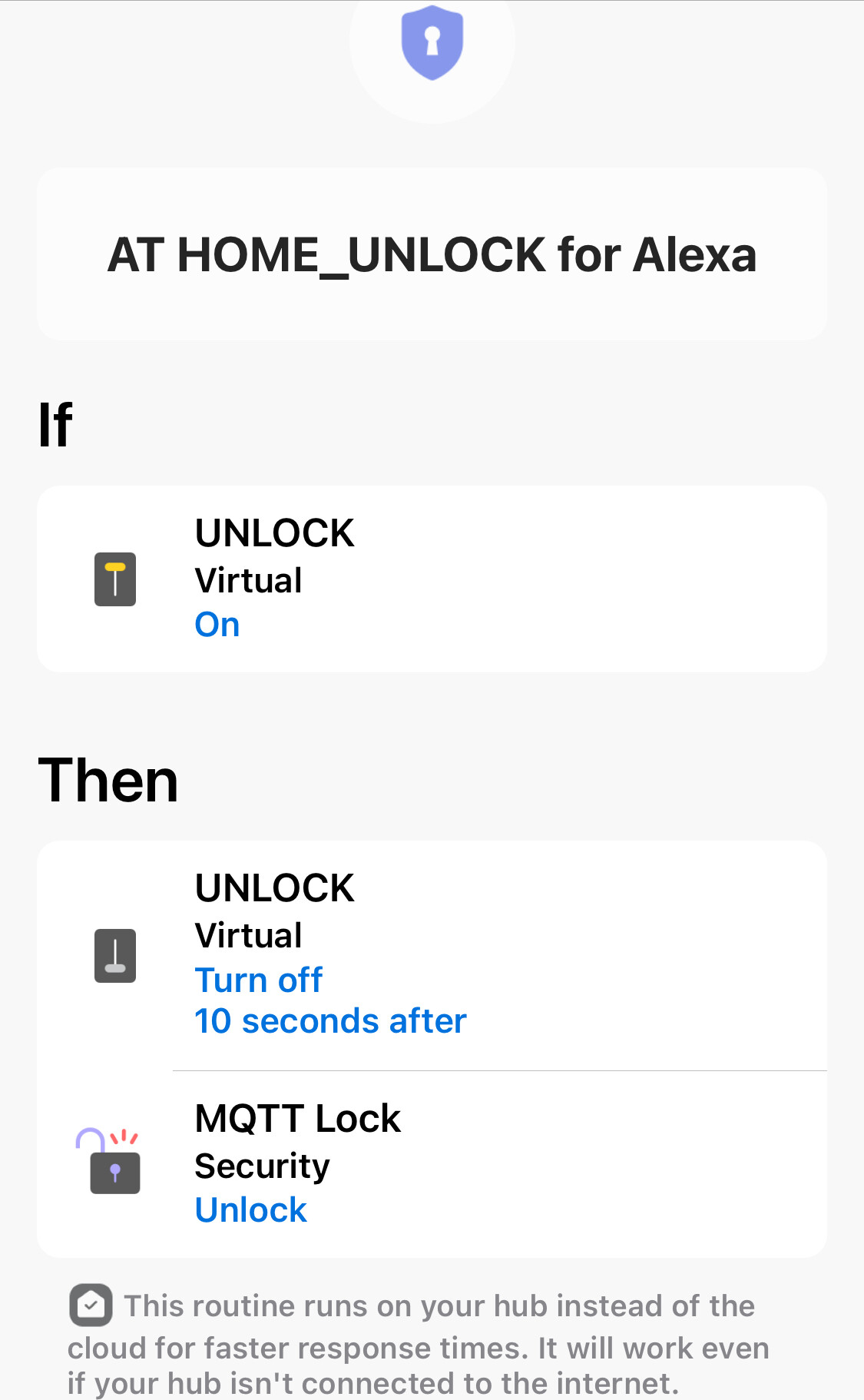
I’ve never been able to unlock a ST virtual lock in an Alexa routine, but that’s a limitation of Alexa that allows locking, but not unlocking. Have had to use a ST routine with another virtual switch (UNLOCK) which is switched by the Alexa routine.
Smartthings routines do allow locking and unlocking of a virtual switch, at least in the case of the vEdge Virtual V2 by @TAustin
Thats not the issue, my issue is actually unlocking the device via an ST routine. That is then my trigger in alexa, its not my action.
This always used to work, but since a couple of days/weeks (no clue) it doesnt anymore.
Since I dont have a hub, my virtual locks are created via My smartthings page and then created in the cloud.
I found the solution, it is “dirty” yet simple and works. Instead of “lock” define your trigger as “garage door opener”. I know it sounds ridiculous…but please blame Samsung for this. I had the same problem as you described yours, and I spent all day trying all combinations and finally the “garage door opener” works like “locks”. I have my Alexa routines triggered properly, and my SmartThings app can set the “trigger” to “open” and “closed” value at will and as I desire
Nice suggestion, however that sadly doesnt seem to work.
Alexa routine is triggered by the contact sensor opening or closing.
While ST can only change the status of the garage door, not the actual contact sensor.
I just created the device and tested a routine, didnt work…
I’m in the same situation here…
Any workarounds? It’s breaking some of the fundamental automation routines I have at home around security (sync’ing Smartthings’ and Alexa’s Away modes, for instance)
What is your specific issue?
Hi,
No fix yet… i noticed that the old locks i had created still worked (locking and unlocking from ST routines). The issue seemed to occur only on newly created locks.
Luckily in my case i had created some reserve locks and i’m now using those.
An actual fix or workaround is still welcome
I’m in the same situation unfortunately, SAMSUNG please fix this!
You need to report issues directly to ST support through the app. Support does not actively monitor the community forum.