Hi Eric,
Thanks for publishing these devices. It took a while, but I got Flush 2 - Relay up and running.
Best Regards,
Jacob
Hi Eric,
Thanks for publishing these devices. It took a while, but I got Flush 2 - Relay up and running.
Best Regards,
Jacob
Thx. I tried tapping with no luck. The relay is always on, even if there is no load on it. The other relay just works fine
Yep, that is what mine did. Has been working fine since I switched to a different brand of LED. I personally think this is a product defect so you may want to reach out for warranty support.
Gggrrrr!
Not my night! Help @erocm1231
Not sure what I am doing wrong,is it working as designed or I am the dumbest which is probably the most likely.
How on earth can I get the relay to only output to Q1 if L1 has a live feed going to it.
I grabbed a few of these due to their small size compared to the FIbaros as wanted to use them in some LED PIR Floods which have limited space inside them.
The problem is that if the PIR activates the light and it is subsequently manually turned off then when the PIR times out the light switches back on again, L1 is switching the relay with every change in feed. The same applies if I manually turn the relay on via ST, the PIR then turns the light off. I have tried using L2 but this does nothing.
What am I doing wrong or is this relay working as designed and just not suitable for what I am trying to use it for. It does not make sense to me that there is no option for it to work this way or am I simply missing something obvious here? The Fibaros work fine, switching the relay on/off with the live feed to S1 etc…
If this is as designed and there is no way round it do you know if the PAN04 and PAN04-1B behave in the same way or do they behave like the FIbaros and are able to switch the output on/off with the S1 live on/off?
Thanks,
Mark.
EDIT: I am using the Flush 1 relay not the 1D
Man, you are having a rough night.  So I think you are wanting an option that isn’t on the Qubino. The Qubino supports a toggle switch or a momentary switch, but with either input it changes the relay state when it detects either 1) 120V to 0V or 0V to 120V power change when in toggle mode or 2) 0V to 120V to 0V in momentary mode. What you are looking for is a third mode which the Fibaro has:
- toggle switch (contact closed - ON, contact opened - OFF)
So those two options are taken from the Fibaro manual and I left the non-bolded option so you can see that the Fibaro actually also supports the method the Qubino uses.
In that bolded mode the relay will turn on when 120V is on the input and will turn off when it isn’t.
Thank again Eric!
Just confirmed what I tested out. Seems like a big omission on the Qubino part imho but it is what is it.
I have stacks of Fibaros here and at 3am (UK), just before I tried to sleep which I could not lol, I gutted one of the lights out and can fit the Fibaro in so good to go. Just have to do some switching of units as (as discussed in Fibaro 233 thread) the 223 does not support ‘override’ Off whereas the 222 does, again not sure why Fibaro changed this in the 2X3 series as I cannot see why anyone would want a delay if turning off manually from within ST, it really should just apply to switching via S1/S2. Do not really need metering on Security lights but would have been nice to have.
Anyway Thanks again for help!
Regards,
Mark.
Just to update, With a bit of a harder careful tap on the relay, it finally worked for me … for now … thanks for the advise Eric !
Thanks alot for your efforts @erocm1231 ! You seem to know your way around the Qubino devices, you haven’t looked at the thermostats? Both the on/off the the PWM version? I’ve been trying for ages…
I haven’t had either one to play with. It looks very similar to their other products. Have you tried the Flush 1 Relay and 1D Relay handlers?
I’ve tried, but I would really need a template to work with for the thermostat part. The Stelpro Ki Thermostat DH is almost working for these parts, but I haven’t found a way to view the code in the released DH:s?
Is this the one for the thermostat:
https://github.com/stelpro/Ki-Z-Wave-Thermostat/blob/master/STZW402%2B(multi_attribute_tile).txt
Have a retractive push switch connected to i2 on one Qubino dimmer which I want to use to toggle another Qubino.
Having to use CoRE as Smart Lighting doesn’t have a toggle function.
CoRE is set to toggle the remote Qubino when i2 state changes to closed.
It’s working, but seems to be very sporadic. I’ve tried changing the CoRE trigger between “changes to closed”, “is closed” and “moves away from open” but still very sporadic. Sometimes it works, sometimes it works after delay.
Problem doesn’t seem to be the Qubino child handler- it’s reporting happily:-
7:01:30 PM: debug NotificationReport: NotificationReport(event: 0, eventParameter: [], eventParametersLength: 0, notificationStatus: 255, notificationType: 5, reserved61: 0, sequence: false, v1AlarmLevel: 0, v1AlarmType: 0, zensorNetSourceNodeId: 0)
7:01:30 PM: debug description: zw device: 65, command: 7105, payload: 00 00 00 FF 05 00 00
7:01:28 PM: debug NotificationReport: NotificationReport(event: 2, eventParameter: [], eventParametersLength: 0, notificationStatus: 255, notificationType: 5, reserved61: 0, sequence: false, v1AlarmLevel: 0, v1AlarmType: 0, zensorNetSourceNodeId: 0)
de299f87-a7a8-47be-a9d1-658ce862464b 7:01:28 PM: debug description: zw device: 65, command: 7105, payload: 00 00 00 FF 05 02 00
I’ve not used CoRE too much as Smart Lighting fulfils 90% of my needs…not sure if there’s “scan” times, etc.
Any suggestions for getting a “push” on i2 on one Qubino to toggle another device- with or without CoRE?
It seems like CoRE should do the trick. So if the child device is reporting the correct state open/close, it probably is something with the SmartApp firing. Not sure it would make much of a difference, but WebCoRE might be worth a try.
Thanks. Re-thought and decide to try z-wave tweaker and association groups- this will deal with 90% of my i2/ i3 needs.
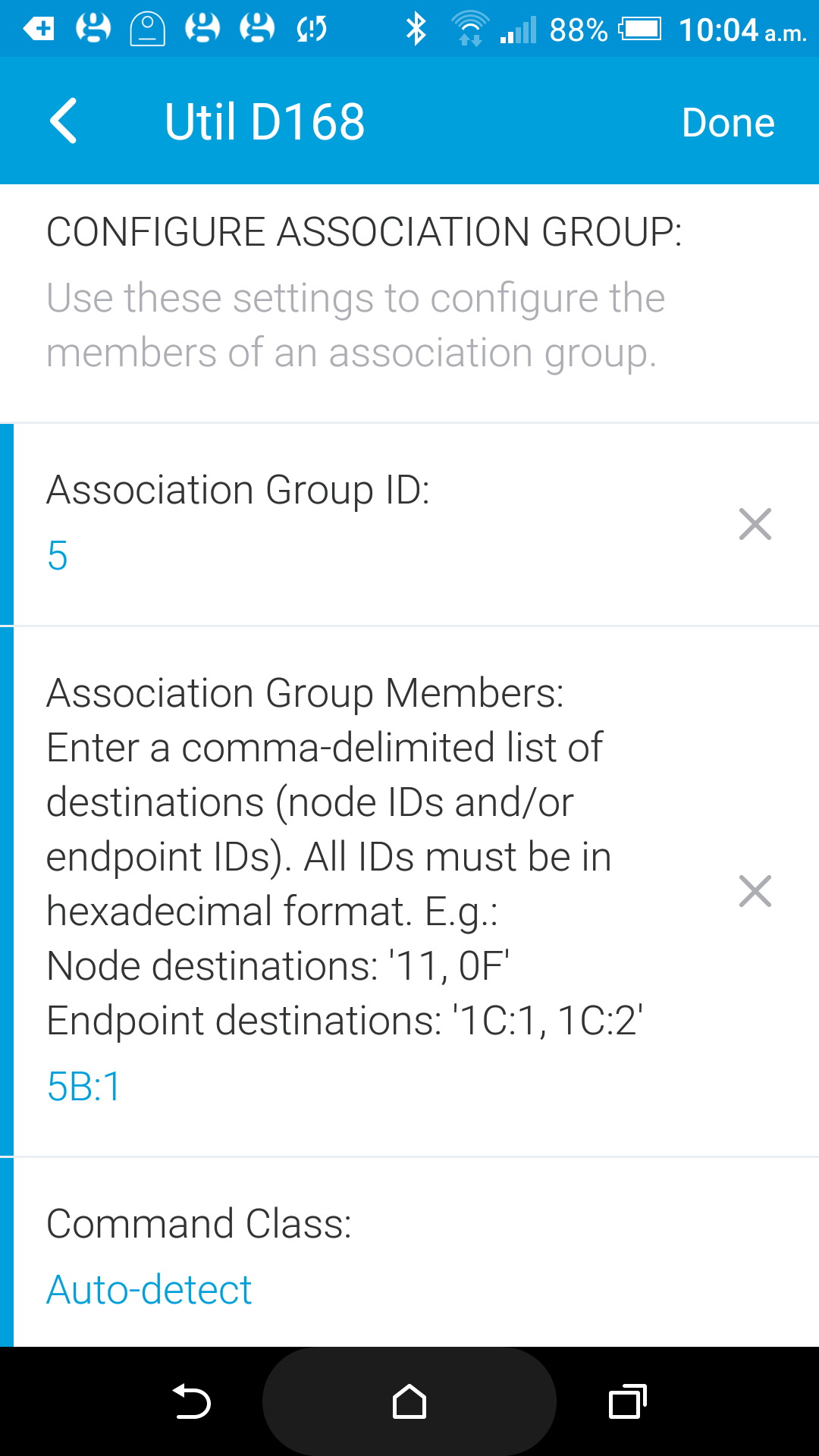
This works fine, is fast and removes the dependency on Smartthings. Works if I put the remote address in as just the node ID, or as the node ID:1 (for endpoint 1)
The only problem with this is that the remote Qubino doesn’t update state in SmartThings- I see the power changing but not on/ off. Tried using association groups 6 and 9 to controller, but of course these just update the local i2/ i3 status
Any thoughts on how I can trigger an update of the remote device state?
Sorry…found it! I had to add SmartThings node ID 01 to association group 04 on the remote switch- this now updates status.
Almost seems like this should exist by default.
If you’re doing updates to the handlers could you consider adding the association groups- would be great to set these from within the normal device handler rather than having to switch to the tweaker!
Also means association groups would be visible and “backed up” in SmartThings…the Tweaker makes a bit more difficult to view and remember what associations you have set!
Just added some flush 1 relay devices for the first time, main devices works fine but i2/ i3 not working on two different devices (still works perfectly on dimmers)
Have tried them as binary/ motion, when set to motion this is logged when i3 pressed:- “2523aeee-54b9-4434-b196-0b8662e36b2c 2:11:32 PM: debug SensorBinaryReport: SensorBinaryReport(sensorType: null, sensorValue: 0)
2523aeee-54b9-4434-b196-0b8662e36b2c 2:11:32 PM: debug description: zw device: 6B, command: 3003, payload: 00
2523aeee-54b9-4434-b196-0b8662e36b2c 2:11:30 PM: debug Qubino Flush 1 A077: Unhandled: BasicSet(value: 0)
2523aeee-54b9-4434-b196-0b8662e36b2c 2:11:30 PM: debug description: zw device: 6B, command: 2001, payload: 00
2523aeee-54b9-4434-b196-0b8662e36b2c 2:11:26 PM: debug SensorBinaryReport: SensorBinaryReport(sensorType: null, sensorValue: 255)
2523aeee-54b9-4434-b196-0b8662e36b2c 2:11:26 PM: debug description: zw device: 6B, command: 3003, payload: FF
2523aeee-54b9-4434-b196-0b8662e36b2c 2:11:24 PM: debug Qubino Flush 1 A077: Unhandled: BasicSet(value: 255)
2523aeee-54b9-4434-b196-0b8662e36b2c 2:11:24 PM: debug description: zw device: 6B, command: 2001, payload: FF”
In the child device, state shown as “no state found”
When dealing with I2/I3 on these i would strongly reccomend using Multichannel Lifeline Association, since that will tell you from which endpoint the report originates (this is needed when both are enabled).
If no Multichannel Lifeline Association is created, and just the Singlechannel one is used (via Association Set group1 to node Id 1) then the device will still report Binary Sensor/Notification Reports, but it isn’t allowed by the protocol to report Multichannel Encapsulated Reports, so the endpoint address is missing.
See here for mor eifno regarding this:
Hi Kjamsek,
been having quite a bit of trouble with any form of association! In part this seems to be due to some old associations I had in some devices- have now been round most devices and removed these which seems to have improved things.
Also found the tweaker isn’t working consistently, ie with some devices I’m getting “null object @ line 1619” as per this:-
https://github.com/codersaur/SmartThings/issues/17
Think I understand your comment. In the tweaker I can configure destination association members as node:endpoint- but how do I configure the source:endpoint without having to revert to code? It sounds like for I3, for instance, I need to address the association trap from 0302 rather than from association group 8- but I don’t have a clue how or where to put this!
I’m not big on coding (understatement!), but I’ve had a go at kludging together the group association code from your Qubino dimmer device handler with Eric’s:-
https://github.com/erocm123/SmartThingsPublic/compare/master...chrisgla:patch-1
I think this is nearly there but needs the command logic added to populate/ send the group associations. Sorry, I still really haven’t got my head round Groovy and formatting of these…
I noted your previous comment as well about Eric’s drive not being picked up- I had this problem previously but just added two new Flush 2 and two new Flush 1 relays and re-added a dimmer. These worked perfectly this time although that was before this week’s hub downgrade.
Last i’ve tried to use both inputs enabled on the Flush Dimmer a couple months ago, i’ve had trouble with SmartThings actually executing my handler after inclusion (and didn’t have the chance to re-test it again after these updates, but plan to do so when possible), but i can show you a snippet of how i implemented Multichannel Lifeline setting on the Flush Shutter handler i’ve made, that uses a configurable endpoint 2 to control slat tilting if desired (the same approach is used on all Qubino devices with configurable Z-Wave structure).
First i use the configure capability to remove and re-set the singlechannel Lifeline (this is just for clarity’s sake to make sure it’s set in the first place) and after that i send a MultiChannel Endpoint Get command, that will return the number of endpoints the device supports in it’s current configuration (Z-Wave requires reinclusion after any changes to the device command class structure is made):
def configure() {
	log.debug "Qubino Flush Shutter: configure()"
	state.isMcDevice = false //Internal state used for determining if it's in MultiChannel configuration or not, initially set to false
	def assocCmds = []
	assocCmds << zwave.associationV1.associationRemove(groupingIdentifier:1).format() //We clear the SingleChannel Lifeline if present
	assocCmds << zwave.associationV1.associationSet(groupingIdentifier:1, nodeId:zwaveHubNodeId).format() //We re-establish SingleChannel lifeline in case the device doesn't support any endpoints in it's configuration
	assocCmds << zwave.multiChannelV3.multiChannelEndPointGet().format() //Fetches number of currently supported endpoints
	return delayBetween(assocCmds, 500)
}
This will cause the device to respond with MultiChannel Endpoint Report if any endpoints are supported, along with the number of endpoints. In case no endpoints are supported the device won’t reply to this so it won’t execute.
I then use a Z-Wave event for that command to trigger MultiChannel Lifeline association setting like this:
/**
 * Event handler for received MultiChannelEndPointReport commands. Used to distinguish when the device is in singlechannel or multichannel configuration.
 *
 * @param cmd communication frame
 * @return commands to set up a MC Lifeline association.
*/
def zwaveEvent(physicalgraph.zwave.commands.multichannelv3.MultiChannelEndPointReport cmd){
	log.debug "Qubino Flush Shutter: firing MultiChannelEndPointReport"
	if(cmd.endPoints > 0){
		state.isMcDevice = true; //We have a greater than zero number of endpoints supported so we mark the state parameter as true, the device is a MultiChannel device
	}
	def cmds = []
	cmds << response(zwave.associationV1.associationRemove(groupingIdentifier:1).format()) //Here we clear the SingleChannel Lifeline since we will set up a MultiChannel one right away
	cmds << response(zwave.multiChannelAssociationV2.multiChannelAssociationSet(groupingIdentifier: 1, nodeId: [0,zwaveHubNodeId,1]).format()) //Here we set the actual MultiChannel Lifeline association, note the formatting of parameters passed to nodeId field, it must match this form
	return cmds
}
To elaborate a bit on the parameters for the MultiChannel Association Set nodeId property:
nodeId: [0,zwaveHubNodeId,1]
The first parameter here needs to be 0, since it’s the SingleChannel Node id (this is used for setting a SingleChannel Lifeline; in this case the other two parameters need to be omitted. This is equivalent to an Association Set.
The second parameter zwaveHubNodeId contains the Node Id value of the primary controller, to which we wish to send MultiChannel Encapsulated Reports.
The third parameter needs to be the endpoint Id that matches the above (zwaveHubNodeId) controller’s endpoint, with ST this is 1.
Now, after the MultiChannel Lifeline is set up you should receive MultiChannel Encapsulated Reports from the device. These are needed so you can diferrentiate between which endpoint sent the specific report. See here from my Shutter handler, i use endpoint Ids to separate reports for main blinds motion (endpoint 1) from the slat tilting (endpoint 2):
/**
 * Event handler for received MC Encapsulated Switch Multilevel Report frames.
 *
 * @param cmd communication frame, command mc encapsulated communication frame; needed to distinguish sources
 * @return List of events to update the ON / OFF and analogue control elements with received values.
*/
def zwaveEvent(physicalgraph.zwave.commands.switchmultilevelv3.SwitchMultilevelReport cmd, physicalgraph.zwave.commands.multichannelv3.MultiChannelCmdEncap command){
	log.debug "Qubino Flush Shutter: firing MC switch multilevel event"
	def result = []
	switch(command.sourceEndPoint){
		case 1:
			result << createEvent(name:"windowShade", value: cmd.value ? "open" : "closed", isStateChange: true)
			if(cmd.value > 99){
				result << createEvent(name:"level", value: cmd.value, unit:"%", descriptionText:"${device.displayName} is uncalibrated! Please press calibrate!")
			}else{
				result << createEvent(name:"level", value: cmd.value, unit:"%", descriptionText:"${device.displayName} moved to ${cmd.value==99 ? 100 : cmd.value}%", isStateChange: true)
			}
		break;
		case 2:
			log.debug "Received command from EP2"
			log.debug cmd
			result << createEvent(name:"venetianState", value: cmd.value ? "Slats open" : "Slats closed", isStateChange: true)
			if(cmd.value > 99){
				result << createEvent(name:"venetianLevel", value: cmd.value, unit:"%", descriptionText:"${device.displayName} is uncalibrated! Please press calibrate!", isStateChange: true)
			}else{
				result << createEvent(name:"venetianLevel", value: cmd.value, unit:"%", descriptionText:"${device.displayName} tilted slats to ${cmd.value==99 ? 100 : cmd.value}%", isStateChange: true)
			}
		break;
	}
	return result
}
You can also find some other Qubino handlers that could serve as an example on how to implement certain features on my GitHub profile below, though for the Flush Dimmer (and other configurable input supported Qubino devices), i have a plan to rework the input detection via child devices once i have some more time, so i didn’t implement this at the moment:
I am trying to use the Flush 1D relay to control my garage door opener. At this point, I can get it only to close the door, but not open it. Any suggestions as to the reason for this?