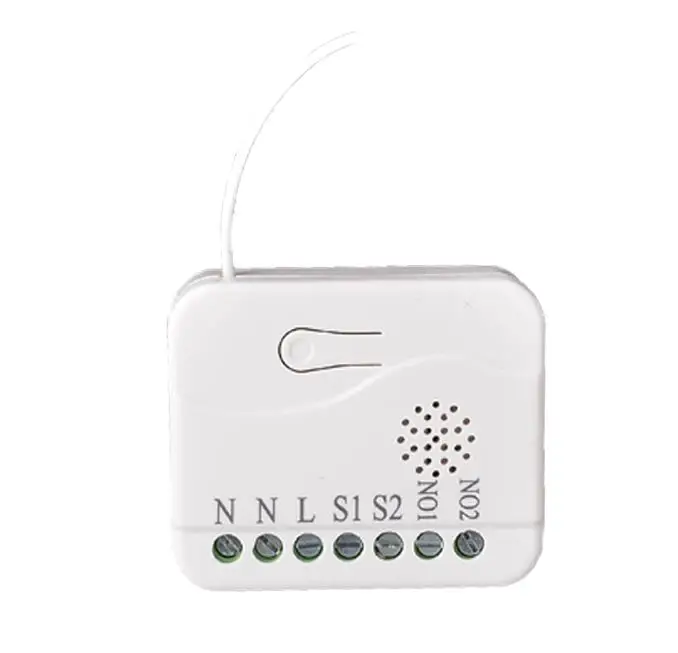
Hi Julien, thanks for the swift update. Edit. Got there in the end, much improved DTH, more responsive, well done!
And thanks to @philh30 for some invaluable guidance, both you guys rock!
My ST classic app on my mobile still cannot detect the Fibaro RS 2
I use the Fibaro-22 DH and added a new device but its still not working
I tried the same DH on the 6 other Fibaro RS2 and they worked.
Tried the reset the RS2 but it had a RED light meaning its unable to detect the ST Hub?
Any help is appreciated
Hi @julbmann
I have installed your DH and it works ok. The only issue I am having is the ability to associate my button controller to the Roller shutter. I belive this is due to the Roller shutter having the network security level at ZWAVE_LEGACY_NON_SECURE and my button controller (and the rest of my zwave connnected stuff) having ZWAVE_S0_LEGACY!
Is the non-secure inclusion a limitation on the FGR-222 or have I done something wrong? I have 11 FGR-222 and all of them have been includes as non-secure.
Yes and no! If you have hardwired your switches (S1 and S2 input in the reley) OR you have associated the Roller Shutter to a button controller, you will be able to control your blinds without internet connection as those two methods are independent of the hub.
If you havent, you will be stuck controlling your blinds thru the hub (automations or direct with the app) and if your internet connections is down you will not be able to control your blinds.
Hardwiring your switches is the preferred solution/option for local control as you can see from above post I am having problems associating my blinds due to security implementation in ST
@julbmann Hi, any way to stop all the “debug” messages going to the hub every single 7 minutes? Seems like unnecessary chatter on the network. I see no way to set logging to false…
Since few months, I noticed that my Fibaro Roller shutter devices (fgr-222) connected to my V2 UK Hub started suddenly operating randomly (eg opening without an Open order when being closed). I have 4 of these devices and they dont all open together. I noticed that randomly one of those devices open up, and then suddenly another opens up. It might be happening on power reboot of those devices, but not consistently after every power reboot, and this didn’t use to happen before .
Any help on what might be happening here ?
I’m using Julien’s DTH, and it works great. Just that this recent strange behaviour of the device by itself , especially when not moved for a while
Just updated your DH but something strange happened. I lost the schedule in the new app, and also the energy consumption and power meter boxes. Do you know why? I noticed that the icon is now a blind, thanks!
By the way, it works also with the new model FGR-223.
I am using your device handler for quite some time. it works perfecly. A few weeks i sarted to use the new ST app and it works fine but it does not show if it is the shutter is open, close ou partial. Can you help?
Hi @julbmann ,
I’m facing the same problem as @RAST2016. Everything works in classic , I can control my shutter in the official app. The status of the shutter in the official app is always :
“Checking Status”
Any ideas how to fix that ? Reminder , in 14 oct. the classic app is going to sunset…
Unfortunately I have absolutely no time to spend on this device handler. But the code is open source so anybody can have a look and modify it to support the new application.
What I did on my installation is that I switch to the default z-wave window shade device handler. It is working well in the new application. It has less feature but it works well.
Sorry that I cannot continue to support this device handler.
Thanks @julbmann
Z-wave window shade local handler worked for me as well, no more “checking status”. I was needed to switch between Q1 and Q2 wiring in order to make it work as in yours handler. I prefer your handler , but this is a good workaround.
I hope you’ll find time to adjust your handler to the official app. I don’t understand programming code at all…
Thanks for your advise.
Update : also needed to replace S1 and S2. Everything works as in your handler
Hello all.
In the new app I don’t have some functions that were present in the Classic, such as: Calibrate, Sync and Refresh.
How can we make these options appear? And how can we change the device icon?? The icon I have is a switch, not a blind…
UPDATE:
I noticed the DH was updated in March 2019 (I still use the March 2018 version). So I installed a new DH with this version:
Icon is now a blind → Great!
Still missing Calibrate, Sync and Refresh buttons
Power meter and Energy consuption missing
Just noticed that, in the March 2018 version of the DH, if I swype up/down to refresh, it triggers “Refresh” method (Live logging shows it). But with this “new” 2019 version of the DH when I swype, in the app I can see the refresh (circle icon appears), but “Refresh” method is not activated (live logging registers nothing)…
Can anyone help?? I really would like to be able to refreh when I swype using the app, because the “auto refresh” is too slow (around 5 minutes). And if I change the % of a blind, without refresh, I can only see the correct % using the app around 5 minutes later…
Because now, even if I choose back my 2018 version of the DH, it won’t work 100%, because it is always showing - “Checking Status” and inside the device is “Contact sensor” with a cloud