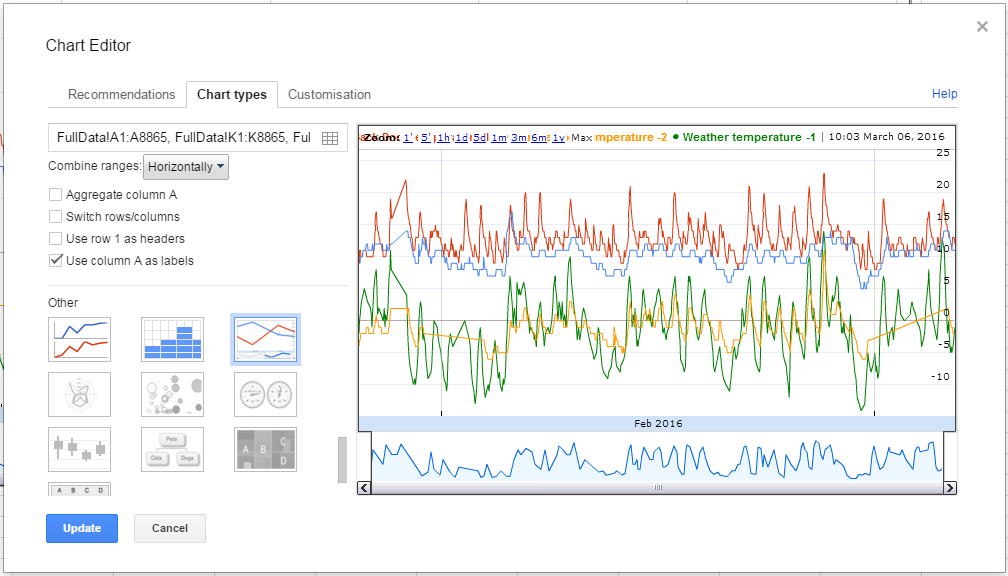
Anyone know whether this meter can differentiate between import and export? (Most can’t).
Don’t know whether it’s the same elsewhere, but here in the UK many of us have microgeneration (PV panels - yes, we have sunshine sometimes, wind turbines, etc.) and any excess is exported to the grid via the normal connection. Our meters are designed so that they don’t run backwards!
Trouble is, most simple ‘whole house’ meters can’t differentiate between, say, 4kw import from the grid, or 4kw export.
Even if it can, it for sure doesn’t store import/export KwH in seperated sets… likely you’re not selling your power back to the grid at the same rates the power company charges you, so it wouldn’t be possible to calculate the difference given the unit only has one KwH store variable (import)
Since it might be possible to show a negative Kw usage, someone might be able to cook up a tool to do the KwH -/+ calculation on the hub or a computer, though this would be inaccurate as far as the hub missing packets or due to rounding errors. They only KwH value you can only go by is the HEM’s KwH variable that’s calculated on the HEM itself.
I’m willing to bet as solar gets more popular, we’ll see new generations of HEM monitors that have two data stores for KwH import/export. Hopefully we see that soon!
I wasn’t actually thinking about cost. For me it’s all about device switching. I have a number of low priority electrical appliances that I only want to switch on when I’m exporting sufficient power to run them for free.
Trying to C&P the groovy code in a new “smart app from code” and getting this error:
No signature of method: script14580825953031798550368.metadata() is applicable for argument types: (script14580825953031798550368$_run_closure1) values: [script14580825953031798550368$_run_closure1@4c61a647] Possible solutions: getMetadata(), getState(), setState(java.lang.Object), metaClass(groovy.lang.Closure)
Search currently isn’t working for me, so forgive if this has been asked before.
I have installed both versions of the device type, but setting the device to use either one results in the ST app giving me the “unexpected error” when trying to open the list of devices. But data does show up in the IDE log for both.
If I set the meter to use the stock device, the app works perfectly. Has anyone seen this issue? I tried clearing app cache on my phone to see if that fixed it…
Please provide more specifics. Which Device handler and which ST App are you referring to? How are you installing them? How are you “setting the meter to use…” the stock device, and which app then “works perfectly”?
I received my Energy monitor today (the cheap one). After adding it to smartthings, I added both of the custom device types from this thread, not knowing which I would need/want.
If I pull up the smartthings app (not a smartapp) and look at the stock Aeon device it was working normally but with the very limited information of the stock device type.
I then changed the device type in IDE to the one labeled V2, but described as for the V1 devices [everything commented out]. Once this device type is set, if I open the ST app again, and try to view my things… i get the red banner of “unexpected error has occured.” This repeats when I try to open the specific device as well. I tried closing ST, and also tried clearing app cache in android. Neither fixed the error message. But in the IDE I was able to see the event history and reporting of the V2 custom device.
I repeated all of the above for the V2+ device type thinking maybe it was correct for my energy monitor. This had the exact same results: unexpected error in the app, but IDE shows all the data correctly.
I then changed the device type back to the stock Aeon energy monitor, and opened the app again. this time there was no errors, and the device showed up correctly.
By any chance are you using an Android device? If so, you can try removing/commenting out all the color commands…historically, Android hasn’t supported the advanced color features that are offered on iOS devices.
If that’s not it, I can’t really help, as I don’t have an HEMv1 to work/test with…
Well, like so many big companies, ST ignores android updates
So attempt 1 results in a large full width “?” under the devices where the meter should be, strangely clicking on it does load the device but some of the the two leftmost tiles do not show any information… clearly I have commented something out i needed… hahaha.
Thank you for the help… hopefully I can get it to work right on my second try.
EDIT: So I corrected the ? issue but I am still not getting data on the energyOne and powerOne though.
I know its been discussed previously and I’ve made the changes to my device but the darn thing will just go into stop reporting mode at least once a day now. Anyone got any tips on how to stop it from doing that? Thanks.
I have v1 and it works fine, for the most part. However the battery level shows 0% and the config button doesn’t work. I’m using the device driver for version v1.
I would like to know this too. I would like to display total watts in things not KWH. Great device handler btw. I’m using the hem v2+ with android fix. Love how it displays watts on both phases. I am now able to balance load of house for my generator.