Help!? I have smartthings running the schedule for my thermostat but for the life of me I can find in smartthings where to adjust the schedule. I can see and control the thermostat but where the heck is the schedule?
The SmartThings/TCC integration is … weak.
About the only thing useful I’ve come up with is to change modes on my three thermostats with a single manual routine.
You’ll need to use the TCC or Resideo app to edit the schedule for the thermostat(s). Or, maybe, use timed Routines in place of the schedule.
As a sidenote, since we lost the resumeschedule function through Smartthings, I now do it through Alexa. I’ve created a virtual switch that turns on and off with Alexa. When I leave my house, there’s a SmartThings routine which will set the thermostat to a certain temperature. (Although it’s a temporary hold until the next scheduled change; they used to be permanent holds)
Then when I come home, the “resume program virtual switch” through Alexa will resume the thermostat schedule.
1 Like
Nice! Are there any other things that Alexa integration can do which ST cannot?
There are a bunch of things that are lacking in the SmartThings cloud-to-cloud integration with TCC.
- Temperature refreshes only every 24 hours. There is a refresh command but it’s no longer available in Routines.
- No ability to select between temporary and permanent hold
- No ability to resume schedule
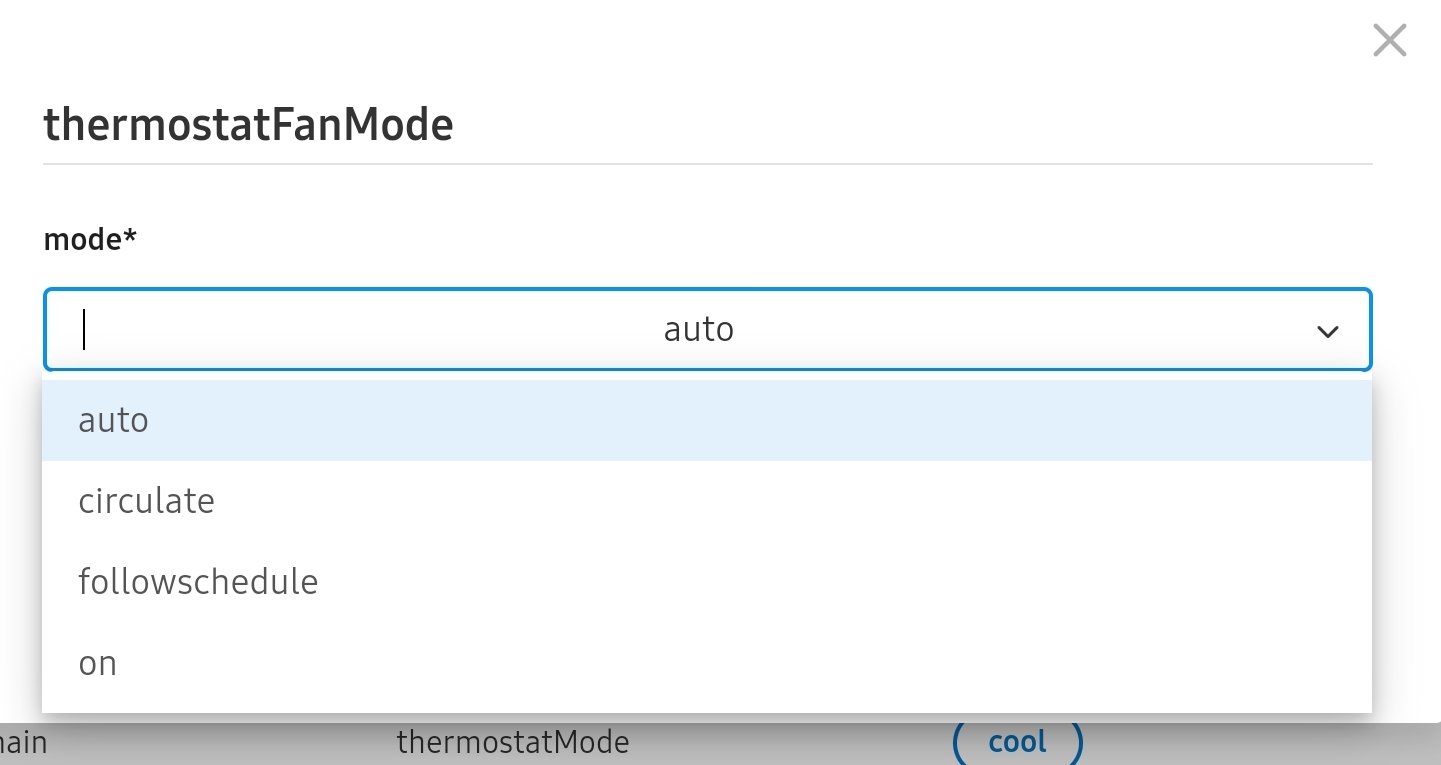
- No ability to set fan mode to “follow schedule”. This is also missing from the Resideo app but is in the TCC app.
- No ability to alter on-thermostat schedule
You can use the free tier of SharpTools to do an automatic refresh on what ever frequency you want.
Thanks! But you shouldn’t have to go to a third party tool when the integration includes the necessary command.
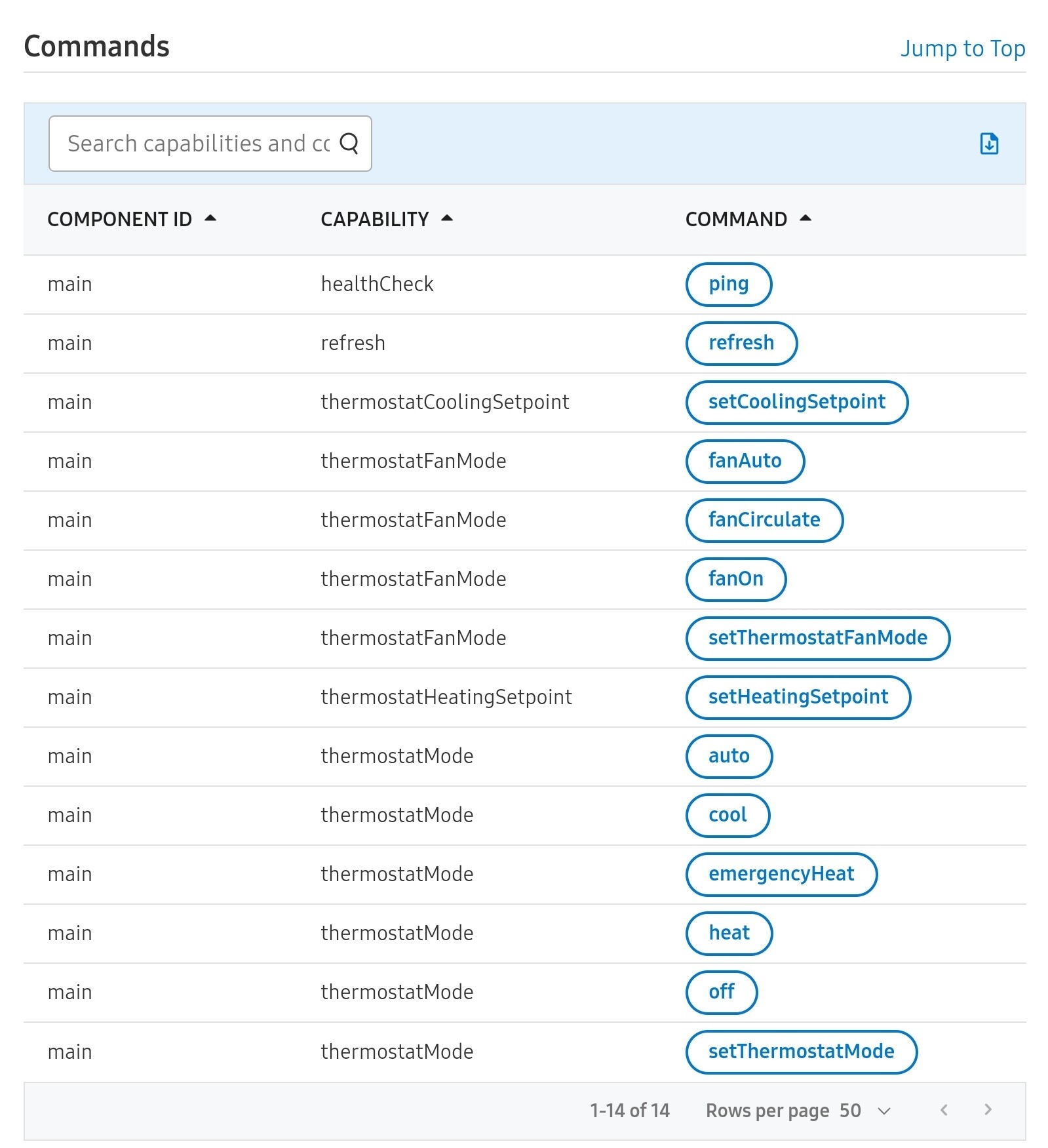
While the fan mode setting to follow the schedule isn’t available as a separate command (which, I guess prevents it from being available in a Routine), it is one of the possible options for the setThermostatFanMode command.