OK , let me know if you need any help. Basically you just need this command:
smartthings edge:drivers:logcat
Please direct message me the log rather than post here, and be sure you surround the log text with three back-tick characters (```) to help in formatting.
I have 10 Shelly Devices (Plus1 Switches and Plus Plugs) that were originally discovered with a Static IP.
They were working fine in SmartThings (Shelly Gen2 Device Driver v1.5).
I’ve since changed the IP Address for each to a new Static IP and they work fine in the Shelly App.
However, it appears that SmartThings Device Card has held onto the Original IP. Is there any way to force the Switches & Plugs in SmartThings to their new Static IP’s ? CLI? MySmartThings Advanced? ???
Hi @TAustin, I was using your drivers with great satisfaction then I had several problems that led me to have to replace the hub. Since I replaced it nothing works anymore, as soon as I create the Shelly 2.5 device and enter the IP address I see it as offline. Please tell me what the problem could be? Thank you
Hi T Ausitn. I just installed your Shelly test ED’s and was successful getting my Shelly 4i working in ST. A bit funky but I can now write routines/actions. I noticed there is a 1.8e version dated after the 1.5 version. Should I stick with the 1.5 or update my device on ST to use the 1.8e?
Thanks for the effort on this, got me past my issue of Shelly cloud not sync to ST app.
I’m using the gen2 drivers for a Shelly Plus 1 to control my garage door opener. How do I get the open or closed status to show in SmartThings? The status is working using the Shelly app.
But I’m not sure if there is a direct way using shelly edge drivers. One option that is to use MQTT virtual shade device which receives status updates directly from shelly (have not tried this, but shellys should support sending MQTT messages) or through intermediary (own script, or Home Assistant which I use). You need to setup an MQTT broker running somewhere on your LAN though.
Hi sorry you are having problems with your hub. One thing I’d recommend is configuring your router to use a fixed IP address for your hub, and make sure it is on the same subnet as your other Shelly devices.
There are two different Shelly drivers - one is for Gen 1 devices and is currently named “Shelly Device Driver V1.8e”, and the other is for Shelly Gen 2 devices and currently named “Shelly Gen2 Device Driver V1.5”.
First of all, thank you @TAustin for developing Edge driver for Shelly devices . It’s indeed better and has more features / information than the built-in driver.
I’m currently exploring shelly devices before making my mind on which devices I’ll be using with both SmartThings and Homey for my entire renovation projects. I recently acquired a Shelly Plug S v2 and used your Edge Driver for 2nd Gen devices.
I searched for the info but without success . Do you know if I’m supposed to see the Shelly Plug S v2 under “ENERGY” (part of SmartThings “LIFE”) so that this plug energy consumption counts against my total energy consumption?
The 4 devices correctly reporting the energy usage are all from TP-Link and I was hoping to get the same with Shelly.
The Energy features within the SmartThings mobile app only work with Samsung appliances and other selected partners. The last I’ve looked at it, it does not recognize community-created device types. I’ll confirm that again.
 . It’s indeed better and has more features / information than the built-in driver.
 . Do you know if I’m supposed to see the Shelly Plug S v2 under “ENERGY” (part of SmartThings “LIFE”) so that this plug energy consumption counts against my total energy consumption?
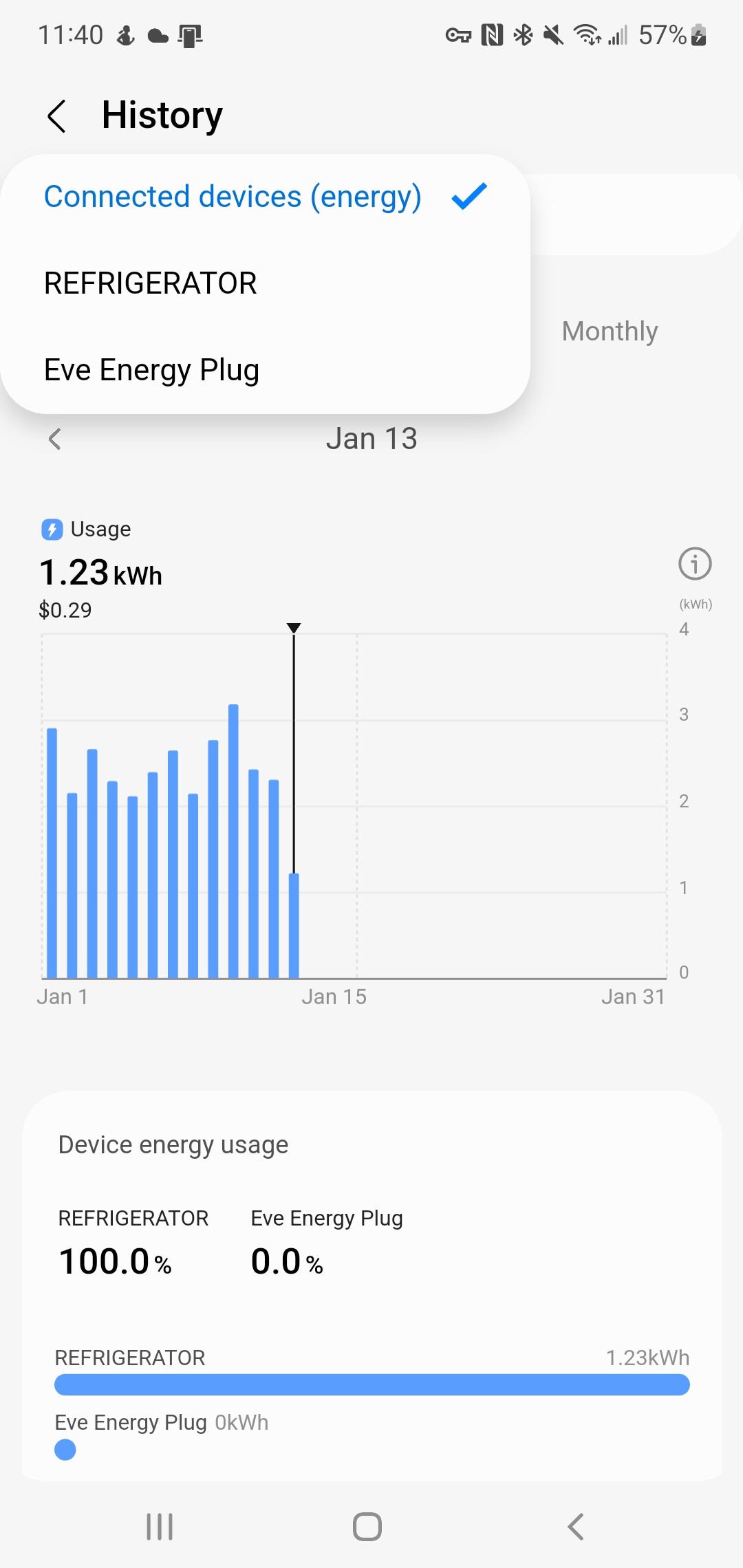

 I hope it has changed