I’ve been monitoring the thread since the first mention of SharpTools a few days ago, but I was trying to avoid replying in this thread as a bit of professional courtesy to Alex and the ActionTiles team thinking that maybe it was just a temporary outage on their side.
But since I’ve been tagged a few times, I’ll try to address a few of the direct SharpTools questions
Is SharpTools a Small Organization?
Yes, SharpTools is a small organization and I’ve personally been part of the SmartThings community since well before the Samsung acquisition and have remained engaged over those years… though I spend more time on our own dedicated community now and mainly respond here when SharpTools is mentioned or I’m tagged.

One of the key decisions we made early on was to go with a subscription model for sustainability. We had a lot of ActionTiles users ‘kick the tires’ at the time and we frequently got asked if we would consider a one-time fee, but I was consistent with my response that a one-time fee model simply wasn’t sustainable and that since we had ongoing costs for each user it only made sense to have a modest ongoing fee to ensure things remained sustainable.
Media Tiles with SharpTools
It should be the same type of configuration as ActionTiles.
Keep in mind that modern browsers can be very particular about trying to display HTTP camera feeds in an HTTPS website and Chrome keeps changing their approach on this! If you see the blue warning message when setting up a media tile, make sure to click the link and read through it as it explains the most common issues and workarounds.

It looks like some of the newest Chrome desktop browsers allow you to grant access to local network resources, so if you get that prompt on desktop, make sure to approve it.
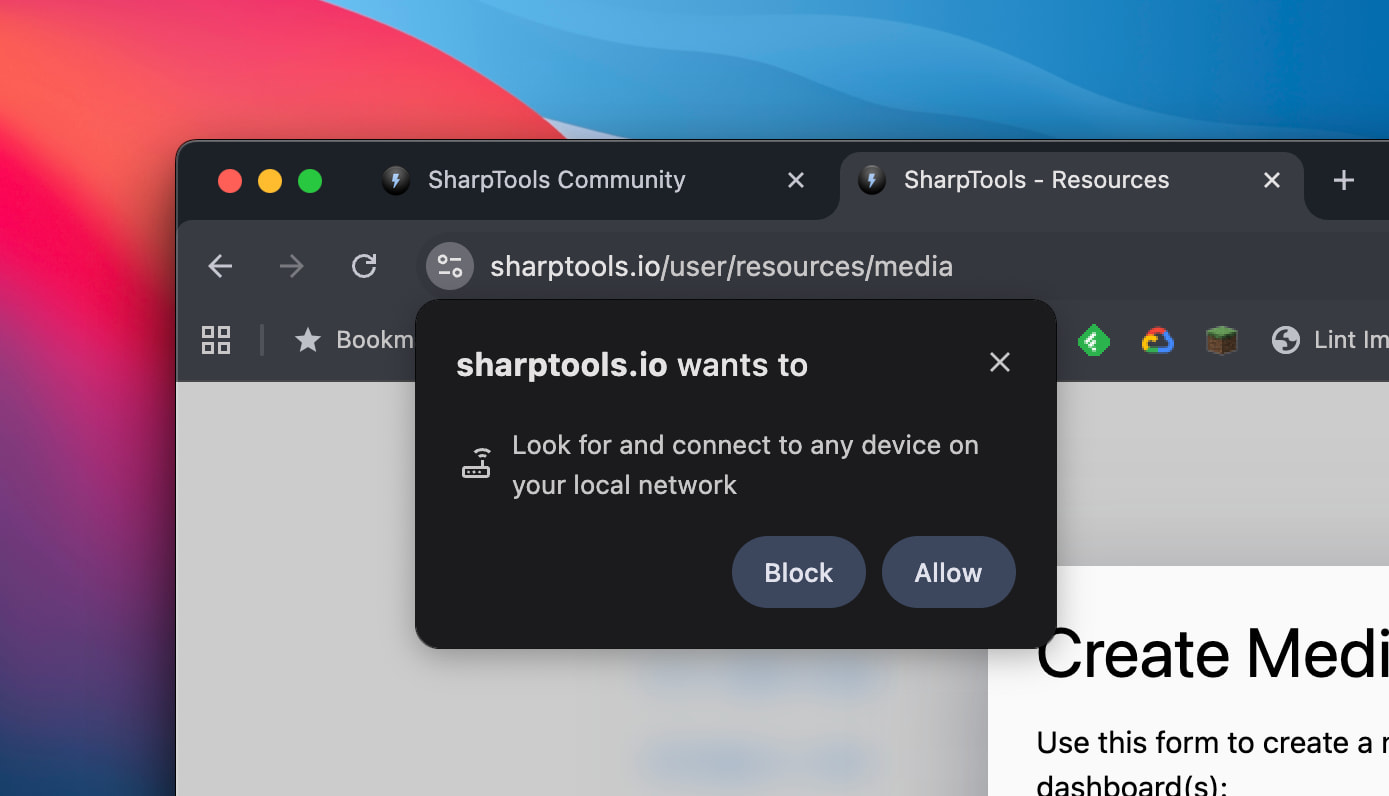
Otherwise for Fully Kiosk Browser and other mobile browsers, there’s some good tips in the post linked from the blue warning message in the Create Media dialog:
Tablet Always On Display
I responded to your support email, but copying the details here for the benefit of other people and adding a few more options for other mobile device types.
- For Android devices, you can either use the Add to Homescreen approach or the app Fully Kiosk is a really popular solution in the community.
- For Fire OS devices, the app Fully Kiosk Browser is probably the most popular solution with the community. You can find more details about how to download it and popular tweaks in out How to Use Fully Kiosk Browser with SharpTools help article.
- For iOS devices, the most common approaches are to use the Add to Homescreen approach or one of the many third-party ‘kiosk’ apps available on the App Store. For the Add to Homescreen approach, many people like to use the ‘Guided Access’ feature of iPad OS to keep the app in the foreground — lots of articles online with details on how to use this.
Sales and Promotions
We aren’t having a Black Friday sale this season, but it looks like impee shared their referral code above. Otherwise, here’s a coupon for 20% off your first payment (redeemable until the end of the year):