I was responding to a query without looking into the context provided by the earlier posts in the thread. What I wanted to convey is that there isn’t really a native SmartThings replacement for the IFTT/webCoRE combination, or similar. The REST API can be part of a solution but if you are involving the REST API you probably ought to be rethinking what the solution is. It certainly doesn’t help in the situations where all you have to work with is a simple URL.
What would I use in such a situation? Well, I’ve got hosting so I have the option to just knock up a PHP script that accesses the REST API. It could be anything from being the simplest of triggers for activity within SmartThings, to being an automation in itself and remotely controlling SmartThings.
If it wasn’t particularly critical I might also consider using the Samsung Automation Studio just because it is there and it would be nice to actually use it for something. However it is hopelessly documented even by Samsung standards, its status is unclear, its future uncertain and I couldn’t recommend anyone use it for any reason other than they would find it entertaining to do so.
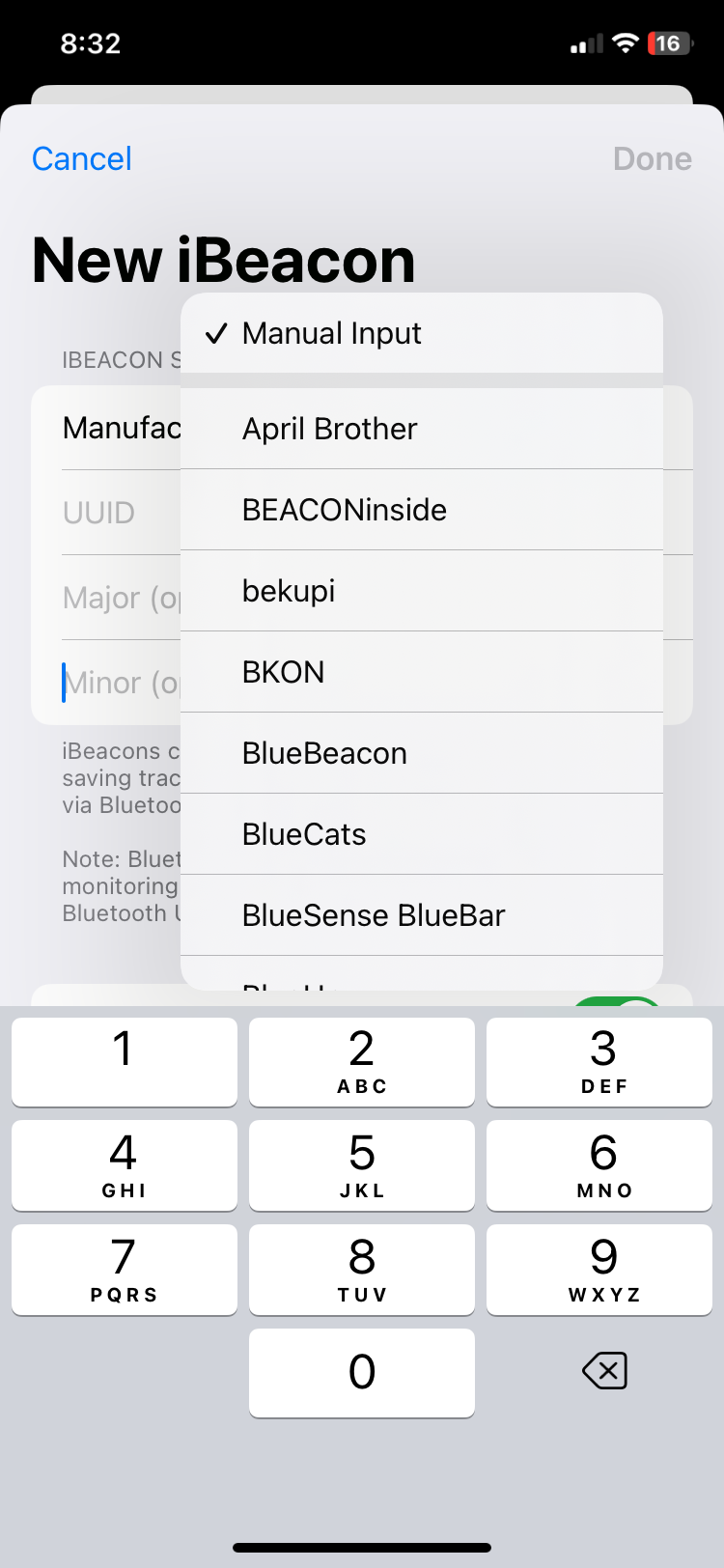
Hello again! Finally got my blue charm beacons in, I was trying to follow the instructions above, but when I go into Geofency, and I go to add an iBeacon, I am not seeing blue charm as an option. And I am not seeing the UUID anywhere to add it manually. Any ideas?
I’ll look into this, but it will have to wait until Tuesday. Meanwhile, the Blue Charm website has detailed “Quickstart guide” which are typically good. The company has its own app, which you can download and then use to see the UUID information, for example. Instructions for that are in the Quickstart guides.
I have a question, in my scenario, the person doesn’t really matter, it is the vehicle that I am really wanting to track. Would i need to create a different webhook on my phone and the car (home and away), as well as my phone and the SUV (home and away), and then A different webhook for my wife and car (home and away), and a new one for my wife and the SUV (home and away)? I had originally just created one for Vehicle 1 Home and another for Vehicle 1 Away, and then the same for Vehicle 2, and then copied them to my wifes phone, for those vehicles.
If I understand your question, then, no. The phone doesn’t really have anything to do with it. It’s the IBeacon that triggers the app on the receiving station to send the correct web hook for that car.
What device are you using for a receiving station? It should be a device that remains plugged in at home so it can recognize when the IBeacon arrives and leaves.
Oh I guess i misunderstood, I thought that I could utilize our phones to receive the signal and transmit. I saw where some use cases, have a phone or device at the house, that would receive the signal, but I also saw somewhere that I could just use each phone. I may have misunderstood that.
You can use the phone for a lot of different aspects of these use cases, but not as a IBeacon receiver, because it’s going to be traveling with the IBeacon in many cases. That won’t give you the results you want.
A lot of people do use an old iPhone as a receiving station if they happen to have one, but it needs to stay at home and be plugged in in order to be able to recognize when the cars come and go.
Unfortunately, there aren’t a lot of choices. You can get a ninth generation iPad from several retailers right now for $250. Or you can get a refurbished iphone or iPad from Walmart or Best Buy for around 150 depending on how old it is. The ipad makes a nice home automation dashboard as well. But obviously not cheap.
If you have maker skills, you can turn a raspberry pi into a receiving station. But obviously that’s a lot more work.
Ok, thanks for that. What will i need to download on that device for an app? What will trigger it? I am not seeing that in any of these posts, perhaps it was already stated, and I missed it.
It’s covered in detail in post 2 above, so I’m not sure where the confusion is.
B) if you want to be able to trigger based on the arrival of people who don’t have smart phones, or who don’t want you to put an app on their smart phone, you can give each one an Ibeacon and have an old iPad or iPhone at home that is always plugged in running Geofency. That way it can send a different webhook for each of the beacons. This has a higher device cost than method a since you need both a receiving station Device and Multiple IBeacons, but it does solve the problem of wanting to just give each person a key fob device rather than installing something on multiple smartphones.
“Geofency” is the app that is installed on the receiving station.
(by the way, another direction to go would be to use a IBeacon with Home Assistant. that’s a less expensive, but much more complicated technical set up.
You can find other threads in the forum on how to integrate home assistant and smartthings using the post 2022 architecture if you’re interested in that approach.)