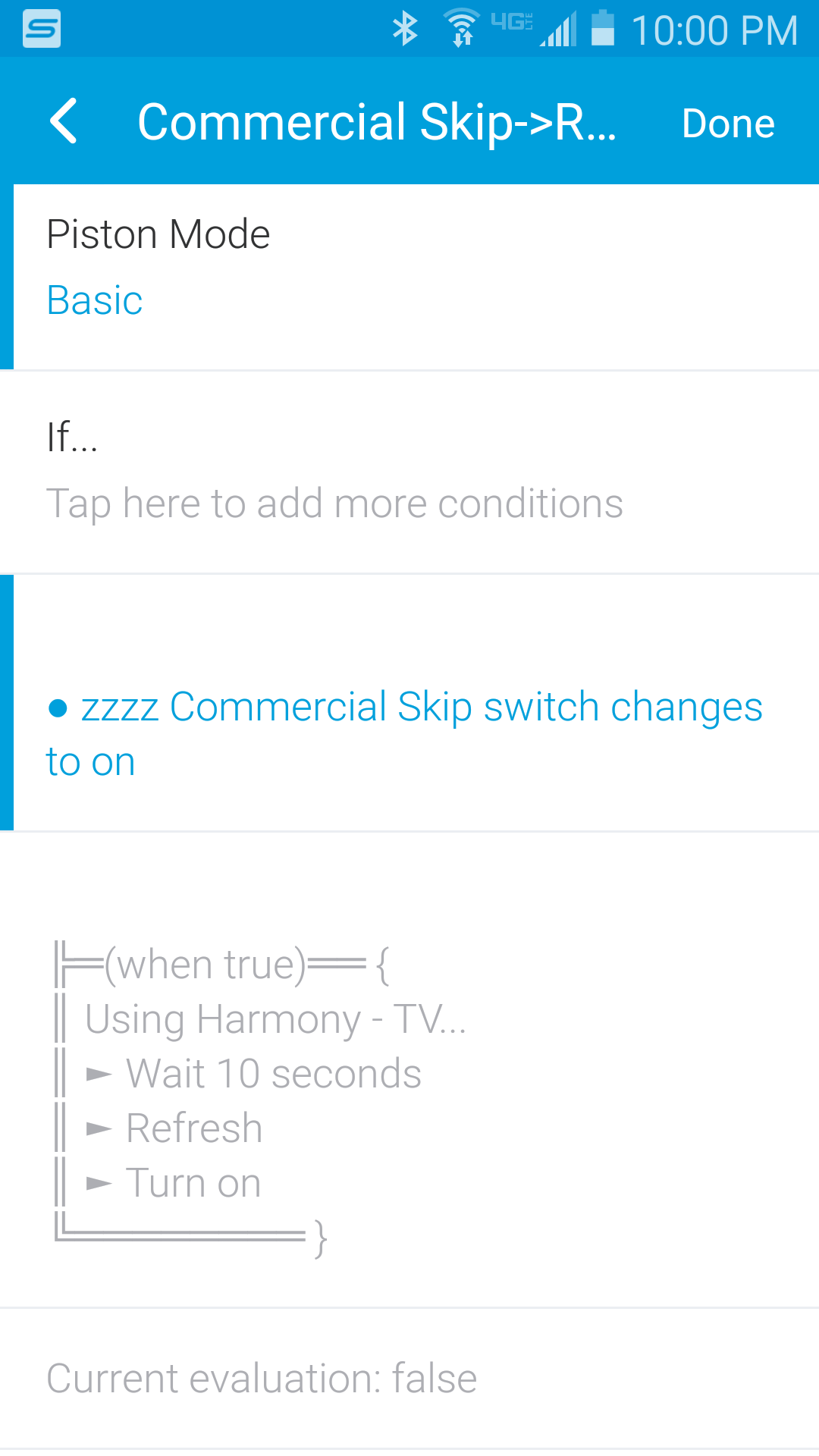
I got it working using CORE as some of the other users above recommended. I’ll explain it as best I can:
I have my normal “Watch TV” activity and a “Commercial Skip” activity set up on my Harmony Remote. You connect your Harmony account within the Smartthings App and you can create “virtual switches” that tell you whether a certain Harmony activity is on or off, and also set up your trigger phrases under the Alexa app as you wish. (I should point out that in my case “Harmony - TV” is my Watch TV virtual switch and “zzzz Commercial Skip” is my Commercial Skip virtual switch…I named them this way in Smartthings just to organize my Things under the Smartthings App a little better as everything ends up being sorted alphabetically and I can group Harmony activities better this way. I have other smart devices such as lights that I track under the Smartthings App as well so it’s less cluttered this way.)
Using CORE, I created an If/Then rule through Smartthings, so that any time my Commercial Skip activity is turned on, it will wait 10 seconds and then revert back to my normal Watch TV activity. It was a bit of a pain learning everything to get it set up but I’d say it was well worth the time. See image below for my CORE Piston. Hope this helps!