Odd, when I try to import, I use.
Author: nellering
Piston name: Read from Google Sheet
Backup code: 0mzz
I hit “Create”, nothing happens, haha. Modal stays open, nothing is created, nothing happens.
Make sure you are selecting “New Piston” then “Restore a Piston from a Backup Code”. Author and name don’t matter.
I created a new code in case that doesn’t work: ns8ay
Same result, not idea why.
Give it a try from your phone or a different browser. It is not happening on my computer.
Are you able to create a piston from scratch? Also, you could search the forums for webcore and try importing another person’s pistons. It should work…don’t know why…
Yeah I have something going on, I can’t even create one from scratch. Stay tuned.
@nellering looks like it’s pulling;
Great! Did you replace “Unknown Device 3” with your device you setup?
If so, is your device showing the data on the app? You can also log into the IDE and click on your device to verify it is receiving the data in the “States” item for the variables.
If you run into any issues, let me know where to focus my feedback.
Yep, looks like it’s working!
That seems like the hard part, ideally I’d like that to not show up as it’s own device, but part of an existing one. I have a switch as part of a custom device handler for my pool heater, seen here
I’d like that data to show up here, either as a label or in lieu of the icon, whatever is available. Either way, I think the key here is merging the code in your device handler into the one I’m using currently for the pool heater.
That’s great!
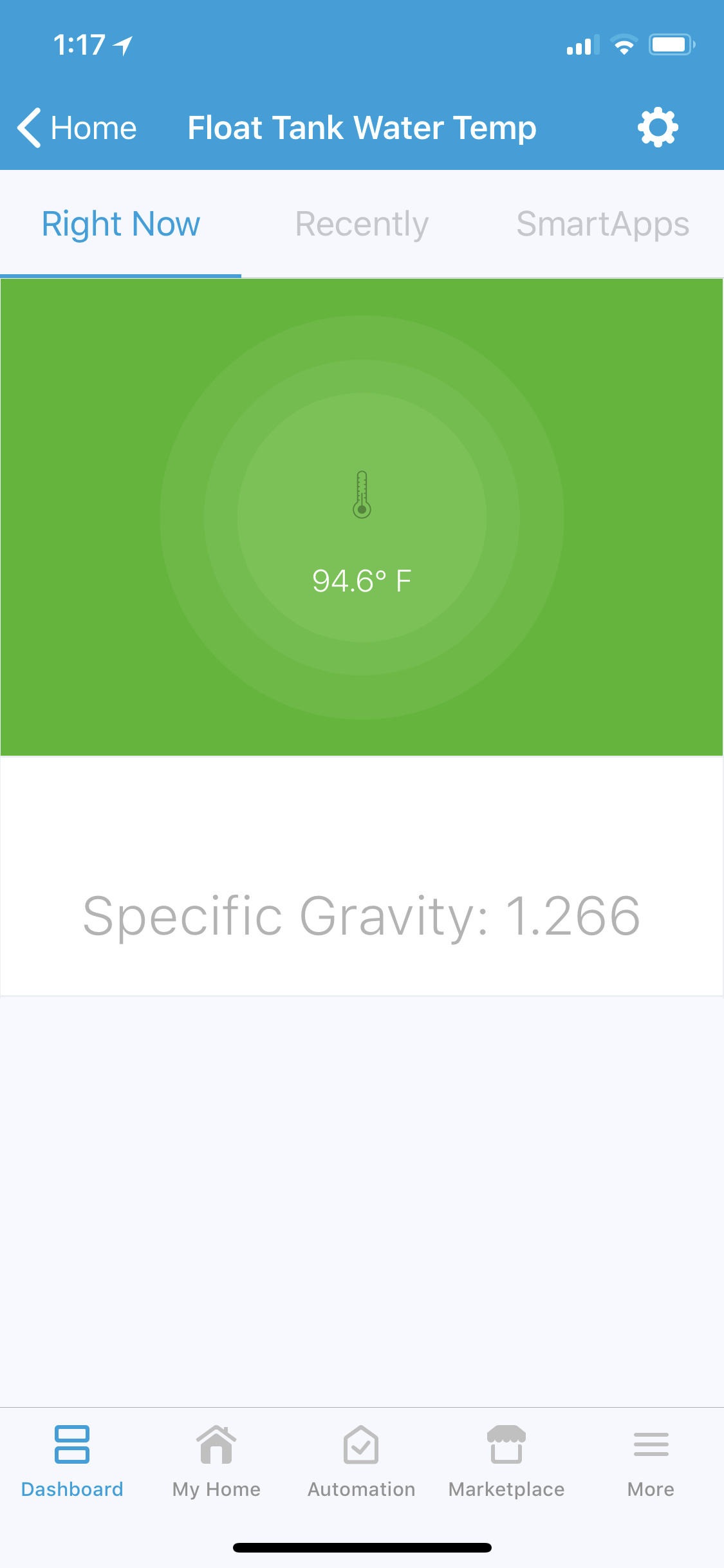
You can definitely modify your pool heater code to add in code to pull in your cost value. Look into adding a “value” tile to your pool heater to add in the extra data. The attached photo is how I used one device to display two data types.
Glad it worked out. Let me know if you run into any issues as most of my time figuring it out was spent trying to figure out the tiles.
One issue I ran into was that I need multiple decimal numbers, and smartthings wants to round to one decimal point.
    multiAttributeTile(name:"switch1", type: "lighting", width: 6, height: 4, canChangeIcon: true) {
        tileAttribute ("device.switch", key: "PRIMARY_CONTROL") {
            attributeState "on", label:'${name}', action:"switch.off", icon:"st.switches.switch.on", backgroundColor: "#d04e00"
            attributeState "off", label:'${name}', action:"switch.on", icon:"st.switches.switch.off", backgroundColor: "#ffffff"
        }

        tileAttribute ("device.cost", key: "SECONDARY_CONTROL") {
            /* This is where i'd like to have the data, this is an example of static data that works */
            attributeState("cost", label:'$145.54')
        }
    }
I like your version better, haha!
Thanks for all the help man, awesome walkthrough.
You’re welcome. Here is the code I used to get the second tile:
    valueTile("specificGravity", "device.specificGravity", width: 6, height: 2) {
		state "specificGravity", label:'${currentValue}',
		icon: ""
    }
Make sure you add second tile name to the “details” section of the tiles:
details("mainTile", "specificGravity")
Good luck.